Scanner ProMax : PDF Converter
다운로드: App Store

이 페이지는 앱이나 개발자의 공식 페이지가 아니며, 정보 제공 및 논평을 목적으로 작성된 독립 편집 간행물입니다. 명시적으로 달리 언급되지 않는 한, 해당 앱이나 개발자는 MWM, Apple, Google Play, 앱 퍼블리셔 또는 앱 개발자와 제휴, 보증, 후원, 승인 또는 공식적으로 연결되어 있지 않으며, 이 페이지의 어떤 내용도 해당 앱이 MWM의 서비스를 사용하여 개발되었음을 의미하지 않습니다. 모든 상표, 로고, 스크린샷 및 기타 콘텐츠는 해당 소유자의 자산입니다.

로고: Scanner ProMax : PDF Converter
다운로드: App Store

Scanner ProMax : PDF Converter

번개처럼 빠른 스캔, 즉각적인 문서 서명, 정확한 OCR 텍스트 추출 기능을 경험하세요. 바쁜 비즈니스 워크플로우에 최적화된 고성능 PDF 관리 기능을 만나보세요.

주요 수치

다운로드

17K+

사용자 평점

4.5/5

총 평가 수

200

개발사

AS GRUP BILGI TEKNOLOJILERI PAZARLAMA VE TICARET LIMITED SIRKETI

카테고리

Business

지원 언어

5

최신 버전

2.3

크기

67.8 MB

출시일

2023년 4월 25일
기능

주머니 속의 임원용 사무실

Scanner ProMax는 모바일 장치를 고성능 워크스테이션으로 바꿔주며, 최고 수준의 전문가들이 요구하는 속도, 품질 및 보안을 제공합니다.

초고속 고해상도 스캔

모바일 임원을 위해 설계된 지능형 가장자리 감지 및 자동 이미지 최적화 기능으로 몇 초 만에 선명한 PDF를 캡처하세요.

디지털 서명 및 OCR

고급 오프라인 OCR 기술을 사용하여 즉시 계약을 서명하고 이미지에서 텍스트를 추출하여 이동 중에도 거래를 성사시키세요.

다음 스크린샷과 설명은 앱의 공식 스토어 목록에서 직접 가져온 것이며 앱 개발자의 자산입니다.

앱 스토어

스크린샷
Scanner ProMax : PDF Converter - 휴대폰으로 문서에 서명하고 PDF로 변환하라는 텍스트가 표시된 아이폰 화면
휴대폰으로 문서에 서명하고 PDF로 변환하라는 텍스트가 표시된 아이폰 화면

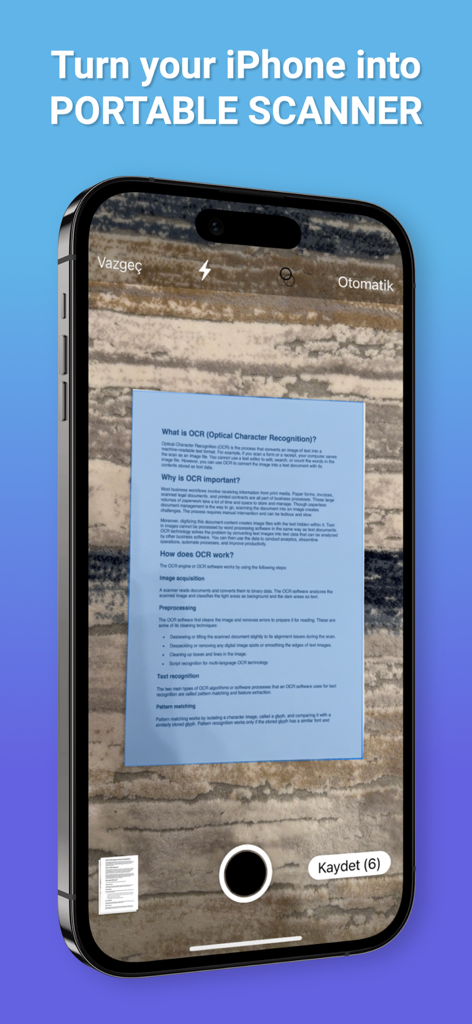
Scanner ProMax : PDF Converter - 텍스처 표면에 자동 가장자리 감지 기능을 사용하여 문서를 캡처하는 Scanner ProMax 앱을 표시하는 아이폰 화면.
텍스처 표면에 자동 가장자리 감지 기능을 사용하여 문서를 캡처하는 Scanner ProMax 앱을 표시하는 아이폰 화면.

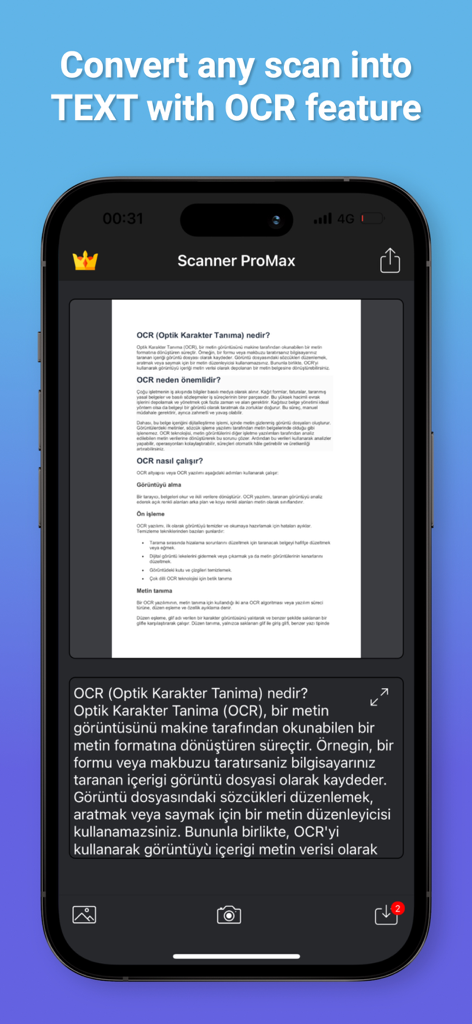
Scanner ProMax : PDF Converter - Scanner ProMax 앱의 스마트폰 화면에서 OCR 기능을 사용하여 문서 스캔을 텍스트로 변환하는 중.
Scanner ProMax 앱의 스마트폰 화면에서 OCR 기능을 사용하여 문서 스캔을 텍스트로 변환하는 중.

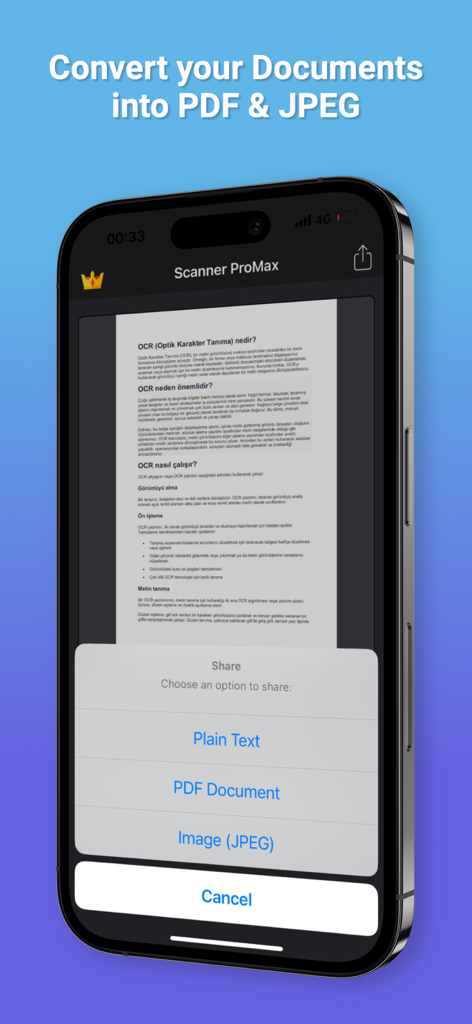
Scanner ProMax : PDF Converter - Scanner ProMax 모바일 앱에 문서를 PDF 및 JPEG로 변환하는 옵션 표시
Scanner ProMax 모바일 앱에 문서를 PDF 및 JPEG로 변환하는 옵션 표시

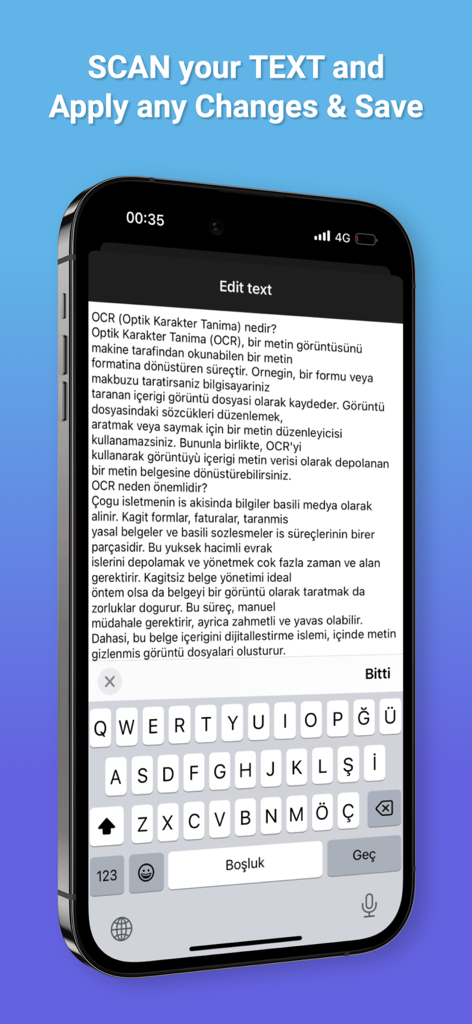
Scanner ProMax : PDF Converter - Scanner ProMax 앱의 OCR 텍스트 편집 인터페이스를 보여주는 스마트폰 화면
Scanner ProMax 앱의 OCR 텍스트 편집 인터페이스를 보여주는 스마트폰 화면

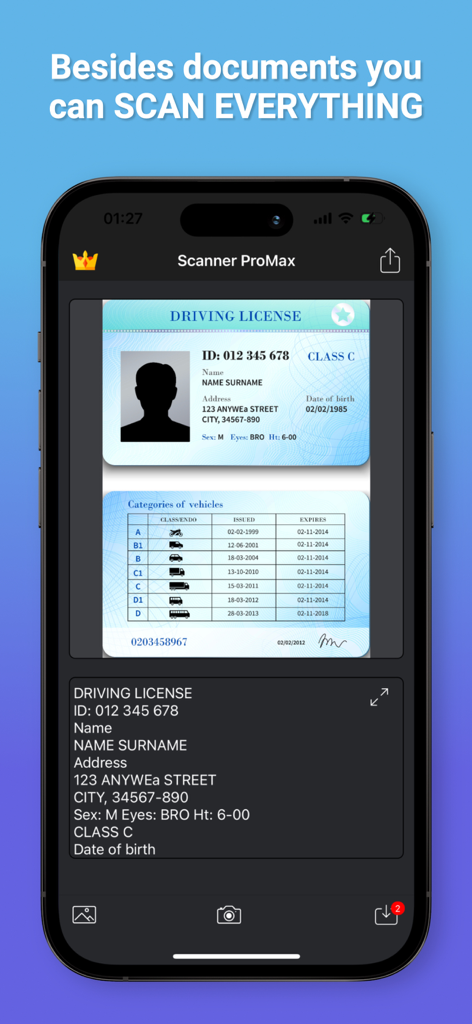
Scanner ProMax : PDF Converter - Scanner ProMax 앱 인터페이스에서 스캔한 운전면허증에 OCR 수행 중
Scanner ProMax 앱 인터페이스에서 스캔한 운전면허증에 OCR 수행 중

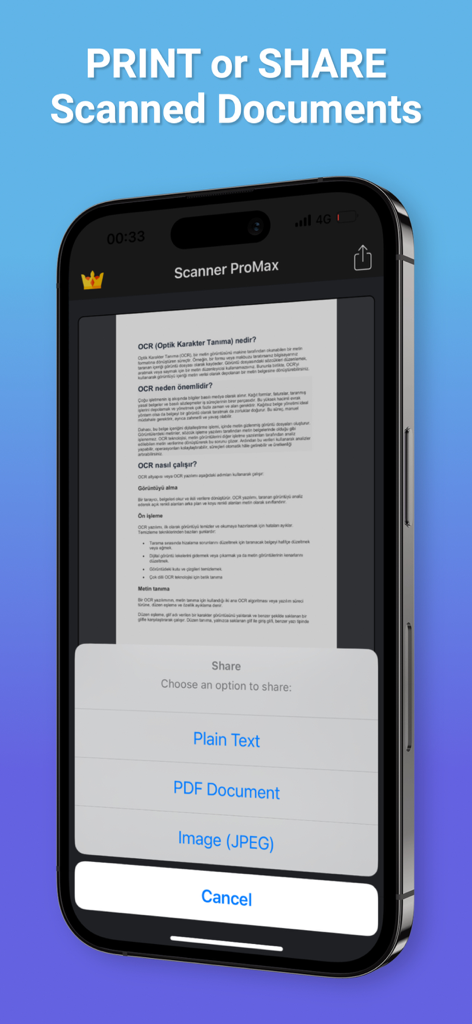
Scanner ProMax : PDF Converter - Scanner ProMax 앱에서 일반 텍스트, PDF 및 JPEG에 대한 문서 공유 옵션을 보여주는 스마트폰 화면.
Scanner ProMax 앱에서 일반 텍스트, PDF 및 JPEG에 대한 문서 공유 옵션을 보여주는 스마트폰 화면.

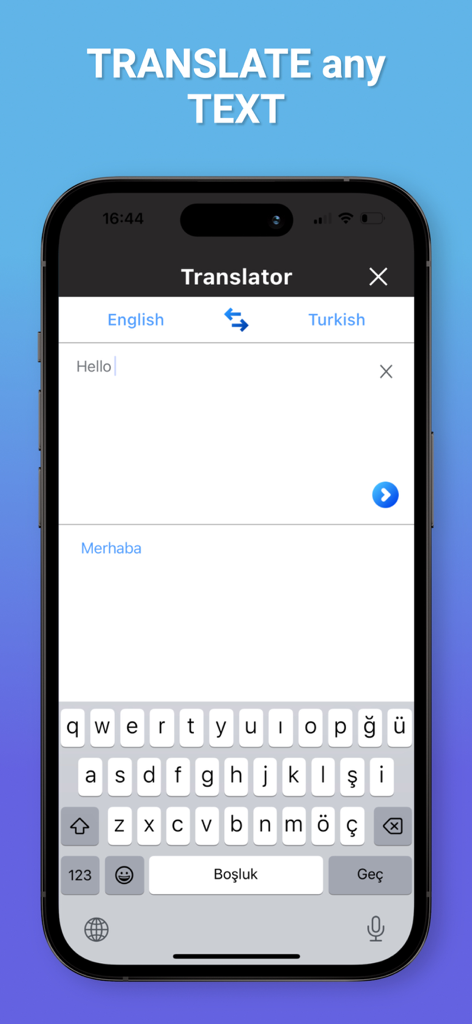
Scanner ProMax : PDF Converter - Scanner ProMax 앱 화면에서 영어에서 터키어로 텍스트 번역 표시

Scanner ProMax 앱 화면에서 영어에서 터키어로 텍스트 번역 표시

설명

Scanner ProMax is currently the fastest and most powerful tool for scanning documents. Scanner ProMax will turn your iPhone or iPad into a powerful mobile scanner. You can create and manage a virtual copy of credit cards, books, checks, recipes, timetables and any paper documents by using Scanner ProMax. Quickly scan, edit, sign, save, and share any document in PDF JPEG or TXT format. The application supports optical character recognition (OCR) technology and allows you to extract the text from the image. It doesn’t require an Internet connection, as all scans are stored locally on your device. Scanner ProMax can process the captured from the camera images and already existing photos in the gallery. The application allows you to adjust and apply the filters for images with the built-in editor. Experiment with your documents and edit and signature them, you can always revert to the original image. You can save your finished pictures to gallery, send by mail, message in JPEG, TXT and PDF formats. Say goodbye to old office scanners and get this PDF scanner for your daily business needs! High speed and quality of image processing without tedious manual corrections will make Scanner ProMax your ideal companion for business and education. FEATURE HIGHLIGHTS: — Scan premium quality PDFs or JPGs; — Signature Documents; — An automatic or manual image capturing modes; — Enhance your scans: edge detection, optimization and color corrections; — Flash settings; — Ability to turn on a grid; — Fastest recognition using Vision API; — Cloud integrations: iCloud, Dropbox, Evernote, Yandex Disk, Box, OneDrive, Google Drive, and other cloud services; — Creating and saving the documents in colored, grayscale, black and white formats; — High performance and stability of the application — User friendly navigation Scan HIGH-QUALITY: Scanner ProMax captures the best possible image in the perfect moment. The edges of the document are automatically identified so that only the document itself is scanned. Scan QUICKLY: Scanner ProMax is very quickly. Make scans with just a tap. Scan ANYTHING: Scanner ProMax works on all occasions with all kind of documents. Scan to SHARE: Scanned documents can be shared anywhere. Share and upload scanned documents to cloud services like iCloud, Dropbox, Evernote, Yandex Disk, Box, OneDrive, or Google Drive. The app contains the following subscription options: - Current Scanner ProMax subscription price starts at $5.99 USD/week, one-month and 12-month packages are available. - Payment will be charged to iTunes Account at confirmation of purchase. - Subscription automatically renews unless auto-renew is turned off at least 24-hours before the end of the current period. - Account will be charged for renewal within 24 hours prior to the end of the current period, and identify the cost of the renewal. - Subscriptions may be managed by the user and auto-renewal may be turned off by going to the user's Account Settings at iTunes Store after purchase. - No cancellation of the current subscription is allowed during active subscription period. - Privacy Policy: https://scnpromax.com/privacy-policy - Terms of Use: https://scnpromax.com/terms-of-use

Download

다운로드: App Store

이 페이지는 앱이나 개발자의 공식 페이지가 아니며, 정보 제공 및 논평을 목적으로 작성된 독립 편집 간행물입니다. 명시적으로 달리 언급되지 않는 한, 해당 앱이나 개발자는 MWM, Apple, Google Play, 앱 퍼블리셔 또는 앱 개발자와 제휴, 보증, 후원, 승인 또는 공식적으로 연결되어 있지 않으며, 이 페이지의 어떤 내용도 해당 앱이 MWM의 서비스를 사용하여 개발되었음을 의미하지 않습니다. 모든 상표, 로고, 스크린샷 및 기타 콘텐츠는 해당 소유자의 자산입니다.








