이 페이지는 앱이나 개발자의 공식 페이지가 아니며, 정보 제공 및 논평을 목적으로 작성된 독립 편집 간행물입니다. 명시적으로 달리 언급되지 않는 한, 해당 앱이나 개발자는 MWM, Apple, Google Play, 앱 퍼블리셔 또는 앱 개발자와 제휴, 보증, 후원, 승인 또는 공식적으로 연결되어 있지 않으며, 이 페이지의 어떤 내용도 해당 앱이 MWM의 서비스를 사용하여 개발되었음을 의미하지 않습니다. 모든 상표, 로고, 스크린샷 및 기타 콘텐츠는 해당 소유자의 자산입니다.
ScannerHD Pro - PDF Scan
초고속 OCR, 자동 가장자리 감지, 원활한 클라우드 동기화로 계약서, 영수증, 메모를 즉시 디지털화하세요. 높은 효율성을 추구하는 전문가 및 학생을 위해 설계되었습니다.
주요 수치
다운로드
143K+
사용자 평점
4.8/5
총 평가 수
1K+
개발사
HiThink Financial Services Inc.
카테고리
Business
지원 언어
3
최신 버전
2.2.5
크기
44.3 MB
출시일
2019년 9월 22일
기능
주머니 속 전문가용 스캐너
현대 전문가를 위해 설계된 고품질 디지털화, 즉각적인 텍스트 인식, 원활한 클라우드 동기화로 워크플로우를 혁신하세요.
정밀한 가장자리 감지
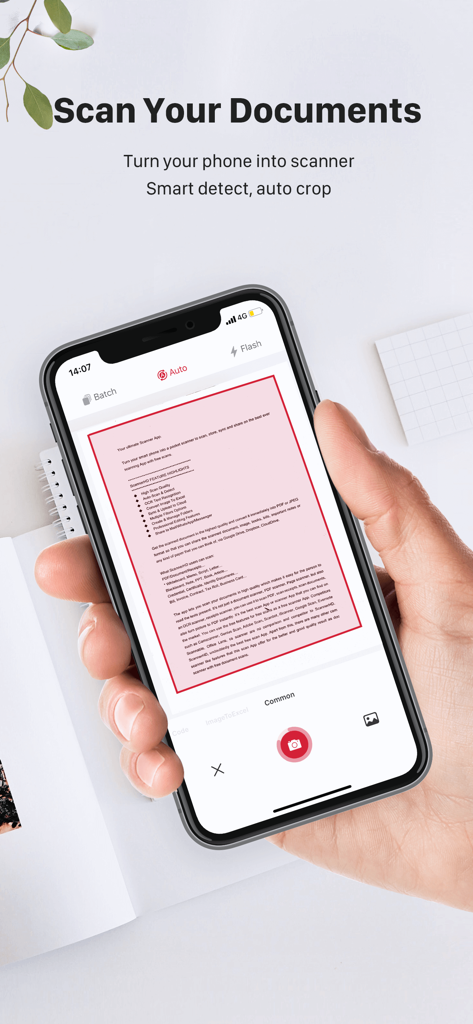
문서 테두리를 자동으로 감지하고 원근를 보정하여 매번 선명하고 전문가 수준의 결과를 얻을 수 있습니다.
스마트 OCR 기술
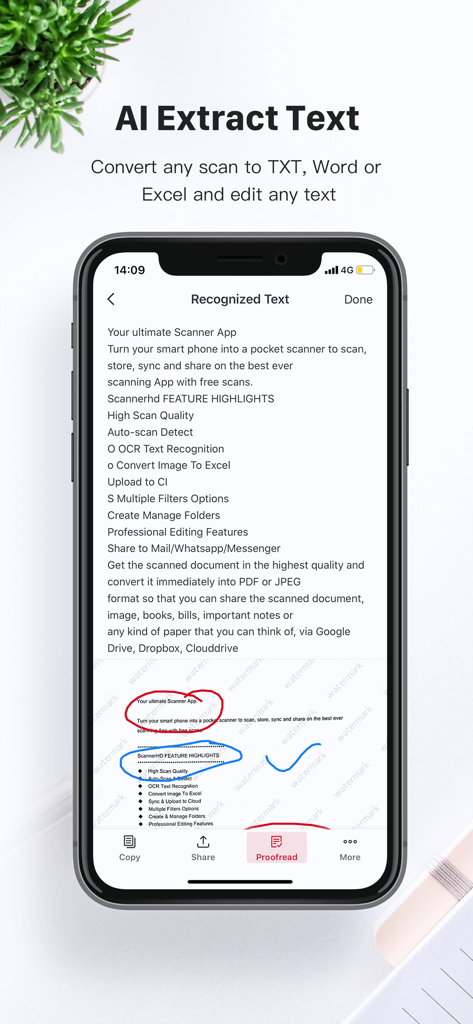
모든 스캔에서 텍스트를 추출하여 검색, 편집 또는 공유할 수 있으며, 정적 이미지를 프로젝트에 사용할 수 있는 동적 데이터로 변환합니다.
다음 스크린샷과 설명은 앱의 공식 스토어 목록에서 직접 가져온 것이며 앱 개발자의 자산입니다.
앱 스토어
스크린샷
한 사람이 스마트폰으로 ScannerHD Pro를 사용하여 자동 가장자리 감지 기능으로 문서를 스캔하고 있는 모습
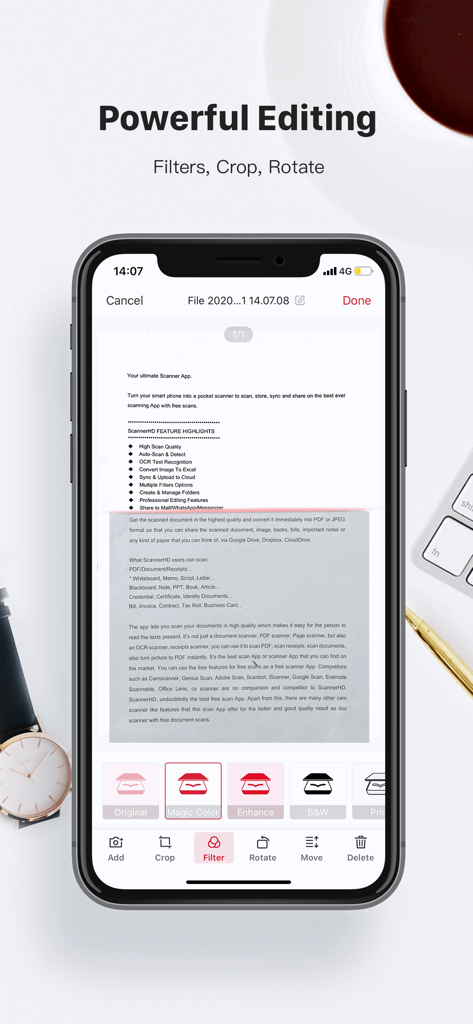
ScannerHD Pro 모바일 앱에서 필터, 자르기, 회전과 같은 전문 문서 편집 도구를 보여주는 화면
ScannerHD Pro 앱에서 스캔된 문서의 AI 텍스트 추출 기능을 보여주는 화면
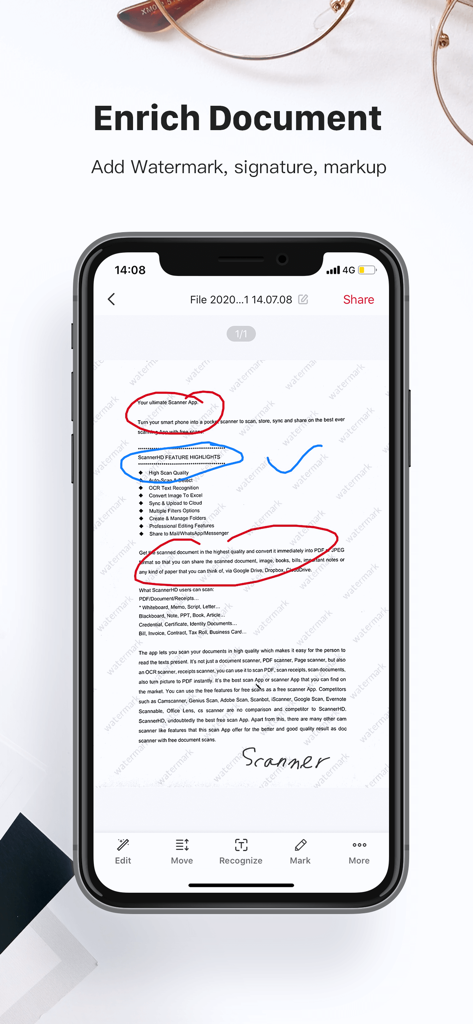
스마트폰으로 ScannerHD Pro 앱 인터페이스를 보여주며 스캔된 문서에 워터마크, 서명, 마크업을 추가하는 기능
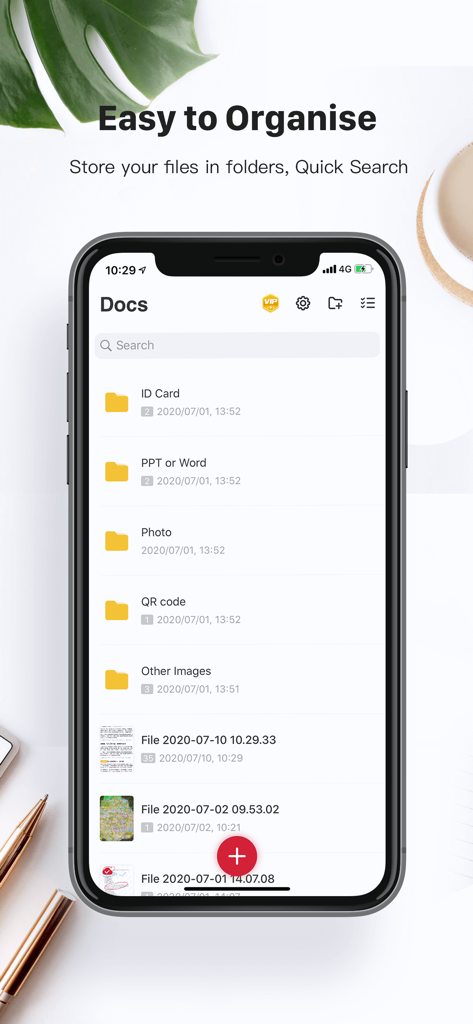
ScannerHD Pro 앱 인터페이스에서 검색 표시줄이 있는 ID 카드 및 사진용 정리된 폴더를 보여주는 화면
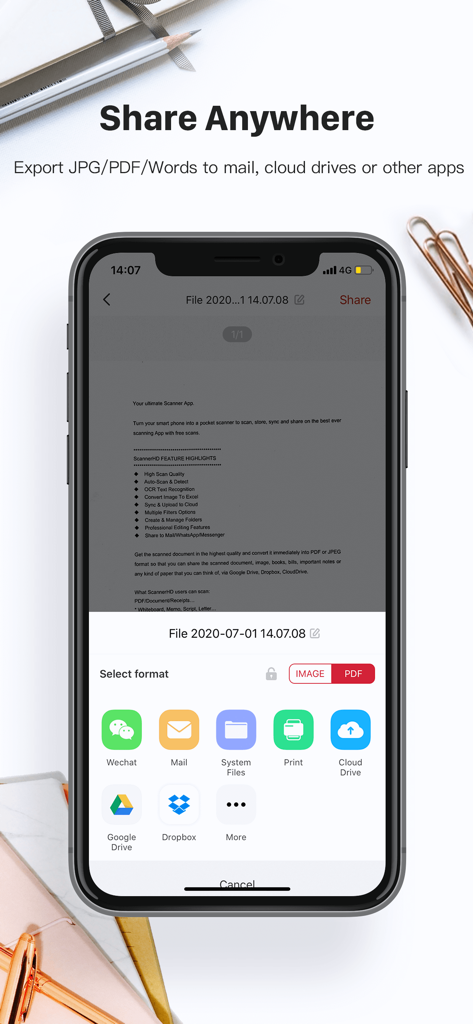
ScannerHD Pro 앱 인터페이스에서 Google Drive 및 Dropbox와 같은 클라우드 서비스로 문서를 내보내는 옵션을 보여주는 화면
설명
ScannerHD Pro is the best scanning app with hassle free work that saves a huge amount of both time and money. So get this amazing mini pocket scanner app now in your smartphones and get the scanning done from any part of the world and send the scanned image to any person at any location.
* High Scan Quality
* OCR Text Recognition
* Sync & Auto-upload
* Create & Manage Folders
* Sync & Auto-upload
* Cloud Storage/Space
* OCR Text Recognition
ScannerHD Pro users scan and manage
* Bill, Invoice, Contract, Tax Roll, Business Card…
* Whiteboard, Memo, Script, Letter…
* Blackboard, Note, PPT, Book, Article…
* Credential, Certificate, Identity Documents
3rd Party Cloud Storage Services Supported:
- CloudDrive, Google Drive, Dropbox, Evernote(soon)
Now convert your smart phone into a mini pocket scanner and enjoy the high quality image in your device within just one touch with the best ever scanning mobile app ScannerHD Pro - Scanner to scan PDF.
“ScannerHD Pro” is a must for every person be it a school student, college student, business person or lawyer, office clerks, or any other person.
The app lets you scan your photographs and documents in high quality which makes it easy for the person to read the texts present. The app automatically detects the corner of the file that you want to scan for better quality along with you can also crop the part of the document that you want to scan.
Share the files immediately over mail, Dropbox, CloudDrive, Google Drive, or via link to enjoy the joy of scanning. ScannerHD Pro allows the user to convert the scanned document to JPEG format or PDF format. You can even print the scanned document or image over air print. The app also offers various professional editing features even after saving the images along with various multiple filters.
*************
- Automatic document edge detection and perspective correction
- Extremely Fast Processing
- Professional quality results with multiple filter options: enhance, B&W, Print, Grayscale,
- Flexible editing, able to edit file after save
- Easily create and manage folders
- Document naming, storage inside the app
- Adding or Deleting one page or the whole document
- Page reordering after adding or deleting
- Set page sizes for PDF (Letter, Legal, A4, and more)
- Email specific pages or whole document
- Print PDF file via Cloud Print
- Open PDFs or JPEGs in other apps such as Dropbox, Google Drive, Evernote, etc. to send to clouds
- Extract Texts from image OCR ,transfer images to texts so you can search, edit or share
- Tiny app size
ScannerHD PRO Auto Renewal Product Description:
1. Payment: The automatic renewal items includes “monthly subscription VIP” and “yearly subscription VIP".
2. Subscription price: “monthly subscription VIP” is $4.99 per month, “yearly subscription VIP" is $39.99 per year. After confirming the purchase, you will deduct the fee from your Apple iTunes account, first subscription, free trial for the first 7 days, and cancellation of the subscription during the trial period will be exempt from deduction.
3. Renewal membership: 24 hours before the expiration of your membership, Apple will automatically deduct the charge from your iTunes account, and the validity period will be automatically extended by one cycle.
4. Cancellation of Renewal: If you need to cancel the automatic renewal, please turn it off in "iOS-Account Settings" 24 hours before the expiration date.
5. Privacy Policy:https://scanner.hithink.com/#/privacyPolicy
6. Terms of Use: https://scanner.hithink.com/website/termsofservice
7. Auto Renewal Product Agreement: https://scanner.hithink.com/website/auto_renewal_policy/index.html
*************
Say Hello
*************
We’d love to hear your feedback: scanner@hithink.com
Follow us on Twitter: https://twitter.com/ScannerHD1
Like us on Facebook: https://www.facebook.com/ScannerHDoffcial/
Follow us on Instagram: https://www.instagram.com/scannerhdpro/
Website: https://scanner.hithink.com
이 페이지는 앱이나 개발자의 공식 페이지가 아니며, 정보 제공 및 논평을 목적으로 작성된 독립 편집 간행물입니다. 명시적으로 달리 언급되지 않는 한, 해당 앱이나 개발자는 MWM, Apple, Google Play, 앱 퍼블리셔 또는 앱 개발자와 제휴, 보증, 후원, 승인 또는 공식적으로 연결되어 있지 않으며, 이 페이지의 어떤 내용도 해당 앱이 MWM의 서비스를 사용하여 개발되었음을 의미하지 않습니다. 모든 상표, 로고, 스크린샷 및 기타 콘텐츠는 해당 소유자의 자산입니다.