Short Video Hider
Short Video Hider
다운로드: App Store

이 페이지는 앱이나 개발자의 공식 페이지가 아니며, 정보 제공 및 논평을 목적으로 작성된 독립 편집 간행물입니다. 명시적으로 달리 언급되지 않는 한, 해당 앱이나 개발자는 MWM, Apple, Google Play, 앱 퍼블리셔 또는 앱 개발자와 제휴, 보증, 후원, 승인 또는 공식적으로 연결되어 있지 않으며, 이 페이지의 어떤 내용도 해당 앱이 MWM의 서비스를 사용하여 개발되었음을 의미하지 않습니다. 모든 상표, 로고, 스크린샷 및 기타 콘텐츠는 해당 소유자의 자산입니다.

로고: Short Video Hider
다운로드: App Store

Short Video Hider

중독성 있는 Reels 및 Shorts를 숨기는 개인 정보 우선 Safari 확장 프로그램. 디지털 방해 없이 자신만의 방식으로 YouTube, Instagram, Reddit을 탐색하세요.

주요 수치

다운로드

500

사용자 평점

3.8/5

총 평가 수

0

개발사

Arulvhalan Anandarajah

카테고리

Productivity

지원 언어

1

최신 버전

2.3

크기

7.9 MB

출시일

2025년 5월 28일
기능

초점 되찾기

디지털 미니멀리스트를 위해 설계된 당사의 Safari 확장 프로그램은 중독성 있는 짧은 형식의 콘텐츠를 외과적으로 제거하여 의도적으로 웹을 탐색할 수 있도록 합니다.

정밀한 콘텐츠 제거

가치 있는 긴 형식의 게시물은 그대로 유지하면서 YouTube, Instagram, Reddit 전반의 중독성 있는 Shorts 및 Reels 표면을 숨깁니다.

개인 정보 보호 및 로컬 우선

추적이나 외부 호출 없이 완전한 마음의 평화를 즐기세요. 모든 스크립트는 디지털 개인 정보를 보호하기 위해 장치에서 로컬로 실행됩니다.

다음 스크린샷과 설명은 앱의 공식 스토어 목록에서 직접 가져온 것이며 앱 개발자의 자산입니다.

앱 스토어

스크린샷
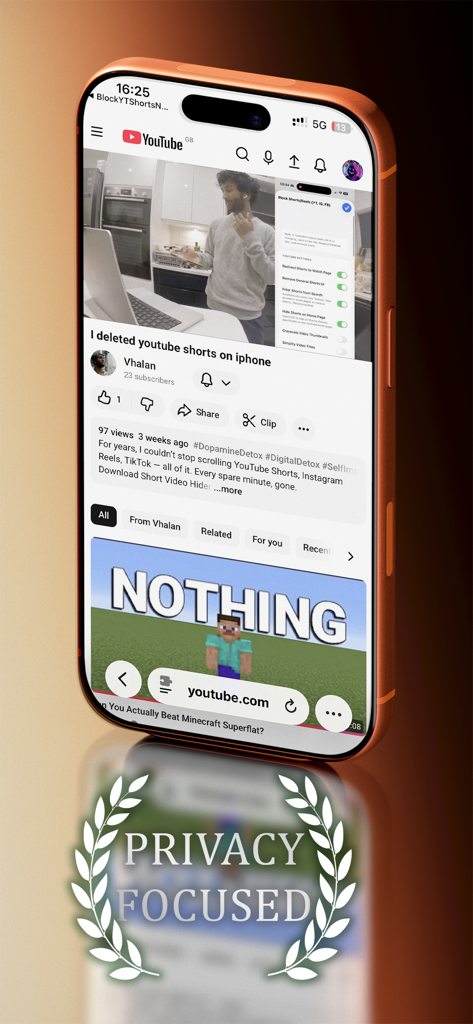
Short Video Hider - 개인 정보 보호 중심의 문장이 새겨진 Short Video Hider 앱 인터페이스와 Shorts 제거에 대한 YouTube 동영상이 표시된 iPhone 화면.
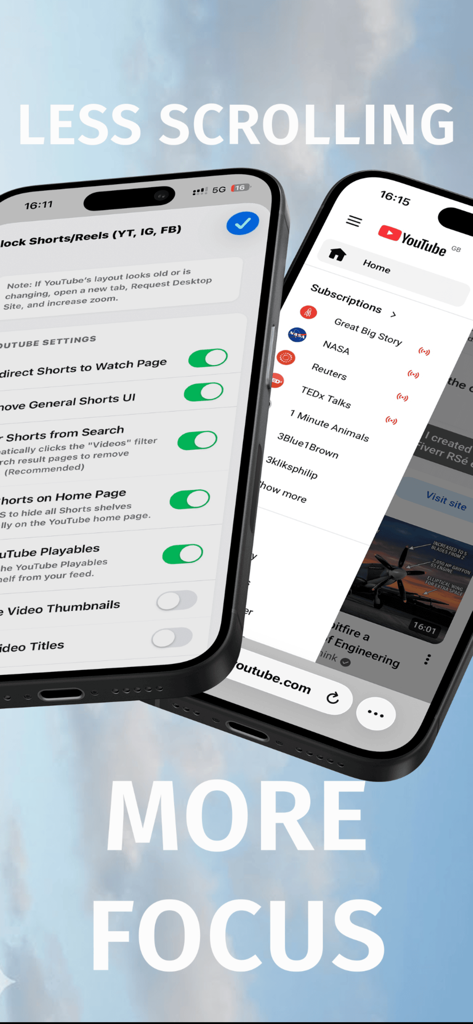
개인 정보 보호 중심의 문장이 새겨진 Short Video Hider 앱 인터페이스와 Shorts 제거에 대한 YouTube 동영상이 표시된 iPhone 화면.

Short Video Hider - Safari에서 YouTube Shorts 및 Instagram Reels를 차단하는 설정이 표시된 Short Video Hider 앱.
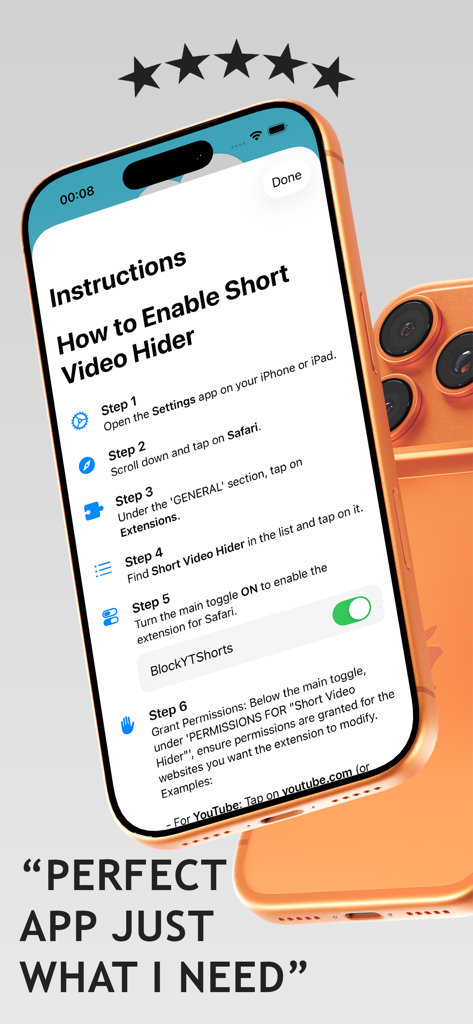
Safari에서 YouTube Shorts 및 Instagram Reels를 차단하는 설정이 표시된 Short Video Hider 앱.

Short Video Hider - iPhone에서 Short Video Hider Safari 확장 프로그램을 활성화하는 단계별 지침

iPhone에서 Short Video Hider Safari 확장 프로그램을 활성화하는 단계별 지침

설명

Short Video Hider is a lightweight iOS app bundled with a Safari Web Extension. It restores control over your browsing experience on platforms like YouTube, Instagram, Facebook and Reddit. Features - Remove Shorts and Reels surfaces while keeping regular videos and posts intact. - Redirect to the normal video view for Shorts and ignore Reels. - Hide UI elements related to Shorts or Reels. - Smart, SPA-aware blocking that adapts to page navigation. - No tracking or external calls – all logic runs locally. Optional tip unlock: - Hide the YouTube logo for a cleaner, minimalist interface. iOS app highlights: - An animated, always-on background with a Flappy Bird vibe – tap anywhere to play. - Crisp, readable UI with glassy backgrounds behind controls. - Clear instructions for enabling the Safari extension. Safari Web Extension capabilities: - Cross-platform coverage (YouTube, Instagram, Facebook, Reddit). - Deep integration with navigation APIs, attribute selectors and efficient DOM updates. - Per-site toggles (redirect vs hide UI) in the extension settings. Privacy first: - No ads, analytics or external network requests. - All data is local to your device. What it doesn’t do: - Doesn’t block ads. - Doesn’t hide regular content – only Shorts and Reels surfaces. - Doesn’t do anything to the YouTube App Getting started: - Install the iOS app. - Enable the bundled extension via Settings → Safari → Extensions. - Use the in-app settings or extension settings to customise behaviour per platform. Known limitations: - Platforms evolve, so if a Shorts or Reels element slips through, a future update usually addresses it quickly. Thanks for trying it out. If you enjoy it, tipping helps support further improvements!

Download

다운로드: App Store

이 페이지는 앱이나 개발자의 공식 페이지가 아니며, 정보 제공 및 논평을 목적으로 작성된 독립 편집 간행물입니다. 명시적으로 달리 언급되지 않는 한, 해당 앱이나 개발자는 MWM, Apple, Google Play, 앱 퍼블리셔 또는 앱 개발자와 제휴, 보증, 후원, 승인 또는 공식적으로 연결되어 있지 않으며, 이 페이지의 어떤 내용도 해당 앱이 MWM의 서비스를 사용하여 개발되었음을 의미하지 않습니다. 모든 상표, 로고, 스크린샷 및 기타 콘텐츠는 해당 소유자의 자산입니다.








