Smart Scanner: Convert PDF Doc
다운로드: App Store

이 페이지는 앱이나 개발자의 공식 페이지가 아니며, 정보 제공 및 논평을 목적으로 작성된 독립 편집 간행물입니다. 명시적으로 달리 언급되지 않는 한, 해당 앱이나 개발자는 MWM, Apple, Google Play, 앱 퍼블리셔 또는 앱 개발자와 제휴, 보증, 후원, 승인 또는 공식적으로 연결되어 있지 않으며, 이 페이지의 어떤 내용도 해당 앱이 MWM의 서비스를 사용하여 개발되었음을 의미하지 않습니다. 모든 상표, 로고, 스크린샷 및 기타 콘텐츠는 해당 소유자의 자산입니다.

로고: Smart Scanner: Convert PDF Doc
다운로드: App Store

Smart Scanner: Convert PDF Doc

iPhone을 강력하고 고속인 문서 스캐너로 바꿔보세요. 신분증을 스캔하고, 고급 OCR로 텍스트를 추출하고, 전문적인 PDF를 생성하여 이동 중에도 워크플로우를 간소화하세요.

주요 수치

다운로드

20K+

사용자 평점

1.0/5

총 평가 수

0

개발사

ZEE BROTHERS PVT. LIMITED

카테고리

Productivity

지원 언어

31

최신 버전

1.2

크기

66.5 MB

출시일

2025년 10월 6일
기능

주머니에 담은 오피스, 재해석되다

부피 큰 스캐너를 찾는 것을 멈추세요. iPhone을 고성능 생산성 허브로 바꿔 몇 초 안에 모든 문서를 스캔, 변환, 정리하세요.

스마트 텍스트 인식 (OCR)

수동 타이핑 시간을 절약하세요. 인쇄된 페이지나 메모에서 텍스트를 즉시 추출하여 어디서든 복사, 편집, 공유하세요.

전문가 수준의 스캔

첨단 가장자리 감지 기능이 문서를 자동으로 자르고 향상시켜 모든 PDF가 선명하고 전문적으로 보이도록 합니다.

다음 스크린샷과 설명은 앱의 공식 스토어 목록에서 직접 가져온 것이며 앱 개발자의 자산입니다.

앱 스토어

스크린샷
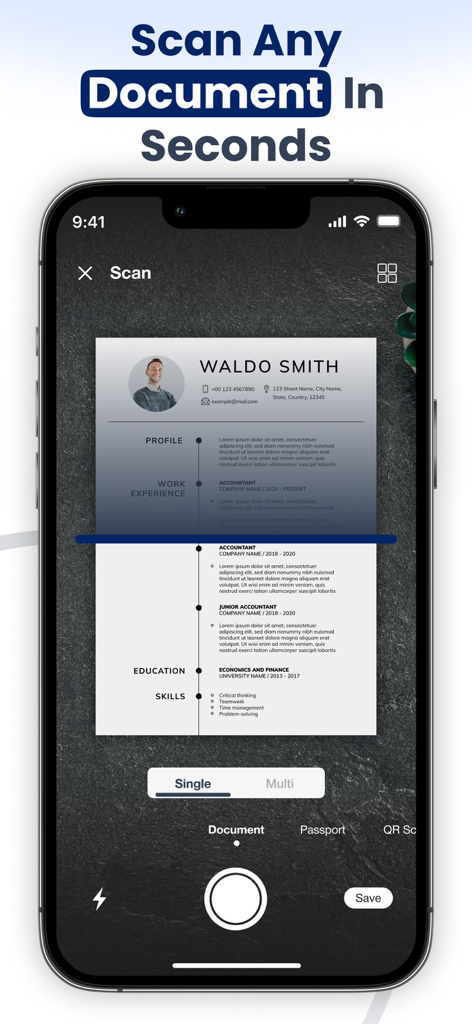
Smart Scanner: Convert PDF Doc - Smart Scanner 앱 인터페이스를 사용하여 이력서 문서를 스캔하는 스마트폰
Smart Scanner 앱 인터페이스를 사용하여 이력서 문서를 스캔하는 스마트폰

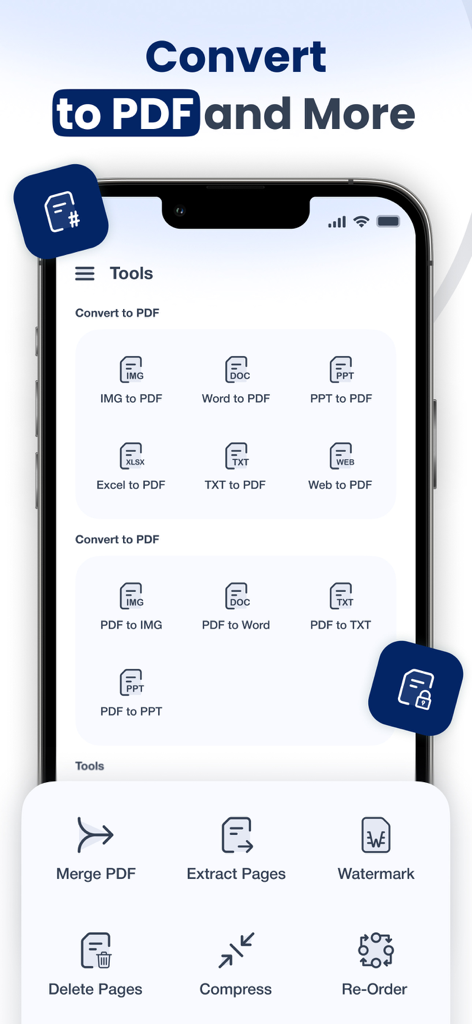
Smart Scanner: Convert PDF Doc - 병합 및 압축과 같은 PDF 변환 도구 및 문서 관리 기능을 보여주는 Smart Scanner 앱 인터페이스
병합 및 압축과 같은 PDF 변환 도구 및 문서 관리 기능을 보여주는 Smart Scanner 앱 인터페이스

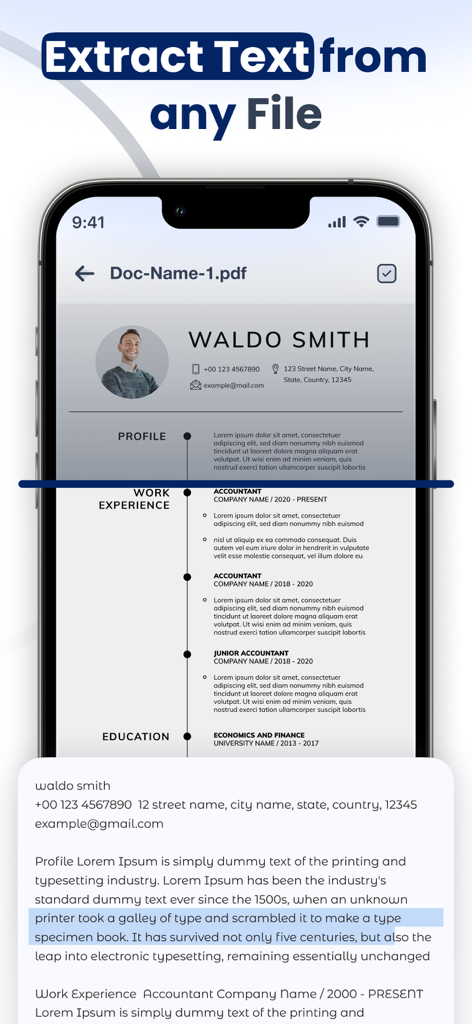
Smart Scanner: Convert PDF Doc - OCR을 사용하여 PDF 문서에서 텍스트를 추출하는 Smart Scanner 앱을 보여주는 스마트폰 화면
OCR을 사용하여 PDF 문서에서 텍스트를 추출하는 Smart Scanner 앱을 보여주는 스마트폰 화면

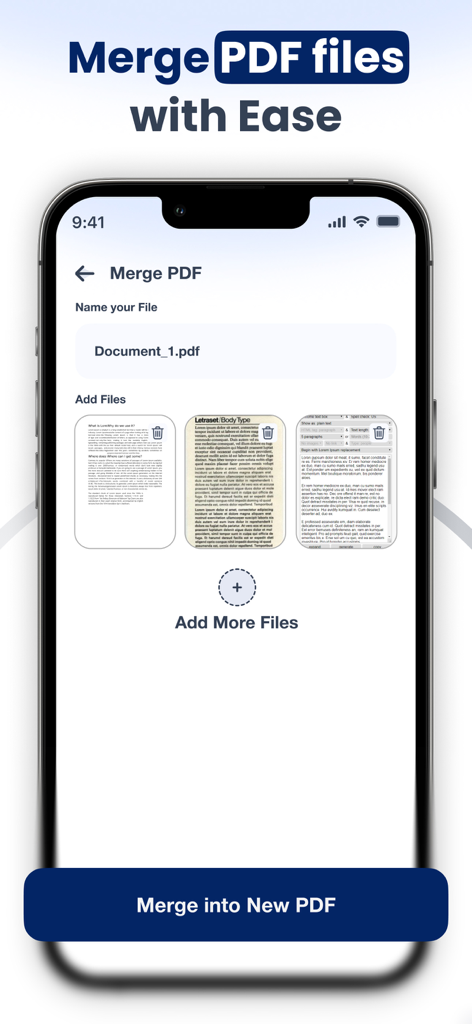
Smart Scanner: Convert PDF Doc - 여러 문서를 추가하고 새 파일 이름을 지정하는 옵션으로 PDF 파일 병합 기능을 보여주는 모바일 앱 인터페이스
여러 문서를 추가하고 새 파일 이름을 지정하는 옵션으로 PDF 파일 병합 기능을 보여주는 모바일 앱 인터페이스

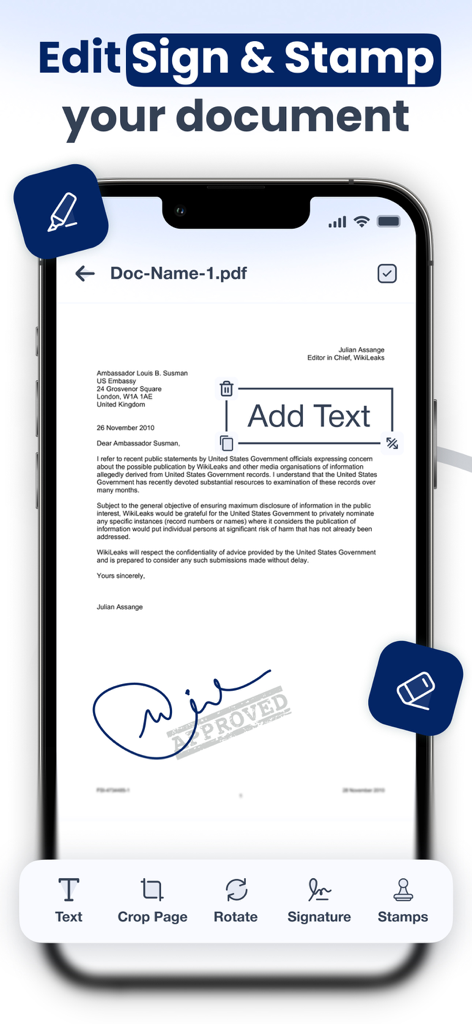
Smart Scanner: Convert PDF Doc - 문서 편집, 서명 및 스탬프 기능을 보여주는 Smart Scanner 앱 인터페이스
문서 편집, 서명 및 스탬프 기능을 보여주는 Smart Scanner 앱 인터페이스

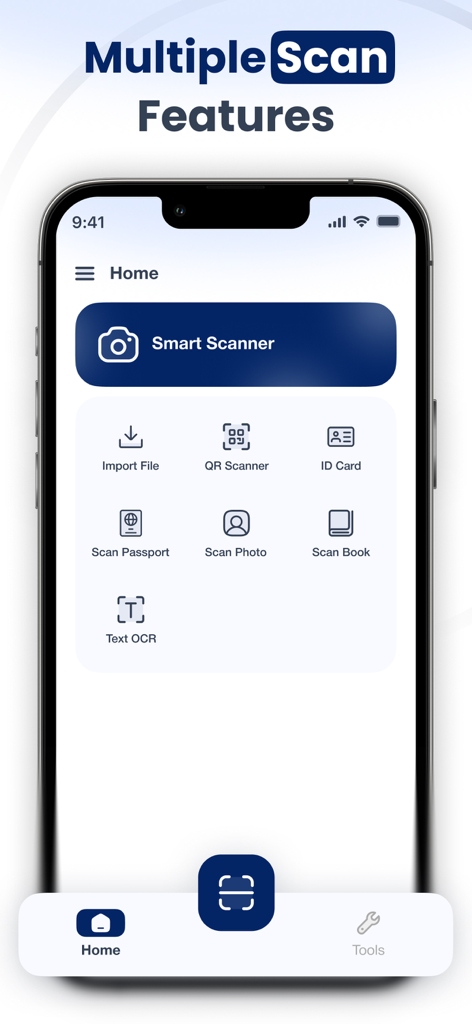
Smart Scanner: Convert PDF Doc - 문서, 신분증, OCR 텍스트 인식 스캔 옵션을 보여주는 Smart Scanner 앱 홈 화면.

문서, 신분증, OCR 텍스트 인식 스캔 옵션을 보여주는 Smart Scanner 앱 홈 화면.

설명

Document Scanner: Scan PDF is your all-in-one mobile scanner & PDF converter. Easily transform your iPhone into a portable document scanner that can scan and convert documents anytime, anywhere. Whether you’re a student managing assignments, a professional handling contracts, or simply someone who wants to go paperless, this app has everything you need in one place. Why Choose a Document Scanner? Ultra-Fast & Accurate – Advanced edge detection makes every scan sharp and clear. All Documents Supported – Scan ID cards and passports, photos, books, receipts, notes, and more. Paperless Office Tool – Save space, stay organized, and share scanned documents instantly. Privacy First – Keep your personal and professional documents safe on your device. Key Features PDF Scanner Scan any document with automatic detection and convert it into crystal-clear PDF files. Text OCR (Optical Character Recognition) Perform text recognition from images and copy it anywhere. Perfect for students and professionals. ID & Passport Scan Easily scan ID cards and passports, licenses, and certificates. Book & Photo Scan Digitize books and photos with professional-quality results. QR Code Reader Scan QR codes and instantly access links, websites, or business cards. PDF Converter & Tools Convert images and files into PDF format, merge PDF documents, and share them quickly via email, cloud, or messaging apps. File Import Bring in files directly from your gallery, email, or cloud storage and convert them instantly. Who Is It For? Students: Scan notes, assignments, books, and handouts. Business Professionals: Digitize contracts, invoices, receipts, and ID proofs. General Users: Save passports, licenses, QR codes, and personal documents in one secure place. Go Paperless Today With Document Scanner: Scan PDF, you’ll never need a bulky scanner again. Carry your digital office in your pocket — scan and convert documents, recognise text, and manage your files faster than ever. Document Scanner: Scan PDF offers 3 auto-renewing subscription options: Weekly, Monthly and Yearly with 3 Days Free trial These prices are for United States customers. Pricing in other countries may vary and actual charges may be converted to your local currency depending on the country of residence. • Payment will be charged to the iTunes Account at confirmation of purchase • Subscription automatically renews unless auto-renewal is turned off at least 24 hours before the end of the current period • Account will be charged for renewal within 24 hours prior to the end of the current period, and the cost of the renewal • Subscriptions may be managed by the user, and auto-renewal may be turned off by going to the user's Account Settings after purchase • Any unused portion of a free trial period, if offered, will be forfeited when the user purchases a subscription to that publication, where applicable Privacy Policy https://documentscannerscanpdf.blogspot.com/2025/10/privacy-policy.html Terms & Conditions https://documentscannerscanpdf.blogspot.com/2025/10/terms-conditions.htmlDownload now and enjoy the smarter way to scan and convert documents.

Download

다운로드: App Store

이 페이지는 앱이나 개발자의 공식 페이지가 아니며, 정보 제공 및 논평을 목적으로 작성된 독립 편집 간행물입니다. 명시적으로 달리 언급되지 않는 한, 해당 앱이나 개발자는 MWM, Apple, Google Play, 앱 퍼블리셔 또는 앱 개발자와 제휴, 보증, 후원, 승인 또는 공식적으로 연결되어 있지 않으며, 이 페이지의 어떤 내용도 해당 앱이 MWM의 서비스를 사용하여 개발되었음을 의미하지 않습니다. 모든 상표, 로고, 스크린샷 및 기타 콘텐츠는 해당 소유자의 자산입니다.








