이 페이지는 앱이나 개발자의 공식 페이지가 아니며, 정보 제공 및 논평을 목적으로 작성된 독립 편집 간행물입니다. 명시적으로 달리 언급되지 않는 한, 해당 앱이나 개발자는 MWM, Apple, Google Play, 앱 퍼블리셔 또는 앱 개발자와 제휴, 보증, 후원, 승인 또는 공식적으로 연결되어 있지 않으며, 이 페이지의 어떤 내용도 해당 앱이 MWM의 서비스를 사용하여 개발되었음을 의미하지 않습니다. 모든 상표, 로고, 스크린샷 및 기타 콘텐츠는 해당 소유자의 자산입니다.
SwiftScan AI Document Scanner
기기를 데스크톱급 강력한 성능으로 전환하세요. 고품질 PDF를 스캔하고, AI를 사용하여 긴 문서를 즉시 요약하고, 완벽한 개인 정보 보호 및 원탭 효율성으로 클라우드에 팩스 또는 동기화하세요.
주요 수치
다운로드
5M+
사용자 평점
4.7/5
총 평가 수
201K+
개발사
Maple Media Apps, LLC
카테고리
Utilities
지원 언어
23
최신 버전
9.6.77
크기
488.6 MB
출시일
2014년 4월 3일
기능
전문적인 스캔과 AI 인텔리전스의 만남
모바일 기기를 고성능 생산성 허브로 바꿔보세요. 중요한 전문가 워크플로우를 위해 설계된 도구를 사용하여 몇 초 만에 문서를 캡처, 요약 및 보호하세요.
AI 기반 인사이트
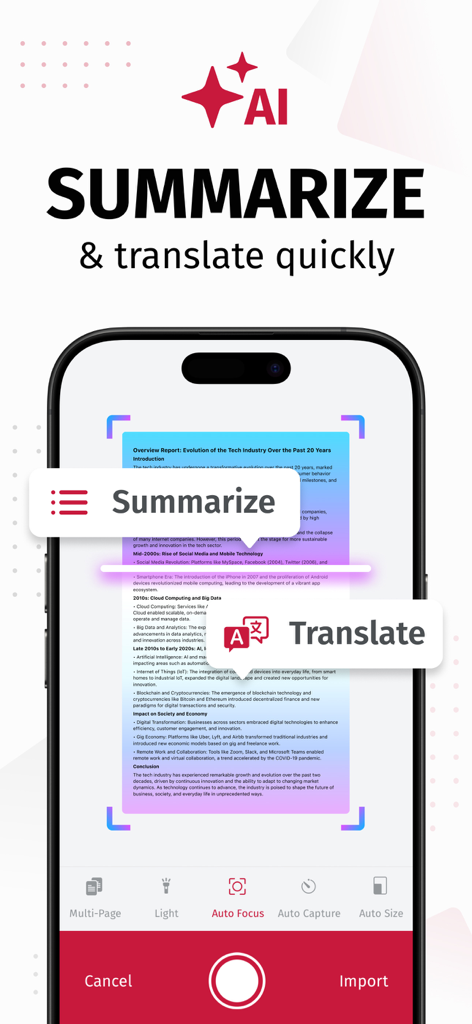
긴 계약서의 즉각적인 요약본을 생성하거나 문서를 즉석에서 수십 가지 언어로 번역하는 AI를 사용하여 독서 시간을 절약하세요.
데스크톱급 정밀도
자동 가장자리 감지 및 번개처럼 빠른 처리로 200 DPI 이상의 고품질 스캔을 캡처하여 부피 큰 사무실 스캐너를 대체하세요.
다음 스크린샷과 설명은 앱의 공식 스토어 목록에서 직접 가져온 것이며 앱 개발자의 자산입니다.
앱 스토어
스크린샷
SwiftScan AI 문서 스캐너 앱 스토어, CNN, PCMag의 앱 등급 및 수상 내역 표시
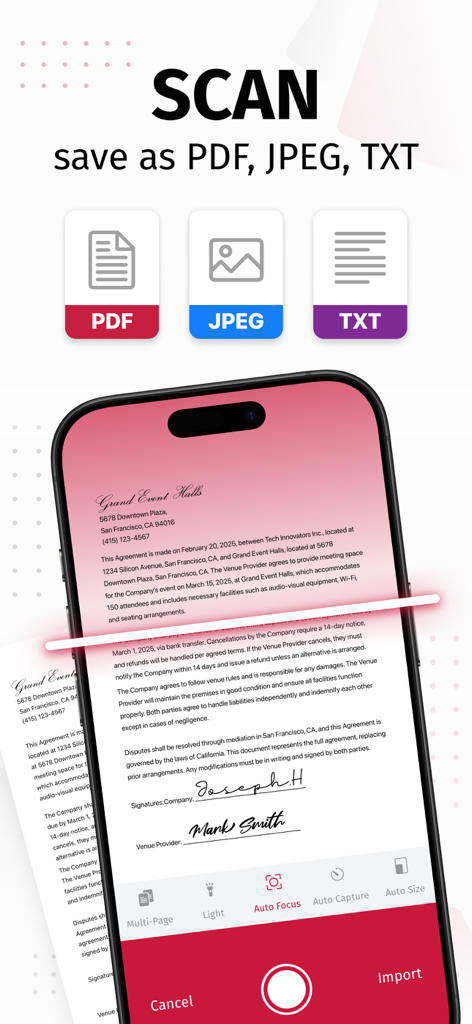
SwiftScan AI 모바일 앱이 문서를 PDF, JPEG 또는 TXT 형식으로 저장하는 옵션과 함께 스캔 중인 모습
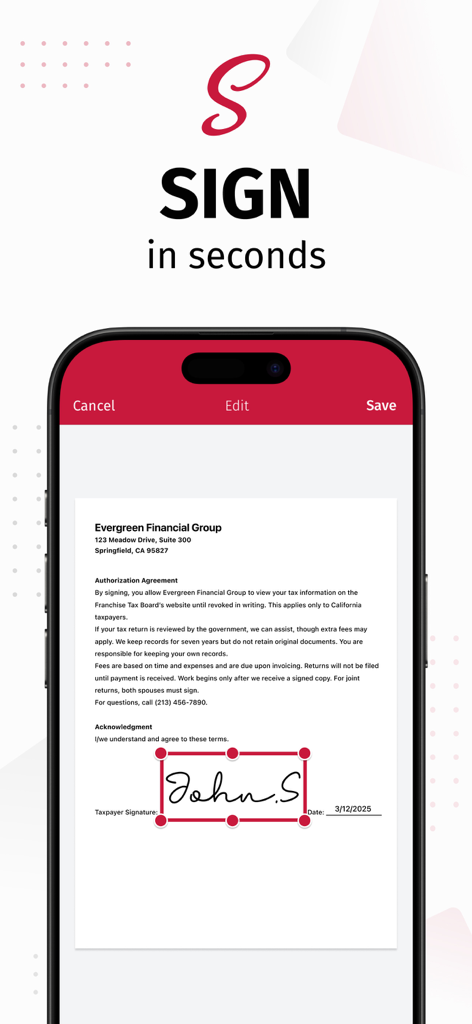
SwiftScan AI 앱 인터페이스에 아이폰에서 문서에 디지털 서명을 추가하는 기능 표시
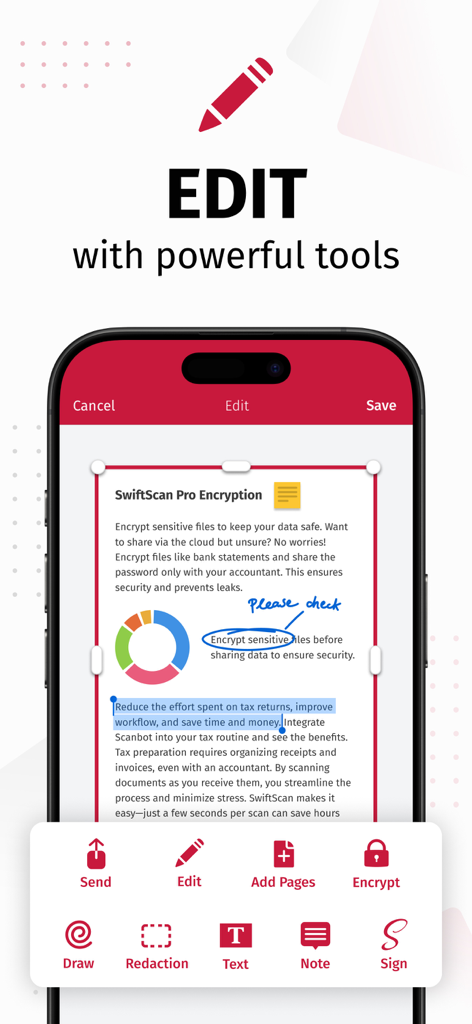
SwiftScan AI 앱 인터페이스에서 그리기, 삭제, 전자 서명과 같은 문서 편집 기능 시연
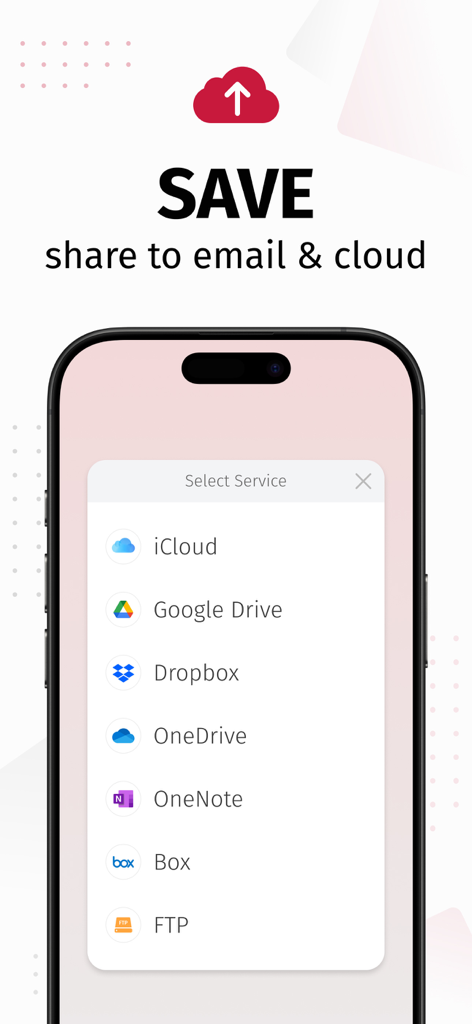
SwiftScan AI 앱 인터페이스에서 iCloud, Google Drive, Dropbox와 같은 클라우드 서비스에 스캔된 문서를 저장하고 공유하는 옵션 표시
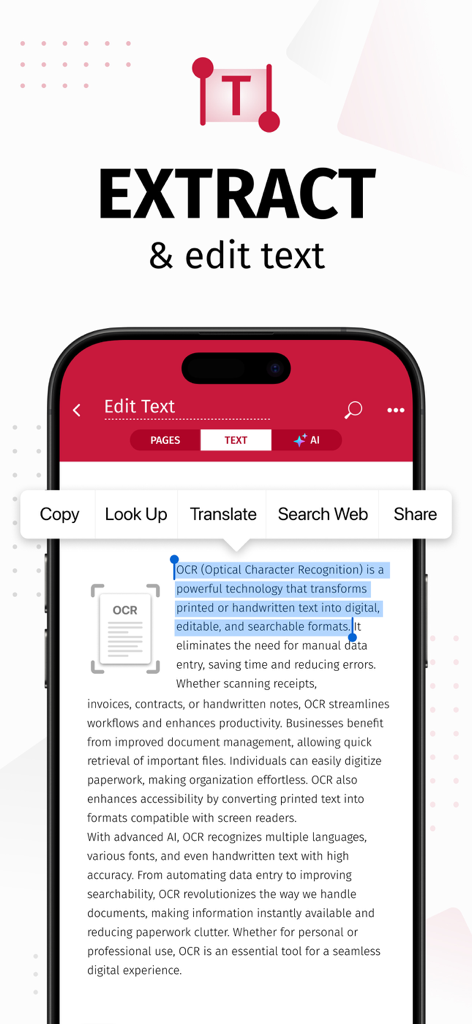
OCR을 사용하여 스캔된 문서에서 텍스트를 추출하고 편집하는 SwiftScan AI 앱을 표시하는 스마트폰 화면
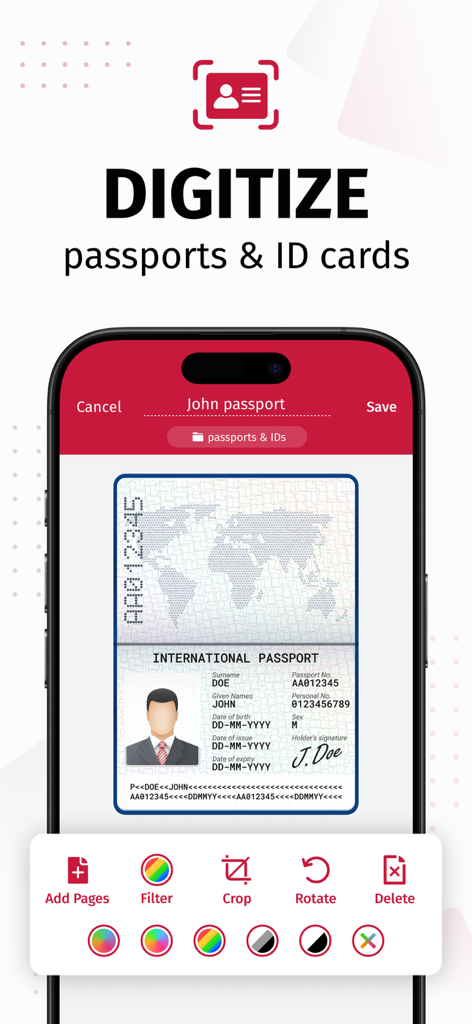
SwiftScan AI 앱 인터페이스에서 여권을 스캔하고 자르기 및 필터와 같은 편집 도구를 사용하여 디지털화하는 기능 표시
AI 요약 및 번역 도구가 있는 SwiftScan AI 문서 스캐너를 보여주는 아이폰 화면
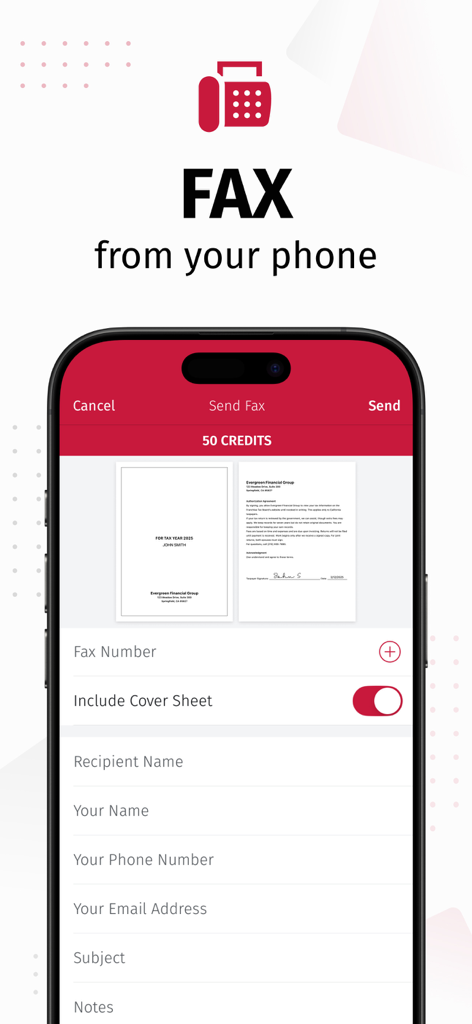
문서 미리 보기가 있는 SwiftScan 앱 팩스 전송 기능을 보여주는 스마트폰 화면
설명
SwiftScan AI is the best mobile scanner app for documents and QR codes. Create free, high-quality PDF or JPG scans with just one tap. Use smart AI Tools to translate scans into other languages, or to summarize into brief overviews or generate longer reports. Send files via email or as a fax. Save files to iCloud Drive, Box, Dropbox, Evernote and other cloud services.
SwiftScan AI packs all the power of a desktop scanner into one tiny scanner app!
SwiftScan AI Features – Scan, sign, edit, save & send, summarize, translate, fax, and more!
- Scan premium quality PDFs or JPGs with 200 dpi and higher
- Advanced AI Tools to summarize your documents for quick comprehension, or even translate documents to another language
- OCR: AI-powered OCR can extract the text of your scans to search, copy, and lookup to find things fast
- Fax: send your documents as a fax right from SwiftScan
- Cloud integration: save files to iCloud Drive, Dropbox, Google Drive and other cloud services
- Scan QR codes: URLs, Contacts, Phone Numbers
- Home Screen Widget: Shortcut widget provides instant access to scan, search, or view recent documents
- Lightning fast: automatic edge detection and scanning
- Scan single & multi-page documents
- Enhance your scans: apply color, grayscale or black & white filters with automatic optimization
- Add text, comments, annotations, or draw on documents
- Insert e-signature, redact text, add pages
- WebDAV and FTP, sFTP and FTPs
- Edit documents: Move, rotate, add or delete pages
- Encryption: PDF password protection
- Passcode protection with Touch/Face ID support
- Beautiful themes: select your preferred look and feel
- Smart file naming based on tags you select, like dates, keywords, and more
- One-tap email and print workflows
Scan PRIVACY SAFE
SwiftScan AI values your privacy. We will never store or save your documents, or use them for any purpose. All document-related activity happens on your device, or with the cloud backup provider you choose.
Scan HIGH-QUALITY
SwiftScan AI uses the most advanced scanning technology. Scans start at 200 dpi, premium quality comparable to desktop scanners. Various color modes, auto-optimization and blur-reduction help you to get the most out of your scans.
Scan QUICKLY
SwiftScan AI is lightning fast and incredibly easy. Hold your iPhone over any document, receipt, whiteboard, notebook, or QR code to scan and save it as a PDF or JPG quickly. The edges of the document are automatically identified so that only the document itself is scanned. It captures the best possible image in the perfect moment.
Scan ANYTHING
SwiftScan AI works with any type of document, from paper documents to business cards, QR codes, barcodes, notes- even whiteboards or post-its. It saves the documents that are important for you and gets rid of paper clutter.
--- CONTACT & SUPPORT ---
Learn more: https://maplemedia.io/
Get in touch: support@swiftscanapp.com
--- LEGAL ---
Terms of Service: https://maplemedia.io/terms-of-service/
Privacy Policy: https://maplemedia.io/privacy/
Subscription Terms: Payment for subscriptions will be charged to your Apple Account at confirmation of purchase. Subscription automatically renews unless auto-renew is turned off at least 24-hours before the end of the current period. Account will be charged for renewal within 24-hours prior to the end of the current period, and identify the cost of the renewal. Subscriptions may be managed by the user and auto-renewal may be turned off by going to the user's Account Settings after purchase. Any unused portion of a free trial period will be forfeited when the user purchases a subscription to that publication.
이 페이지는 앱이나 개발자의 공식 페이지가 아니며, 정보 제공 및 논평을 목적으로 작성된 독립 편집 간행물입니다. 명시적으로 달리 언급되지 않는 한, 해당 앱이나 개발자는 MWM, Apple, Google Play, 앱 퍼블리셔 또는 앱 개발자와 제휴, 보증, 후원, 승인 또는 공식적으로 연결되어 있지 않으며, 이 페이지의 어떤 내용도 해당 앱이 MWM의 서비스를 사용하여 개발되었음을 의미하지 않습니다. 모든 상표, 로고, 스크린샷 및 기타 콘텐츠는 해당 소유자의 자산입니다.