TextEdit - Text Editor

TextEdit - Text Editor

다운로드: App Store
로고: TextEdit - Text Editor

TextEdit - 텍스트 에디터: 이동 중에도 강력하고 간편한 글쓰기

iPad 및 iPhone을 위한 세련되고 집중력 분산 없는 작업 공간입니다. RTF, Markdown, LaTeX 등 무엇이든 데스크톱 수준의 정밀도와 모든 기기 간의 원활한 동기화를 경험해 보세요.

개발사

Kairoos Solutions S.L.

카테고리

Productivity

다운로드

93K+

사용자 평점

3.7/5

총 평가 수

900

지원 언어

10

순수한 글쓰기의 시각화

이 인터페이스를 사용하는 93K+ 명의 사용자.

서식 있는 텍스트 포맷이 포함된 문서와 탐색 화살표가 있는 맞춤형 키보드를 보여주는 iPhone의 TextEdit 앱.
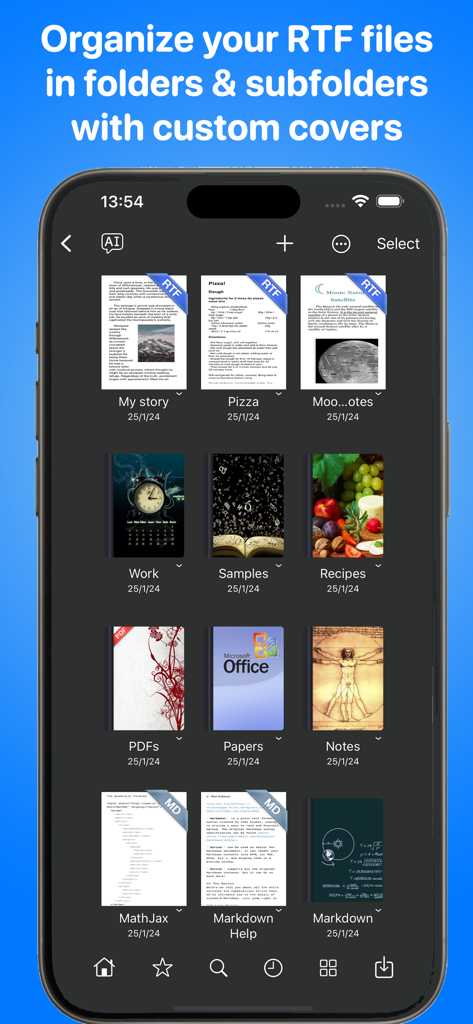
서식 있는 텍스트 포맷이 포함된 문서와 탐색 화살표가 있는 맞춤형 키보드를 보여주는 iPhone의 TextEdit 앱.

RTF 및 Markdown 문서를 위해 맞춤형 커버를 사용하여 파일과 폴더가 정리된 문서 라이브러리를 보여주는 TextEdit 앱 화면
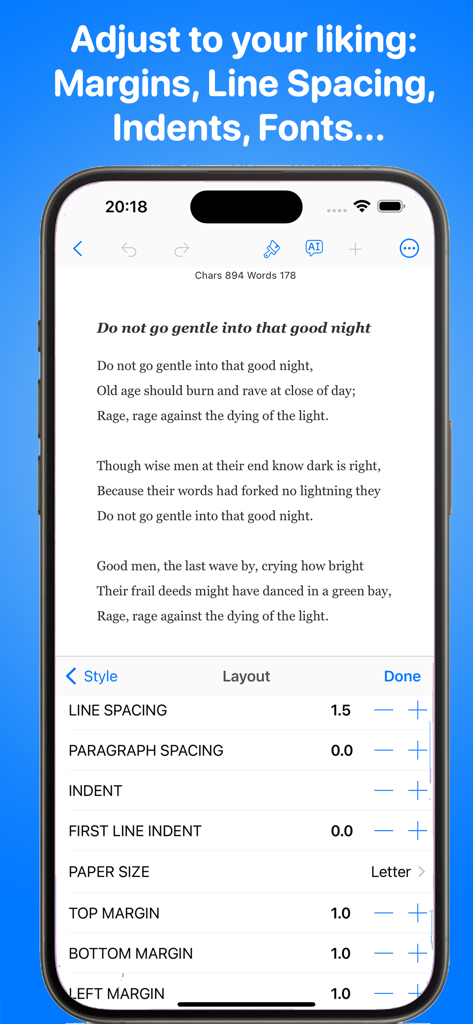
RTF 및 Markdown 문서를 위해 맞춤형 커버를 사용하여 파일과 폴더가 정리된 문서 라이브러리를 보여주는 TextEdit 앱 화면

iPhone에서 줄 간격 및 여백에 대한 텍스트 레이아웃 설정을 보여주는 TextEdit Plus 앱
iPhone에서 줄 간격 및 여백에 대한 텍스트 레이아웃 설정을 보여주는 TextEdit Plus 앱

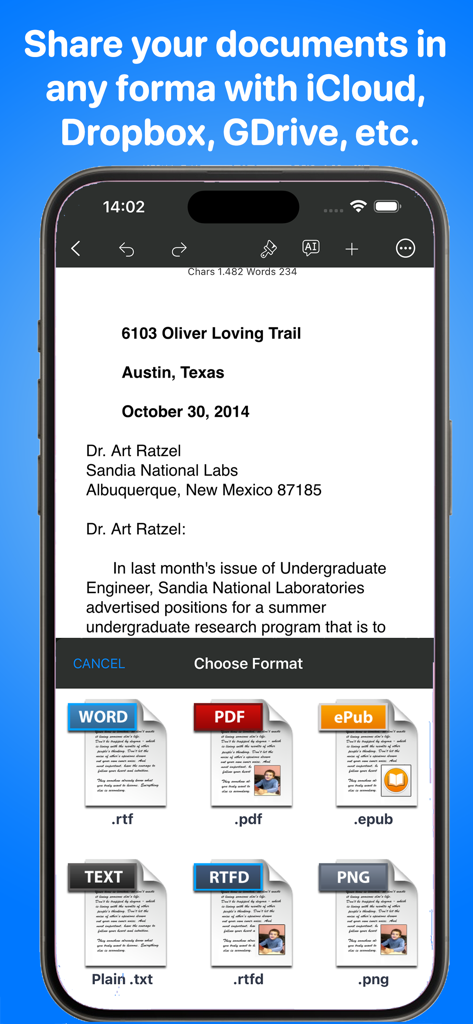
PDF, RTF, ePub 및 TXT를 포함한 문서 내보내기 옵션을 보여주는 iPhone의 TextEdit 앱
PDF, RTF, ePub 및 TXT를 포함한 문서 내보내기 옵션을 보여주는 iPhone의 TextEdit 앱

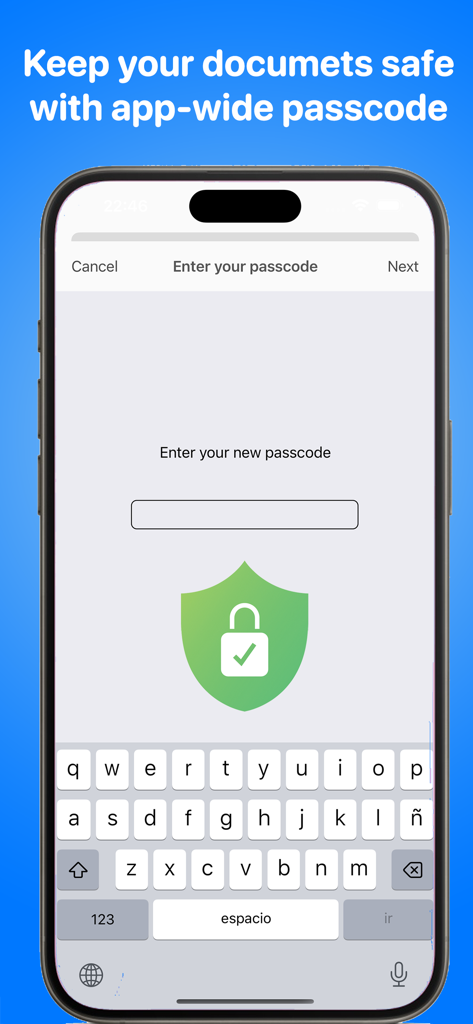
문서 보호를 위한 앱 전체 암호 보안 기능을 보여주는 TextEdit 앱 인터페이스
문서 보호를 위한 앱 전체 암호 보안 기능을 보여주는 TextEdit 앱 인터페이스

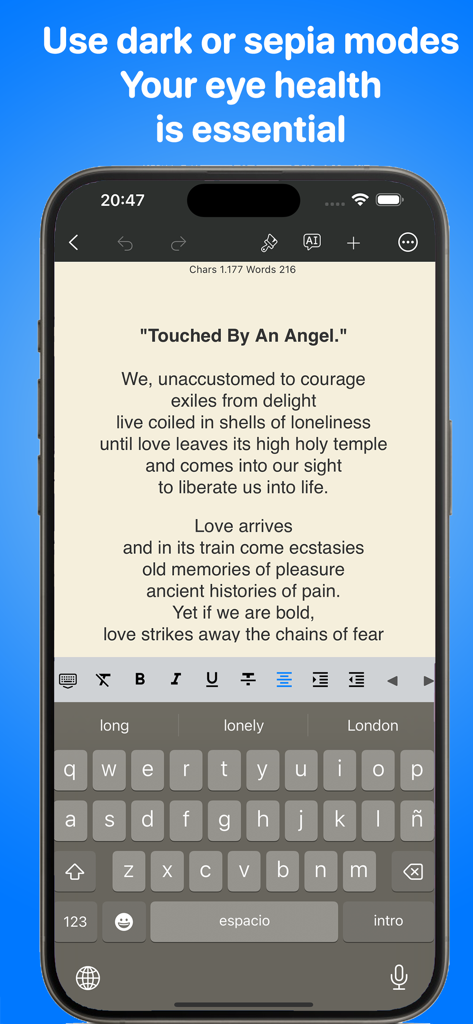
눈의 편안함을 위해 세피아 모드로 시를 보여주는 iPhone의 TextEdit Plus 앱 인터페이스
눈의 편안함을 위해 세피아 모드로 시를 보여주는 iPhone의 TextEdit Plus 앱 인터페이스

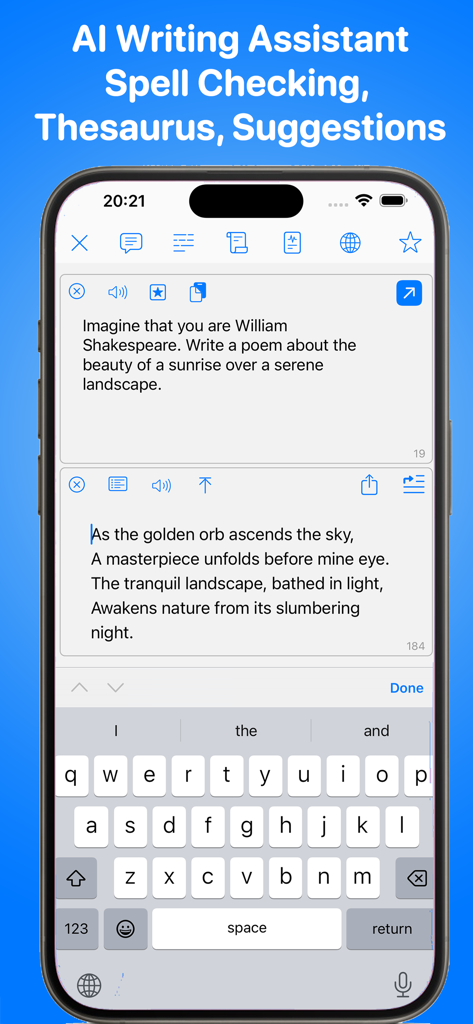
iPhone 화면에서 AI 쓰기 도우미 기능을 보여주는 TextEdit 모바일 앱
iPhone 화면에서 AI 쓰기 도우미 기능을 보여주는 TextEdit 모바일 앱

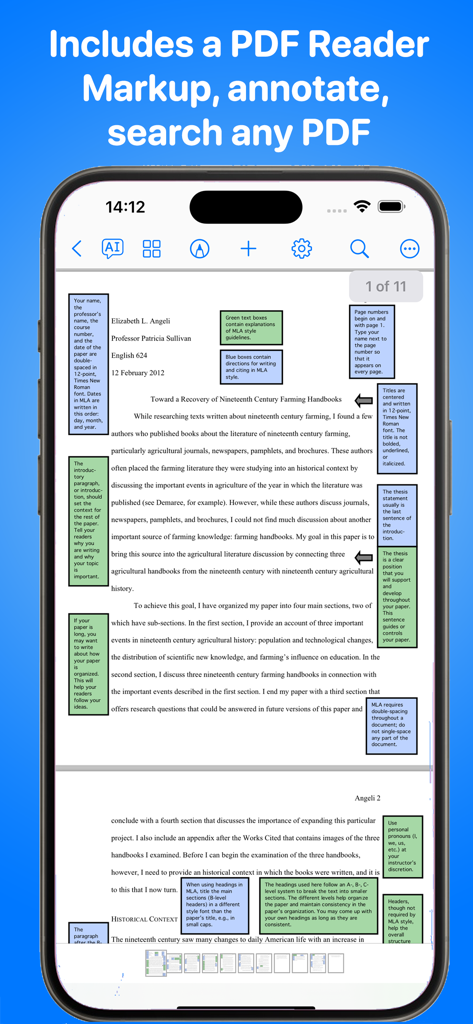
iPhone 화면에서 화려한 여백 노트와 학술적 주석이 포함된 PDF 문서를 보여주는 TextEdit Plus 앱 인터페이스

iPhone 화면에서 화려한 여백 노트와 학술적 주석이 포함된 PDF 문서를 보여주는 TextEdit Plus 앱 인터페이스

글쓰기 워크플로우를 마스터하세요

이 앱을 돋보이게 하는 도구, 93K+ 명의 사용자가 선택.

💻

원활한 크로스 플랫폼 동기화

모바일 기기에서 RTF, Markdown, TXT 파일을 편집하고 iCloud와 파일 앱을 통해 Mac 또는 PC에서 즉시 확인하세요.

✍️

집중력 분산 없는 생산성

도구가 아닌 창작에만 완전히 집중할 수 있도록 UI 복잡함을 제거하도록 설계된 깨끗하고 미니멀한 '빈 종이' 인터페이스입니다.

🚀

파워 유저를 위한 설계

맞춤형 키보드 확장 프로그램, Markdown 구문 강조 표시, 손끝에서 확인하는 즉각적인 가독성 통계로 효율성을 극대화하세요.

앱 소개

에 대해 알아야 할 모든 것 TextEdit - Text Editor.

설명

TextEdit+ is an sleek and fast text editor for your iPad and iPhone. It's compatible with text editors that comes with macOS (TextEdit) & MS Windows (WordPad). It also supports any RTF, TXT, Markdown, PDF or LaTeX editor like Nisus Writer, MacDown or TeXStudio. If you don’t write all the time, then you probably don’t need a full-featured word processor, such as Microsoft Word or Apple Pages. But you still may want a flexible tool for handling text. You know what? You already have one: TextEdit+. TextEdit+ is your white, plain, blank sheet of paper that is always with you on your iPad or iPhone. Simple but very quick, easy to use and useful. Also TextEdit+ can sync and share your documents across devices and your Mac or Windows computer via Files app or iCloud. MAIN FEATURES Multi-platform support: Mac, PC, Linux - Open, edit, save documents created by hundreds of text editors with support for Rich Text Format files (RTF), Markdown, TeX and plain text files (TXT) Easy to use interface. Distraction-free - Less is more. No cluttered user interface. Just focus on your creation process not the tool.  Faster Typing with Keyboard Extension - Quickly move around the cursor. Quick keys for tab, forward delete, up, down, left, right, etc. Customize our extended keyboard with your own keys. Stay Organized - Easily create folders and subfolders for your projects and documents - Personalise the cover of your folders Easy Sharing - Sync your documents across devices and computers and with TextEdit or Wordpad via Files app or iCloud Drive - Email, print and open your documents from your mail or in other apps Visual Rich Text Formatting - Apply format, colours and style directly in your words, sentences and paragraphs One Tap Formatting - Bold, italic, underline, line spacing, highlight, indents, subscript/superscript, alignment, lists, type size, text and paper colors, etc. - Syntax highlighting for Markdown and TeX documents - Shortcuts for Markdown and TeX documents International Typing support: - Over 30 languages including right to left languages like Japanese, Chinese, Arabic and Hebrew Instant Statistics and Counters - Characters, words, syllables, reading time, sentences, average word length, Readability Index, etc. Text to Speech and Dictacion support - Hear your document read aloud - Dictation lets you speak text instead of typing Useful Find&Replace - Find and replace words on the documents Powerful export - Export your work as PDF , RTF , RTFD, Plain Text , TeX, Markdown, PNG and HTML formats Privacy Policy http://www.noteswriter.com/Kairoos_Privacy_Policy.html EULA https://www.apple.com/legal/internet-services/itunes/dev/stdeula/

최신 버전

6.2.0

크기

281.0 MB

출시일

2016년 1월 8일

이동 중에도 데스크톱의 파워로 글을 쓸 준비가 되셨나요?

iPhone 및 iPad에서 집중력 분산 없는 Markdown 지원 환경을 위해 TextEdit+를 사용하는 수천 명의 전문가와 함께하세요.

다운로드: App Store

App information, icons, screenshots, and descriptions displayed on this page are sourced from the Apple App Store and are the property of their respective developers. Download estimates and rankings are based on MWM's proprietary models and may not reflect actual figures. This page is provided for informational and analytical purposes only.

Believe this page infringes your intellectual property? File a dispute