Zenze - App Time Limit

Zenze - App Time Limit

다운로드: App Store다운로드: Google Play
로고: Zenze - App Time Limit

Zenze: 집중력을 되찾고 최고의 생산성을 발휘하세요

끝없는 스크롤을 멈추고 Google 및 Netflix의 성취자들이 Zenze를 사용하여 방해 요소를 차단하고, 집중력을 게임화하며, 매일 몇 시간씩 절약하는 것에 동참하세요.

다운로드: App Store

개발사

Atmana Tech - FZCO

카테고리

Productivity

다운로드

600

사용자 평점

3.6/5

총 평가 수

0

지원 언어

13

당신의 집중력, 시각화되다

이 인터페이스를 사용하는 600 명의 사용자.

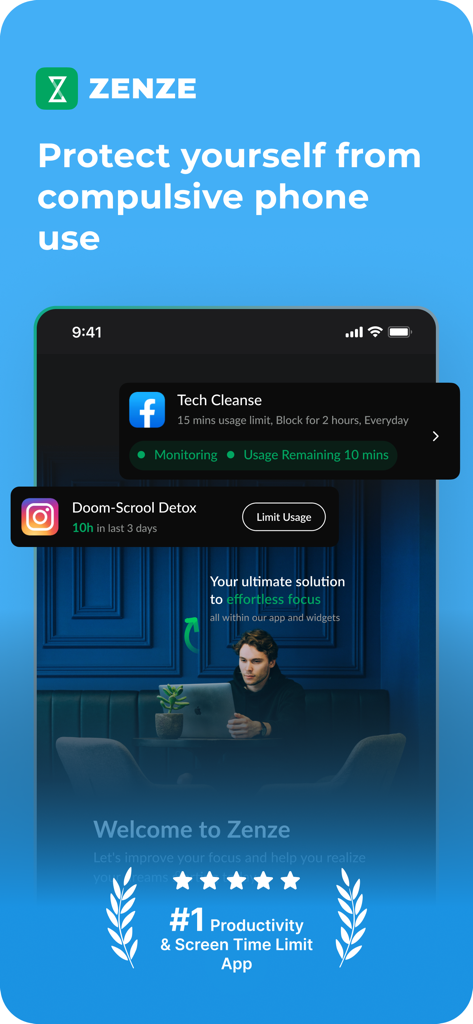
Zenze 앱 화면 시간 제한 및 생산성 관리를 위한 Zenze 앱 인터페이스
Zenze 앱 화면 시간 제한 및 생산성 관리를 위한 Zenze 앱 인터페이스

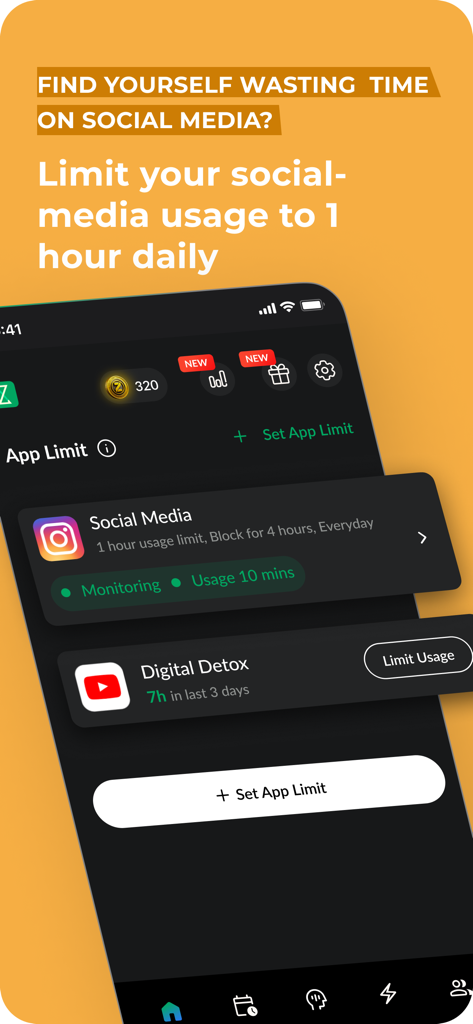
Zenze 앱 인터페이스, 소셜 미디어 사용량 제한 및 디지털 디톡스 진행 상황 추적 옵션 표시
Zenze 앱 인터페이스, 소셜 미디어 사용량 제한 및 디지털 디톡스 진행 상황 추적 옵션 표시

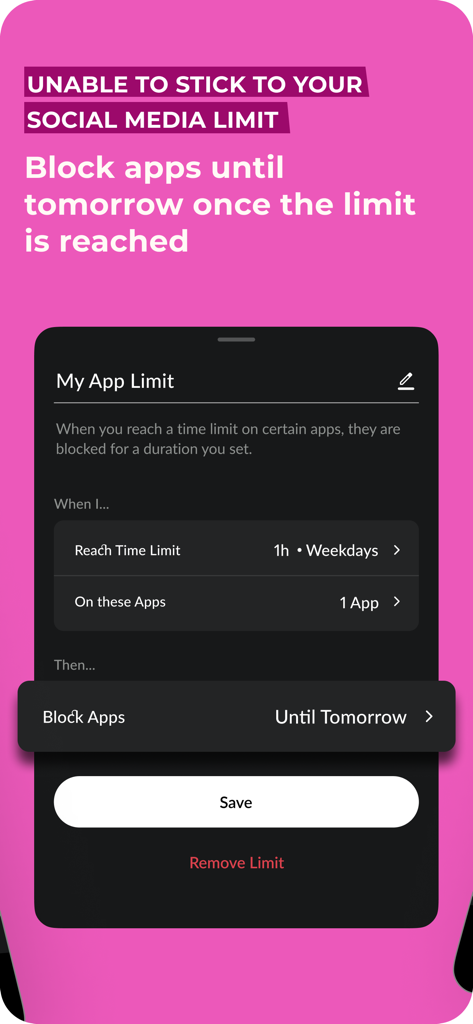
일일 앱 시간 제한 설정 및 다음 날까지 소셜 미디어 앱 차단을 위한 인터페이스
일일 앱 시간 제한 설정 및 다음 날까지 소셜 미디어 앱 차단을 위한 인터페이스

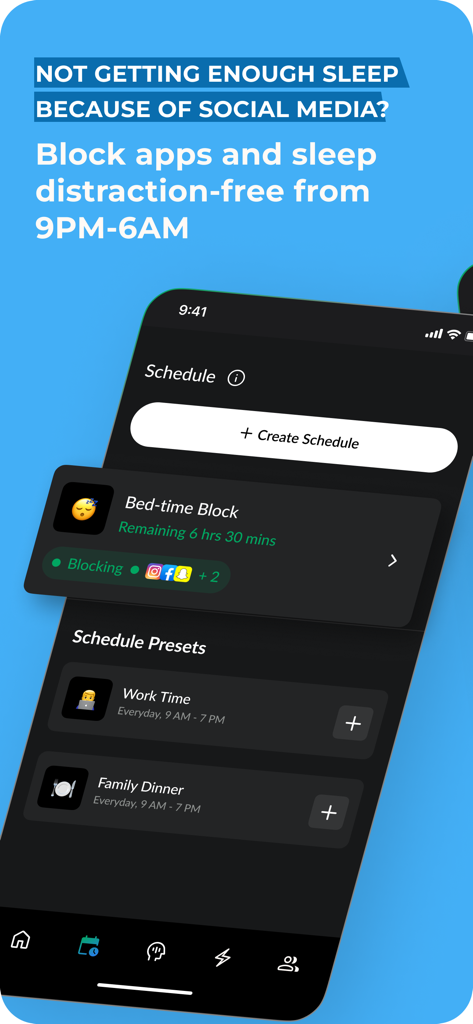
Zenze 앱 인터페이스, 더 나은 수면을 위해 오후 9시부터 오전 6시까지 소셜 미디어 사용을 제한하는 취침 시간 차단 일정 표시
Zenze 앱 인터페이스, 더 나은 수면을 위해 오후 9시부터 오전 6시까지 소셜 미디어 사용을 제한하는 취침 시간 차단 일정 표시

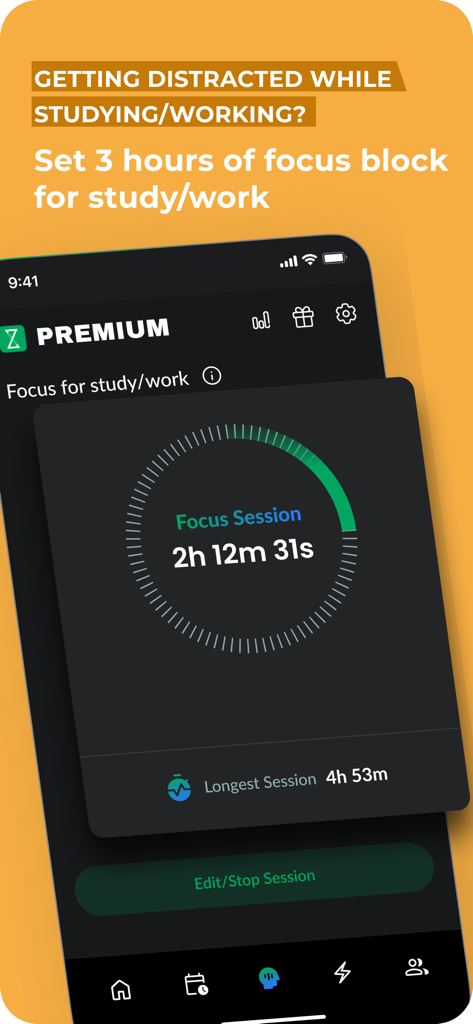
Zenze 앱 화면, 심층 작업 및 학습 세션을 위한 집중 세션 타이머 표시
Zenze 앱 화면, 심층 작업 및 학습 세션을 위한 집중 세션 타이머 표시

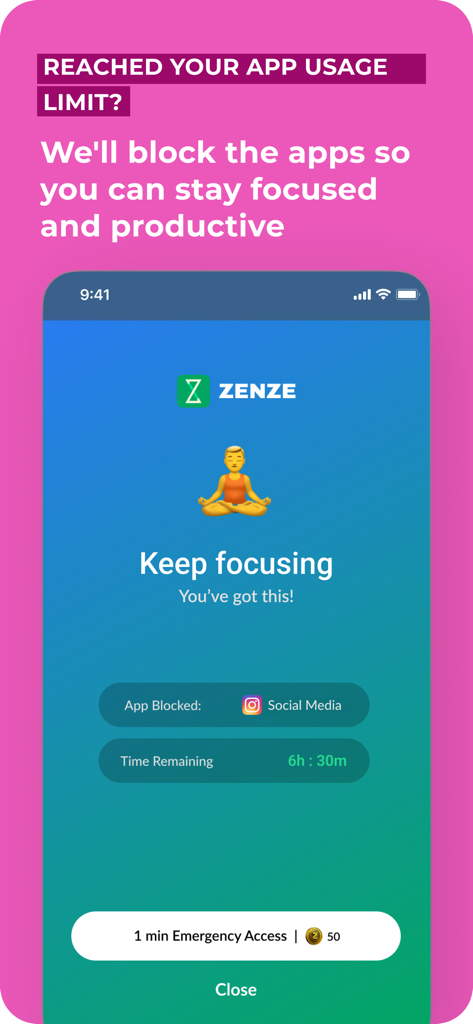
Zenze 앱 화면, 집중 유지 메시지와 명상 일러스트레이션으로 소셜 미디어 사용 차단
Zenze 앱 화면, 집중 유지 메시지와 명상 일러스트레이션으로 소셜 미디어 사용 차단

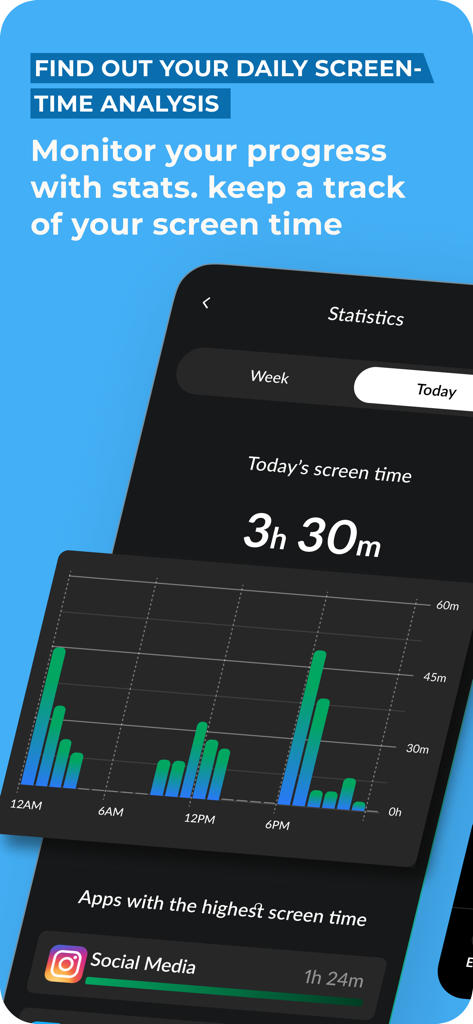
Zenze 앱 인터페이스, 일일 화면 시간 분석 및 사용 통계 표시
Zenze 앱 인터페이스, 일일 화면 시간 분석 및 사용 통계 표시

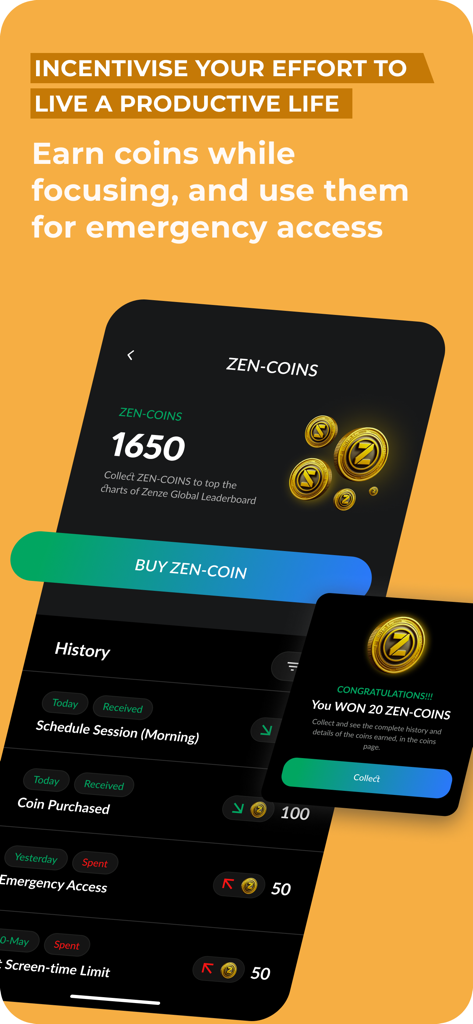
Zenze 앱 화면, 집중 세션에 대한 젠 코인 획득 및 긴급 접근 기록 표시

Zenze 앱 화면, 집중 세션에 대한 젠 코인 획득 및 긴급 접근 기록 표시

집중력을 마스터하고 최고의 성과를 되찾으세요

이 앱을 돋보이게 하는 도구, 600 명의 사용자가 선택.

🔒

지능형 앱 차단기

둠스크롤이 시작되기 전에 멈추세요. 중독성 있는 앱과 웹사이트를 강력하게 잠가 중요한 집중 작업 세션 동안 집중력을 보호하세요.

📈

데이터 기반 집중 점수

당신의 규율을 데이터로 바꾸세요. 실행 가능한 측정 항목과 성장 과정을 추적하는 개인화된 점수로 진행 상황을 모니터링하세요.

🏅

게임화된 습관 마스터리

집중을 게임으로 전환하여 동기를 부여받으세요. 보상을 얻고 순위표에서 경쟁하여 소셜 미디어 도파민을 진정한 성취로 대체하세요.

앱 소개

에 대해 알아야 할 모든 것 Zenze - App Time Limit.

설명

MyScreenTime: Screen Time Limiting App Struggling with reducing your daily screen time? MyScreenTime is here to help you take control and boost productivity effortlessly. Trusted by teams like Google’s design innovators and Netflix’s strategy experts, MyScreenTime provides tools to restrict your phone time limit and achieve better focus. Transformative User Experiences "Cutting my phone time limit by two hours daily has been life-changing – a design revolution at Google." "MyScreenTime helped me focus by restricting the time I spend on my phone – Highlighted by Instagram." "Managing my daily screen time has never been this easy – Marketing at Twitter." "Quitting my nightly TikTok habit was finally possible with MyScreenTime – Strategy at Netflix." Why Choose MyScreenTime? 94% of users report fewer distractions. 93% say their productivity soared with our focus tools. 90% experience better mental well-being. 79% save at least one hour daily by restricting the time spent on their phone. Core Features Focus Report & Score: Understand and improve focus through actionable metrics. App Lock & Website Blocker: Easily block distractions and manage screen time for adults. Pomodoro Timer & Sessions: Stay productive with structured work-and-rest intervals. Daily Checklist & Calendar: Keep organized while you limit the time spent on your phone. Rewards & Leaderboard: Earn rewards and compare focus levels with peers to stay motivated. Tailored to Your Needs With MyScreenTime, you can customize which apps to block—whether it's social media like Instagram or entertainment apps like TikTok. Whether you want to detox digitally, limit time on your phone, or need uninterrupted focus for study or work, MyScreenTime adapts to your lifestyle. From Our Community "I never thought I’d reduce my daily screen time to under 3 hours. It’s been a huge mood booster!" — Fiona "MyScreenTime keeps me focused during deep work sessions." — Mark "It’s the only way I can concentrate on homework for extended periods." — Larry Privacy and Security MyScreenTime values your privacy. All data is processed directly on your device, ensuring your browsing habits stay secure. Whether you’re a professional looking for screen time solutions for adults or a student managing distractions, MyScreenTime protects your digital well-being. Take back control of your phone use with MyScreenTime. Whether it’s managing your phone time limit, blocking distractions, or staying productive, MyScreenTime empowers you to reclaim your day. Subscription Information Unlock premium features with MyScreenTime Premium. Charges apply via your iTunes Account, and subscriptions can be managed or canceled through iTunes settings. Terms of Use: https://blockerx.net/zenze-terms-of-usage/ Privacy Policy: https://blockerx.net/zenze-privacy-policy/ With MyScreenTime, you can turn your phone into a tool for productivity and focus—start today!

최신 버전

2.51

크기

67.4 MB

출시일

2023년 6월 26일

경쟁 우위를 되찾을 준비가 되셨나요?

매일 한 시간 이상 절약하는 수천 명의 뛰어난 성과자들과 함께하세요. 지금 Zenze를 다운로드하여 소음을 차단하고 최고의 생산성을 발휘하세요.

다운로드: App Store다운로드: Google Play

App information, icons, screenshots, and descriptions displayed on this page are sourced from the Apple App Store and are the property of their respective developers. Download estimates and rankings are based on MWM's proprietary models and may not reflect actual figures. This page is provided for informational and analytical purposes only.

Believe this page infringes your intellectual property? File a dispute