
This page is not an official page of the app or its developer, but an independent editorial publication created for informational and commentary purposes. Unless expressly stated otherwise, neither the app nor its developer is affiliated with, endorsed by, sponsored by, authorized by, or otherwise officially connected with MWM, Apple, Google Play, the app publisher, or the app's developer, and nothing on this page implies that the app was developed using MWM's services. Any trademarks, logos, screenshots, and other content remain the property of their respective owners.

SCRL: Photo Collage Maker
Forget single-frame limitations. SCRL grants content creators the mastery to weave expansive, scroll-stopping visual stories that capture every glance.
Downloads
25M+User Rating
Total Ratings
432.8KPublisher
Category
Photo & VideoLocales
15Latest Version
9.30.1Size
127.7 MBFirst Released
Oct 18, 2017Software Evaluation: SCRL: Photo Collage Maker
Key Features Analysis for Visually-Driven Social Media Users
Seamless Carousel Creation
This tool features intuitive design tools that make it effortless to merge photos into panoramic carousels or create scroll-through collage layouts that flow seamlessly, captivating audiences.
Direct Social Sharing
The app streamlines the content workflow by enabling direct posting to Instagram or TikTok, eliminating the need for saving, exporting, and re-uploading.
Extensive Collage Templates
The app provides a vast selection of hand-picked collage templates, ranging from minimalist to extravagant, ensuring users always have fresh options to create high-quality designs.
Cohesive Grid Layouts
It allows users to create beautiful, cohesive photo grids and Instagram layouts spanning multiple photos, providing a stunning, unified look for their feed.
Premium Design Tools
Premium access unlocks all collage templates, Instagram layouts, and additional design tools, including the ability to add videos into grids and apply gradient backgrounds.
Freeform Design Canvas
This tool offers a freeform canvas, enabling users to design their way, zoom in and out for detail, and create unique layouts tailored to their vision.
Expanded Photo Capacity
The app breaks traditional posting limitations by allowing users to add more than 10 photos to a single post, offering more room for creativity and detailed storytelling.
Rich Sticker & Overlay Library
It enhances photo collages with an extensive library of stickers and overlays, allowing users to add fun and detail to their designs with ease.
Frequently Asked Questions
Everything you need to know about SCRL: Photo Collage Maker
What is SCRL: Photo Collage Maker?
SCRL is the top-ranked app for creating original photo collages and seamless Instagram carousels. It provides users with various design tools to make their social media posts stand out effectively.
Can SCRL create Instagram carousels?
Yes, SCRL creates stunning swipe-through carousel posts. Its intuitive design tools merge photos into panoramic carousels or scroll-through collage layouts that flow seamlessly for an engaging audience experience.
Does SCRL offer photo collage templates?
Yes, SCRL offers hundreds of hand-picked templates for photo collages. These templates cater to every occasion and style. New options are added regularly to ensure users always have fresh designs.
What is the maximum number of photos in a SCRL post?
SCRL allows users to add more than 10 photos to a single post. This feature expands creative possibilities and storytelling opportunities beyond the limitations of traditional social media posts.
Can I post directly to social media from SCRL?
Yes, SCRL enables instant posting to Instagram and TikTok. The app streamlines the process for sharing masterpieces effortlessly, eliminating manual saving, exporting, and re-uploading of photocollages.
Does SCRL offer a free trial for Premium features?
Yes, SCRL Premium Collage Maker includes a free 7-day trial. Once the trial period concludes, an annual subscription fee is automatically charged to the user's account.
How do I manage my SCRL Premium subscription?
Manage your SCRL Premium subscription by navigating to your device's Settings. Then access iTunes Account & App Store, select Apple ID, and locate Subscriptions to turn off auto-renew.
What additional features does SCRL Premium include?
SCRL Premium unlocks all collage templates, Instagram layouts, and additional design tools. Premium features include the ability to add videos into grids and apply gradient backgrounds.
Can users add text to collages in SCRL?
Yes, users can add their own text to collages within SCRL. The app provides various fonts to customize and enhance text elements, allowing for personalized designs and storytelling.
Does SCRL provide grid layouts for photos?
Yes, SCRL provides premade grid layouts for photos. Users can create cohesive photo grids and Instagram layouts that span multiple images, giving their feed a stunning, unified appearance.
The following screenshots and description are sourced directly from the app's official store listing and are the property of the app developer.
App Store
Screenshots
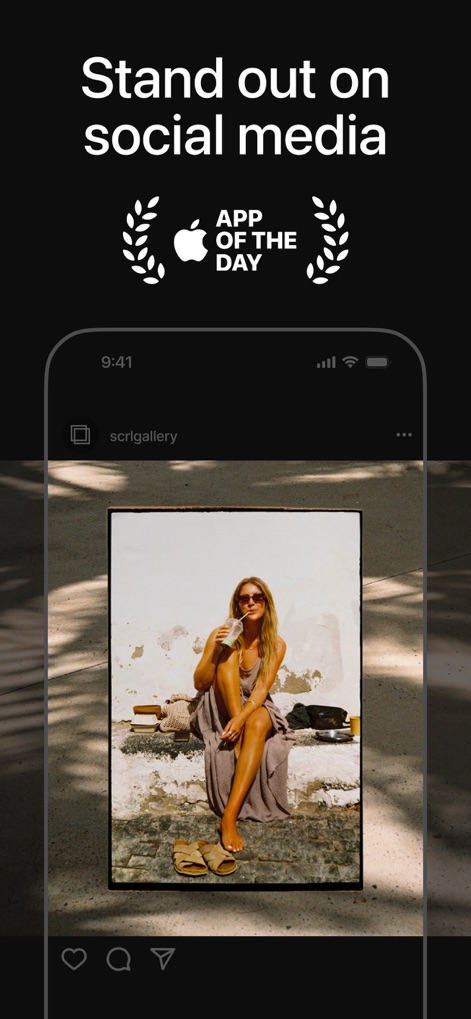
Social Media Presence
This app helps users elevate their social media content, as demonstrated by the prominent "App of the Day" badge and the stylized photo frame.
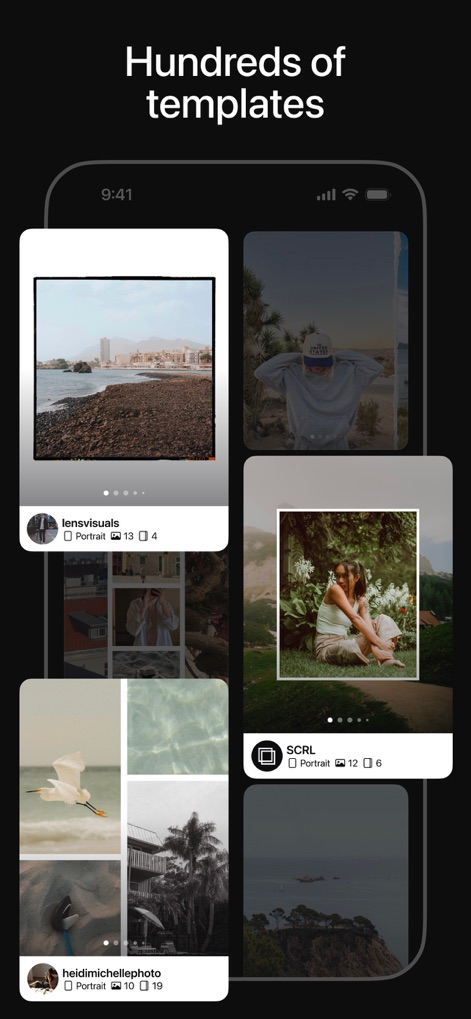
Template Abundance
Users can browse through a vast selection of hundreds of hand-picked templates, showcasing diverse grid layouts and photo arrangements.
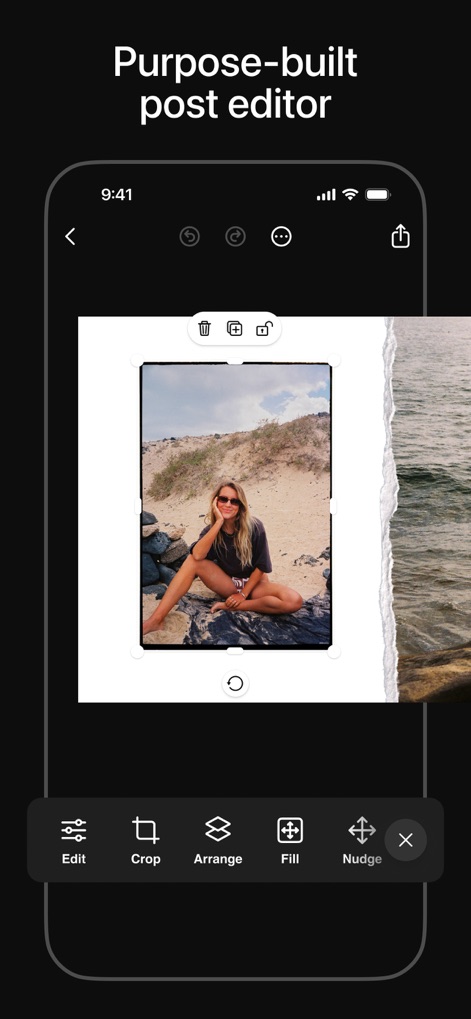
Intuitive Editing Tools
The purpose-built post editor provides users with precise control, featuring essential tools like 'Crop' for resizing and 'Arrange' for layering elements.
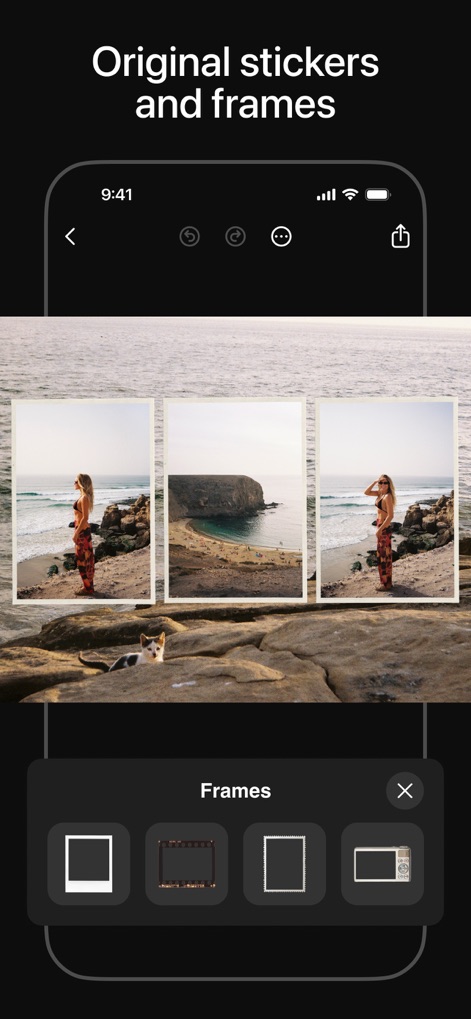
Creative Enhancements
This tool empowers users with original stickers and frames, allowing them to personalize their visuals with various frame styles and creative overlays.
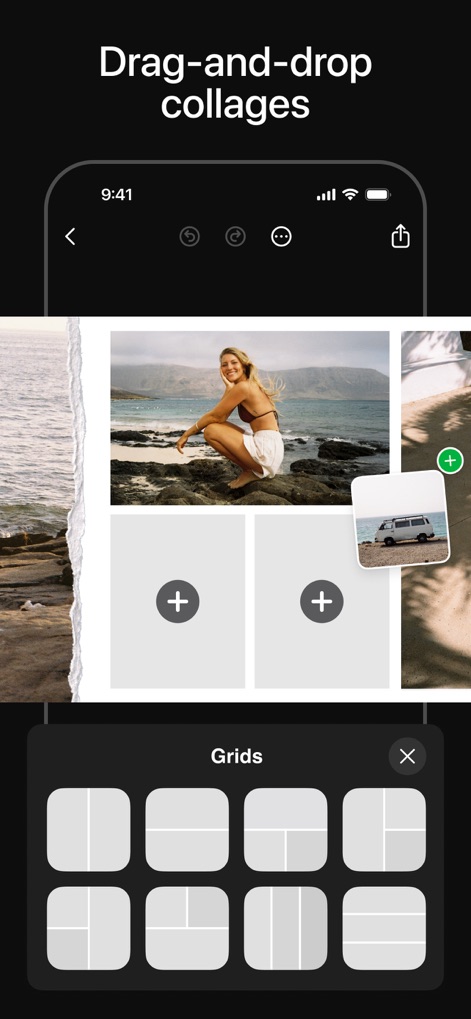
Seamless Collage Creation
Users can easily create drag-and-drop collages by selecting from multiple premade grid layouts, simplifying the process of combining images.
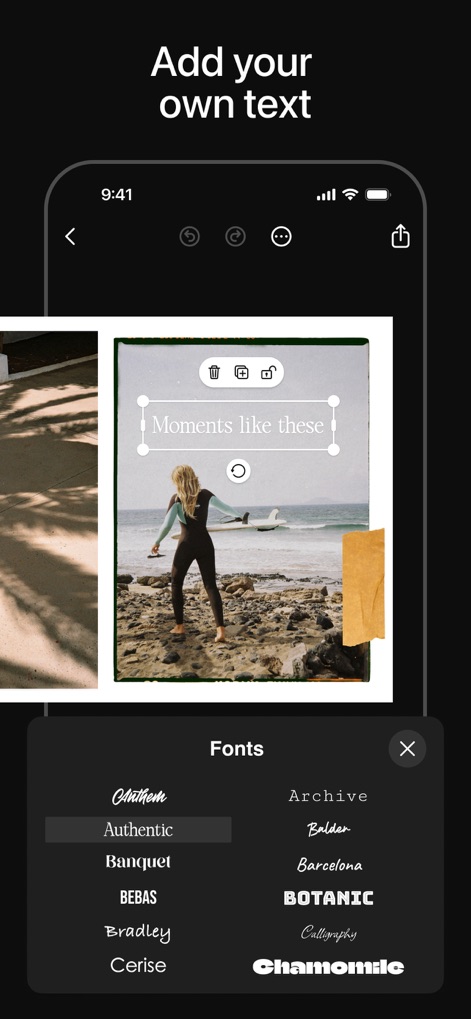
Personalized Text Elements
The app allows users to add their own text to collages, offering a wide array of font styles within the "Fonts" menu for complete customization.
Description
Download
More Like This
Apps with similar features and user experience

PhotoGrid: Video Collage Maker
JUPITER PALACE PTE. LTD.

Layout for Instagram: Collage
Shamble, Inc.

Photo Collage Maker: InCollage
SHANTANU PTE. LTD.

TicPic
Zhuhai Kuxiong Network Technology Co., Ltd.

Collage Maker: CollagePlus
Shamble, Inc.

Photo Collage Montage Maker
Honk Honk Punch Pty Ltd

Photo Collage Maker & Creator
Honk Honk Punch Pty Ltd

Photo Collage Montage & Layout
Honk Honk Punch Pty Ltd

Jane - Art Collage & Video
Shanghai Ruishixinyan Information Technology Co., Ltd
This page is not an official page of the app or its developer, but an independent editorial publication created for informational and commentary purposes. Unless expressly stated otherwise, neither the app nor its developer is affiliated with, endorsed by, sponsored by, authorized by, or otherwise officially connected with MWM, Apple, Google Play, the app publisher, or the app's developer, and nothing on this page implies that the app was developed using MWM's services. Any trademarks, logos, screenshots, and other content remain the property of their respective owners.