
This page is not an official page of the app or its developer, but an independent editorial publication created for informational and commentary purposes. Unless expressly stated otherwise, neither the app nor its developer is affiliated with, endorsed by, sponsored by, authorized by, or otherwise officially connected with MWM, Apple, Google Play, the app publisher, or the app's developer, and nothing on this page implies that the app was developed using MWM's services. Any trademarks, logos, screenshots, and other content remain the property of their respective owners.


3d Scanner App™
Reality, digitized. This app puts industrial-grade 3D capture in your pocket, turning physical spaces into editable models instantly.
Downloads
7.5M+User Rating
Total Ratings
75.2KPublisher
Category
UtilitiesLocales
14Latest Version
2.4Size
232.1 MBFirst Released
Jul 20, 2020A deep dive into the features that empower professionals and advanced hobbyists in 3D data acquisition and integration.
Core Capabilities Analysis: 3D Scanner App™
Professional Software Integration
This tool offers direct compatibility with industry-standard GIS and photogrammetry software, streamlining complex professional workflows.
Advanced 3D Scanning Hardware Utilization
It enables users to leverage advanced device hardware like LIDAR and TrueDepth for high-precision 3D data capture.
Specialized Data Export Formats
It allows professionals to export highly detailed raw data and specialized formats for advanced analysis and CAD applications.
Ultra-Detailed Photogrammetry Capture
This feature enables the creation of exceptionally detailed 3D models by utilizing advanced photogrammetry techniques via Apple's Object Capture API.
Broad 3D Model Export Compatibility
The app provides broad compatibility for sharing and integrating 3D models into various workflows and platforms through popular export formats.
Integrated Sharing and Measurement
It includes integrated tools for easy sharing and precise dimensional analysis directly within the scanned environment.
Flexible Scanning Modes
The app provides specialized scanning modes to optimize capture for both large spaces (RoomPlan) and small, intricate objects (TrueDepth).
On-Device Scan Refinement
It allows for immediate refinement, cropping, and perfection of 3D scans directly within the application, enhancing efficiency.
Frequently Asked Questions
Everything you need to know about 3d Scanner App™
What is the primary function of the 3D Scanner App™?
The 3D Scanner App™ transforms your device into a powerful 3D scanner. It captures spaces and objects in full-color 3D using LIDAR or TrueDepth technology.
What file formats does the 3D Scanner App™ support for export?
Yes, the 3D Scanner App™ supports exporting 3D models in OBJ, GLTF, GLB, DAE, and STL formats. It also exports raw point clouds (PTS, PCD, PLY, XYZ, LAS) and DXF floor plans.
Can users edit 3D scans within the 3D Scanner App™?
Yes, the 3D Scanner App™ allows users to refine, crop, and perfect their captured 3D scans directly on their device for maximum control and precision.
Does the 3D Scanner App™ provide measurement tools for 3D models?
Yes, the 3D Scanner App™ includes measuring tools. Users can measure scans with a virtual ruler or create bounding boxes to precisely calculate dimensions like width, length, and height.
What scanning modes are available in the 3D Scanner App™?
The 3D Scanner App™ offers RoomPlan mode for quick floor plans and TrueDepth mode for small, detailed objects. It also features a "Photo Mode" for highly detailed models.
How does the subscription work for premium features in 3D Scanner App™?
The 3D Scanner App™ offers weekly and yearly subscriptions for premium features. Payment is charged to your iTunes Account, and auto-renewal can be managed in Account Settings.
Can the 3D Scanner App™ integrate with professional GIS software?
Yes, the 3D Scanner App™ offers seamless integration. It exports geo-referenced LAS point clouds which are compatible with GIS tools like ArcGIS.
Is the 3D Scanner App™ compatible with Sweet Home 3D?
Yes, the 3D Scanner App™ is compatible with Sweet Home 3D. Generated 3D models can be easily imported and integrated into Sweet Home 3D projects for design and visualization.
Can I view my 3D scans in Augmented Reality using the 3D Scanner App™?
Yes, the 3D Scanner App™ allows users to visualize all their saved scans. They can be viewed in an immersive augmented reality viewer for an interactive experience.
Who developed the 3D Scanner App™?
The 3D Scanner App™ was developed by Laan Labs Consulting. This company specializes in AR, Computer Vision (CV), and Machine Learning (ML) algorithms.
The following screenshots and description are sourced directly from the app's official store listing and are the property of the app developer.
App Store
Screenshots
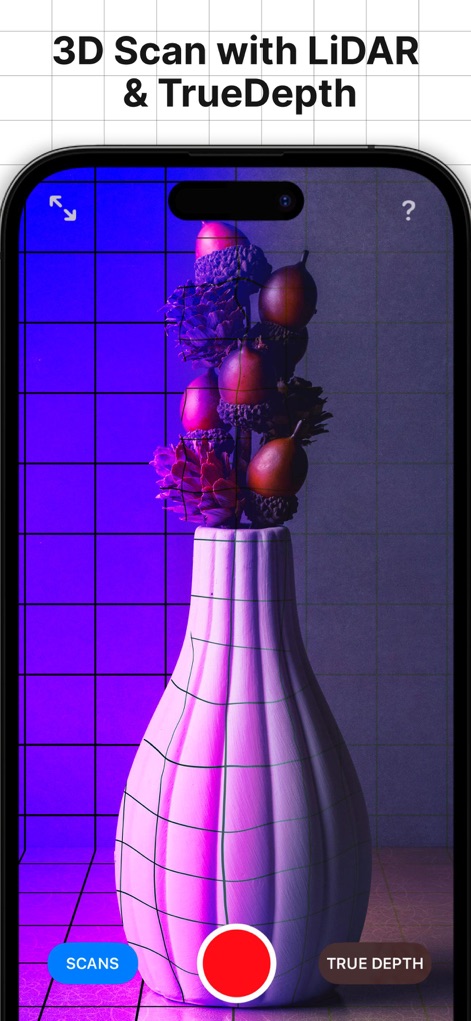
The app offers real-time 3D scanning, showcasing distinct LiDAR and TrueDepth capture modes with an intuitive grid overlay.
Dynamic Scanning Modes
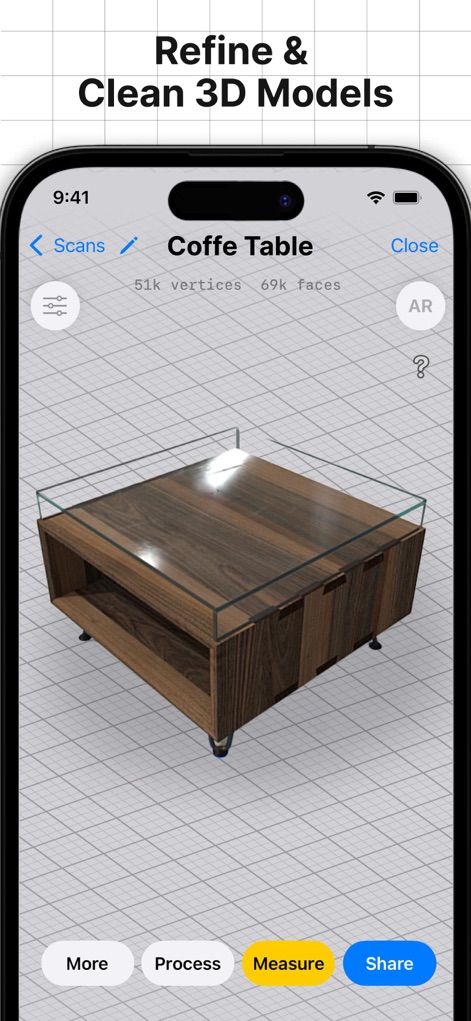
Users can refine 3D models directly, viewing detailed statistics like vertices and faces while accessing essential editing and sharing tools.
In-App Model Refinement
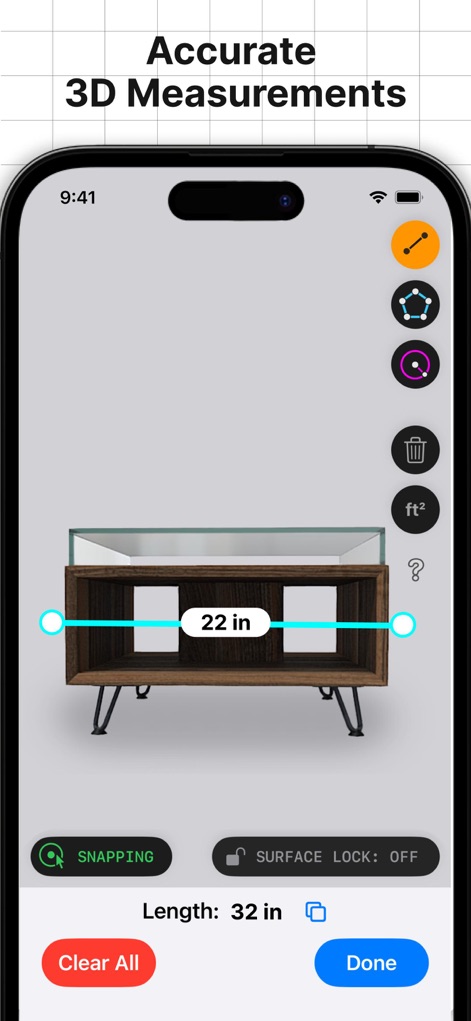
This tool provides accurate 3D measurements, displaying clear dimensional readouts and advanced features like snapping and surface locking.
Precision Measurement Tools
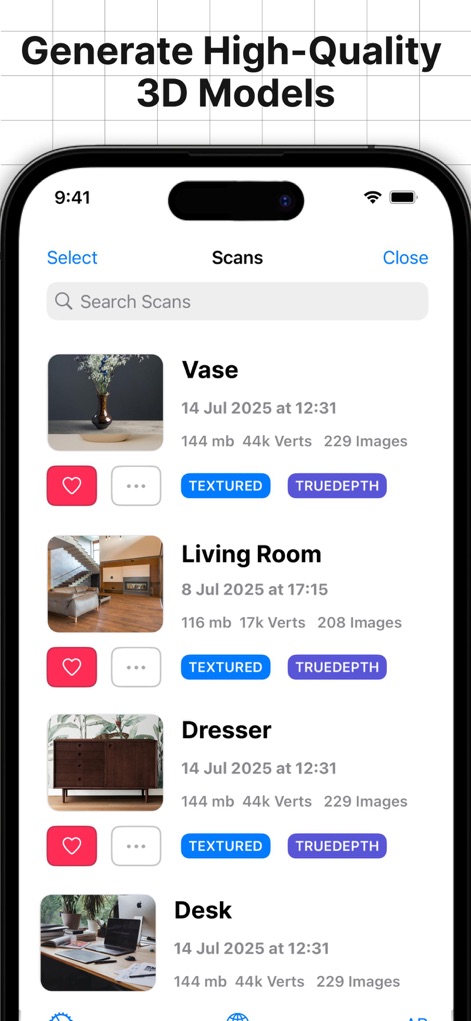
The app organizes high-quality 3D models in a browsable library, detailing each scan with crucial metadata like vertex count and capture method.
Organized Scan Library
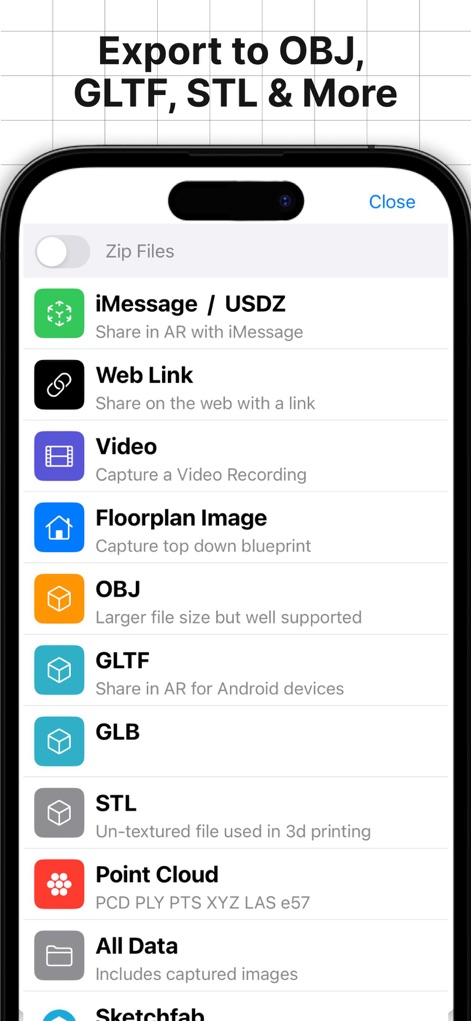
The tool supports a wide range of export formats, from common 3D models like OBJ and GLTF to specialized point clouds and web sharing features.
Versatile Export Options
Description
Download
More Like This
Apps with similar features and user experience

Scaniverse - 3D Scanner
Toolbox AI, Inc
Recon-3D
Recon-3D Inc.

AR Code Object Capture 3D Scan
AR Code Pte. Ltd.

Luma 3D Capture
Luma AI, Inc.

Metaroom - 3D Room Scanner
Synthetic Dimension GmbH

SiteScape: LiDAR Scanner & CAD
FARO Technologies Inc.

MagiScan - AI 3D Scanner app
Magiscan Inc.

KIRI Engine:3D Scanner & LiDAR
KIRI Innovation (Hongkong) Limited

Night Vision - LiDAR Camera
绪海 罗
This page is not an official page of the app or its developer, but an independent editorial publication created for informational and commentary purposes. Unless expressly stated otherwise, neither the app nor its developer is affiliated with, endorsed by, sponsored by, authorized by, or otherwise officially connected with MWM, Apple, Google Play, the app publisher, or the app's developer, and nothing on this page implies that the app was developed using MWM's services. Any trademarks, logos, screenshots, and other content remain the property of their respective owners.