
This page is not an official page of the app or its developer, but an independent editorial publication created for informational and commentary purposes. Unless expressly stated otherwise, neither the app nor its developer is affiliated with, endorsed by, sponsored by, authorized by, or otherwise officially connected with MWM, Apple, Google Play, the app publisher, or the app's developer, and nothing on this page implies that the app was developed using MWM's services. Any trademarks, logos, screenshots, and other content remain the property of their respective owners.


AR Code Object Capture 3D Scan
Create photorealistic 3D scans with LiDAR and Gaussian Splatting. Generate custom AR QR codes to engage customers and boost conversions with a frictionless, no-app viewing experience.
Downloads
556K+User Rating
Total Ratings
2K+Publisher
Category
Graphics & DesignLocales
32Latest Version
4.1.3Size
21.0 MBFirst Released
Nov 19, 2019Elevate Your Business with Professional 3D AR
Capture high-fidelity 3D models and share them instantly through branded AR QR Codes—no external apps required for your customers to experience your products.
Frictionless AR Sharing
Generate custom AR QR codes that work natively on any smartphone. Your clients view your inventory in 3D instantly without downloading a single app.
Photorealistic AR Splats
Capture complex surfaces like glass or metallic finishes using Gaussian Splatting technology. Ensure your digital twins look as premium as your physical products.
Frequently Asked Questions
Everything you need to know about AR Code Object Capture 3D Scan
What is AR Code Object Capture 3D Scan?
AR Code Object Capture 3D Scan is a professional 3D capture tool and AR QR Code generator. It supports iPhone, iPad, and Mac devices with Apple silicon for creating immersive AR experiences and shareable AR Codes.
Does AR Code Object Capture 3D Scan require LiDAR?
No, AR Code Object Capture 3D Scan does not require LiDAR. It utilizes LiDAR for precise 3D scans when available, but otherwise processes models via cloud photogrammetry for high detail. Gaussian Splatting is also used.
How does AR Code Object Capture 3D Scan create photorealistic models?
AR Code Object Capture 3D Scan uses Gaussian Splatting, referred to as "AR Splat," to create photorealistic 3D scans. This technology effectively handles transparent and reflective materials for detailed models.
Can AR Code Object Capture 3D Scan generate AR QR codes?
Yes, AR Code Object Capture 3D Scan generates one-tap AR QR codes from your 3D models. Viewers do not need an additional app to experience the AR content.
Is AR Code Object Capture 3D Scan a free app?
No, AR Code Object Capture 3D Scan is not free. It offers "AR Code Object Capture Premium," a monthly recurring subscription. A 7-day free trial is available before the subscription begins.
How much does the AR Code Object Capture Premium subscription cost?
The AR Code Object Capture Premium subscription costs US$34.99 per month. This amount is billed through the App Store after the 7-day free trial period concludes.
How do I cancel my AR Code Object Capture 3D Scan subscription?
You can manage and cancel your AR Code Object Capture 3D Scan subscription within the App Store. Cancellation must occur at least 24 hours before the current period ends to avoid renewal.
What devices does AR Code Object Capture 3D Scan support?
AR Code Object Capture 3D Scan supports iPhone, iPad, and Macs equipped with Apple silicon. It is a pro-grade 3D capture tool and AR QR Code generator for these devices.
Does AR Code Object Capture 3D Scan save models in a standard format?
Yes, AR Code Object Capture 3D Scan saves generated 3D models in the .USDZ format. These models are stored on your iPhone/AR Code directory, as shown in the app.
Can I customize the AR Codes generated by AR Code Object Capture 3D Scan?
Yes, AR Code Object Capture 3D Scan allows for customizable AR Code designs. You can make them both functional and align them with your brand for sharing.
The following screenshots and description are sourced directly from the app's official store listing and are the property of the app developer.
App Store
Screenshots
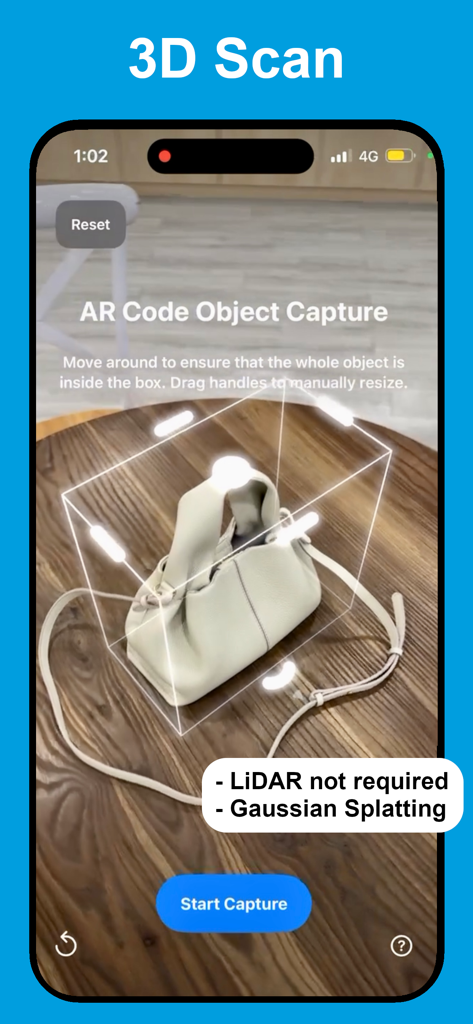
Interface of the AR Code Object Capture app performing a 3D scan of a white handbag on a wooden table using Gaussian Splatting technology.
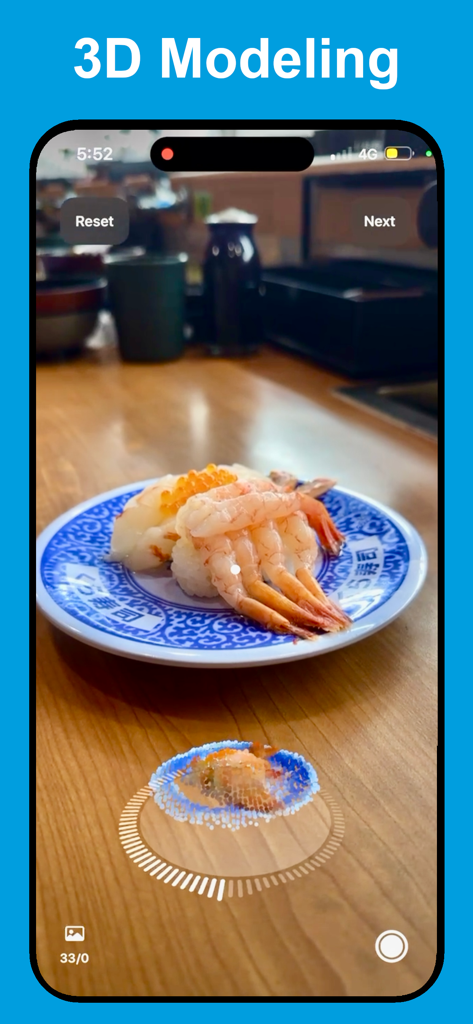
iPhone interface showing the 3D scanning process of a sushi plate using AR Code Object Capture technology
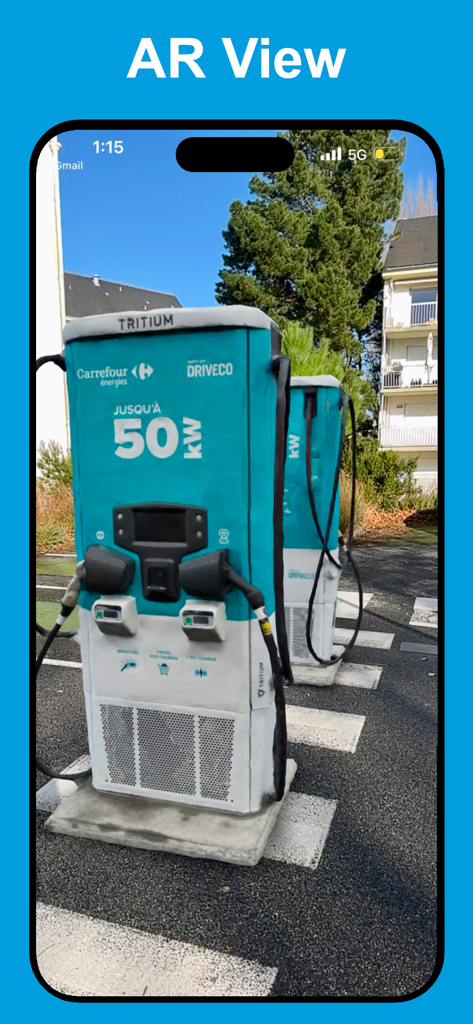
Augmented reality view of a 3D scanned electric car charging station displayed through the app
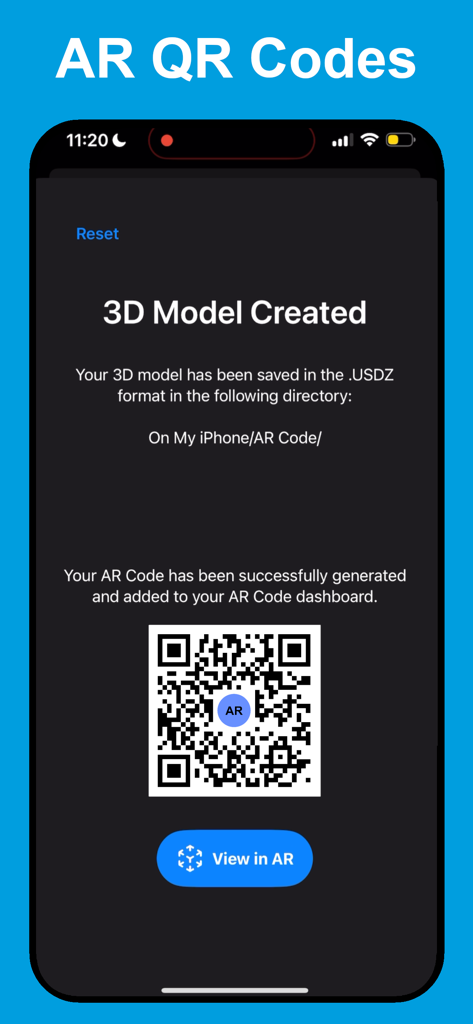
Interface showing a generated AR QR Code for a 3D model in USDZ format
Description
Download
More Like This
Apps with similar features and user experience

Scaniverse - 3D Scanner
Toolbox AI, Inc

Recon-3D
Recon-3D Inc.
3d Scanner App™
AI Photo Editor Lab SRL

Luma 3D Capture
Luma AI, Inc.

Metaroom - 3D Room Scanner
Synthetic Dimension GmbH

SiteScape: LiDAR Scanner & CAD
FARO Technologies Inc.

MagiScan - AI 3D Scanner app
Magiscan Inc.

KIRI Engine:3D Scanner & LiDAR
KIRI Innovation (Hongkong) Limited

Night Vision - LiDAR Camera
绪海 罗
This page is not an official page of the app or its developer, but an independent editorial publication created for informational and commentary purposes. Unless expressly stated otherwise, neither the app nor its developer is affiliated with, endorsed by, sponsored by, authorized by, or otherwise officially connected with MWM, Apple, Google Play, the app publisher, or the app's developer, and nothing on this page implies that the app was developed using MWM's services. Any trademarks, logos, screenshots, and other content remain the property of their respective owners.