
This page is not an official page of the app or its developer, but an independent editorial publication created for informational and commentary purposes. Unless expressly stated otherwise, neither the app nor its developer is affiliated with, endorsed by, sponsored by, authorized by, or otherwise officially connected with MWM, Apple, Google Play, the app publisher, or the app's developer, and nothing on this page implies that the app was developed using MWM's services. Any trademarks, logos, screenshots, and other content remain the property of their respective owners.


KIRI Engine:3D Scanner & LiDAR
Reality, digitized. This app puts industrial-grade 3D capture in your pocket, turning everyday objects into production-ready models without the need for specialized hardware.
Downloads
250k+User Rating
Total Ratings
1.2KPublisher
Category
Photo & VideoLocales
8Latest Version
4.2.0Size
138.1 MBFirst Released
Dec 27, 2021An analysis of the core features enabling versatile mobile 3D model creation and export for diverse user needs.
Key Capabilities of KIRI Engine: 3D Scanner & LiDAR
Accessible Free Tier
It allows users to dive into photogrammetry without requiring costly subscriptions, LiDAR sensors, or expensive 3D scanners, offering unlimited uploads and weekly exports.
Broad Export Compatibility
This tool features export capabilities in multiple industry-standard formats (OBJ, STL, FBX, GLTF, GLB, USDZ, PLY, XYZ), ensuring seamless integration with popular 3D software like Blender, Unreal Engine, and Autodesk Maya.
High-Quality Photogrammetry
The app provides robust photogrammetry functionality, allowing users to transform a series of photos into detailed, high-quality 3D models rapidly.
Neural Surface Reconstruction for Challenging Objects
It allows users to 3D scan challenging featureless or shiny objects by processing video data using Neural Radiance Fields (NeRF) for accurate surface reconstruction.
Automated Background Removal
This tool features automatic object masking during capture, which effectively eliminates background elements and ensures clean, noise-free 3D models.
Software-Driven High Precision Scanning
The app provides advanced algorithms that deliver scanning quality comparable to that of dedicated LiDAR sensors, all achievable without specialized hardware.
Comprehensive In-App Model Editing
It allows users to refine and adjust their 3D models directly within the app, offering tools to fine-tune results from various scanning methods.
Advanced 3D Scene Visualization
This tool features 3D Gaussian Splatting, enabling the creation of full 3D visualizations from video, capturing all scene elements including reflections for comprehensive scene representation.
Frequently Asked Questions
Everything you need to know about KIRI Engine:3D Scanner & LiDAR
What is KIRI Engine and what does it do?
KIRI Engine is a 3D scanner app that creates high-quality 3D models from photos or videos using photogrammetry, Neural Surface Reconstruction (NSR), and 3D Gaussian Splatting technologies. It supports editing, refinement, and various export formats.
How does KIRI Engine create 3D models?
KIRI Engine utilizes photogrammetry to convert photos into 3D models. It also offers Neural Surface Reconstruction (NSR) for featureless objects from video and 3D Gaussian Splatting for full 3D visualizations, including reflections, from video.
Can KIRI Engine scan shiny or featureless objects?
Yes, KIRI Engine's Neural Surface Reconstruction (NSR) feature processes video scans to effectively capture featureless or shiny objects. This technology is integrated into the Featureless Object Scan capability.
Is KIRI Engine free to use?
Yes, KIRI Engine provides a functional free version. This includes unlimited 3D scans and at least three exports per week without requiring subscriptions, LiDAR sensors, or expensive 3D scanners.
What 3D model export formats does KIRI Engine support?
KIRI Engine supports exporting 3D models in OBJ, STL, FBX, GLTF, GLB, USDZ, PLY, and XYZ formats. These formats ensure compatibility with software like Blender 3D, Unreal Engine, and Autodesk Maya.
Does KIRI Engine require a LiDAR sensor?
No, KIRI Engine does not require a LiDAR sensor for its primary functions; its algorithms provide comparable scanning quality. However, the app supports on-device photogrammetry and 3D room plans on LiDAR-equipped iPhones.
What features are included in KIRI Engine Pro?
KIRI Engine Pro offers features like camera roll uploads, quad-mesh retopology, AI PBR material generation, an advanced camera system, enhanced Featureless Object Scan, 3D Gaussian Splatting editing, and WEB version access.
Can KIRI Engine edit 3D models directly in the app?
Yes, KIRI Engine provides in-app editing tools to refine 3D models, allowing adjustments, precise photo selection, Auto Object Masking for cleanup, and model preview using a 3D viewer and augmented reality panels.
What is Auto Object Masking in KIRI Engine?
Auto Object Masking in KIRI Engine ensures noise-free and clean 3D models by automatically eliminating background elements during capture. This feature also allows objects to be moved while scanning.
What texture resolution options does KIRI Engine offer?
Yes, KIRI Engine allows exporting textures up to 8K resolution. Users can select from 1K, 2K, 4K, and 8K options for detailed texture output, especially with PBR materials.
The following screenshots and description are sourced directly from the app's official store listing and are the property of the app developer.
App Store
Screenshots
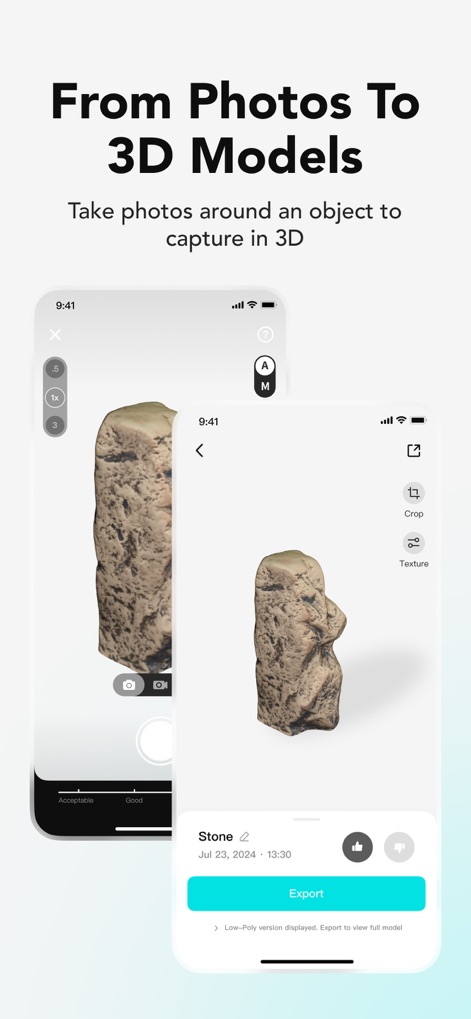
See how the app streamlines the process from initial photo capture to a detailed 3D model, ready for export.
Photo Scan Workflow
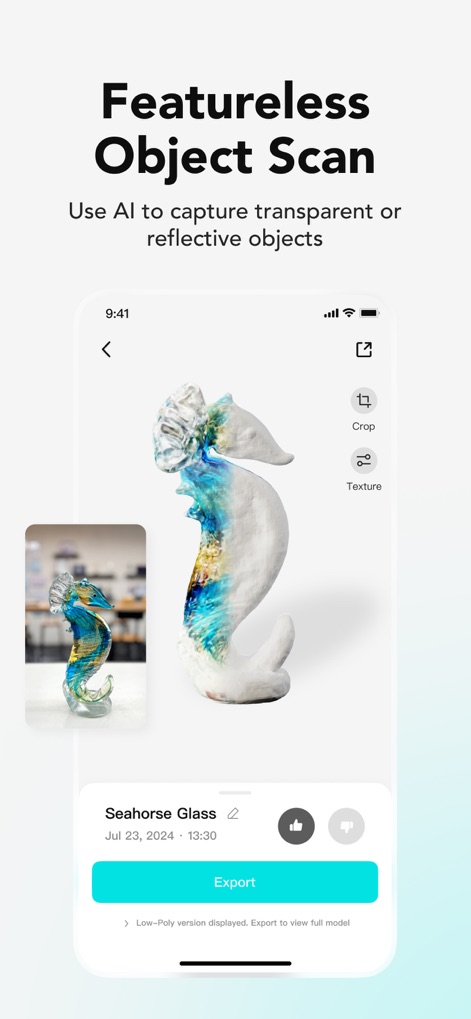
Discover the app's advanced capability to scan challenging materials like reflective glass objects, producing accurate 3D models from original reference images.
Reflective Object Capture
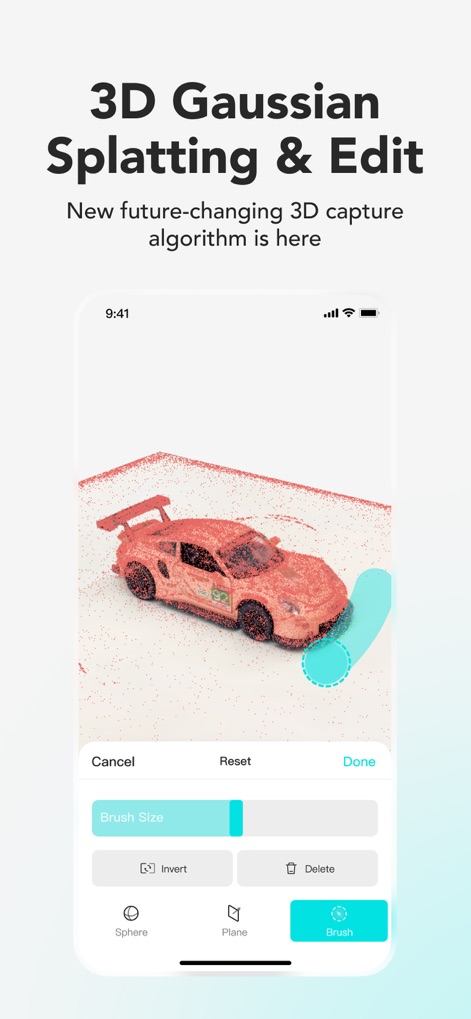
Explore the innovative 3D Gaussian Splatting feature, allowing users to capture full 3D visualizations and refine models with intuitive brush-based editing tools.
Splatting & Editing

Witness the app's professional-grade export options, including automatic quad-mesh retopology and the generation of lifelike PBR materials for enhanced realism.
Professional Model Export

Observe how the app intelligently generates animation-ready rigs for 3D models, simplifying complex workflows for motion capture and animation projects.
Automated Rigging
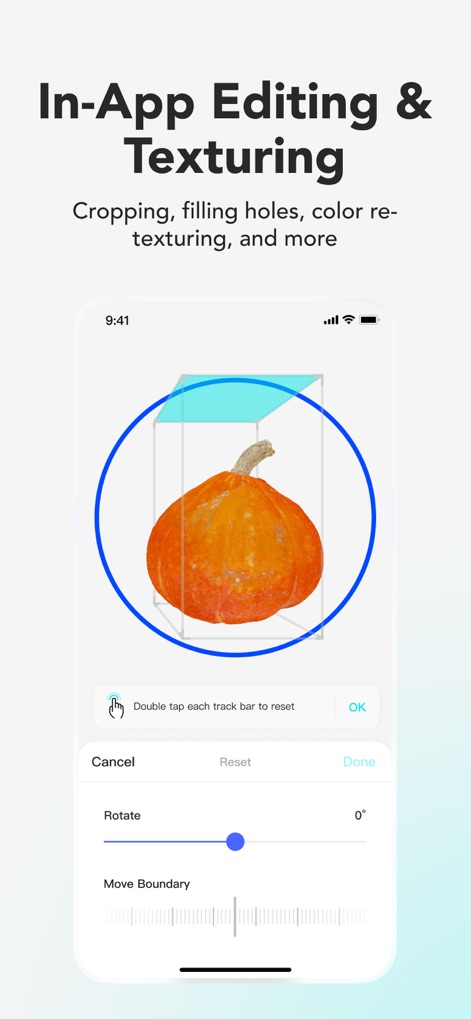
See the comprehensive in-app editing tools, enabling users to precisely adjust model boundaries and rotate objects for optimal presentation.
Refine Your Models

Experience the exceptional detail offered by the app's 8K texture resolution, alongside flexible export options for various file formats like OBJ and FBX.
High-Resolution Textures
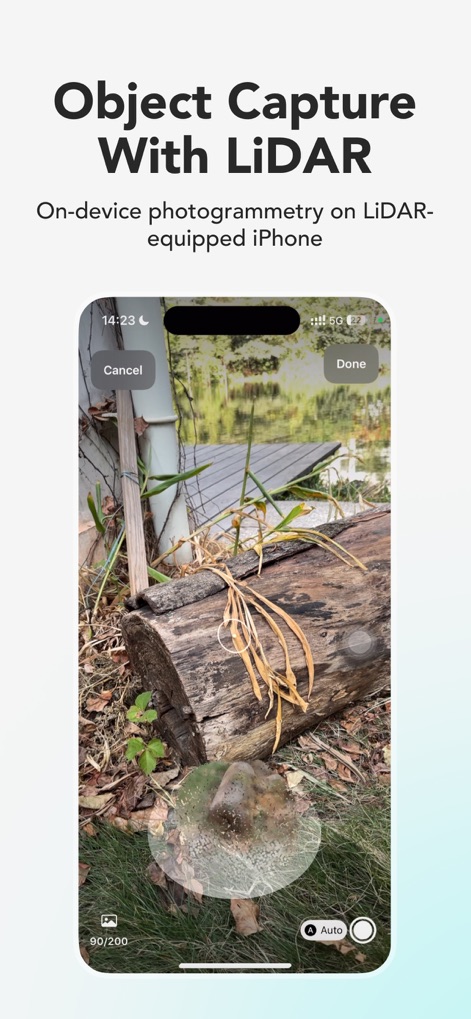
Explore how users can leverage LiDAR-equipped iPhones for precise object capture, allowing for detailed 3D scanning of real-world environments.
LiDAR Object Scan
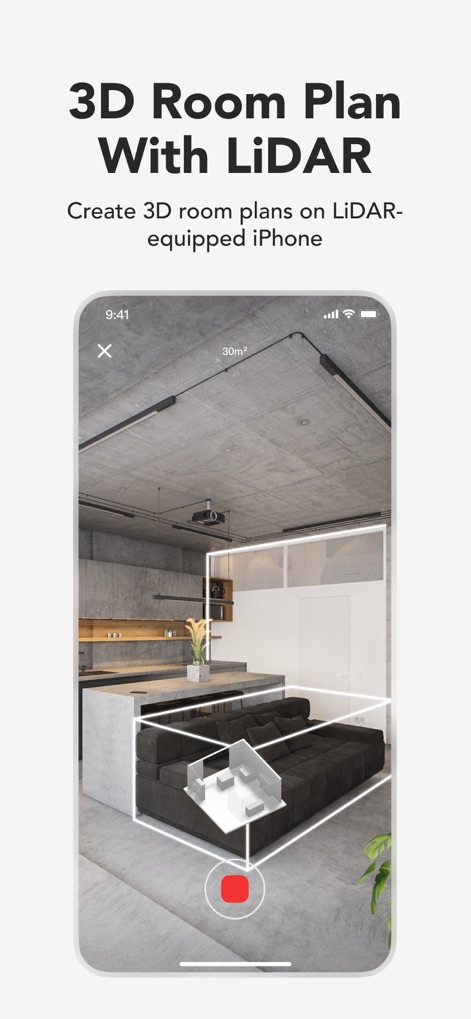
Discover the app's capability to generate accurate 3D room plans using LiDAR technology, providing spatial data for architectural and design purposes.
LiDAR Room Mapping
Description
Download
More Like This
Apps with similar features and user experience

Scaniverse - 3D Scanner
Toolbox AI, Inc

Recon-3D
Recon-3D Inc.
3d Scanner App™
AI Photo Editor Lab SRL

AR Code Object Capture 3D Scan
AR Code Pte. Ltd.

Luma 3D Capture
Luma AI, Inc.

Metaroom - 3D Room Scanner
Synthetic Dimension GmbH

SiteScape: LiDAR Scanner & CAD
FARO Technologies Inc.

MagiScan - AI 3D Scanner app
Magiscan Inc.

Night Vision - LiDAR Camera
绪海 罗
This page is not an official page of the app or its developer, but an independent editorial publication created for informational and commentary purposes. Unless expressly stated otherwise, neither the app nor its developer is affiliated with, endorsed by, sponsored by, authorized by, or otherwise officially connected with MWM, Apple, Google Play, the app publisher, or the app's developer, and nothing on this page implies that the app was developed using MWM's services. Any trademarks, logos, screenshots, and other content remain the property of their respective owners.