
This page is not an official page of the app or its developer, but an independent editorial publication created for informational and commentary purposes. Unless expressly stated otherwise, neither the app nor its developer is affiliated with, endorsed by, sponsored by, authorized by, or otherwise officially connected with MWM, Apple, Google Play, the app publisher, or the app's developer, and nothing on this page implies that the app was developed using MWM's services. Any trademarks, logos, screenshots, and other content remain the property of their respective owners.

ADP My Work
Empowering the deskless workforce with seamless scheduling and time tracking. Whether you are clocking in for a shift or approving team timecards, manage your workday with total flexibility—anytime, anywhere.
Downloads
2M+User Rating
Total Ratings
6K+Publisher
Category
BusinessLocales
19Latest Version
5.1.0Size
264.2 MBFirst Released
Dec 9, 2019Empower Your Deskless Workday
No more back-office paperwork. Manage shifts, track time, and lead your team with the mobile-first tools designed for the modern workforce.
Total Shift Flexibility
Trade shifts or request time off instantly. Get the autonomy you need to fit work around your lifestyle, not the other way around.
Untethered Management
Approve timecards and monitor attendance from the floor. Lead your team in real-time without being anchored to a desktop.
Frequently Asked Questions
Everything you need to know about ADP My Work
What is the ADP My Work app?
The ADP My Work app is a workforce management companion for ADP Mobile. It empowers managers, employees, and practitioners to handle tasks such as attendance, scheduling, timecards, and time off requests efficiently.
Who can use the ADP My Work app?
The ADP My Work app is available exclusively for employees of ADP Workforce Manager clients. Users log in with their existing ADP username and password.
Can managers check attendance with the ADP My Work app?
Yes, managers can check attendance on the go using the ADP My Work app. They can also monitor absenteeism and track overtime through dedicated features.
How do employees clock in and out using the ADP My Work app?
Yes, employees can clock in and out in seconds using the ADP My Work app. They also use the app to check schedules, swap shifts, and request time off.
Does the ADP My Work app allow employees to request time off?
Yes, employees can request time off with just a click using the ADP My Work app. The app provides a dedicated interface to submit and manage time off requests.
Can managers approve timecards using the ADP My Work app?
Yes, managers can approve timecards with a tap using the ADP My Work app. Practitioners can also check and process timecards remotely to ensure a smooth payroll process.
Does the ADP My Work app show projected overtime hours?
Yes, the ADP My Work app provides features such as "Projected OT Hrs By Mgr" and "Overtime Tracking." It also displays insightful information on "OT Hrs by Job."
Can I view my personal work schedule in the ADP My Work app?
Yes, the ADP My Work app allows employees to view their personal work schedule. It displays shifts on a calendar interface, including specific timings.
Can I view a team's schedule using the ADP My Work app?
Yes, managers can view the current schedule for their team within the ADP My Work app. This feature displays individual employee shifts and identifies open shifts.
Where can I find alerts and tasks in the ADP My Work app?
The ADP My Work app centralizes alerts and tasks in its "Inbox" section. This includes notifications for overtime approaching and employee meal break alerts.
The following screenshots and description are sourced directly from the app's official store listing and are the property of the app developer.
App Store
Screenshots
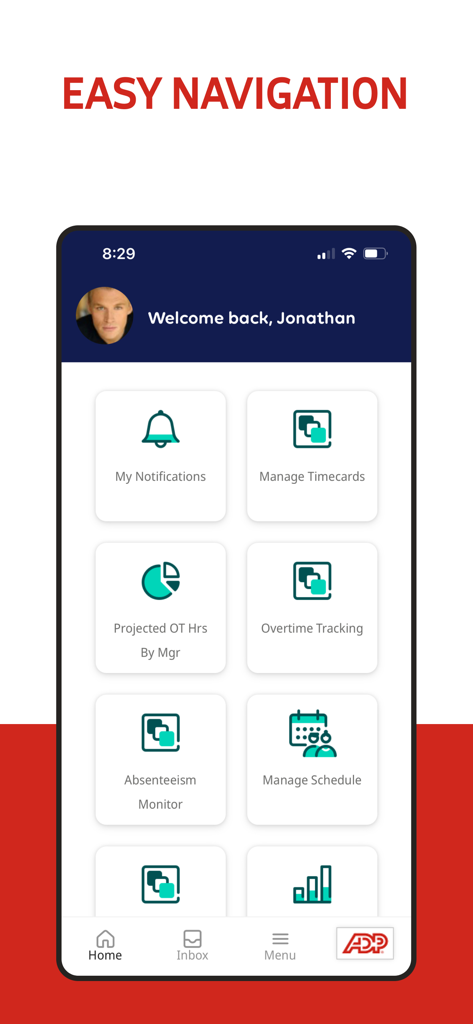
Dashboard of ADP My Work app with tiles for managing timecards, schedules, and overtime tracking
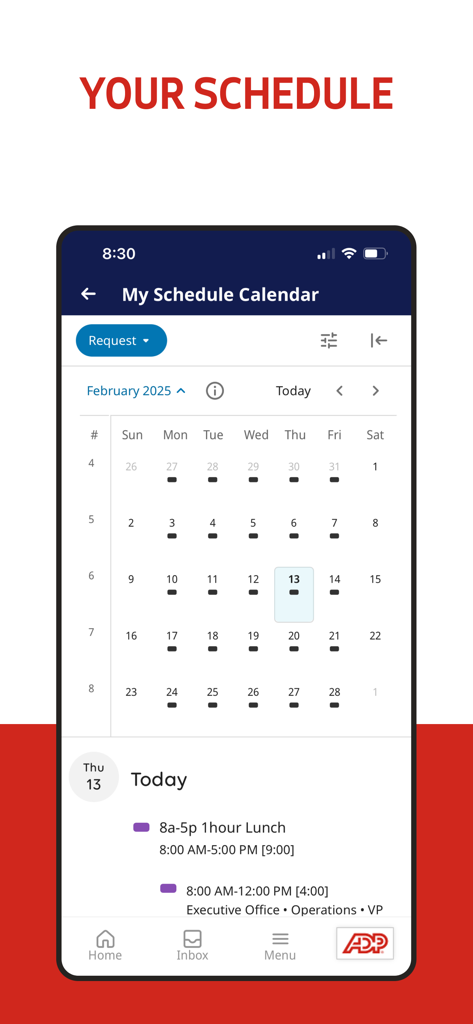
ADP My Work app interface showing a monthly work schedule calendar and daily shift details for an employee.
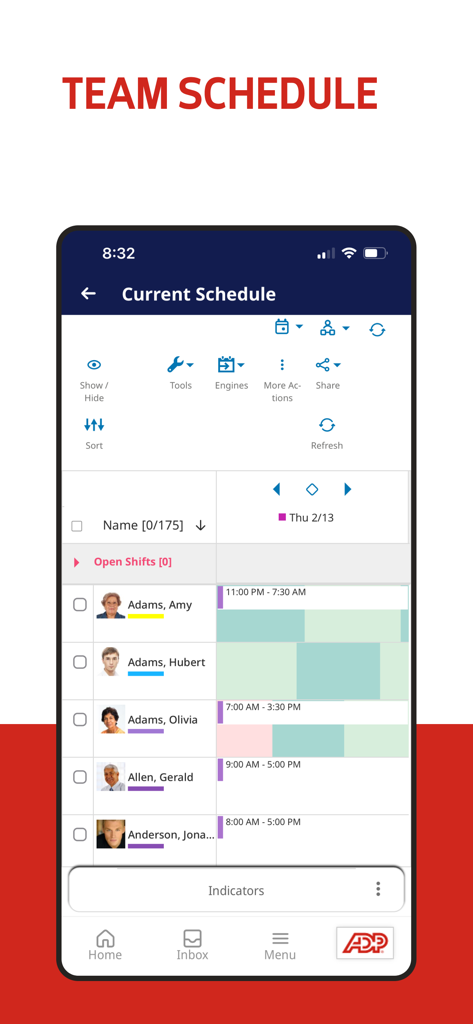
Interface of the ADP My Work app showing the current team schedule with employee names and shift timelines.
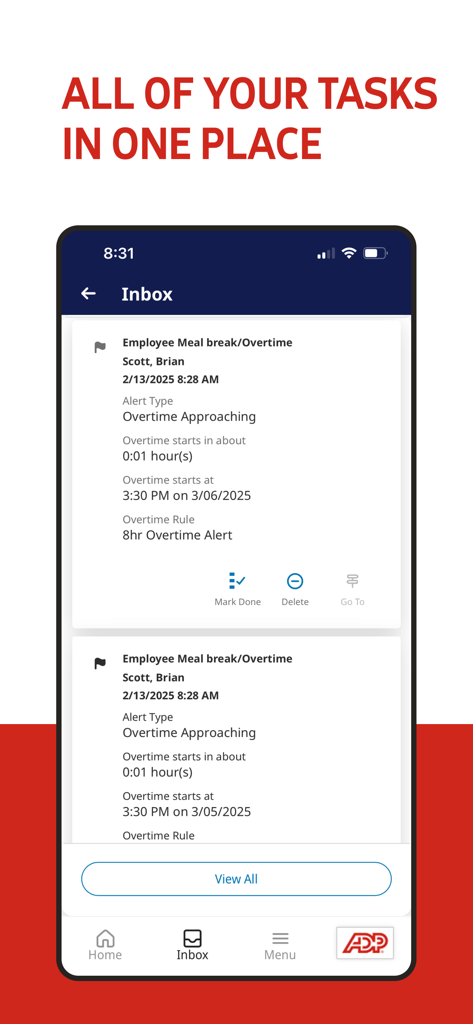
ADP My Work mobile app inbox screen showing manager alerts for employee overtime and meal breaks.
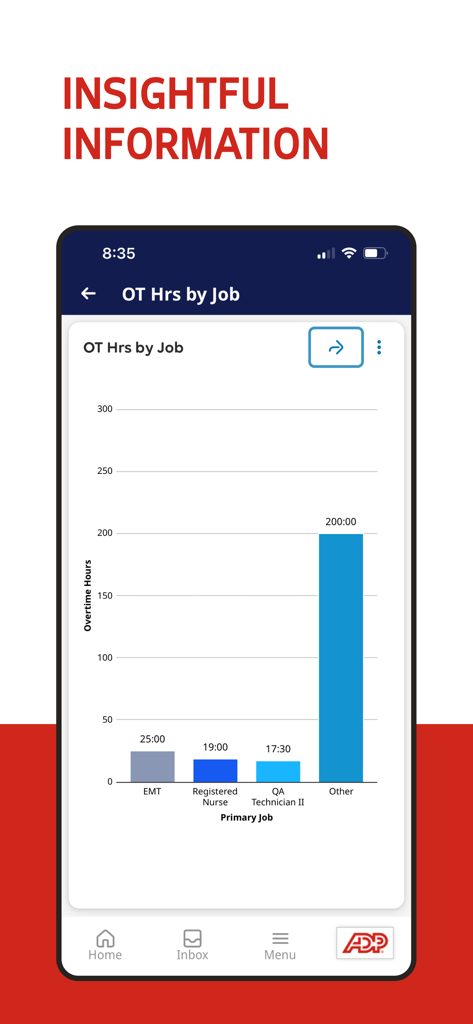
A bar chart in the ADP My Work app showing overtime hours by job category for healthcare and technical roles.
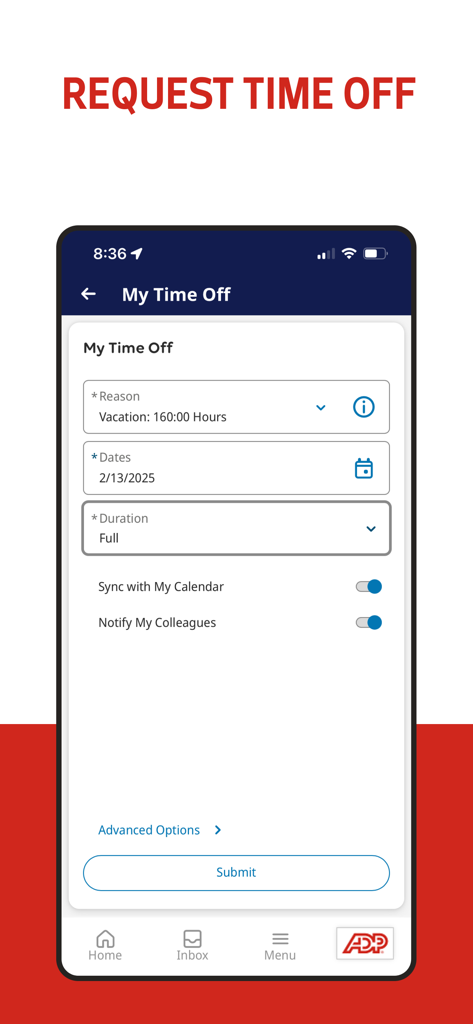
ADP My Work app screen for requesting time off with vacation details and submit button
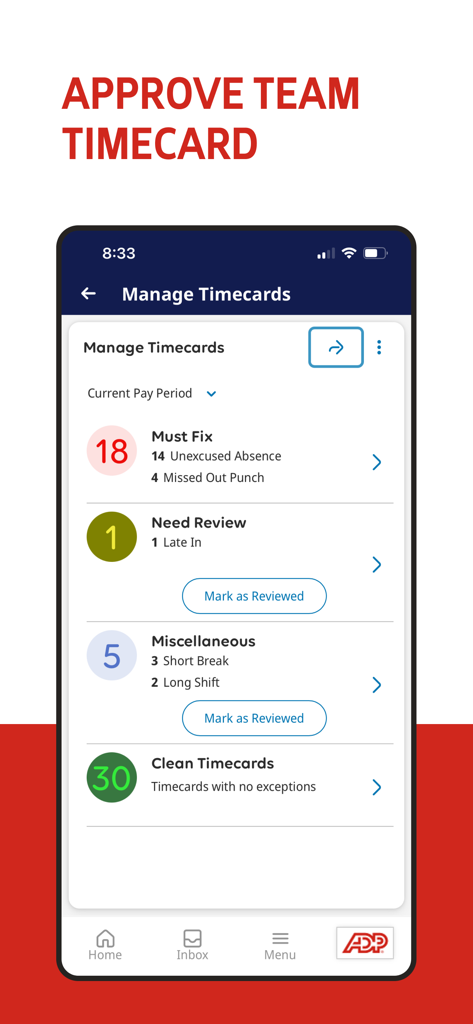
ADP My Work mobile app screen for managing and approving team timecards showing attendance exceptions and clean records
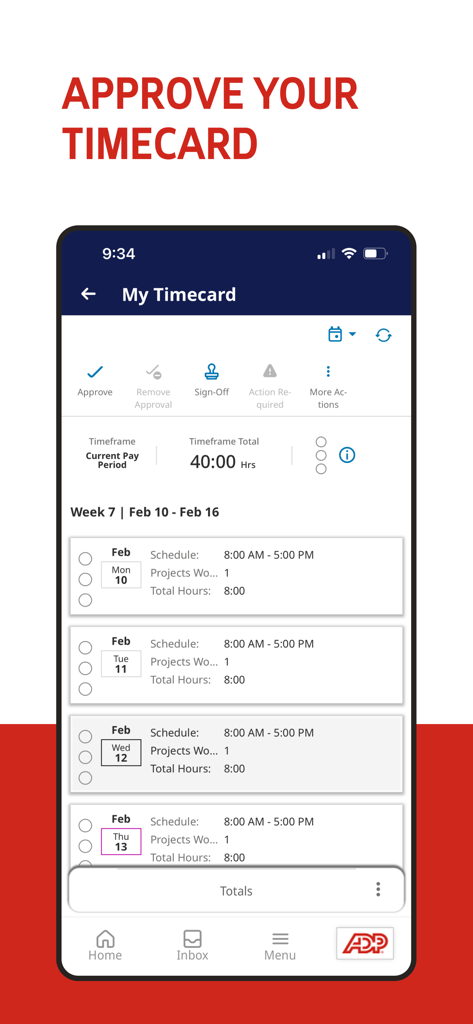
ADP My Work app interface displaying the timecard approval screen with weekly work hours
Description
Download
More Like This
Apps with similar features and user experience

Paylocity
Paylocity Corporation

Paychex Flex
Paychex Inc.

Paycom
Paycom Payroll, LLC

Gusto Mobile
Gusto, inc.

Amazon A to Z
AMZN Mobile LLC

TaxDome Client Portal
TaxDome LLC

MyWalmart
Walmart

BrightHR
Peninsula Online Services Limited

Waapi
Senior Sistemas S/A
This page is not an official page of the app or its developer, but an independent editorial publication created for informational and commentary purposes. Unless expressly stated otherwise, neither the app nor its developer is affiliated with, endorsed by, sponsored by, authorized by, or otherwise officially connected with MWM, Apple, Google Play, the app publisher, or the app's developer, and nothing on this page implies that the app was developed using MWM's services. Any trademarks, logos, screenshots, and other content remain the property of their respective owners.