
This page is not an official page of the app or its developer, but an independent editorial publication created for informational and commentary purposes. Unless expressly stated otherwise, neither the app nor its developer is affiliated with, endorsed by, sponsored by, authorized by, or otherwise officially connected with MWM, Apple, Google Play, the app publisher, or the app's developer, and nothing on this page implies that the app was developed using MWM's services. Any trademarks, logos, screenshots, and other content remain the property of their respective owners.


AeroTime Pro
Simplify your flight logging with automated night time calculations, precision decimal conversions, and long-haul rest planning—all in one cockpit-ready, offline-first app.
Downloads
1K+User Rating
Total Ratings
0Publisher
Category
UtilitiesLocales
1Latest Version
4.0Size
14.6 MBFirst Released
Feb 22, 2019Engineered for Professional Aviators
Simplify your operational workflow with precision tools designed to manage flight logs, rest periods, and night time calculations—offline and on the go.
Automatic Night Time Tracking
Eliminate the guesswork. Instantly calculate night flight hours using precise Sunrise/Sunset and Civil Twilight data for legal currency.
Precision Crew Rest Planning
Simplify complex FTL requirements. Effortlessly divide rest periods for long-haul operations to keep your crew rested and compliant.
Frequently Asked Questions
Everything you need to know about AeroTime Pro
How does AeroTime Pro calculate block time for pilots?
AeroTime Pro instantly calculates block time in both hours & minutes and decimal formats. It also provides automatic night flight time calculation based on accurate Sunrise/Sunset data or custom offsets.
Can users customize night flight time calculations in AeroTime Pro?
Yes, AeroTime Pro allows customization for night flight time. Users can choose between Sunrise/Sunset data, Civil Twilight, or custom offsets like -15 or -30 minutes. Manual adjustments are also supported.
What kind of time conversions does AeroTime Pro offer?
AeroTime Pro's Time Converter seamlessly converts time. It changes HH:mm format to decimal time, and vice versa. This feature simplifies various aviation time calculations for pilots and crew.
Does AeroTime Pro allow offline viewing of PDF documents?
Yes, AeroTime Pro features an Offline PDF Reader. Users can upload and view essential PDF documents, such as rosters and flight plans, anywhere and anytime, even without an internet connection.
How does AeroTime Pro help calculate crew rest periods?
AeroTime Pro includes a Long-Haul Rest Calculator. It efficiently computes crew rest periods for long-haul operations, helping flight crews comply with complex Flight Time Limitations (FTL) requirements.
Does AeroTime Pro have an airport database, and can I add new airports?
Yes, AeroTime Pro has a global database of over 29,000 registered airports. Users can manually add any unlisted airport by providing its ICAO code, latitude, and longitude.
Does AeroTime Pro include a general flight time calculator?
Yes, AeroTime Pro features a built-in aviation-focused time calculator. This tool allows users to easily add or subtract flight times for various operational needs.
The following screenshots and description are sourced directly from the app's official store listing and are the property of the app developer.
App Store
Screenshots
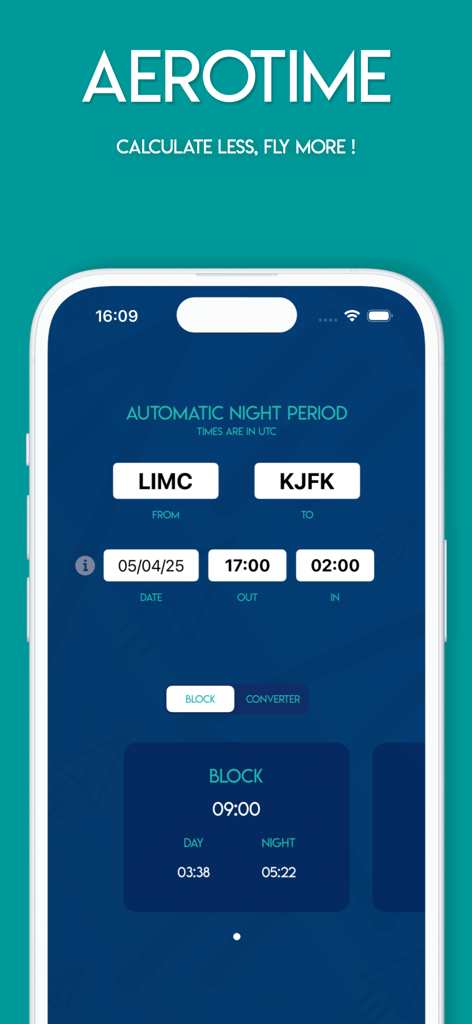
AeroTime Pro app interface showing automatic night period calculation and flight block time for pilots
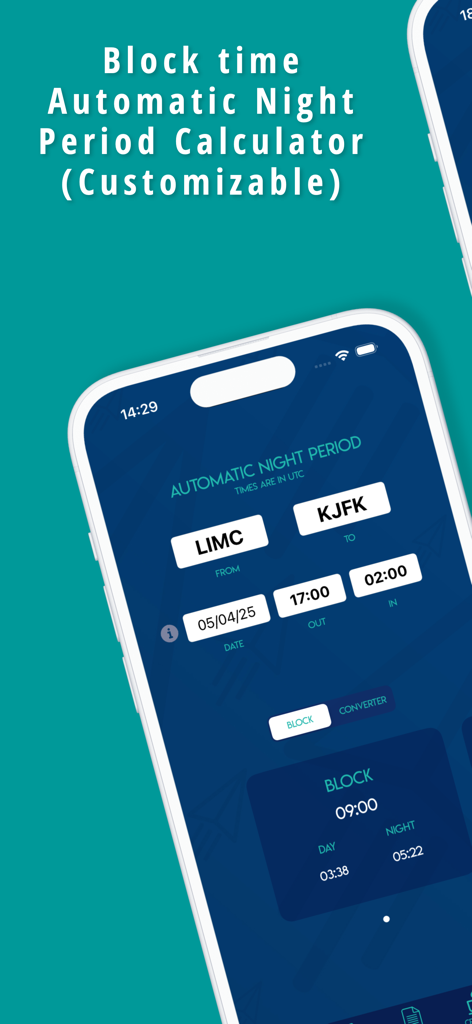
AeroTime Pro app interface showing the automatic night period and block time calculator for pilots
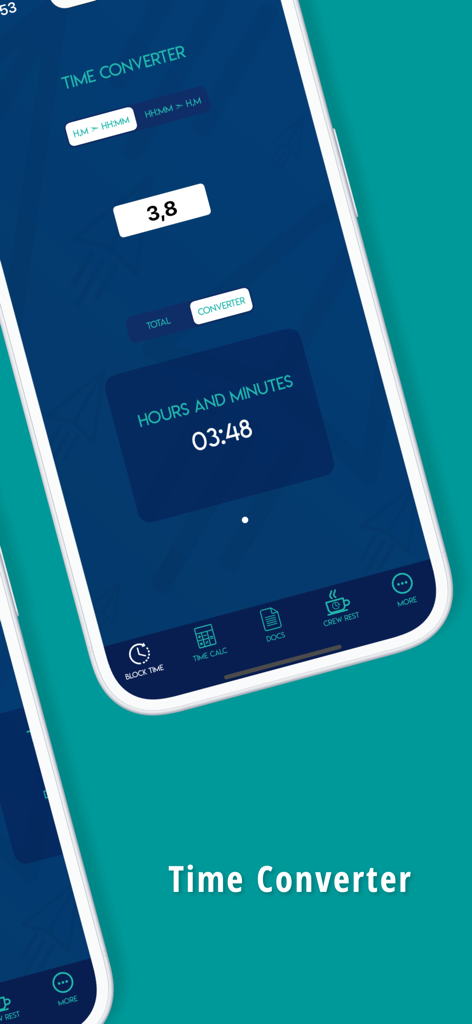
AeroTime Pro app screen displaying the decimal to hours and minutes time converter for pilots
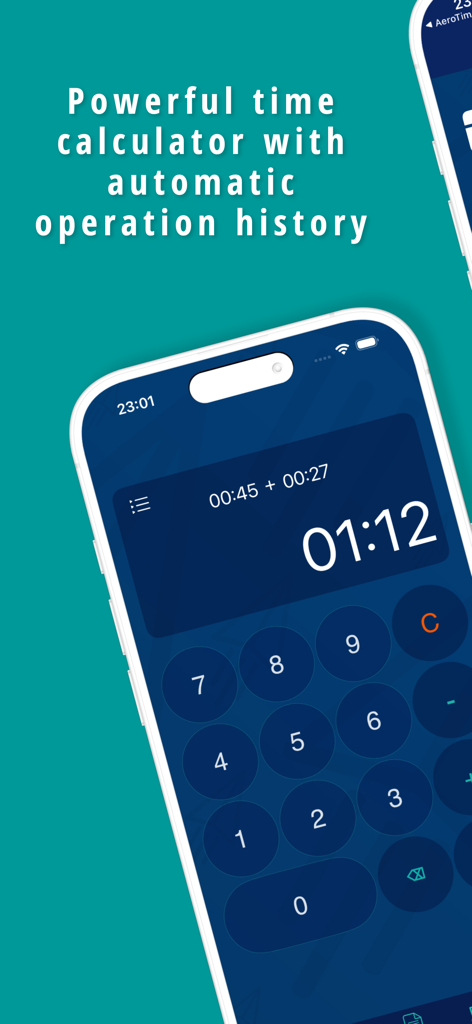
AeroTime Pro app interface showing a pilot flight time calculator with operation history
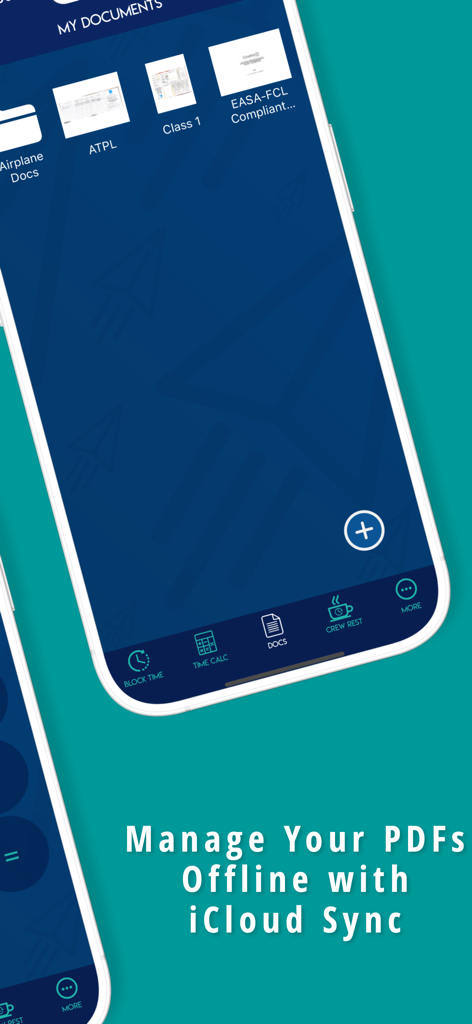
AeroTime Pro app interface showing the offline PDF document management feature with iCloud sync for pilots
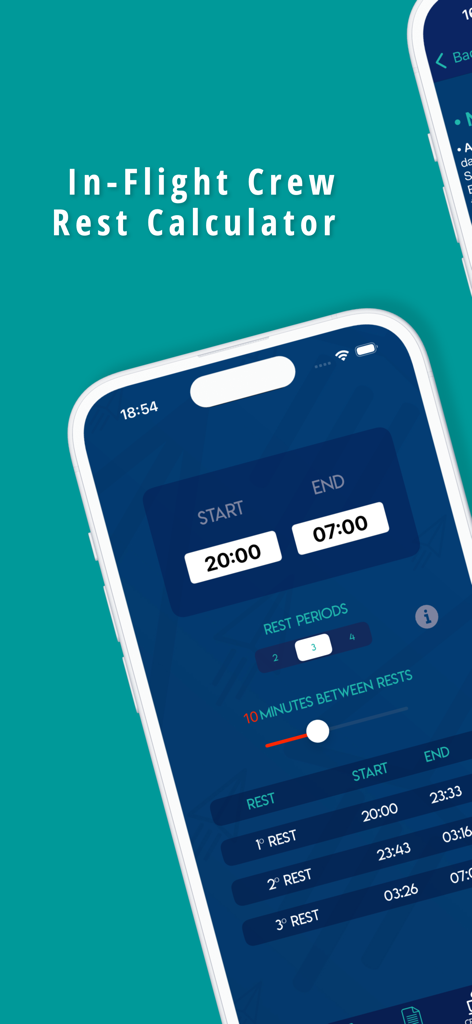
AeroTime Pro app screen displaying the in-flight crew rest calculator with start and end times for pilot rest periods.
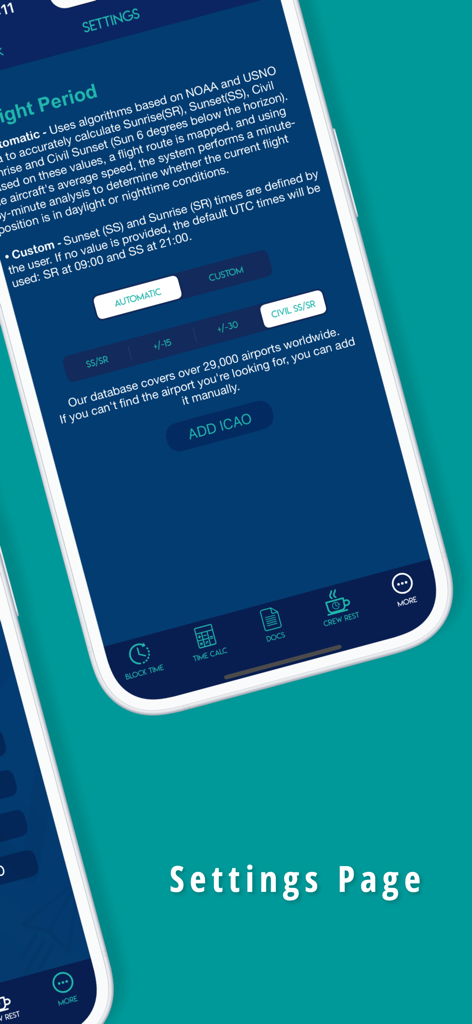
AeroTime Pro app settings interface for calculating night flight time and managing airport data
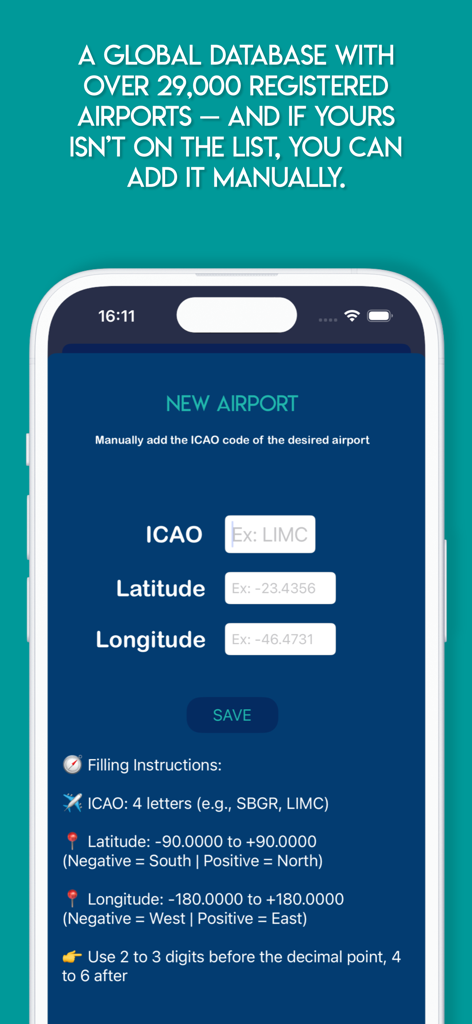
A screen in the AeroTime Pro app for manually adding a new airport by entering ICAO codes and geographic coordinates.
Description
Download
More Like This
Top-ranked apps in the same category

Google LLC

Google Chrome
Google LLC

中国移动(手机营业厅)
China Mobile Online Services Co., Ltd.

Google Authenticator
Google LLC

CNH do Brasil
Servicos e Informacoes do Brasil

Cleanup: Phone Storage Cleaner
DEEP FLOW SOFTWARE SERVICES - FZCO

gov.br
Servicos e Informacoes do Brasil

中国电信-全国统一官方服务平台
CHINA TELECOM Corporation Ltd.

Microsoft Edge: AI Browser
Microsoft Corporation
This page is not an official page of the app or its developer, but an independent editorial publication created for informational and commentary purposes. Unless expressly stated otherwise, neither the app nor its developer is affiliated with, endorsed by, sponsored by, authorized by, or otherwise officially connected with MWM, Apple, Google Play, the app publisher, or the app's developer, and nothing on this page implies that the app was developed using MWM's services. Any trademarks, logos, screenshots, and other content remain the property of their respective owners.