
This page is not an official page of the app or its developer, but an independent editorial publication created for informational and commentary purposes. Unless expressly stated otherwise, neither the app nor its developer is affiliated with, endorsed by, sponsored by, authorized by, or otherwise officially connected with MWM, Apple, Google Play, the app publisher, or the app's developer, and nothing on this page implies that the app was developed using MWM's services. Any trademarks, logos, screenshots, and other content remain the property of their respective owners.


AFAS Pocket
Forget the office. This app puts your entire work admin in your pocket, freeing you to work from anywhere.
Downloads
1M+User Rating
Total Ratings
5.9KPublisher
Category
BusinessLocales
4Latest Version
2.33.6Size
67.8 MBFirst Released
Apr 15, 2016An analysis of the core functionalities that empower employees to manage administrative, HR, and project tasks efficiently on the go within the AFAS ecosystem.
Key Features of AFAS Pocket: A Mobile Productivity Suite for AFAS Users
Execute Open Tasks
The app allows users to efficiently complete and manage their assigned open tasks, ensuring continuous progress on daily responsibilities.
Leave Requests
The app simplifies the process of submitting and managing leave requests, allowing employees to handle their time-off applications with ease.
Report Sickness/Recovery
This tool provides a straightforward method for employees to report sick or indicate their return to work, streamlining HR communication.
View Payslips
This tool enables users to securely view their payslips and salary specifications anytime, anywhere.
Submit Expense Reports
The app provides a convenient way to submit expense reports on the fly, streamlining the reimbursement process for employees.
Work on Projects
This tool facilitates collaboration and progress tracking on projects, enabling users to contribute and monitor tasks remotely.
Consult Contacts (CRM & Internal)
It allows users to access and manage all CRM and internal contacts directly from their mobile device, facilitating communication and networking on the go.
Secure Authenticator for AFAS Online
It functions as a secure authenticator, providing robust and protected access to AFAS Online services.
Frequently Asked Questions
Everything you need to know about AFAS Pocket
What is the AFAS Pocket app?
The AFAS Pocket app is a mobile business software solution for AFAS Software customers. It enables managing administration and HR tasks from a phone or tablet, with all actions synchronized with AFAS software.
Can I request leave using the AFAS Pocket app?
Yes, the AFAS Pocket app allows users to request leave. This includes specifying holiday duration, entering reasons, and designating substitutes, with functions being employer-dependent.
Does AFAS Pocket support two-factor authentication?
Yes, AFAS Pocket supports secure login with two-factor authentication. It can act as an authenticator to connect securely to AFAS Online, requiring approval within the app for sign-on requests.
How can employees enter work hours using AFAS Pocket?
Employees can enter their work hours directly from their phone or tablet using the AFAS Pocket app's "Week overview" feature. This allows for daily hour tracking and project management.
Can I view business contacts in the AFAS Pocket app?
Yes, the AFAS Pocket app allows users to consult all business contacts, including CRM and internal contacts. This feature helps manage contact information like addresses and phone numbers.
Can I view my payslips with the AFAS Pocket app?
Yes, the AFAS Pocket app enables users to view their payslips directly from their mobile device. This is one of the important HR business tasks manageable within the app.
Are all features of the AFAS Pocket app available to every user?
No, the availability of features in the AFAS Pocket app is determined by the employer. Employers decide which specific functions are accessible to their employees.
The following screenshots and description are sourced directly from the app's official store listing and are the property of the app developer.
App Store
Screenshots
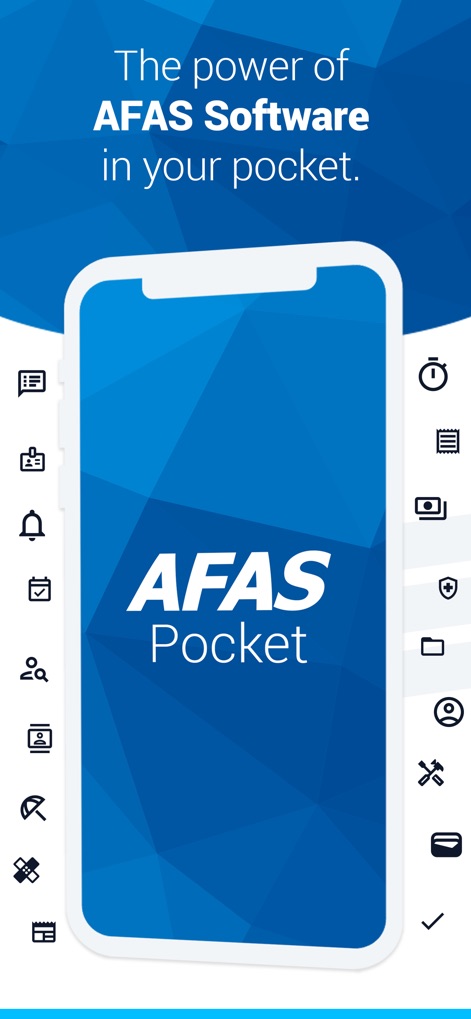
See how the app's intuitive mobile interface and diverse icon set signify its broad administrative capabilities.
Pocket Power Unlocked
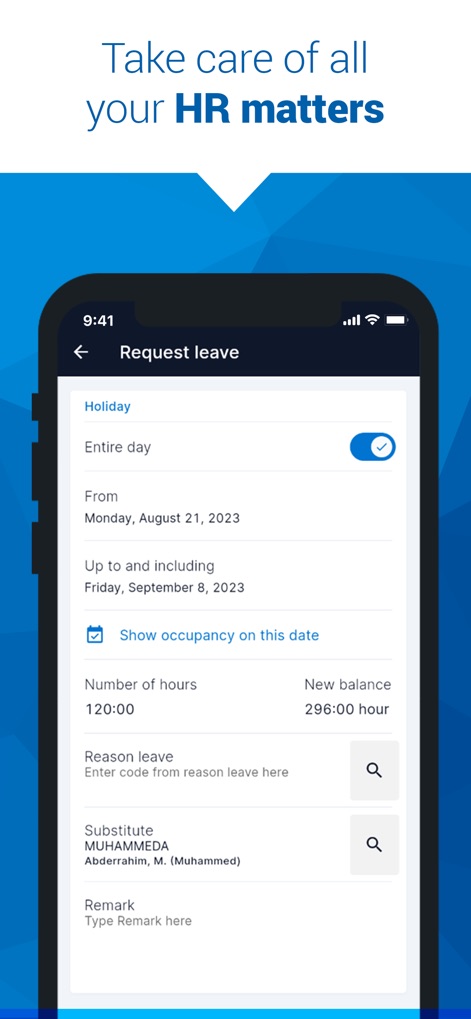
This tool streamlines HR tasks, featuring a clear leave request form and detailed date and time input for efficient approvals.
HR Management Made Easy
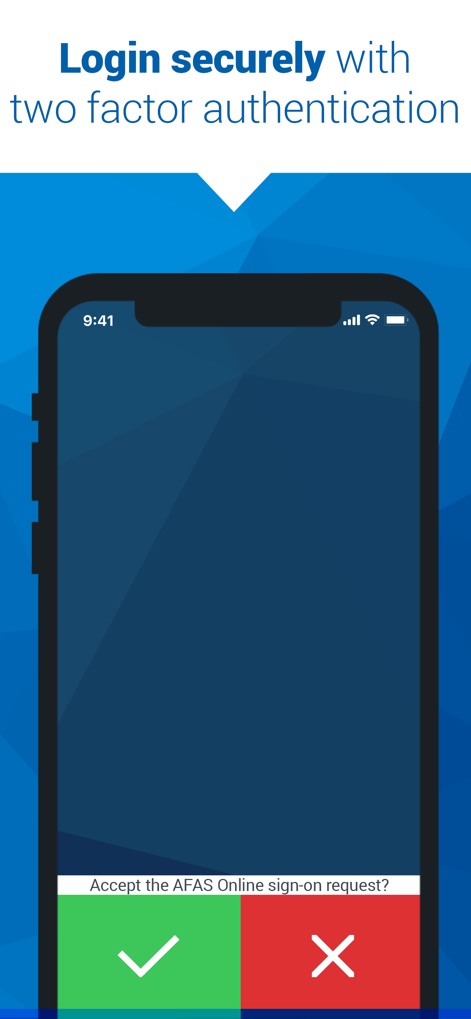
Users can ensure secure access through the app's two-factor authentication, clearly presented with distinct accept and decline buttons.
Secure Access Assured

The app provides an intuitive week overview for time tracking, allowing users to conveniently enter and review daily work hours.
Effortless Time Tracking
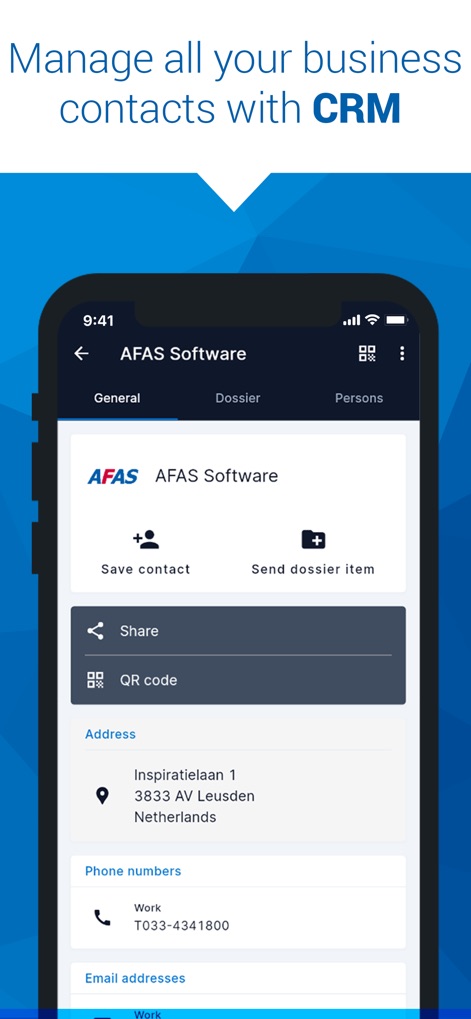
Explore how this tool offers comprehensive CRM, displaying detailed contact information and options to share or save contact profiles.
Comprehensive CRM On-the-Go

Discover the app's robust project management features, showcasing a clear project status overview and an informative progress chart for quick insights.
Project Progress at a Glance
Description
Download
More Like This
Apps with similar features and user experience

Paylocity
Paylocity Corporation

Paychex Flex
Paychex Inc.

Paycom
Paycom Payroll, LLC

Gusto Mobile
Gusto, inc.

Amazon A to Z
AMZN Mobile LLC

TaxDome Client Portal
TaxDome LLC

MyWalmart
Walmart

BrightHR
Peninsula Online Services Limited

Waapi
Senior Sistemas S/A
This page is not an official page of the app or its developer, but an independent editorial publication created for informational and commentary purposes. Unless expressly stated otherwise, neither the app nor its developer is affiliated with, endorsed by, sponsored by, authorized by, or otherwise officially connected with MWM, Apple, Google Play, the app publisher, or the app's developer, and nothing on this page implies that the app was developed using MWM's services. Any trademarks, logos, screenshots, and other content remain the property of their respective owners.