
This page is not an official page of the app or its developer, but an independent editorial publication created for informational and commentary purposes. Unless expressly stated otherwise, neither the app nor its developer is affiliated with, endorsed by, sponsored by, authorized by, or otherwise officially connected with MWM, Apple, Google Play, the app publisher, or the app's developer, and nothing on this page implies that the app was developed using MWM's services. Any trademarks, logos, screenshots, and other content remain the property of their respective owners.


AI Photo Editor: Collage Maker
Unleash visual stories without the hassle. The app hands users command over every pixel, transforming routine snaps into striking art.
Downloads
100k+User Rating
Total Ratings
184Publisher
Category
Photo & VideoLocales
21Latest Version
1.2.3Size
194.7 MBFirst Released
Sep 26, 2024Evaluating core functionalities for visual aesthetics and social engagement.
Key Feature Analysis: AI Photo Editor: Collage Maker
Integrated Creative Platform
The app serves as an all-in-one solution for photo editing, collage making, and digital storytelling, providing professional tools within a simple interface.
Seamless Social Sharing
It allows users to directly share their creations to popular social media platforms, including Instagram, TikTok, and Facebook, optimizing content for various formats like stories and reels.
Extensive Template Library
This tool provides hundreds of customizable templates suitable for various occasions and social media formats, enabling users to create professional-looking designs quickly.
Digital Storybook Creation
The app enables users to compile multiple pages of collages, photos, and text into digital storybooks, perfect for documenting memories and exporting as shareable slideshows.
Dynamic Text & Sticker Customization
This tool features a rich selection of decorative stickers, emojis, and highly customizable text options with stylish fonts, colors, shadows, and dynamic effects for personalized designs.
Robust Photo Enhancement Tools
It provides essential photo editing functions, including filters, effects (vintage, cinematic), cropping, resizing, and photo blending, to enhance visual quality and composition.
Frequently Asked Questions
Everything you need to know about AI Photo Editor: Collage Maker
What is the AI Photo Editor: Collage Maker app?
The AI Photo Editor: Collage Maker is an all-in-one app for photo editing and collage creation. It offers professional tools for enhancing photos, designing collages, and creating personalized storybooks with an intuitive interface.
Does the AI Photo Editor: Collage Maker app include templates for collages?
Yes, the AI Photo Editor: Collage Maker app includes hundreds of customizable templates. These are ideal for birthdays, weddings, travel, social media stories, and multi-photo grids, allowing users to resize and reposition elements.
Can users add text and stickers in the AI Photo Editor: Collage Maker?
Yes, users can enhance photos with a variety of stickers, emojis, and fonts. The AI Photo Editor: Collage Maker also supports customizable text overlays with stylish fonts, colors, shadows, and dynamic effects like curved or 3D styles.
Is the AI Photo Editor: Collage Maker app privacy-focused?
Yes, the AI Photo Editor: Collage Maker app prioritizes privacy. It features offline editing to keep photos safe on the device, prevents unauthorized data collection or sharing, and offers optional password or fingerprint protection for albums.
Is the AI Photo Editor: Collage Maker app free to use?
Basic functionality of the AI Photo Editor: Collage Maker app is free. However, saving edited images locally and unlimited Storybook use require a paid subscription. Subscriptions auto-renew and can be managed in App Store settings.
What photo editing tools are available in AI Photo Editor: Collage Maker?
The AI Photo Editor: Collage Maker provides powerful editing tools. These include filters, effects (vintage, cinematic), cropping, resizing, rotating, flipping, photo blending, and overlay options for creative visuals and perfect composition.
Can I share creations from AI Photo Editor: Collage Maker to social media?
Yes, the AI Photo Editor: Collage Maker supports direct sharing to platforms like Instagram, TikTok, Pinterest, Facebook, and WhatsApp. Users can create story collages, reels, highlights, video slideshows, custom wallpapers, and profile pictures.
What is the Storybook feature in AI Photo Editor: Collage Maker?
The Storybook feature allows users to combine multiple pages of collages, photos, and text into digital albums. Users can add captions and narrations, documenting events like trips or birthdays, and export them as PDFs or shareable slideshows.
Does the AI Photo Editor: Collage Maker offer custom backgrounds for collages?
Yes, the AI Photo Editor: Collage Maker offers custom backgrounds for collages. Users can choose from various patterns and colors to enhance their designs and create visually appealing compositions.
The following screenshots and description are sourced directly from the app's official store listing and are the property of the app developer.
App Store
Screenshots
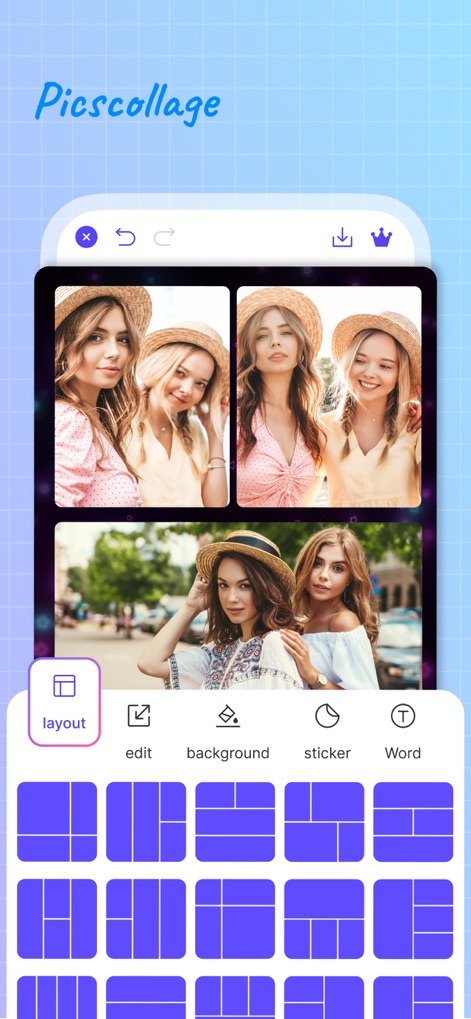
See how AI Photo Editor: Collage Maker organizes multiple photo arrangements with an intuitive layout selection grid for instant aesthetic impact.
Dynamic Collage Creation
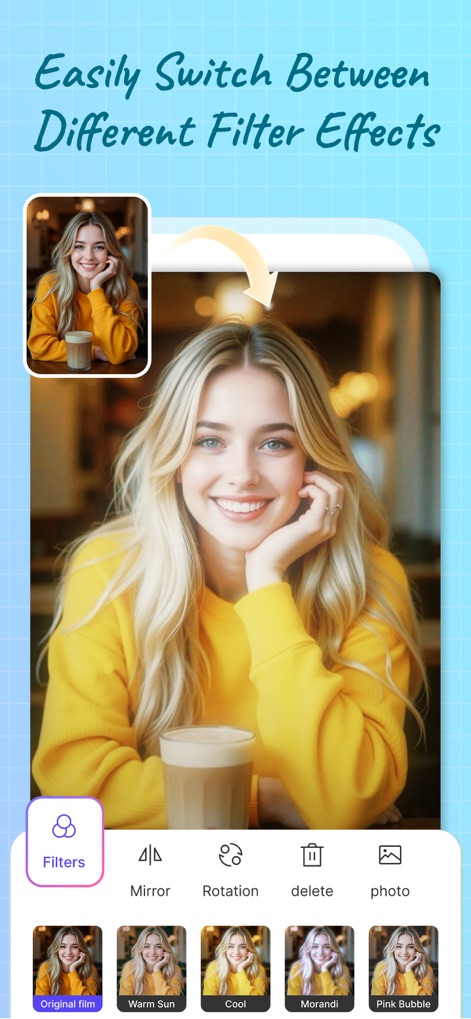
Users can effortlessly refine images, exploring diverse filter previews and applying enhancements with simple one-tap application buttons.
Instant Photo Enhancement
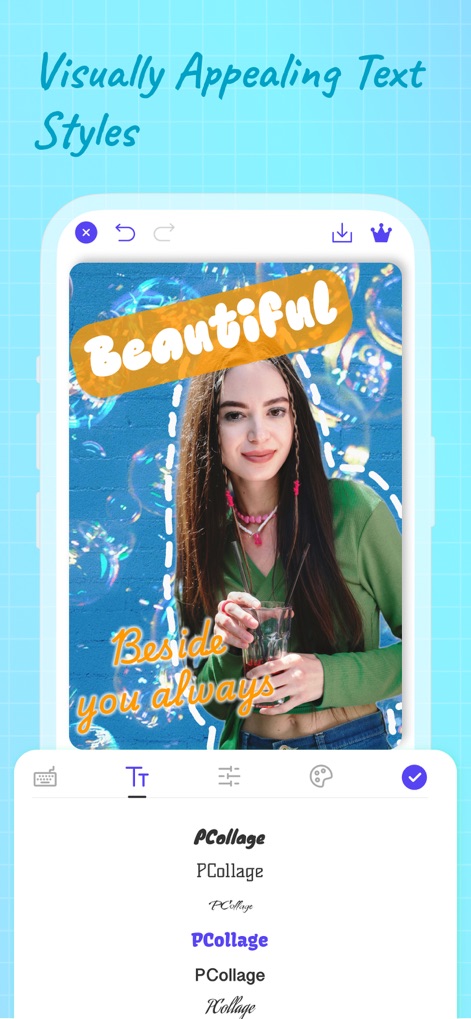
This tool empowers users to add expressive captions using a range of customizable font styles and dynamic text effect options for personalized messaging.
Artistic Text Overlays
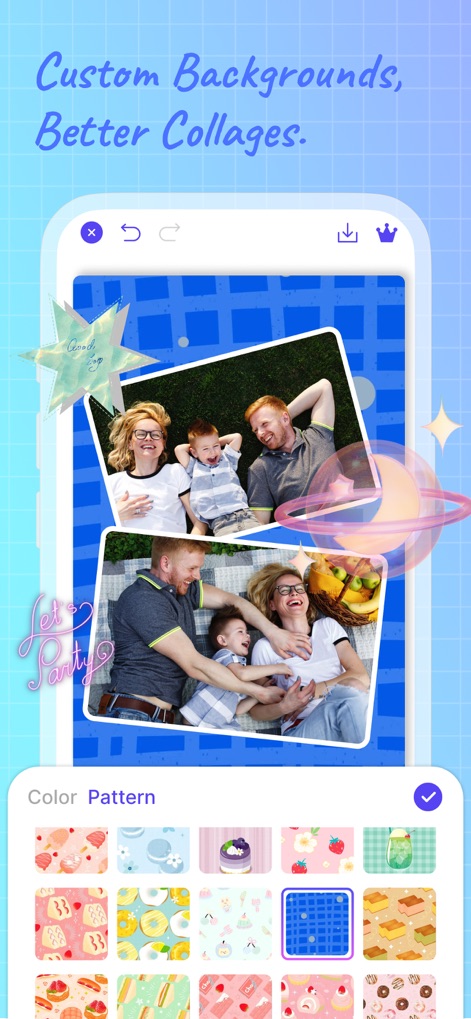
Elevate collages with a personalized touch, choosing from a diverse pattern gallery or a precise background color selector to match any theme.
Personalized Background Designs
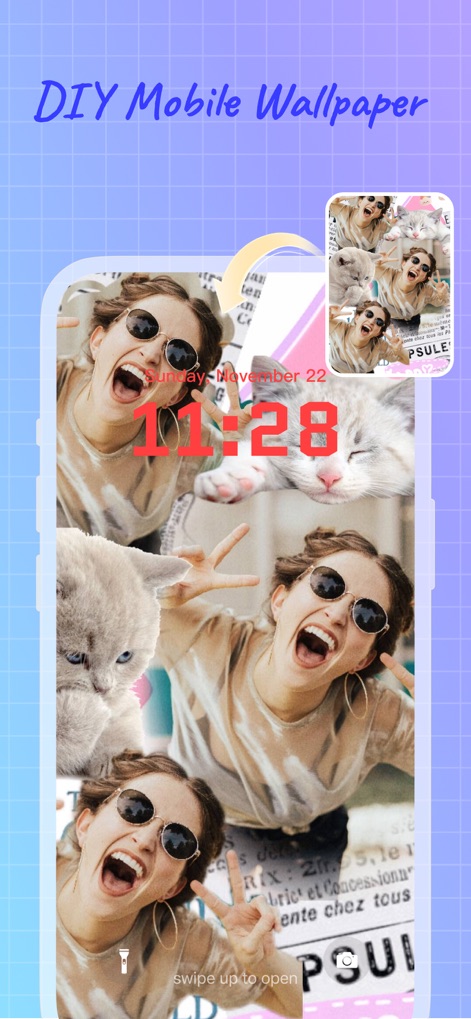
The app allows for crafting unique mobile wallpapers, showcasing a multi-image wallpaper arrangement and providing a personalized lock screen preview.
Crafting Custom Wallpapers

Discover inspiration within a categorized template library, offering diverse design examples for collages, stories, and wallpapers.
Explore Creative Templates
Description
Download
More Like This
Apps with similar features and user experience

SCRL: Photo Collage Maker
Appostrophe AB

PhotoGrid: Video Collage Maker
JUPITER PALACE PTE. LTD.

Layout for Instagram: Collage
Shamble, Inc.

Photo Collage Maker: InCollage
SHANTANU PTE. LTD.

TicPic
Zhuhai Kuxiong Network Technology Co., Ltd.

Collage Maker: CollagePlus
Shamble, Inc.

Photo Collage Montage Maker
Honk Honk Punch Pty Ltd

Photo Collage Maker & Creator
Honk Honk Punch Pty Ltd

Photo Collage Montage & Layout
Honk Honk Punch Pty Ltd
This page is not an official page of the app or its developer, but an independent editorial publication created for informational and commentary purposes. Unless expressly stated otherwise, neither the app nor its developer is affiliated with, endorsed by, sponsored by, authorized by, or otherwise officially connected with MWM, Apple, Google Play, the app publisher, or the app's developer, and nothing on this page implies that the app was developed using MWM's services. Any trademarks, logos, screenshots, and other content remain the property of their respective owners.