
This page is not an official page of the app or its developer, but an independent editorial publication created for informational and commentary purposes. Unless expressly stated otherwise, neither the app nor its developer is affiliated with, endorsed by, sponsored by, authorized by, or otherwise officially connected with MWM, Apple, Google Play, the app publisher, or the app's developer, and nothing on this page implies that the app was developed using MWM's services. Any trademarks, logos, screenshots, and other content remain the property of their respective owners.


AirDisk: File Manager
Seamlessly transfer and manage your files between PC, Mac, and iOS without cables. Experience the freedom of instant wireless sharing, secure storage, and a powerful all-in-one media player.
Downloads
252K+User Rating
Total Ratings
0Publisher
Category
ProductivityLocales
9Latest Version
7.11.30Size
116.0 MBFirst Released
Aug 12, 2021Wireless Freedom for Your Digital Life
Bridge the gap between your iPhone and PC. AirDisk Pro turns your mobile device into a powerful wireless drive for seamless file management and secure transfers.
Instant Cross-Platform Transfer
Skip the cables and iTunes. Drag and drop files from any Windows PC or Mac directly to your device using just your web browser.
Privacy-First Local Storage
Keep sensitive data off third-party servers. Transfer files locally and protect your folders with Face ID, Touch ID, or secure passcodes.
Frequently Asked Questions
Everything you need to know about AirDisk: File Manager
How does AirDisk Pro facilitate wireless file transfers?
AirDisk Pro transforms your iOS device into a wireless flash drive, enabling file transfers between your computer and iOS device via a web browser over the same Wi-Fi network, without cables or extra software.
Can AirDisk Pro transfer photos from my iPhone or iPad?
Yes, AirDisk Pro allows wireless transfer of photos directly from your iOS Photos app to your computer using its web interface. It also supports downloading files from the iOS Files app.
Is AirDisk Pro secure for transferring my files?
Yes, AirDisk Pro ensures data safety with password protection for Wi-Fi, HTTP, and FTP file transfers. It also provides enhanced security through Touch ID and Face ID support.
Does AirDisk Pro support both Mac and Windows computers?
Yes, AirDisk Pro is compatible with both Mac and PC computers. It supports drag-and-drop functionality for quick file transfers using your computer's web browser.
Can AirDisk Pro connect to cloud storage services?
Yes, AirDisk Pro integrates seamlessly with major cloud services. Users can access files from iCloud Drive, Google Drive, Dropbox, and OneDrive directly within the app.
What file management capabilities are available in AirDisk Pro?
AirDisk Pro offers advanced file management, including moving, copying, renaming, deleting, zipping/unzipping, and organizing files into folders. It also allows creating text files, voice memos, and capturing media.
Is AirDisk Pro a universal app for iPhone and iPad?
Yes, AirDisk Pro is a universal application. One purchase provides full access and functionality on both your iPhone and iPad devices.
Can I play music and videos directly in AirDisk Pro?
Yes, AirDisk Pro includes a built-in media player. It supports creating and playing custom playlists, with background audio, shuffle, and repeat options for music playback.
How do I use Nearby File Sharing with AirDisk Pro?
Nearby File Sharing in AirDisk Pro requires both devices to be on the same Wi-Fi network and running the app. Users select whether they are the receiver or sender to initiate the transfer.
Can files be sorted and organized within AirDisk Pro?
Yes, AirDisk Pro allows users to sort files by name, date, kind, or size. It also offers different viewing options such as icons, detail, or list format.
The following screenshots and description are sourced directly from the app's official store listing and are the property of the app developer.
App Store
Screenshots
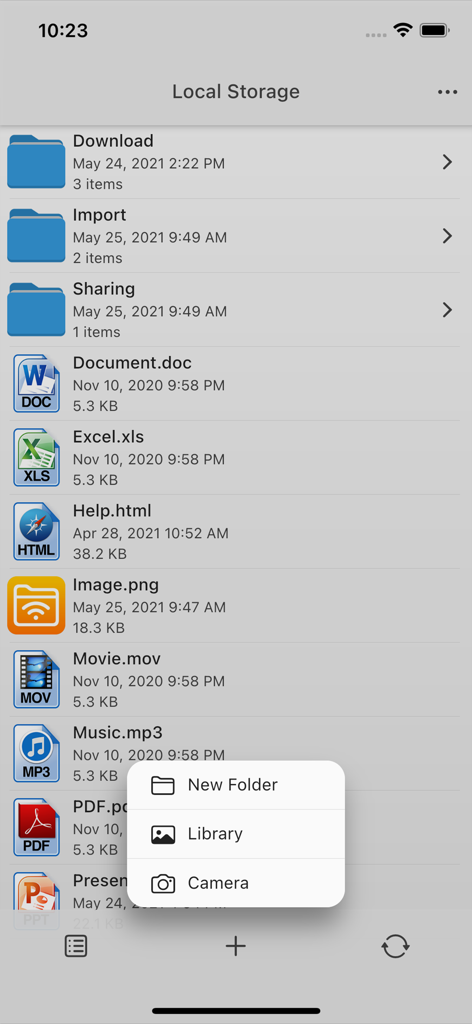
AirDisk app interface displaying folders and multiple file types including documents and media
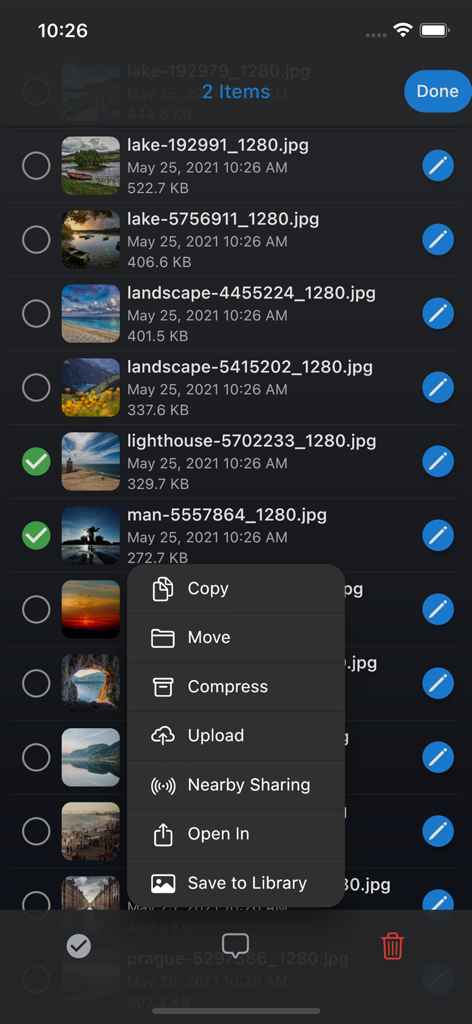
AirDisk File Manager app showing a list of photos and a menu with options to copy move or compress files
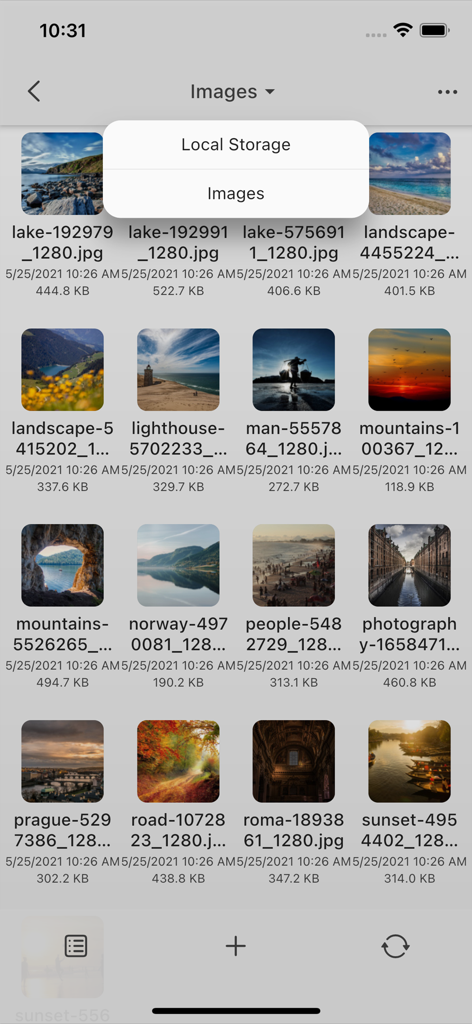
AirDisk File Manager app showing a grid of photos in local storage
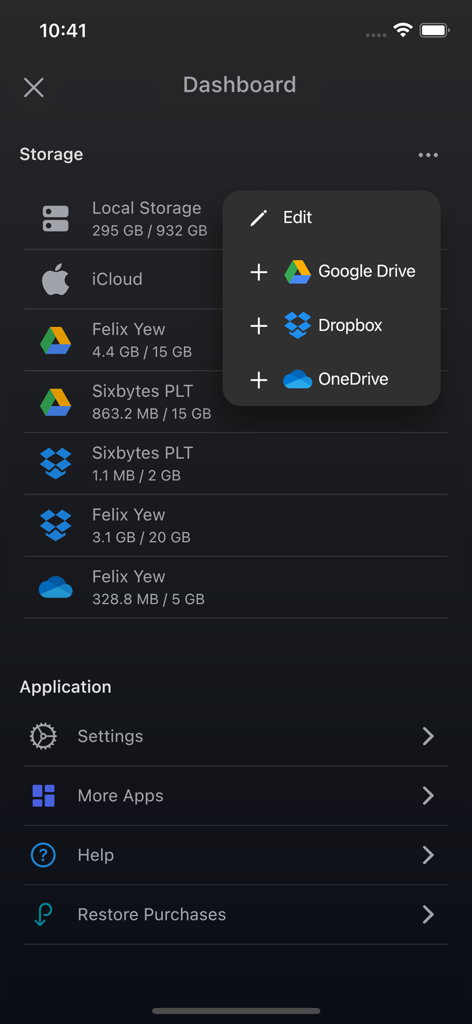
AirDisk app dashboard displaying local storage status and integrated cloud services like Google Drive and Dropbox

AirDisk File Manager integrated music player showing a playlist and playback controls
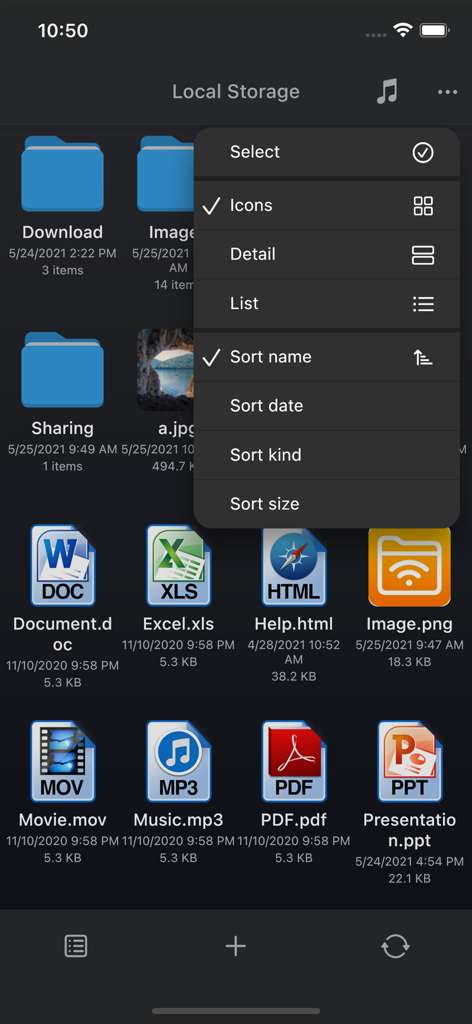
AirDisk File Manager local storage screen displaying various file icons and a sorting menu
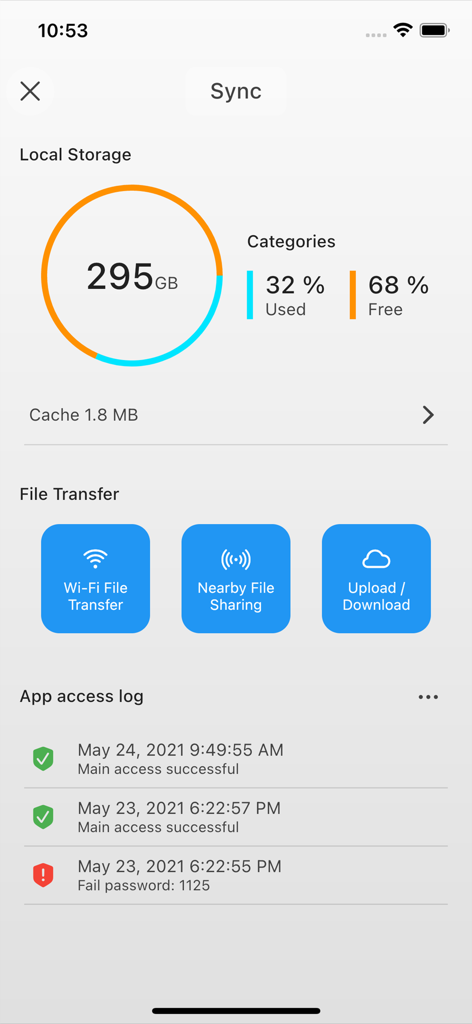
AirDisk Pro app dashboard displaying local storage usage, wireless file transfer options, and security access logs
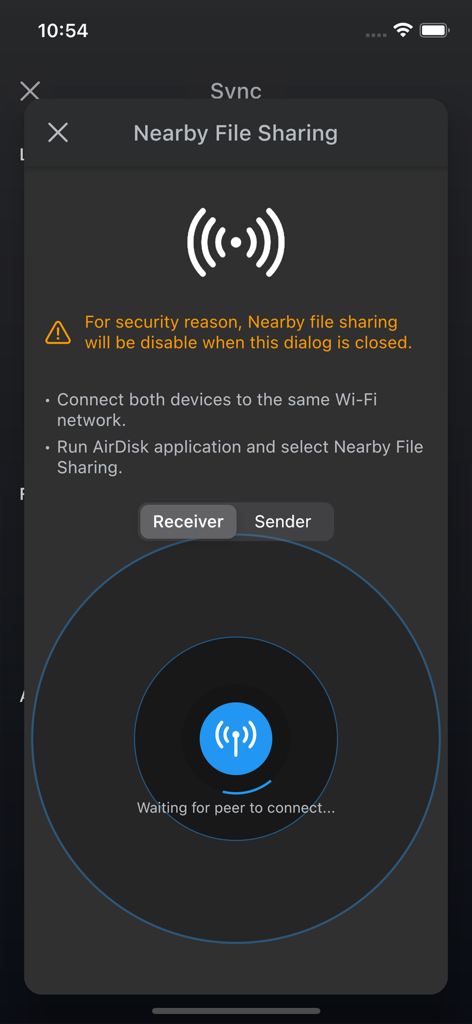
AirDisk app interface for nearby file sharing in receiver mode
Description
Download
More Like This
Apps with similar features and user experience






This page is not an official page of the app or its developer, but an independent editorial publication created for informational and commentary purposes. Unless expressly stated otherwise, neither the app nor its developer is affiliated with, endorsed by, sponsored by, authorized by, or otherwise officially connected with MWM, Apple, Google Play, the app publisher, or the app's developer, and nothing on this page implies that the app was developed using MWM's services. Any trademarks, logos, screenshots, and other content remain the property of their respective owners.