
This page is not an official page of the app or its developer, but an independent editorial publication created for informational and commentary purposes. Unless expressly stated otherwise, neither the app nor its developer is affiliated with, endorsed by, sponsored by, authorized by, or otherwise officially connected with MWM, Apple, Google Play, the app publisher, or the app's developer, and nothing on this page implies that the app was developed using MWM's services. Any trademarks, logos, screenshots, and other content remain the property of their respective owners.

Link to Windows
Device switching is obsolete. This app puts your iPhone at your PC's command, delivering essential mobile functions without interruption.
Downloads
25M+User Rating
Total Ratings
37.5KPublisher
Category
ProductivityLocales
33Latest Version
1.26031.21Size
98.9 MBFirst Released
Feb 28, 2023Key Features of Link to Windows
An analytical overview of capabilities bridging iPhone and Windows ecosystems.
PC-Based Call Management
It allows users to make and receive calls directly from their Windows PC, preventing the need to switch devices during work or other PC-centric tasks.
Integrated Text Messaging
The app provides the ability to read and reply to text messages seamlessly from the desktop, enhancing communication efficiency and reducing context switching.
Synchronized Notifications
This tool features comprehensive notification management, enabling users to stay informed and prioritize alerts without needing to pick up their iPhone.
Cross-Device File Sharing
The app provides convenient file sharing capabilities between an iPhone and a Windows PC, streamlining data transfer across these distinct devices.
Frequently Asked Questions
Everything you need to know about Link to Windows
Can I make calls from my PC using "Link to Windows"?
Yes, the "Link to Windows" app enables you to make and receive calls directly from your Windows PC when your iPhone is connected via the Phone Link feature.
Does "Link to Windows" show iPhone notifications on my PC?
Yes, "Link to Windows" allows you to manage and view your iPhone's notifications directly on your connected Windows PC through the Phone Link feature.
Can I send text messages from my PC with "Link to Windows"?
Yes, the "Link to Windows" app enables users to read and reply to text messages from their iPhone directly through their connected Windows PC.
Does "Link to Windows" display my iPhone contacts on the PC?
Yes, the "Link to Windows" app provides the ability to view your iPhone contacts directly on your connected Windows PC.
How do I share files between my iPhone and PC using "Link to Windows"?
"Link to Windows" facilitates file sharing between your iPhone and PC. The app displays received files and offers a file share option to another paired device.
What iOS version is required for "Link to Windows"?
"Link to Windows" requires an iPhone running iOS 16 or higher to support the Phone Link feature connection with a Windows PC.
What are the PC requirements for the Phone Link feature with "Link to Windows"?
The Phone Link feature requires a PC with Bluetooth Low Energy (BLE) support running Windows 10 (May 2019 Update or later) or Windows 11.
Is "Link to Windows" available for iPad or Mac?
No, "Link to Windows" is not available for iPad (iPadOS) or MacOS. It exclusively supports iPhone and Windows PC integration.
How do I connect my iPhone to my PC using the "Link to Windows" app?
To connect, open the Phone Link app on your PC and follow the instructions. You can scan a QR code from your PC or proceed without one to link your device.
How does the "Link to Windows" app maintain connection with my PC?
The "Link to Windows" app automatically connects your iPhone to a paired PC when it is within range. Ensure your PC is nearby and Bluetooth is activated.
Where can I find the Microsoft Terms of Use for the "Link to Windows" app?
The Microsoft Terms of Use for the "Link to Windows" app are located at the provided link: https://go.microsoft.com/fwlink/?LinkID=246338.
Does the "Link to Windows" app have a privacy statement?
Yes, the "Link to Windows" app adheres to a Privacy Statement, which users can access via the link: https://go.microsoft.com/fwlink/?LinkID=248686.
What is "Link to Windows"?
"Link to Windows" is an app that connects your iPhone to the Phone Link feature on your Windows PC. It provides instant access to phone content directly from your computer.
The following screenshots and description are sourced directly from the app's official store listing and are the property of the app developer.
App Store
Screenshots

PC Call Management
See how the app enables users to manage incoming calls directly on their PC and view real-time notifications for seamless communication.
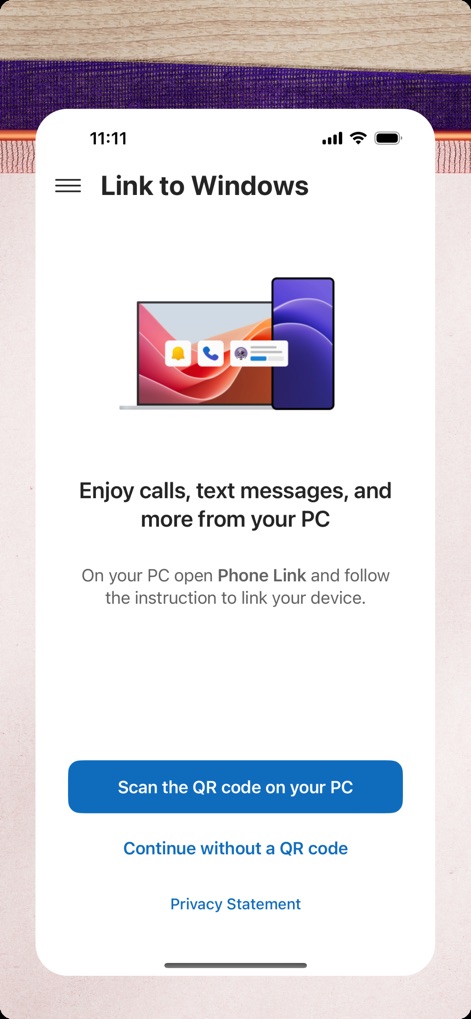
Easy Device Pairing
This screen illustrates the straightforward setup process, showing the app's prompt to connect via a QR code and highlighting the core communication features.
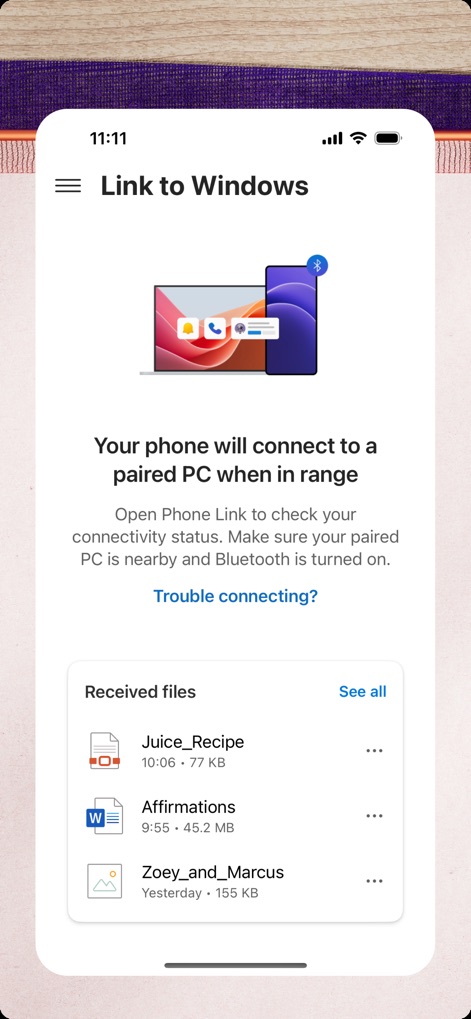
Seamless Connectivity, File Share
Discover how the app facilitates automatic Bluetooth connection between devices and provides a clear list of recently received files for easy access.
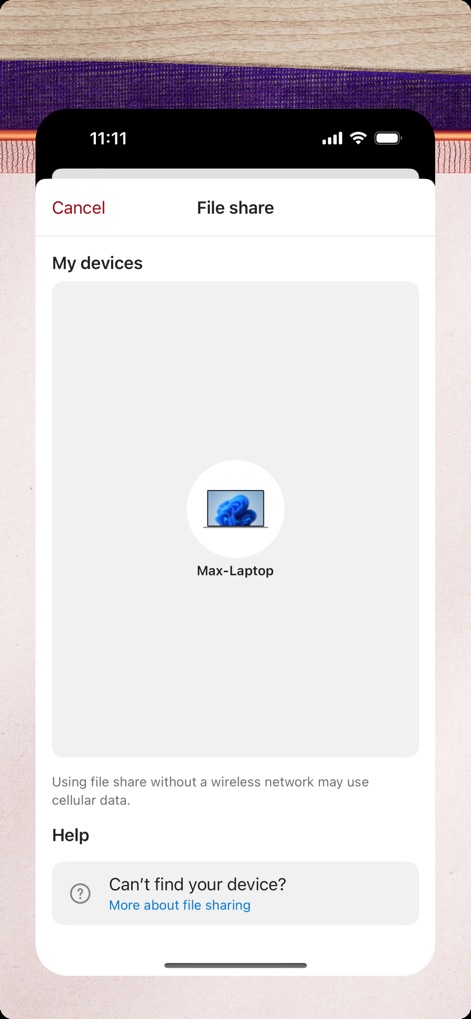
Device-Centric File Sharing
Observe the dedicated file share interface, clearly displaying the connected Windows laptop and offering help options for troubleshooting connectivity.
Description
Download
More Like This
Apps with similar features and user experience





This page is not an official page of the app or its developer, but an independent editorial publication created for informational and commentary purposes. Unless expressly stated otherwise, neither the app nor its developer is affiliated with, endorsed by, sponsored by, authorized by, or otherwise officially connected with MWM, Apple, Google Play, the app publisher, or the app's developer, and nothing on this page implies that the app was developed using MWM's services. Any trademarks, logos, screenshots, and other content remain the property of their respective owners.