
This page is not an official page of the app or its developer, but an independent editorial publication created for informational and commentary purposes. Unless expressly stated otherwise, neither the app nor its developer is affiliated with, endorsed by, sponsored by, authorized by, or otherwise officially connected with MWM, Apple, Google Play, the app publisher, or the app's developer, and nothing on this page implies that the app was developed using MWM's services. Any trademarks, logos, screenshots, and other content remain the property of their respective owners.


Alarm Clock App: myAlarm Clock
No more hit-or-miss mornings. This app gives you absolute command over your wake-up.
Downloads
1M+User Rating
Total Ratings
29.5KPublisher
Category
UtilitiesLocales
31Latest Version
2.1.1Size
143.3 MBFirst Released
Apr 3, 2018An evaluation of the application's core functionalities and their relevance to its target user base.
Key Features Analysis: myAlarm Clock
Advanced Anti-Snooze & Engaging Dismissal Methods
It effectively prevents oversleeping by offering configurable snooze times and limits, along with diverse alarm dismissal options like math challenges, shakes, or double taps, which are particularly effective for heavy sleepers.
Diverse Alarm Types with Flexible Scheduling
The app provides a wide array of wake-up options, including standard ringtones, custom music, relaxing sounds, and a talking alarm clock that delivers real-time weather and news. It allows users to set unlimited recurring or one-time alarms for specific days or holidays.
Comprehensive Aesthetic & Sensory Customization
This tool features extensive personalization, enabling users to record their own wake-up sounds, choose from various themes and clock styles (digital or analog), and integrate multi-sensory alarms such as vibration, flash, or light shows for a tailored experience.
Gentle & Gradual Wake-Up Alarms
It offers a gentle wake-up experience by allowing users to select relaxing music or quiet alarms that smoothly increase in volume, facilitating a more peaceful and less abrupt start to the day.
Personalized Music Track Alarms
Users can set their favorite songs or tracks as their alarm sound, providing a pleasant and motivating way to wake up tailored to individual musical preferences.
Integrated Radio & Podcast Alarms
The app allows users to wake up to their preferred radio stations or podcasts, offering a dynamic and informative start to the morning with access to numerous international stations.
Location and Wi-Fi Based Alarms
It features the ability to restrict alarms to specific locations or Wi-Fi networks, ensuring alarms only activate when the user is in a particular environment, enhancing situational awareness and control.
Soothing Sleep Timer Functionality
This tool includes a sleep timer that enables users to fall asleep listening to relaxing music or radio, which gradually fades out, promoting a restful night's sleep.
Frequently Asked Questions
Everything you need to know about Alarm Clock App: myAlarm Clock
How can I customize my wake-up experience with myAlarm Clock?
The myAlarm Clock app offers extensive customization. You can choose ringtones, relaxing music, talking alarms with weather/news, record custom sounds, set themes, use digital/analog clocks, and restrict alarms by location or Wi-Fi.
Does Alarm Clock App: myAlarm Clock support radio alarms?
Yes, myAlarm Clock supports radio alarms. Users can wake up to their favorite radio station or podcast. The app allows choosing a country in settings, offering up to 100 radio stations per country.
What features does myAlarm Clock offer for heavy sleepers?
myAlarm Clock provides features for heavy sleepers, including options to prevent excessive snoozing by setting snooze time and number of snoozes. Users can dismiss alarms via touch, shake, double tap, or a math calculation.
Can I use my favorite music as an alarm with myAlarm?
Yes, you can use your favorite track as a music alarm with myAlarm. The app allows users to set their preferred music to wake up to.
Does myAlarm Clock include a sleep timer function?
Yes, myAlarm Clock includes a sleep timer. Users can set a timer to fall asleep while listening to relaxing music or a smooth radio station.
Does Alarm Clock App: myAlarm Clock need my phone to be turned on to work?
Yes, Alarm Clock App: myAlarm Clock requires your phone to be turned ON for alarms to function. Additionally, users must add myAlarm to any battery-saving whitelist to prevent malfunctions.
What are the options to dismiss an alarm in myAlarm?
myAlarm offers multiple dismissal options for alarms. Users can choose to dismiss an alarm by touch, shaking the device, double tapping, or by completing a math calculation challenge.
Can myAlarm provide real-time weather and news information?
Yes, myAlarm can provide real-time weather information and headline news. This feature is available with the talking alarm clock option to enhance the wake-up experience.
Does myAlarm Clock offer different visual themes or clock designs?
Yes, myAlarm Clock offers different themes, colors, and clock designs. Users can choose between various digital or analog clocks to personalize the app's appearance.
Can I set recurring alarms for specific days using myAlarm Clock?
Yes, myAlarm Clock allows you to set recurring alarms for specific days of the week. You can also set one-time alarms or alarms for holidays.
The following screenshots and description are sourced directly from the app's official store listing and are the property of the app developer.
App Store
Screenshots
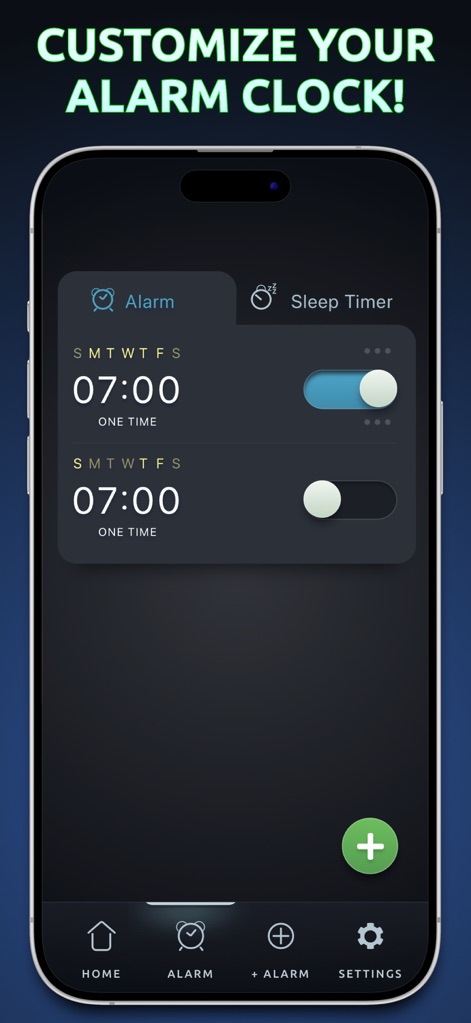
See how the app's intuitive interface allows users to manage multiple alarms with easy-to-use toggle switches and a clear 'Alarm'/'Sleep Timer' tab navigation.
Alarm Customization
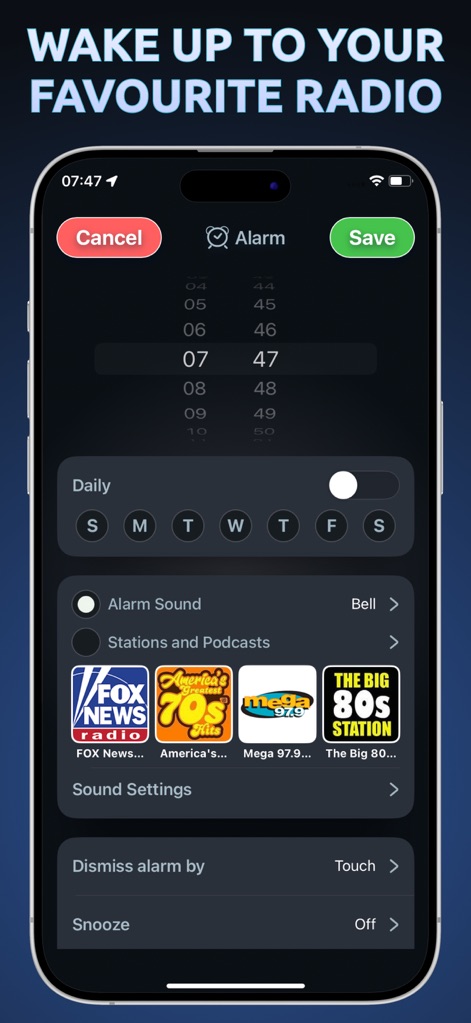
Users can personalize their wake-up experience by selecting favorite radio stations and podcasts, and configuring daily or weekly alarm recurrence.
Radio Wake-Up
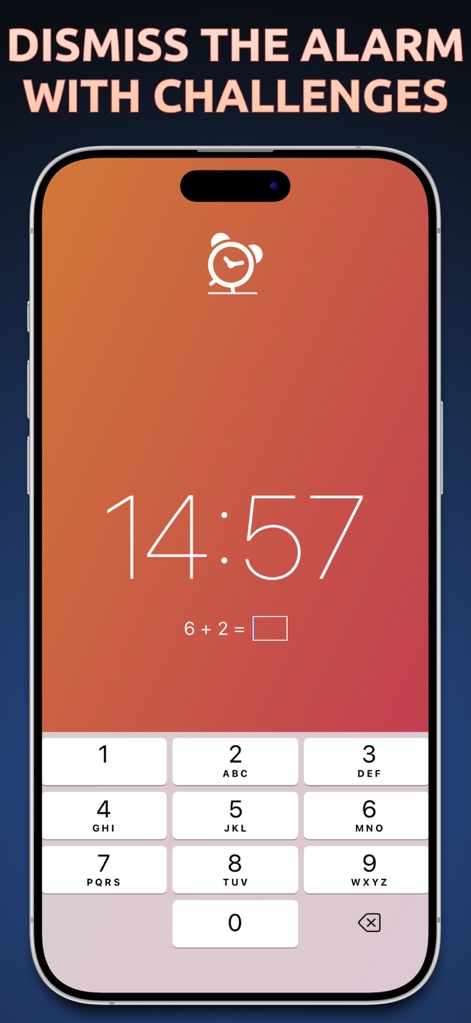
This feature prevents excessive snoozing by requiring users to solve a math calculation using a clear numerical keypad before dismissing the alarm.
Challenge Your Wake
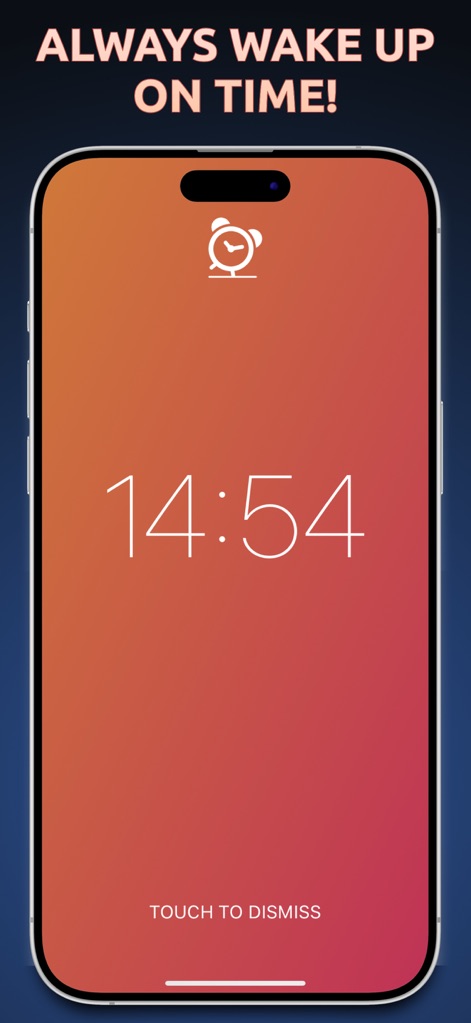
For a straightforward start to the day, users can simply touch the screen to dismiss the alarm, presenting a large, readable digital clock.
Simple Dismissal
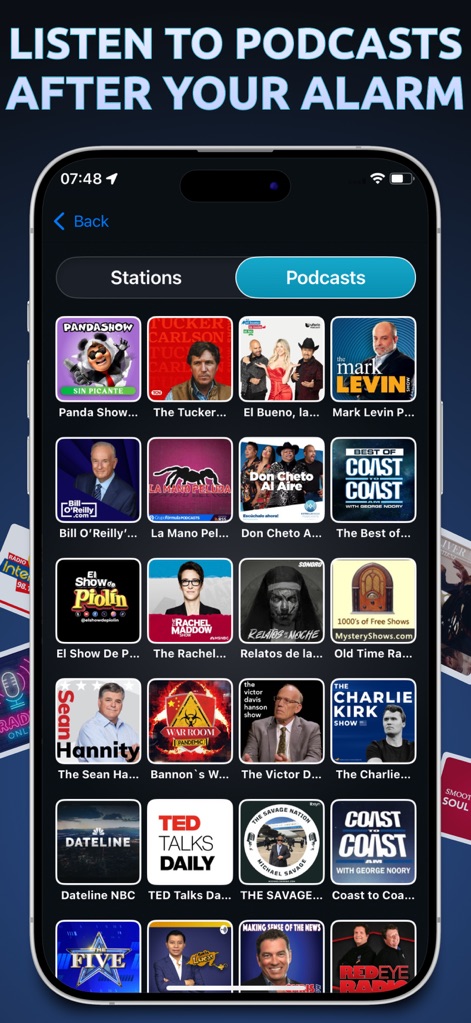
The app offers an extensive library of podcasts with recognizable cover art, easily navigable via dedicated 'Stations' and 'Podcasts' tabs.
Podcast Selection
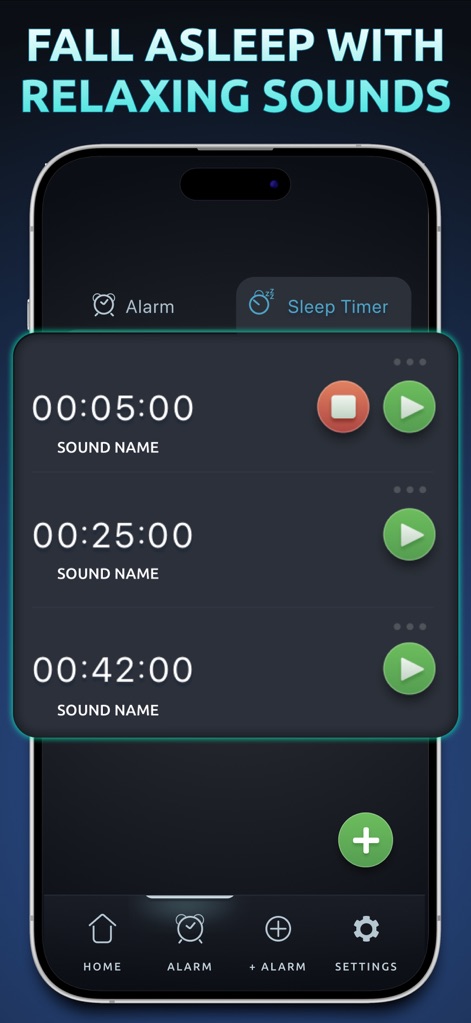
Users can easily set up multiple sleep timers with chosen sound names and individual play/pause controls for a serene wind-down experience.
Relaxing Sleep Timers
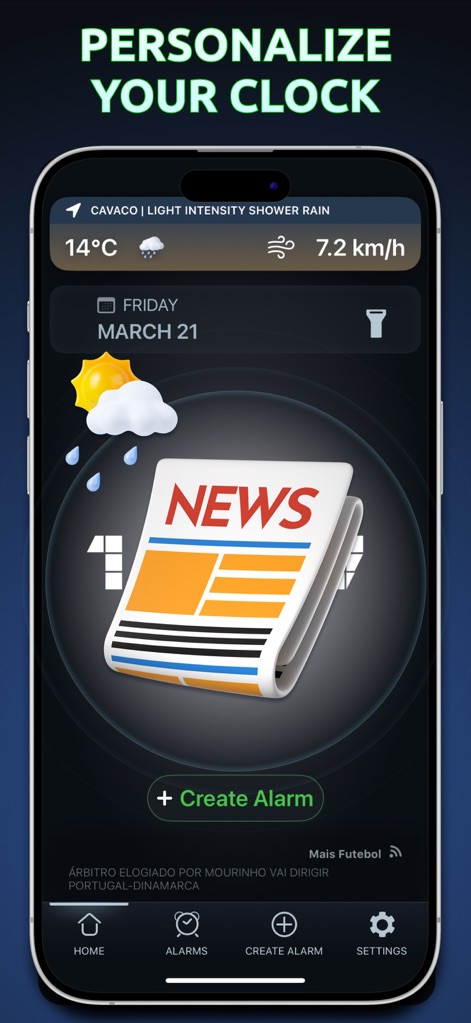
The app's home screen provides immediate access to current weather conditions and headline news, alongside a prominent 'Create Alarm' button for quick setup.
Personalized Home
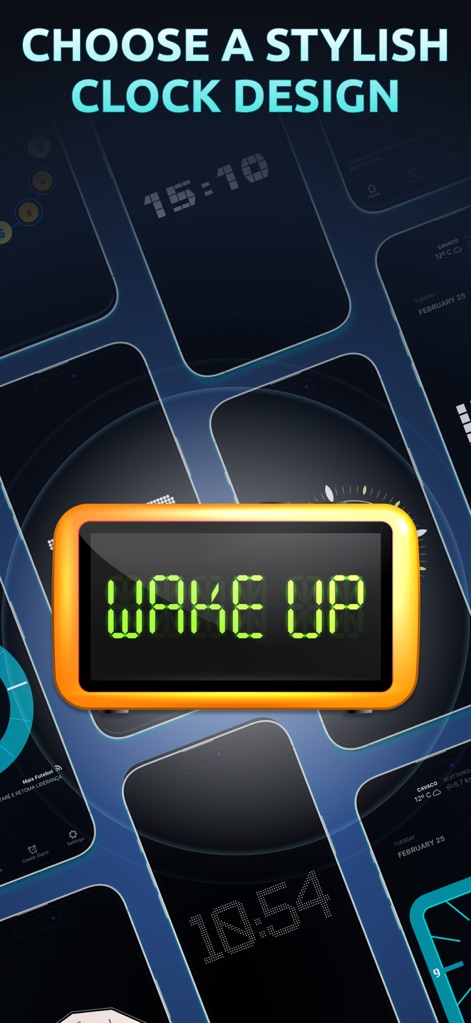
This tool empowers users to select from a wide array of digital and analog clock designs, allowing for a truly personalized visual experience.
Clock Styles
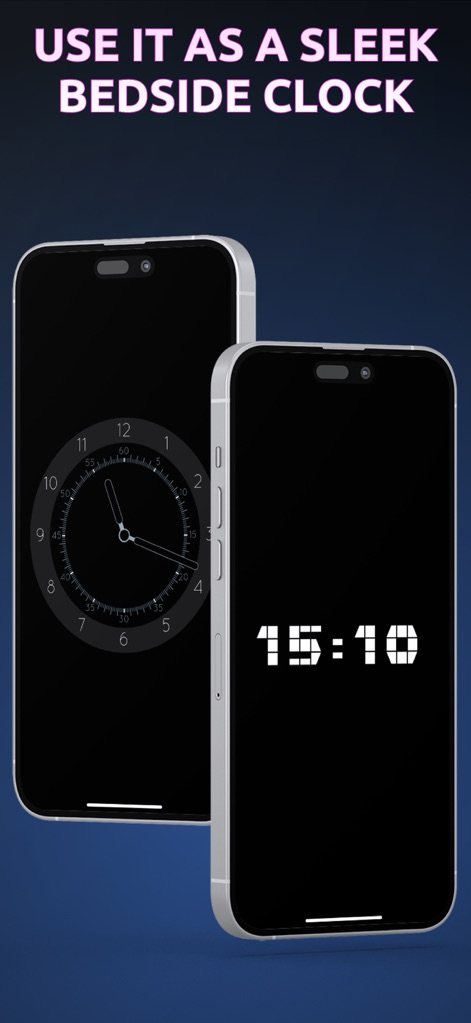
The app transforms devices into elegant bedside clocks, offering both analog and digital display options for minimal light disturbance.
Bedside Companion
Description
Download
More Like This
Apps with similar features and user experience

Nowmusi - Alarm Music & Sounds
"INPEK-ZE" d.o.o. Zenica
Zen Flip Clock - Minimal Timer
Chaoyang Minimal Software Studio
ClockPhone big digital clocks
EVGENII KOSTIN
Alarm & Timer
KAZUTERU YOKOI
Smart Alarm Clock-Focus&Sleep
VISONXY LIMITED
Stopwatch & Countdown Timer
Appenvision Ltd
This page is not an official page of the app or its developer, but an independent editorial publication created for informational and commentary purposes. Unless expressly stated otherwise, neither the app nor its developer is affiliated with, endorsed by, sponsored by, authorized by, or otherwise officially connected with MWM, Apple, Google Play, the app publisher, or the app's developer, and nothing on this page implies that the app was developed using MWM's services. Any trademarks, logos, screenshots, and other content remain the property of their respective owners.