
This page is not an official page of the app or its developer, but an independent editorial publication created for informational and commentary purposes. Unless expressly stated otherwise, neither the app nor its developer is affiliated with, endorsed by, sponsored by, authorized by, or otherwise officially connected with MWM, Apple, Google Play, the app publisher, or the app's developer, and nothing on this page implies that the app was developed using MWM's services. Any trademarks, logos, screenshots, and other content remain the property of their respective owners.

Alarm & Timer
Control is the ultimate superpower. This app delivers a highly refined, deeply personal time management arsenal.
Downloads
2.5M+User Rating
Total Ratings
35.4KPublisher
Category
LifestyleLocales
16Latest Version
13.9.0Size
44.5 MBFirst Released
Jan 5, 2016Key Features and User Impact Assessment
App Analysis: Alarm & Timer
Advanced Repetition Scheduling
This tool features sophisticated alarm scheduling with flexible repetition patterns, including daily, weekly, monthly, yearly, and custom interval options.
Headphone-Only Alarm Output
The app provides discreet alarm delivery by playing sounds only through connected headphones, preventing disturbance to others.
Silent Mode Override for Alarms
The app provides critical alarm delivery by allowing sounds to play even when the device is in Silent Mode (requires iOS 26.1 or later).
Extensive Visual Customization
It allows users to extensively personalize the app's appearance, with custom colors, fonts, clock face designs, and background images.
Unlimited Alarms with Advanced Management
It allows users to create an unlimited number of alarms and includes robust management features like folder organization and pause functions for efficient scheduling.
Simultaneous Multiple Timers
It allows users to run and manage multiple timers concurrently, facilitating multi-tasking.
Off-Screen Timer Notifications
The app provides reliable notification delivery for timers, even when the device screen is off.
Automated Alarm Stop (On-Screen)
This tool features automated alarm cessation when the app is active, allowing for automatic stopping after a specified duration or number of repeats.
Hourly Chime Functionality
The app provides an hourly chime feature, allowing users to set distinct sounds for each hour to track time passively.
Dual Display Modes (Analog/Digital)
This tool features flexible time display options, including both analog and digital formats, with a dedicated digital-only view in landscape mode.
Frequently Asked Questions
Everything you need to know about Alarm & Timer
What is the main functionality of the Alarm & Timer app?
The Alarm & Timer app provides an Alarm, Timer, and Stopwatch to help users manage their time effectively. It is designed for simplicity and includes various customizable features.
Does the Alarm & Timer app support alarms and timers even when the screen is off?
Yes, the Alarm & Timer app notifies users with a notification even if the screen is off for both alarms and timers. This ensures timely alerts.
Can I customize alarm sounds in the Alarm & Timer app?
Yes, the Alarm & Timer app allows users to record their own alarm sounds. This feature provides personalized alert options for any created alarm.
What repeat options are available for alarms in the Alarm & Timer app?
The Alarm & Timer app offers flexible repeat options for alarms, including every week, month, year, custom intervals, and patterns. Users can also specify a date for their alarms.
Can I run multiple timers simultaneously with the Alarm & Timer app?
Yes, the Alarm & Timer app allows users to run any number of timers concurrently, ranging from 1 second to 99 hours. Presets and history are also available for quick use.
Does the Alarm & Timer app record lap times?
Yes, the Alarm & Timer app's Stopwatch feature accurately records lap times. Users can also conveniently send a text file of their recorded lap times via email.
How can I customize the clock's appearance in the Alarm & Timer app?
The Alarm & Timer app offers extensive clock customization, including color themes, font styles, 12/24 hour display, various clock face designs, background images, and second hand movement options.
Is the Alarm & Timer app compatible with iOS silent or focus modes for alarms?
Yes, starting with iOS 26.1, the Alarm & Timer app supports AlarmKit, allowing users to hear alarm sounds even when the device is in silent mode or focus mode.
Can I play music from Apple Music or iCloud through the Alarm & Timer app?
No, the Alarm & Timer app allows music playback only from your iPhone/iPad. Music from iCloud and Apple Music is not available for direct playback within the app.
Does the Alarm & Timer app include a skip function for alarms?
Yes, the Alarm & Timer app includes a skip function for alarms. This feature enables users to temporarily disable an upcoming alarm without needing to delete it.
The following screenshots and description are sourced directly from the app's official store listing and are the property of the app developer.
App Store
Screenshots

Users can personalize the clock's aesthetic with customizable colors and diverse clock face designs to match any style.
Personalized Clock Views
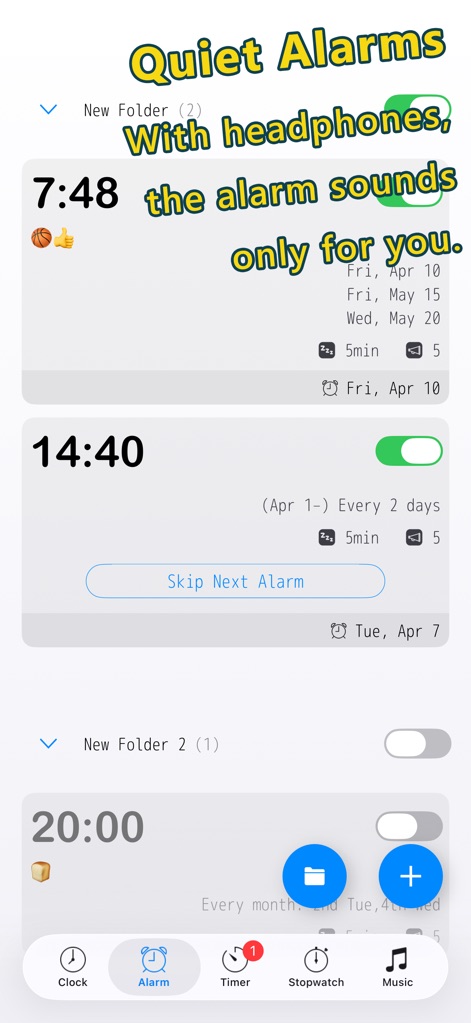
The app offers discreet alarms that play only through headphones, alongside robust folder organization for managing numerous alarms.
Discreet Alarm Management
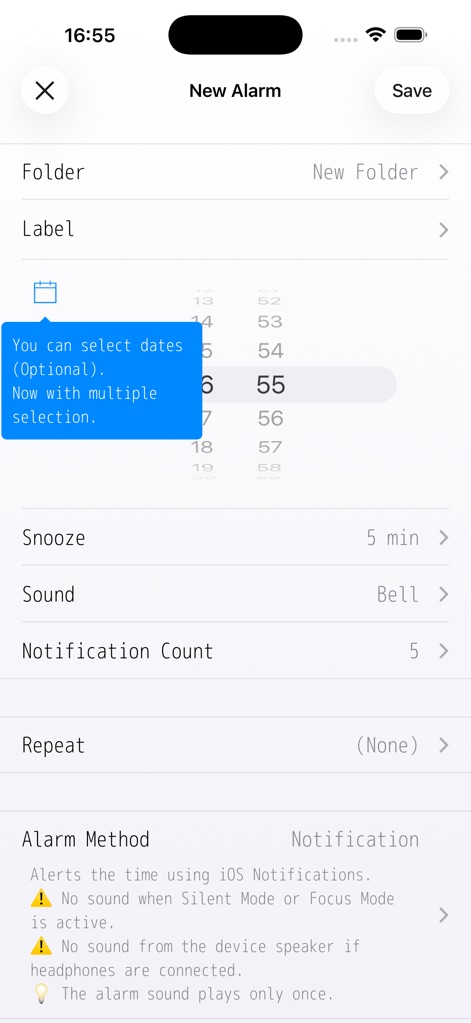
Users can meticulously configure new alarms, choosing specific dates with multiple selection and customizing snooze and sound settings.
Detailed Alarm Setup
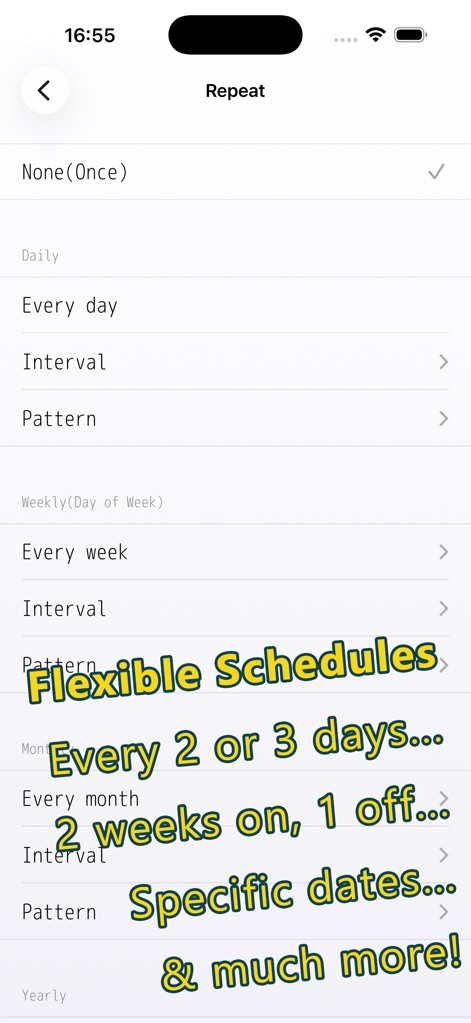
The app provides advanced scheduling options, allowing for flexible repetition patterns and specific date selections for highly tailored alarms.
Advanced Scheduling Options
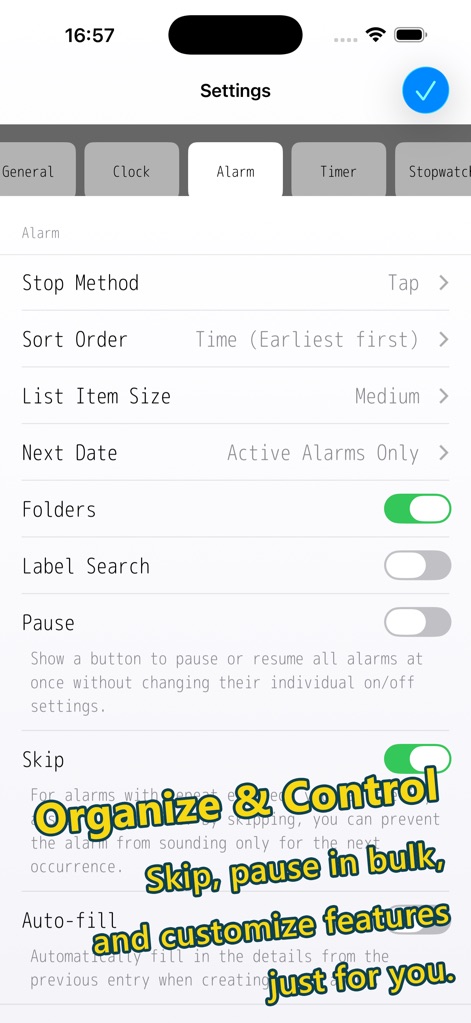
This tool offers comprehensive control over alarms, featuring folder management and options to pause or skip alarms in bulk for efficiency.
Comprehensive Alarm Control
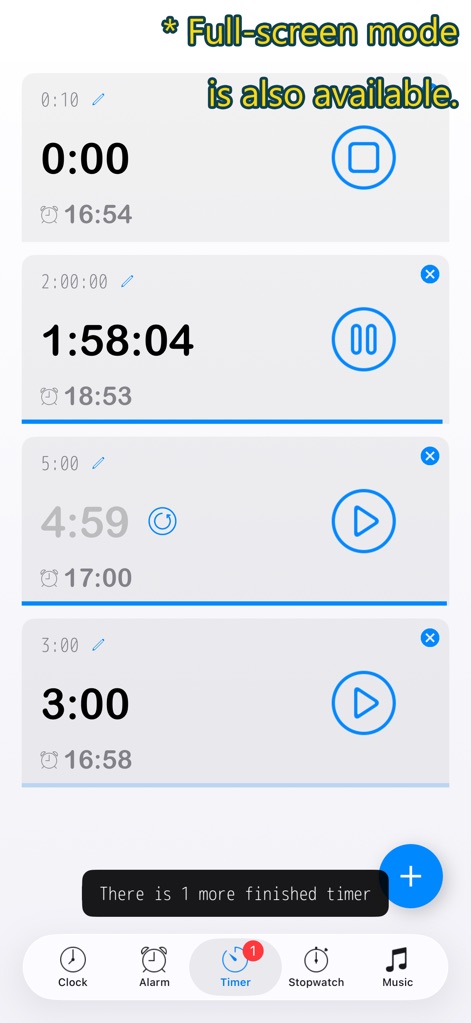
The app supports running multiple timers simultaneously, each with individual controls, and offers a full-screen display option for focused tracking.
Multi-Timer Power
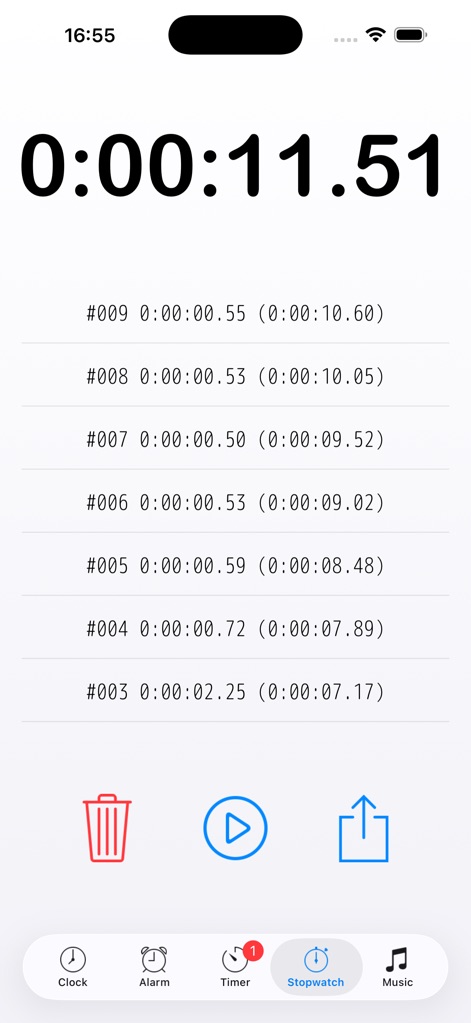
The app delivers precise stopwatch functionality, accurately recording total elapsed time and offering detailed lap time breakdowns.
Precise Stopwatch Functionality
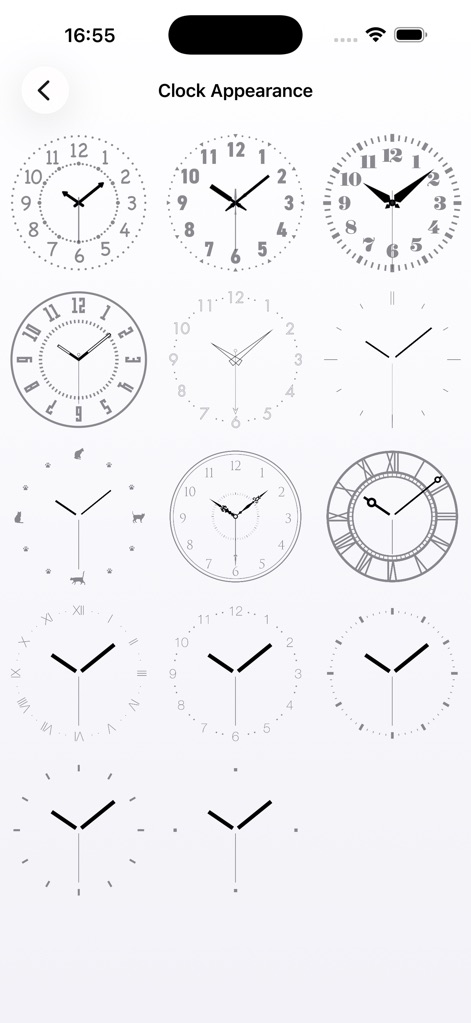
Users can choose from a diverse selection of clock face designs, ranging from minimalist to classic analog styles, to customize their display.
Diverse Clock Faces

The app supports whimsical analog clock designs, such as the cat-themed face, and offers a clear digital time display in landscape mode.
Whimsical Clock Designs
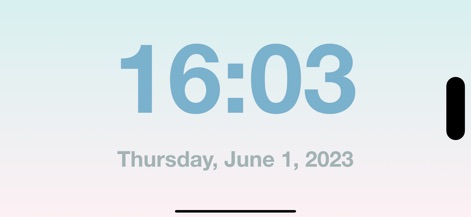
This tool provides a minimalist digital-only display in landscape mode, featuring large, easy-to-read time and date elements.
Minimalist Digital Display
Description
Download
More Like This
Apps with similar features and user experience

Nowmusi - Alarm Music & Sounds
"INPEK-ZE" d.o.o. Zenica
Zen Flip Clock - Minimal Timer
Chaoyang Minimal Software Studio
Alarm Clock App: myAlarm Clock
APPMIND - SOFTWARE TECHNOLOGIES LDA
ClockPhone big digital clocks
EVGENII KOSTIN
Smart Alarm Clock-Focus&Sleep
VISONXY LIMITED
Stopwatch & Countdown Timer
Appenvision Ltd
This page is not an official page of the app or its developer, but an independent editorial publication created for informational and commentary purposes. Unless expressly stated otherwise, neither the app nor its developer is affiliated with, endorsed by, sponsored by, authorized by, or otherwise officially connected with MWM, Apple, Google Play, the app publisher, or the app's developer, and nothing on this page implies that the app was developed using MWM's services. Any trademarks, logos, screenshots, and other content remain the property of their respective owners.