
This page is not an official page of the app or its developer, but an independent editorial publication created for informational and commentary purposes. Unless expressly stated otherwise, neither the app nor its developer is affiliated with, endorsed by, sponsored by, authorized by, or otherwise officially connected with MWM, Apple, Google Play, the app publisher, or the app's developer, and nothing on this page implies that the app was developed using MWM's services. Any trademarks, logos, screenshots, and other content remain the property of their respective owners.

Smart Alarm Clock-Focus&Sleep
Master your morning routine with mission-based alarms, deep sleep tracking, and minimalist widgets designed for your high-performance lifestyle.
Downloads
239K+User Rating
Total Ratings
4K+Publisher
Category
UtilitiesLocales
9Latest Version
1.2.8Size
254.0 MBFirst Released
Jun 17, 2024Own Your Morning, Optimize Your Rest
Transform your daily routine with a high-performance toolkit designed to eliminate oversleeping and master your sleep hygiene.
Mission-Based Alarms
Crush the snooze habit with interactive tasks that ensure you're fully awake and ready to win the day.
Deep Sleep Analytics
Visualize your sleep cycles with concise data to understand your recovery and optimize your performance.
Frequently Asked Questions
Everything you need to know about Smart Alarm Clock-Focus&Sleep
What is the Smart Alarm Clock-Focus&Sleep app?
The Smart Alarm Clock-Focus&Sleep is an innovative application that transforms a smartphone into a powerful time management tool. It ensures users never miss important appointments or deadlines.
What features does Smart Alarm Clock-Focus&Sleep offer?
Smart Alarm Clock-Focus&Sleep offers features such as setting reminders, alarms, and timers, along with sleep tracking, white noise, and smart notification systems. It also includes an intuitive widget component.
Does Smart Alarm Clock-Focus&Sleep include sleep tracking?
Yes, Smart Alarm Clock-Focus&Sleep includes a new sleep tracking feature. This helps users understand their sleep condition and provides a clear picture of their sleep cycle through a widget component.
Can I customize the alarm sound in Smart Alarm Clock-Focus&Sleep?
Yes, users can customize the alarm clock with their favorite music or sounds. The app provides various built-in audio options such as Ringing Alarm, Old Clock, and Birdsong.
What subscription plans does Smart Alarm Clock-Focus&Sleep offer?
Smart Alarm Clock-Focus&Sleep offers subscription services with weekly, monthly, and annual memberships. These subscriptions automatically renew.
How do I cancel my Smart Alarm Clock-Focus&Sleep subscription?
To cancel a Smart Alarm Clock-Focus&Sleep subscription, manually navigate to iOS Settings. Then, access iTunes Store & App Store, tap Apple ID, view Apple ID, go to Account Settings, and choose the subscription to cancel auto-renewal.
Does Smart Alarm Clock-Focus&Sleep have smart notifications?
Yes, Smart Alarm Clock-Focus&Sleep features a smart notification system. This system keeps users updated even if their phone is locked or in their pocket.
Can Smart Alarm Clock-Focus&Sleep help users fall asleep faster?
Yes, Smart Alarm Clock-Focus&Sleep helps users fall asleep faster by providing white noise options. These include Firefly Forest, Wind, Sea Wave, and Rain.
Does Smart Alarm Clock-Focus&Sleep include timers and a stopwatch?
Yes, Smart Alarm Clock-Focus&Sleep integrates both a stopwatch and multiple timers. Users can set timers for activities like cooking, work, sport, study, and daily walks.
Can Smart Alarm Clock-Focus&Sleep improve my wake-up experience?
Yes, Smart Alarm Clock-Focus&Sleep improves the wake-up experience with 'Louder Alarms' and 'Smart Alarm Tasks' that require interaction, such as solving a math problem, to ensure users wake up.
Does Smart Alarm Clock-Focus&Sleep offer customizable wallpapers?
Yes, Smart Alarm Clock-Focus&Sleep offers cool wallpapers. These allow users to customize their alarm clock interface and 'wake up beautifully.'
Does Smart Alarm Clock-Focus&Sleep affect phone battery life significantly?
No, Smart Alarm Clock-Focus&Sleep has a minimalist and efficient design. This design ensures minimal impact on the phone's battery life.
The following screenshots and description are sourced directly from the app's official store listing and are the property of the app developer.
App Store
Screenshots
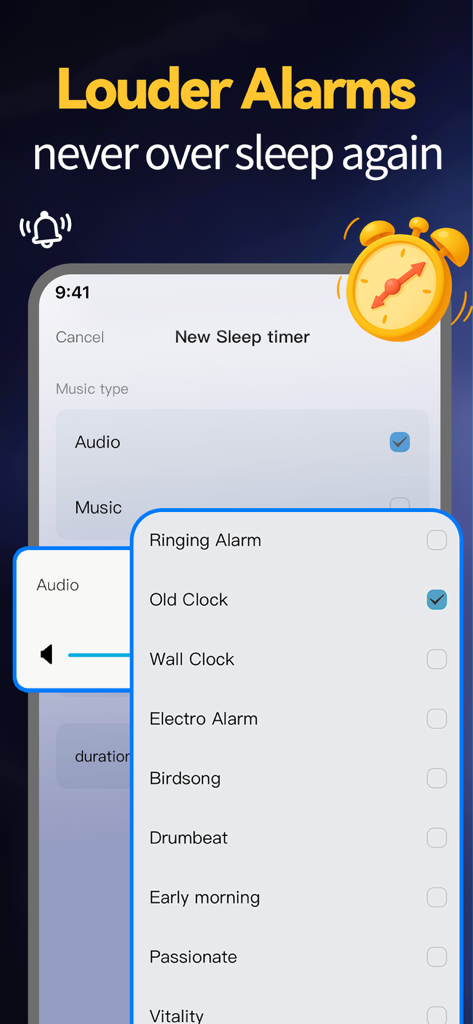
Interface of the Smart Alarm Clock app showing a list of customizable loud alarm sounds including Old Clock and Birdsong.
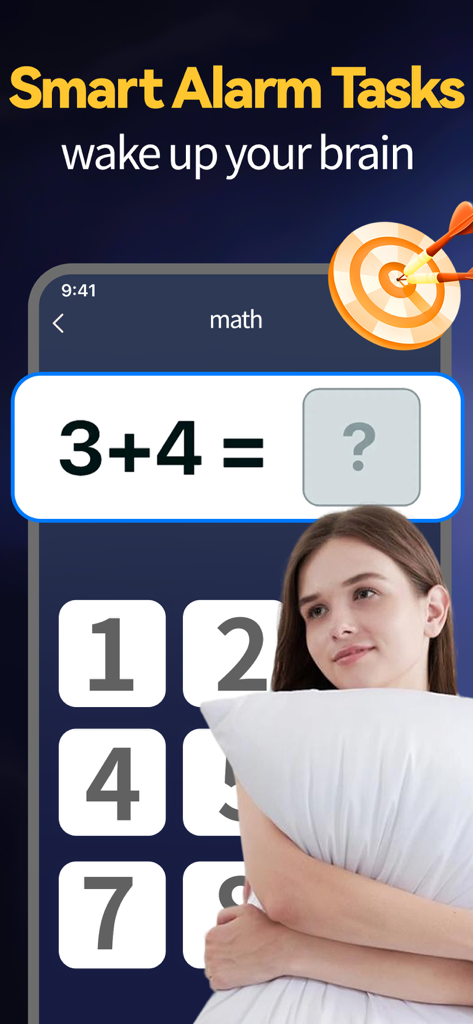
Smart Alarm Clock app interface showing a math puzzle task to wake up your brain
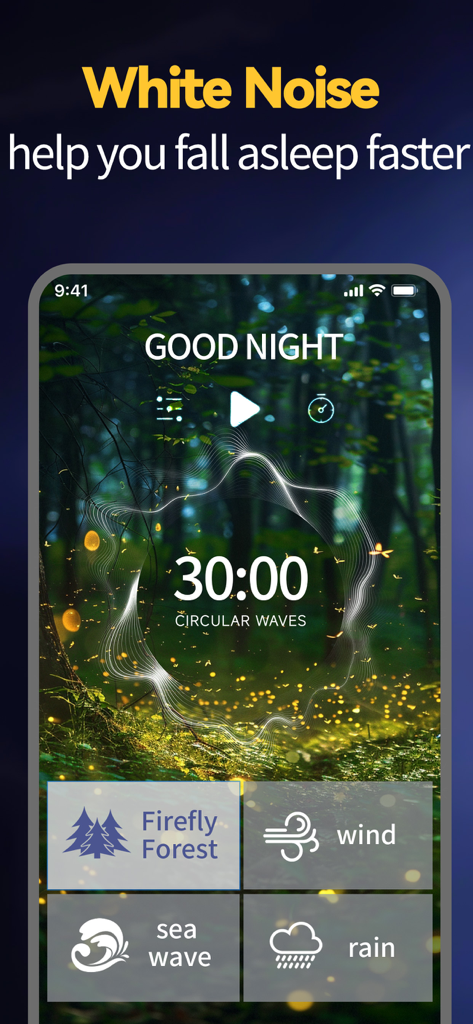
Interface of the Smart Alarm Clock app featuring white noise sounds like Firefly Forest and wind to help users fall asleep faster.
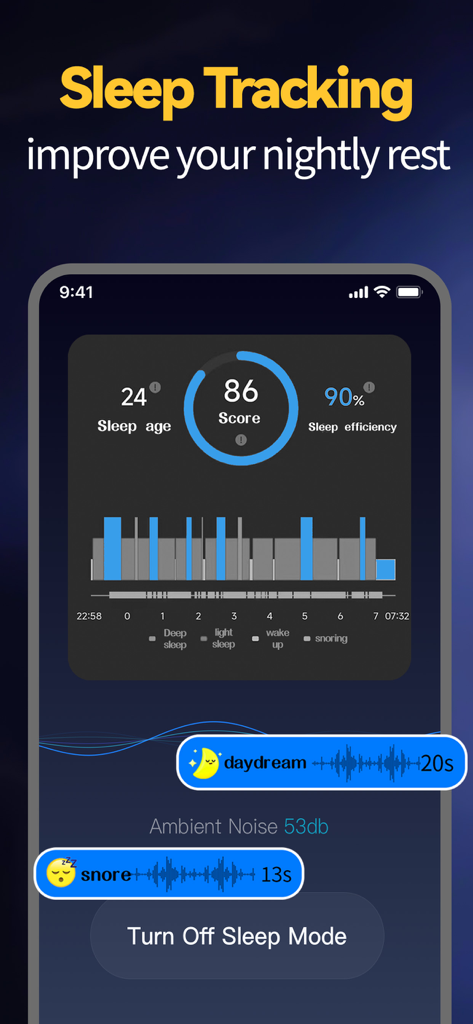
Smart Alarm Clock app interface showing sleep tracking analytics with a sleep score of 86 and sleep cycle graph.
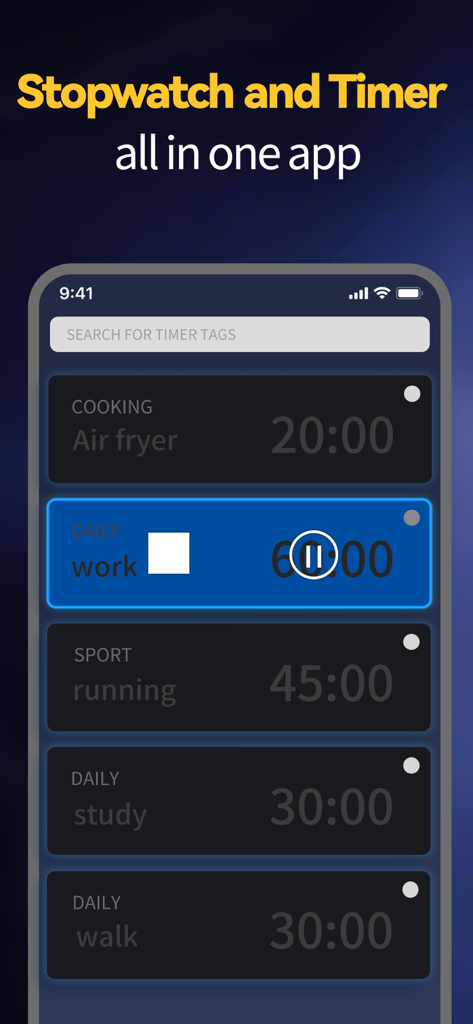
Interface of the app showing various activity timers for work, study, and exercise.
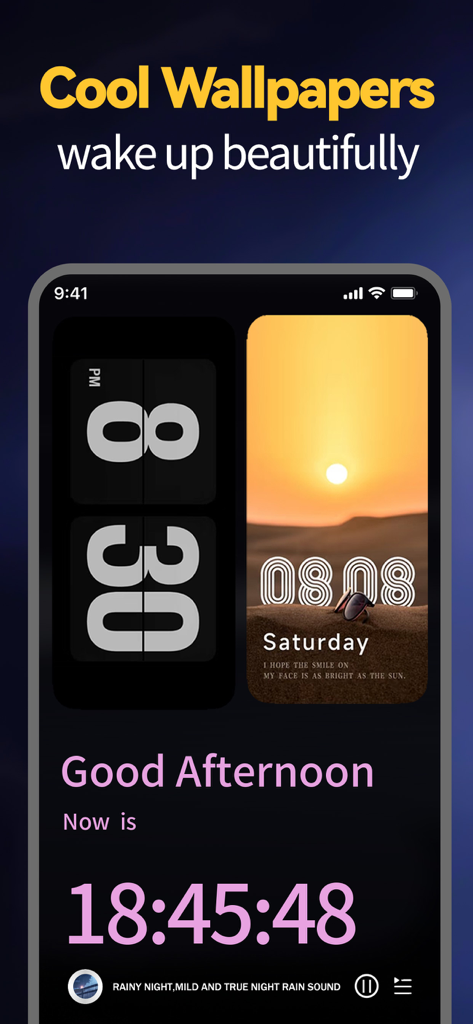
A smartphone display featuring minimalist clock widgets and a sunset wallpaper from the Smart Alarm Clock app.
Description
Download
More Like This
Apps with similar features and user experience

Nowmusi - Alarm Music & Sounds
"INPEK-ZE" d.o.o. Zenica
Zen Flip Clock - Minimal Timer
Chaoyang Minimal Software Studio
Alarm Clock App: myAlarm Clock
APPMIND - SOFTWARE TECHNOLOGIES LDA
ClockPhone big digital clocks
EVGENII KOSTIN
Alarm & Timer
KAZUTERU YOKOI
Stopwatch & Countdown Timer
Appenvision Ltd
This page is not an official page of the app or its developer, but an independent editorial publication created for informational and commentary purposes. Unless expressly stated otherwise, neither the app nor its developer is affiliated with, endorsed by, sponsored by, authorized by, or otherwise officially connected with MWM, Apple, Google Play, the app publisher, or the app's developer, and nothing on this page implies that the app was developed using MWM's services. Any trademarks, logos, screenshots, and other content remain the property of their respective owners.