ClockPhone big digital clocks

ClockPhone big digital clocks

Download on App Store
Logo of ClockPhone big digital clocks

ClockPhone: The Bold Digital Clock and Unstoppable Smart Alarm

Elevate your desk setup and conquer your routine. From un-snoozable NFC alarms for heavy sleepers to pro-level productivity timers, give your iPhone or iPad a stylish and functional second life.

Publisher

EVGENII KOSTIN

Category

Lifestyle

Downloads

1M+

User Rating

4.6/5

Total Ratings

40K+

Locales

10

Time in Focus

Discover the interface used by 1M+ users.

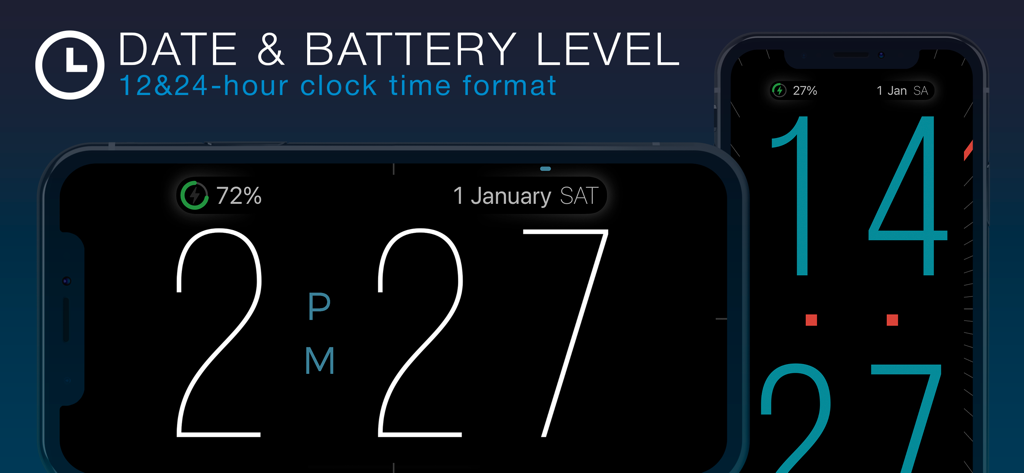
Digital clock interface on iPhone showing large digits, date, and battery level in both landscape and portrait modes.
Digital clock interface on iPhone showing large digits, date, and battery level in both landscape and portrait modes.

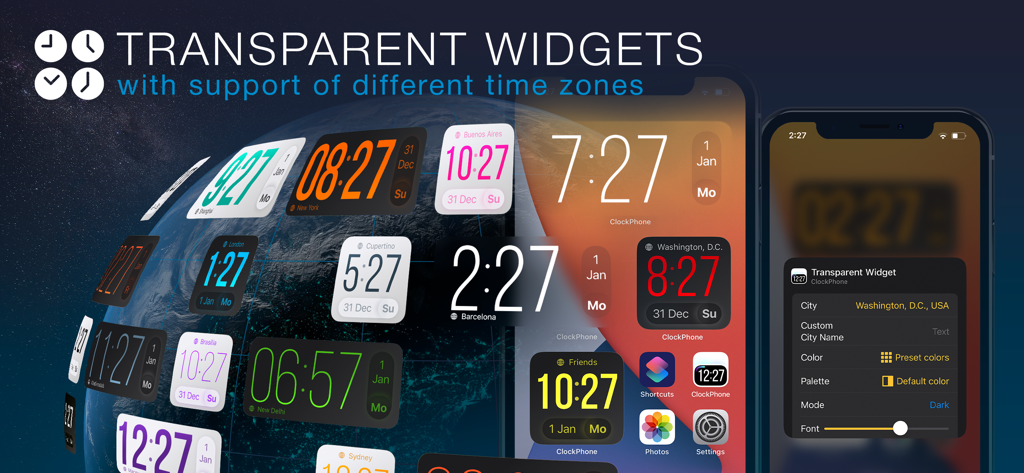
A variety of customizable transparent clock widgets showing different world time zones on an iPhone home screen.
A variety of customizable transparent clock widgets showing different world time zones on an iPhone home screen.

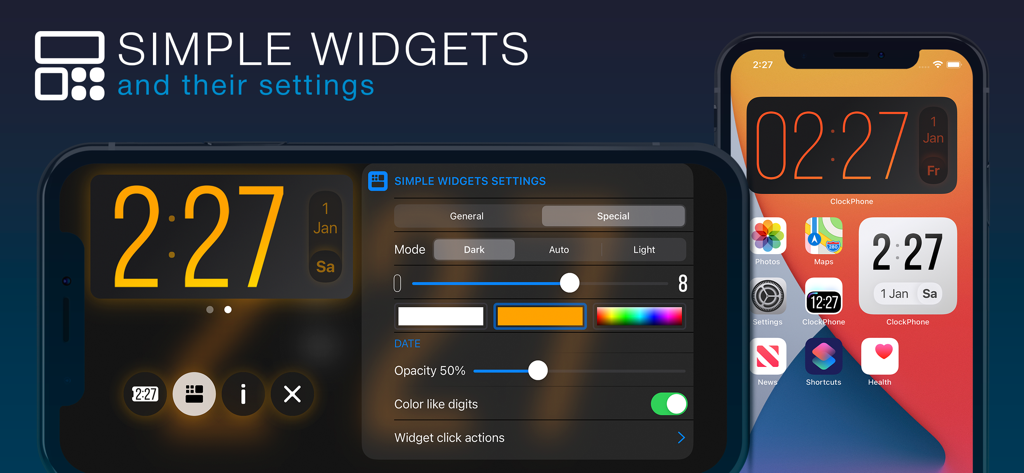
ClockPhone simple widgets settings and home screen clock displays on iPhone
ClockPhone simple widgets settings and home screen clock displays on iPhone

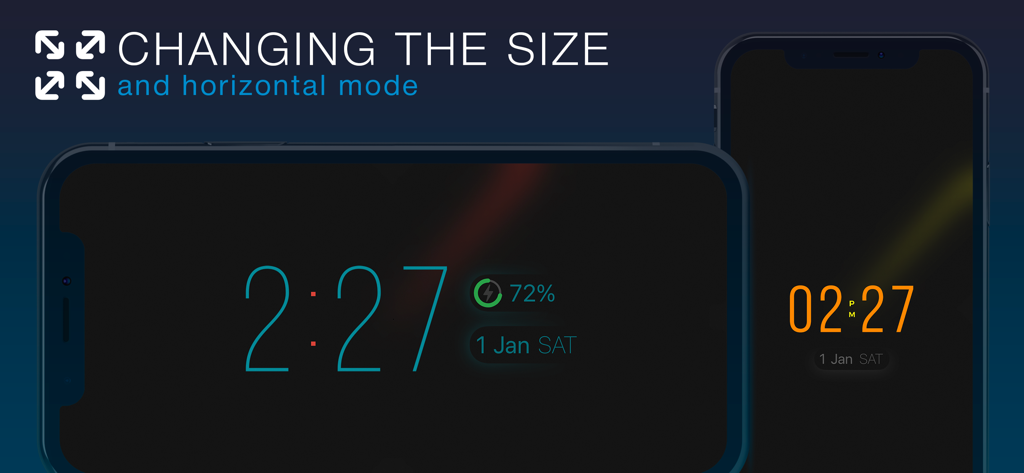
The ClockPhone app showing digital clock displays in both landscape and portrait orientations with adjustable digit sizes
The ClockPhone app showing digital clock displays in both landscape and portrait orientations with adjustable digit sizes

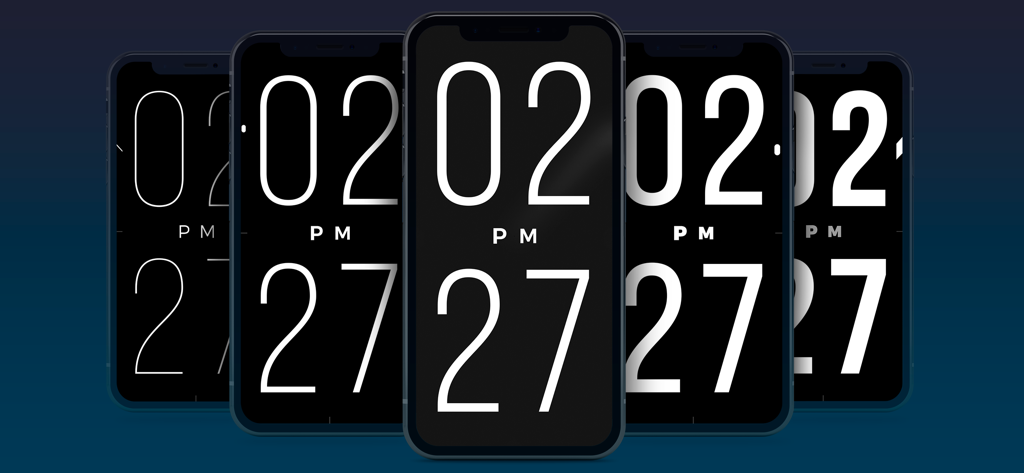
A series of five iPhones displaying the ClockPhone app with varying levels of digit thickness from thin to bold
A series of five iPhones displaying the ClockPhone app with varying levels of digit thickness from thin to bold

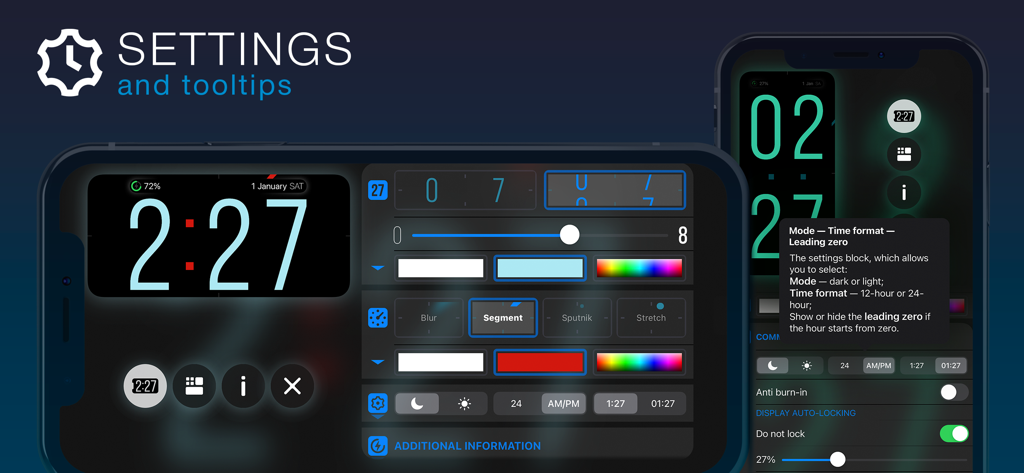
ClockPhone app settings interface showing clock customization options and helpful tooltips
ClockPhone app settings interface showing clock customization options and helpful tooltips

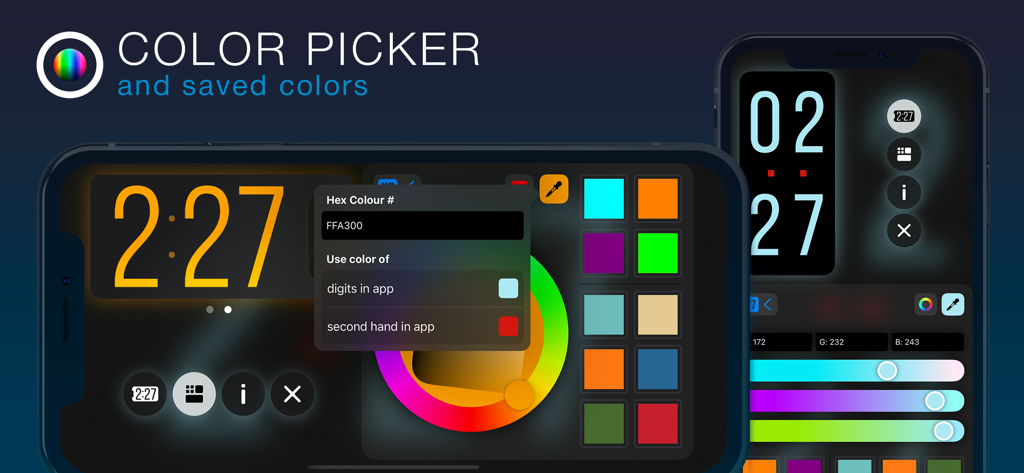
Interface of the ClockPhone app showing color picker wheel and hex code options for customizing digital clock digits
Interface of the ClockPhone app showing color picker wheel and hex code options for customizing digital clock digits

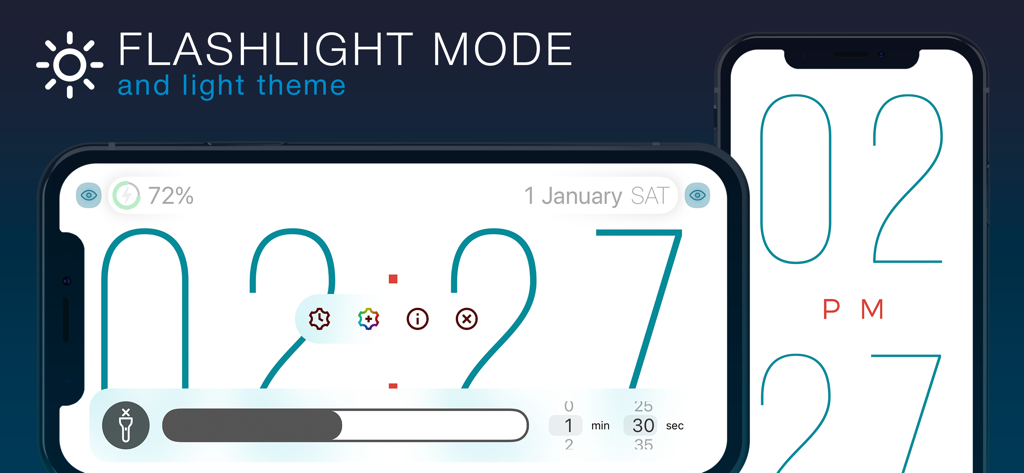
ClockPhone app interface in light theme featuring flashlight mode and large digital digits
ClockPhone app interface in light theme featuring flashlight mode and large digital digits

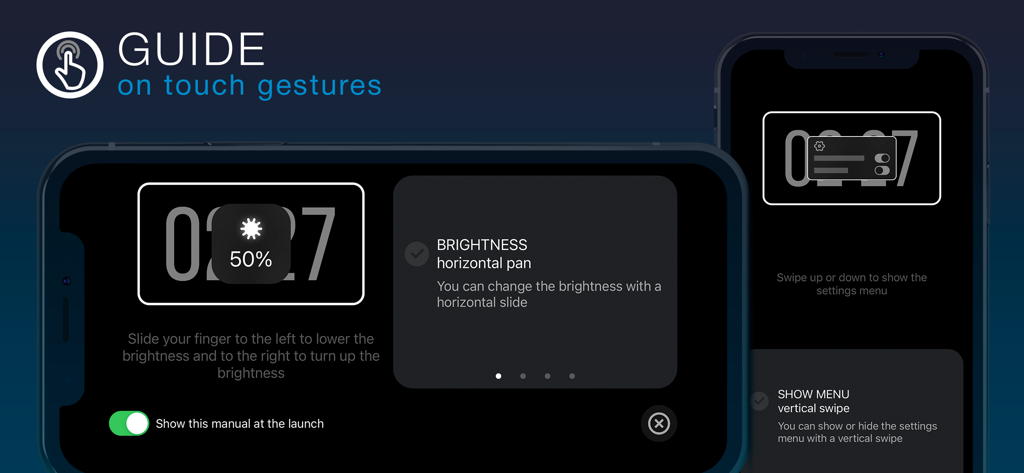
ClockPhone app onboarding screen showing touch gesture instructions for brightness and menu navigation.

ClockPhone app onboarding screen showing touch gesture instructions for brightness and menu navigation.

A Smarter Way to Track Your Day

The tools that make this app stand out, trusted by 1M+ users.

đź§©

Fail-Proof Wake-Up Methods

Conquer sleep inertia by solving math problems or scanning barcodes in your bathroom to ensure you are actually out of bed.

⚡

Optimized Focus & Fitness

Boost efficiency with built-in Pomodoro, Tabata, and custom interval timers tailored to your deep work and workout needs.

✨

Sleek, Functional Display

Transform your device into a designer desk clock with large readable digits, landscape support, and integrated screen burn-in protection.

About the app

Everything you need to know about ClockPhone big digital clocks.

Description

ClockPhone is a stylish and functional clock app that’s easy to use. It features an advanced alarm with flexible repeat settings: by day of the week, on a specific date, or following a shift schedule. And to make sure you really wake up, there are not just standard options to turn it off, but also advanced methods — like scanning an NFC tag, QR/barcode (for example, on a toothpaste tube in the bathroom), or solving math problems. ClockPhone also includes a versatile timer, perfect for workouts — including various interval types like Tabata, and productivity techniques like Pomodoro, 52/17, and 90/30 — as well as for cooking, meditation, and any task that needs precise time control. The app combines a thoughtfully designed interface with a rich feature set. Thanks to its stylish and attractive time display, ClockPhone fits beautifully into any space. The large digits are easy to read from any distance, and the second hand comes with different display modes for enhanced readability. Time transitions are smoothly animated, and the clock’s appearance is easy to customize via a functional and intuitive interface. Perfect for use on a charging dock or for bringing new life to a favorite device. It looks great in both landscape and portrait orientations. An onboarding guide shows how to control the app with gestures. You can also add ClockPhone widgets to your Home Screen to see the time and date at a glance without opening the app. There are two types of widgets — simple and transparent — each available in two sizes and with plenty of customization options. ● Key app features to tailor it to your needs and use it comfortably in any situation • Screen burn-in protection • Exit lock to prevent unauthorized closure • Simple and transparent widgets • Display of date and battery level • Customization of digit color, animation, thickness, and size • Random color changing of digits • Intuitive gestures: adjust brightness, toggle flashlight, open menu, resize digits • Time signals • Configurations — groups of settings that can be switched manually or on a schedule • Backups • Share settings, configurations, alarms, and timers • Time zone support • Display of analog and digital seconds • Time announcements for visually impaired users ● Alarm features to suit any routine, habit, or personal preference • Repeats by weekday, shift schedule, or specific date • Option to postpone the next trigger • Dismiss methods: standard, NFC tag scan, QR/barcode scan, or solving math problems • Support for custom sounds from the Music library or files saved in iCloud • Gradual volume increase • Flexible snooze options: number of repeats and snooze duration • Actions upon alarm dismissal ● Unique timer features to suit various use cases: interval training, productivity methods for work or study, and more • Multiple intervals with different durations • Repeat settings for entire interval series • Sound at the end of an interval or name announcement at the start • Pause or automatic transition to the next interval • Actions upon timer completion ClockPhone is constantly evolving based on user feedback. Install it on your iPhone, iPad, or iPod touch — and you won’t want to be without it!

Latest Version

2.4.5

Size

201.3 MB

First Released

Nov 4, 2019

Transform Your Time Management Today

Join over 1 million users and turn your iPhone or iPad into the ultimate productivity hub, fail-proof alarm, and stylish bedside companion.

Download on App Store

App information, icons, screenshots, and descriptions displayed on this page are sourced from the Apple App Store and are the property of their respective developers. Download estimates and rankings are based on MWM's proprietary models and may not reflect actual figures. This page is provided for informational and analytical purposes only.

Believe this page infringes your intellectual property? File a dispute