
This page is not an official page of the app or its developer, but an independent editorial publication created for informational and commentary purposes. Unless expressly stated otherwise, neither the app nor its developer is affiliated with, endorsed by, sponsored by, authorized by, or otherwise officially connected with MWM, Apple, Google Play, the app publisher, or the app's developer, and nothing on this page implies that the app was developed using MWM's services. Any trademarks, logos, screenshots, and other content remain the property of their respective owners.


amaran
Take command of your studio with an intuitive interface built for solo creators. Effortlessly control, customize, and sync all your amaran and Aputure lights in real-time so you can focus on your content.
Downloads
1K+User Rating
Total Ratings
0Publisher
Category
UtilitiesLocales
3Latest Version
1.0.70Size
69.1 MBFirst Released
Aug 19, 2024Studio Lighting, Simplified
Elevate your production value with a streamlined interface designed for fast-paced solo creators who need professional results without the complexity.
Instant Solo-Op Control
Adjust brightness, color, and effects in real-time across all your fixtures without ever stepping away from your camera.
Save Your Signature Look
Store your favorite lighting setups as one-tap presets to ensure a consistent, professional aesthetic for every video you film.
Frequently Asked Questions
Everything you need to know about amaran
What is the amaran app?
The amaran app provides simplified, user-friendly lighting control for Sidus-compatible amaran and Aputure fixtures. It allows real-time adjustments, multi-light management, and customized setups for content creators.
Can the amaran app control multiple lights simultaneously?
Yes, the amaran app supports multi-light management. Users can control all their Sidus-compatible amaran and Aputure fixtures in real-time, adjusting settings or saving favorite setups.
How does the amaran app simplify lighting control?
The amaran app simplifies lighting control with its user-friendly interface, real-time adjustments, and customizable shortcuts. It allows users to quickly toggle lights, adjust brightness, and manage multiple fixtures.
Does the amaran app offer theme options for its interface?
Yes, the amaran app offers flexible theme mode switching. Users can switch between a light and dark interface theme, indicated by the "Black and white mode" option.
What lighting parameters can I adjust with the amaran app?
The amaran app allows users to adjust CCT, HSI, and RGB color settings. It also provides options for various lighting effects and presets for precise creative control.
Can I save my favorite lighting setups in the amaran app?
Yes, the amaran app allows users to save their favorite lighting setups with a single tap. This feature ensures quick access to preferred configurations and scenes.
Is scene management available in the amaran app?
Yes, the amaran app features intuitive scene management. Users can organize and control multiple devices within specific scenes, such as "Scene 06," to streamline their workflow.
What kind of fixtures are compatible with the amaran app?
The amaran app controls all Sidus-compatible amaran and Aputure fixtures. It leverages the Sidus Mesh technology for seamless connectivity and management of your lighting equipment.
The following screenshots and description are sourced directly from the app's official store listing and are the property of the app developer.
App Store
Screenshots
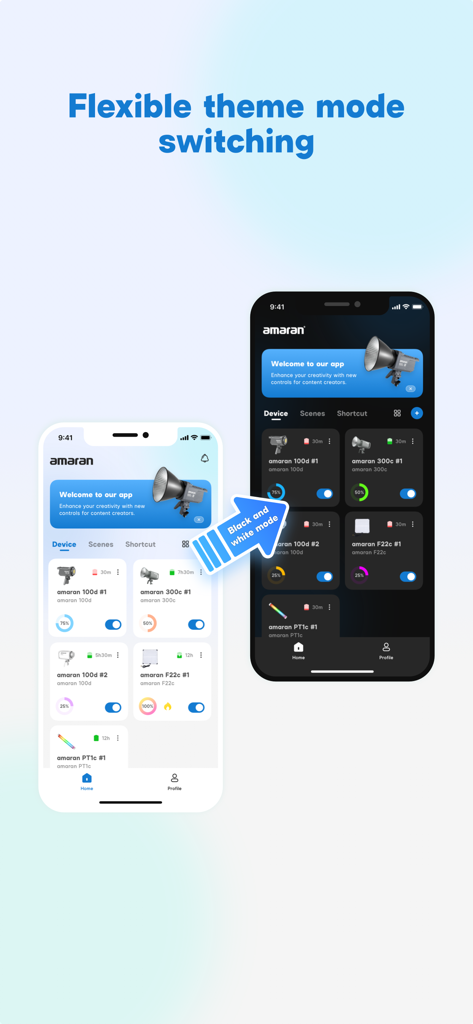
Two iPhones showing the amaran app interface in light and dark mode themes.
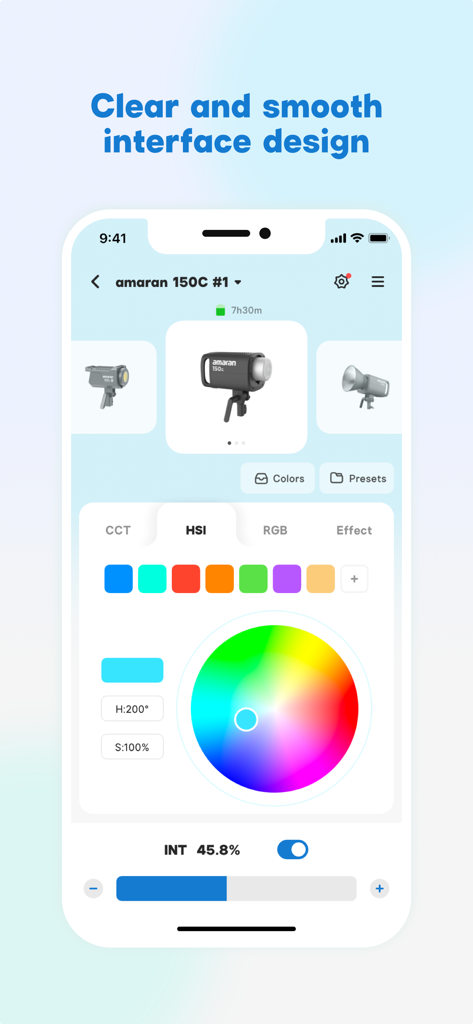
The amaran app interface showing HSI color wheel and intensity controls for professional lighting.
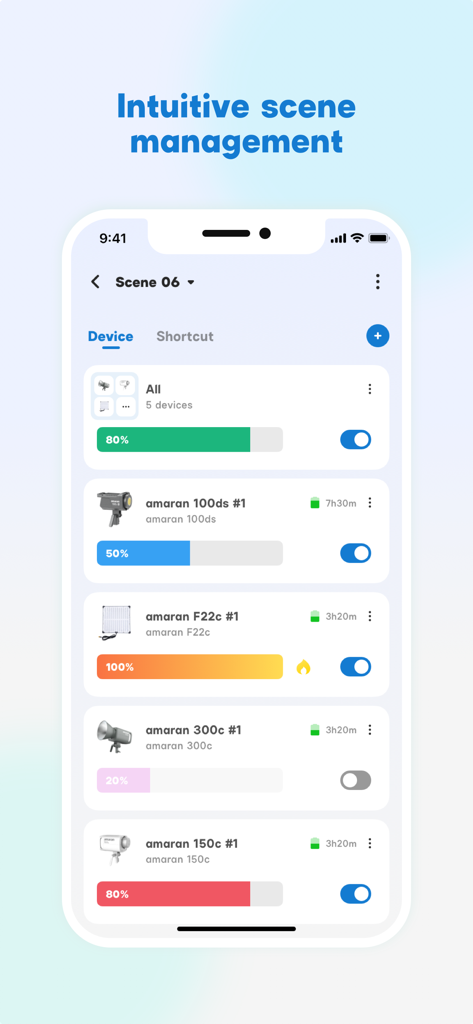
Smartphone screen showing the amaran app scene management interface with multiple light controls and brightness sliders
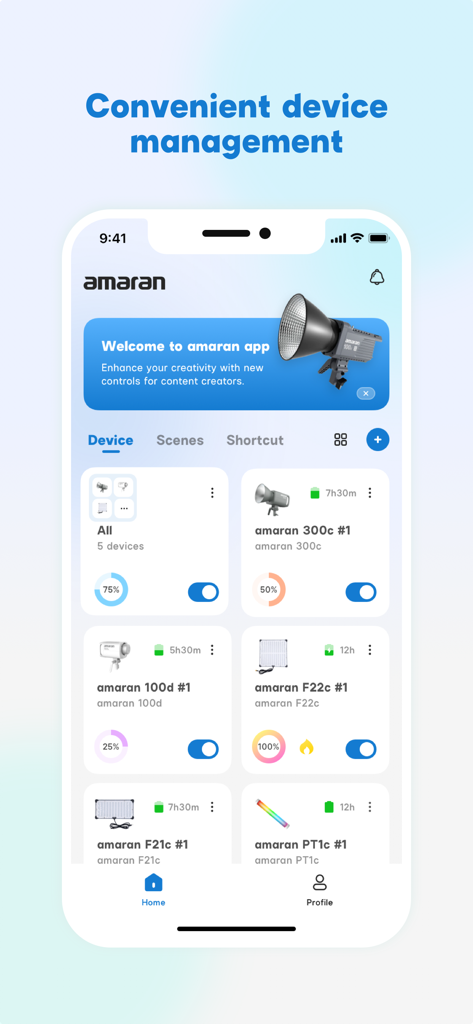
Dashboard of the amaran lighting app showing a list of connected studio lights with brightness and power controls.
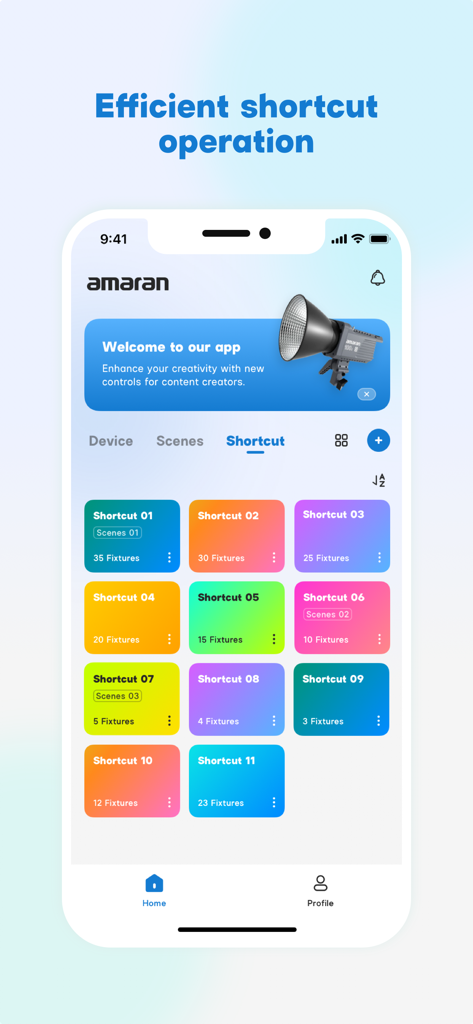
Amaran app interface showing a colorful grid of lighting shortcuts for quick scene control
Description
Download
More Like This
Top-ranked apps in the same category

Google LLC

Google Chrome
Google LLC

中国移动(手机营业厅)
China Mobile Online Services Co., Ltd.

Google Authenticator
Google LLC

CNH do Brasil
Servicos e Informacoes do Brasil

Cleanup: Phone Storage Cleaner
DEEP FLOW SOFTWARE SERVICES - FZCO

gov.br
Servicos e Informacoes do Brasil

中国电信-全国统一官方服务平台
CHINA TELECOM Corporation Ltd.

Microsoft Edge: AI Browser
Microsoft Corporation
This page is not an official page of the app or its developer, but an independent editorial publication created for informational and commentary purposes. Unless expressly stated otherwise, neither the app nor its developer is affiliated with, endorsed by, sponsored by, authorized by, or otherwise officially connected with MWM, Apple, Google Play, the app publisher, or the app's developer, and nothing on this page implies that the app was developed using MWM's services. Any trademarks, logos, screenshots, and other content remain the property of their respective owners.