Amplenote
Amplenote
Download on App Store

This page is not an official page of the app or its developer, but an independent editorial publication created for informational and commentary purposes. Unless expressly stated otherwise, neither the app nor its developer is affiliated with, endorsed by, sponsored by, authorized by, or otherwise officially connected with MWM, Apple, Google Play, the app publisher, or the app's developer, and nothing on this page implies that the app was developed using MWM's services. Any trademarks, logos, screenshots, and other content remain the property of their respective owners.


Logo of Amplenote
Download on App Store

Amplenote

Stop switching between apps. Build your second brain with vault-grade encryption, bi-directional linking, and a high-performance task system designed for the ultimate productivity optimizer.

Key Figures

Downloads

6K+

User Rating

4.6/5

Total Ratings

700

Publisher

Alloy.dev, Inc.

Category

Productivity

Locales

1

Latest Version

3.154

Size

48.9 MB

First Released

Aug 31, 2019
Features

The Unified System for Power Users

Go beyond simple note-taking with a high-performance workspace designed to sync your thoughts, tasks, and calendar into one secure flow.

Unified Notes & Tasks

Eliminate app fatigue by merging your to-do lists and notes. Transform thoughts into actionable tasks with flexible recurrence and priority scoring.

Bi-Directional Thinking

Build your personal knowledge management system with bi-directional linking and nested tags to navigate your ideas like a second brain.

The following screenshots and description are sourced directly from the app's official store listing and are the property of the app developer.

App Store

Screenshots
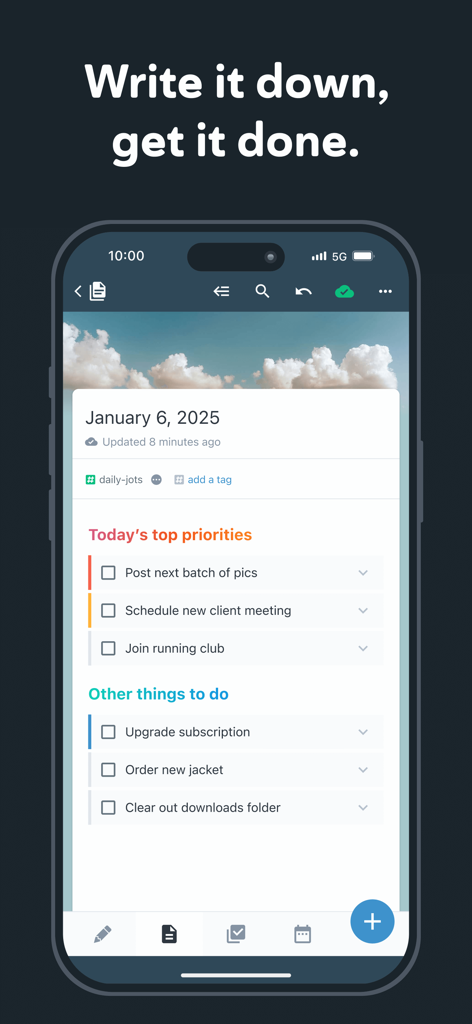
Amplenote - Amplenote mobile application interface showing daily prioritized tasks and to do list
Amplenote mobile application interface showing daily prioritized tasks and to do list

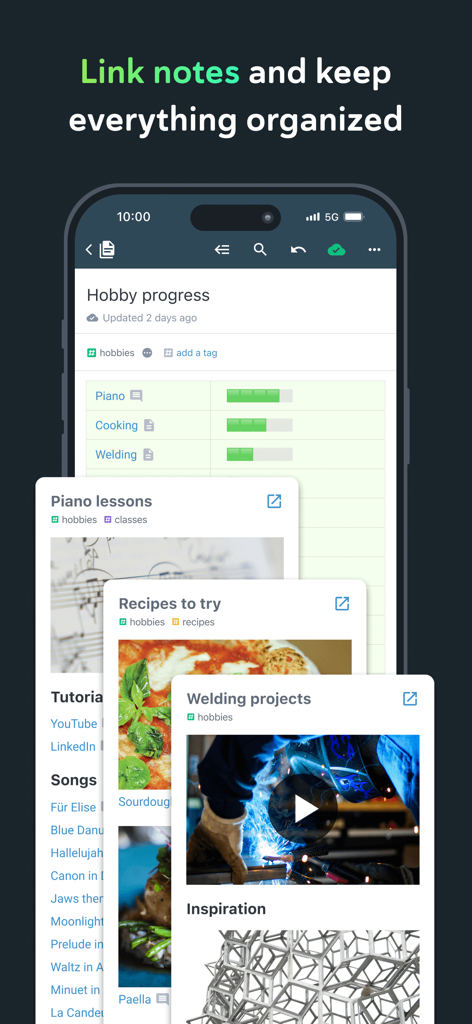
Amplenote - Amplenote app showing organized hobby notes with bi-directional linking and tags
Amplenote app showing organized hobby notes with bi-directional linking and tags

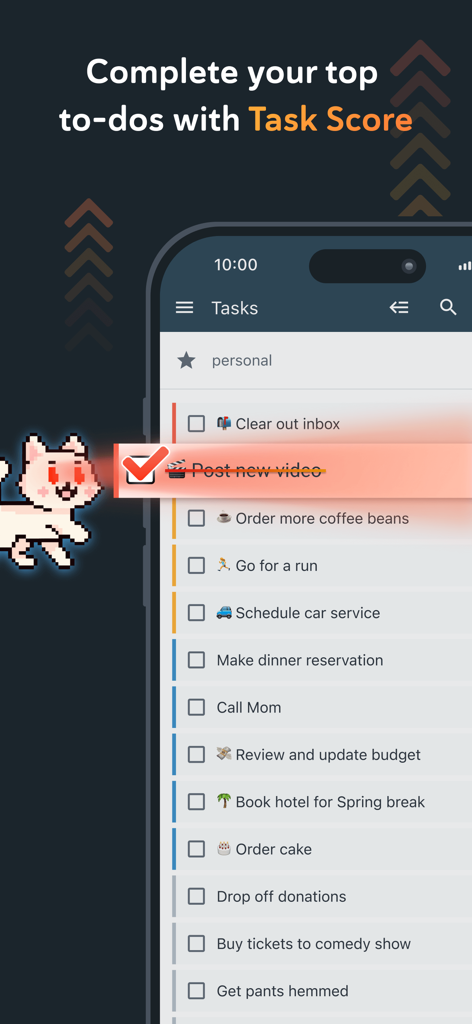
Amplenote - Amplenote mobile app showing a task list with a completed item and upcoming personal to-do tasks

Amplenote mobile app showing a task list with a completed item and upcoming personal to-do tasks
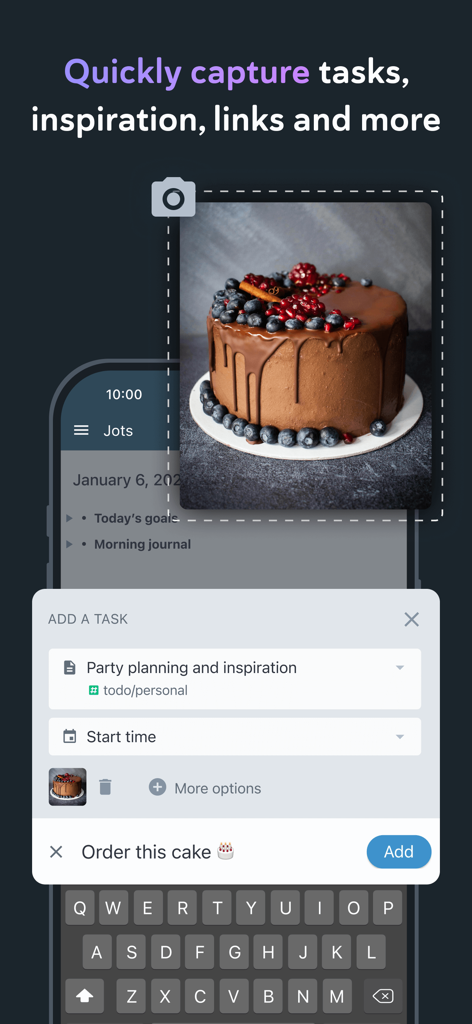
Amplenote - Mobile app interface of Amplenote for capturing tasks and inspiration from photos
Mobile app interface of Amplenote for capturing tasks and inspiration from photos

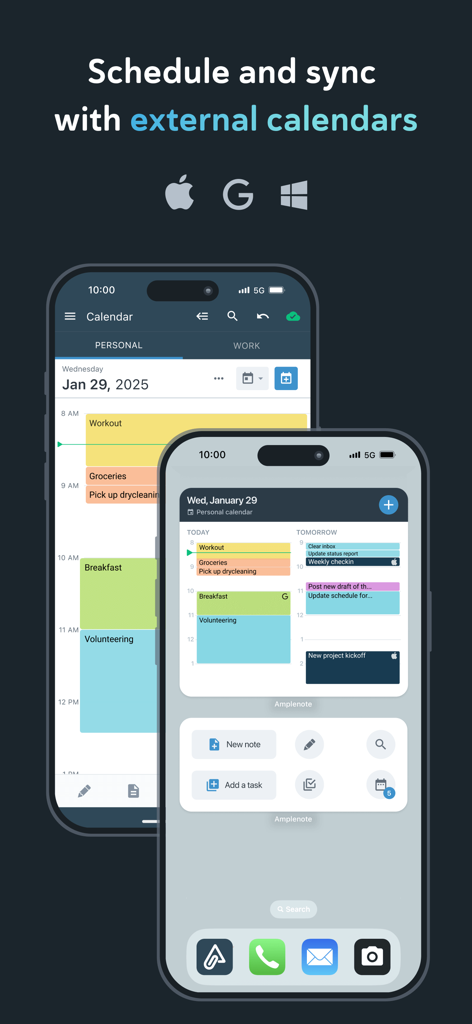
Amplenote - Two iPhones showing the Amplenote calendar interface and its ability to sync with Apple Google and Outlook calendars
Two iPhones showing the Amplenote calendar interface and its ability to sync with Apple Google and Outlook calendars

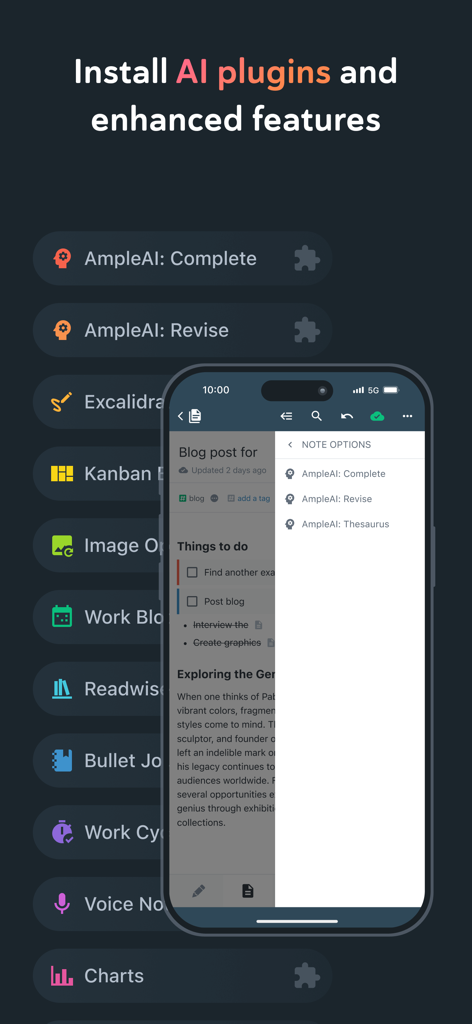
Amplenote - Amplenote interface showing a list of AI plugins and enhanced note-taking features on mobile
Amplenote interface showing a list of AI plugins and enhanced note-taking features on mobile

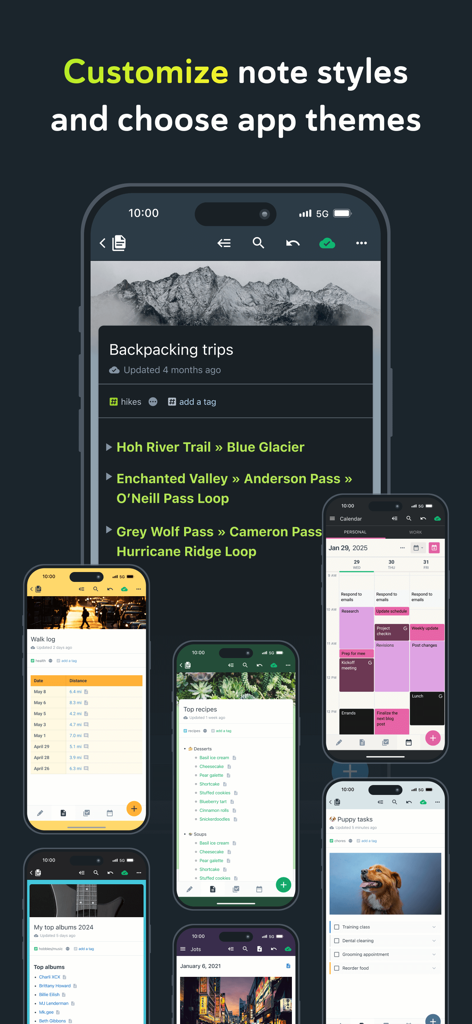
Amplenote - Showcase of Amplenote note styles and app themes across multiple mobile screens

Showcase of Amplenote note styles and app themes across multiple mobile screens

Amplenote - Amplenote app interface on smartphone tablet and laptop with security shield icon
Amplenote app interface on smartphone tablet and laptop with security shield icon

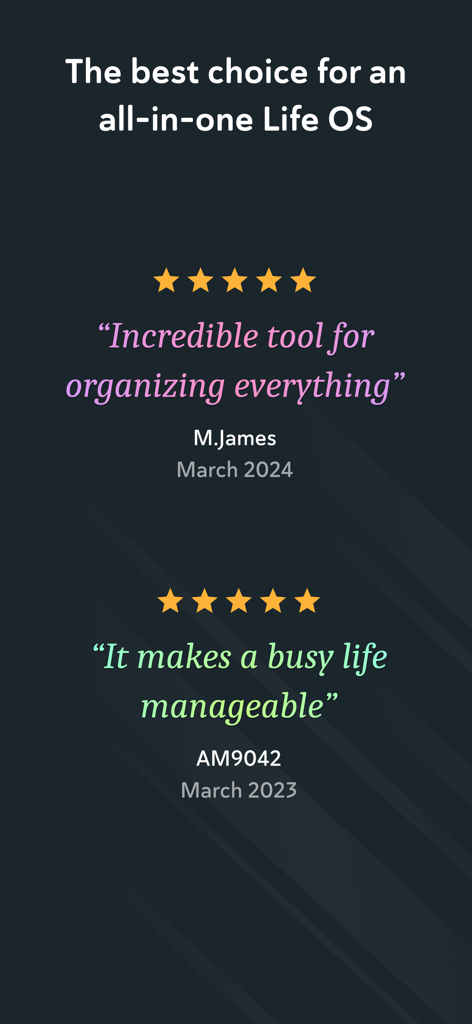
Amplenote - Screenshot of positive user reviews and five star ratings for the Amplenote productivity app

Screenshot of positive user reviews and five star ratings for the Amplenote productivity app

Description

*** Your security is our priority *** - Data security differentiates us from popular to-do list apps - All note contents are encrypted at rest on our servers - Notes can be Vault Encrypted with a password that's never sent to our servers - Your note content is available for download at any time *** Built on seamless syncing *** - Along with data security, accurate syncing is at our core - Designed for heavy users who often switch between the same notes on mobile and desktop - Our sync is fully compatible with Vault Notes (even though we can't decrypt their content) ***Expression is our cornerstone *** - Rich Footnotes that hold text, code, images, or all the above is our flagship feature - Easily insert images into notes, or even into text within notes - A range of the finest markdown stylings at your disposal *** Notes and tasks: better together *** - Text, code, to-do tasks, and images all live inside the same note - Tasks can be customized to recur at flexible intervals or hidden until later - Tasks are automatically removed from your to-do list when completed *** As organized as you are *** - Connect notes with bi-directional linking - Note tags allow multi-level taxonomy to organize notes - Browse these taxonomies like directories - Recreate OneNote browsing hierarchies seamlessly *** Flair for sharing *** - Any note can be instantly shared and edited by multiple parties - Publish notes (including their Rich Footnotes!) to the web with one tap - Shared to-do lists can help a team stay on top of shared responsibilities *** Built for personal productivity *** - Set up any task to repeat relative to when you last got it done - Track how much you're getting done over time with our automatic task graph - Designate tasks as "Urgent" or "Important" to use proven priority techniques *** More than ample enough for power users *** - Simplified, clean UI is efficiently functional - Contextual keyboard toolbar puts the relevant actions at your fingertips - Quick opener allows opening any recently used note in ~3 taps - *** No internet? No problem *** - Continue working offline within new or cached notes - All work will automatically sync once back online *** Ample: no more, no less *** - We won't settle for becoming bloated with non-essential features - We work across mobile and web. *** Get started instantly *** - Use our Evernote Importer to bring your notes from the olden times *** Account required *** - An active Amplenote account is required to use Amplenote. - New accounts automatically receive a 14-day free trial of the Pro plan. - At the end of the trial period, you may choose between the free plan (Personal) or one of the paid plans. - You may purchase an auto-renewing subscription through an In-App Purchase. - 1 month and 1 year durations are available for Basic, Pro, and Founder subscription levels. - Your subscription will be charged to your iTunes account at confirmation of purchase and will automatically renew (at the duration selected) unless auto-renew is turned off at least 24 hours before the end of the current period. - Current subscriptions may not be cancelled during the active subscription period; however, you can manage your subscription and/or turn off auto-renewal by visiting your iTunes Account Settings after purchase - Privacy policy: https://www.amplenote.com/privacy_policy - Terms of use: https://www.amplenote.com/terms_of_service

Download

Download on App Store

This page is not an official page of the app or its developer, but an independent editorial publication created for informational and commentary purposes. Unless expressly stated otherwise, neither the app nor its developer is affiliated with, endorsed by, sponsored by, authorized by, or otherwise officially connected with MWM, Apple, Google Play, the app publisher, or the app's developer, and nothing on this page implies that the app was developed using MWM's services. Any trademarks, logos, screenshots, and other content remain the property of their respective owners.








