
This page is not an official page of the app or its developer, but an independent editorial publication created for informational and commentary purposes. Unless expressly stated otherwise, neither the app nor its developer is affiliated with, endorsed by, sponsored by, authorized by, or otherwise officially connected with MWM, Apple, Google Play, the app publisher, or the app's developer, and nothing on this page implies that the app was developed using MWM's services. Any trademarks, logos, screenshots, and other content remain the property of their respective owners.


AR Sketch Anime: Trace Drawing
Augmented reality liberates your canvas. This app projects imagination directly onto paper, transforming beginners into confident creators.
Downloads
500k+User Rating
Total Ratings
31.9KPublisher
Category
Graphics & DesignLocales
7Latest Version
3.2.5Size
195.8 MBFirst Released
Jun 25, 2024An evaluation of core functionalities designed for aspiring artists, hobbyists, and families.
Feature Analysis: AR Sketch Anime: Trace Drawing
AR Tracing onto Paper
It allows users to project digital templates onto physical paper using augmented reality, enabling direct tracing and sketching.
Custom Template Creation
It enables users to upload their own images, converting them into AR tracing templates for personalized artistic projects.
Step-by-Step Drawing Tutorials
This tool features guided tutorials that help users master drawing techniques across different skill levels and subjects.
Extensive Template Library
The app provides a wide selection of pre-made templates, including popular styles like Anime, Tattoos, and Cars, to aid users in their tracing.
Advanced Drawing Tools
The app provides functionalities like photo editing, opacity adjustment, and a flashlight toggle to optimize the AR tracing experience.
Interactive Dot-to-Dot
The app offers a dot-to-dot feature, making drawing engaging and accessible, particularly for children and absolute beginners.
Frequently Asked Questions
Everything you need to know about AR Sketch Anime: Trace Drawing
What is AR Sketch Anime: Trace Drawing?
AR Sketch Anime: Trace Drawing transforms your phone into an augmented reality (AR) drawing tool. It allows you to sketch, paint, and color artworks onto paper using projected lines.
How do you use AR Sketch Anime: Trace Drawing?
AR Sketch Anime: Trace Drawing works by allowing you to select a template or upload your own art. You then position your phone stably to project lines onto paper for tracing using AR technology.
Can I use my own photos or art for tracing in AR Sketch Anime: Trace Drawing?
Yes, AR Sketch Anime: Trace Drawing allows you to upload your own artwork and turn it into AR tracing templates, enabling you to draw your personalized designs.
Does AR Sketch Anime: Trace Drawing offer drawing templates?
Yes, AR Sketch Anime: Trace Drawing provides a vast library of AR templates, including categories like Anime, Tattoos, Cars, and various unique designs.
Can I record my drawing process with AR Sketch Anime: Trace Drawing?
Yes, AR Sketch Anime: Trace Drawing features a recording function that captures time-lapse videos of your drawing journey to share with others.
What subscription options are available for AR Sketch Anime: Trace Drawing?
AR Sketch Anime: Trace Drawing offers unlimited access membership subscriptions billed on weekly, monthly, or yearly rates, depending on your chosen plan.
How do I cancel my AR Sketch Anime: Trace Drawing subscription?
You can cancel your AR Sketch Anime: Trace Drawing subscription via the provided Apple support URL: https://support.apple.com/en-us/HT202039.
Is AR Sketch Anime: Trace Drawing suitable for beginners?
Yes, AR Sketch Anime: Trace Drawing is suitable for everyone, from beginners to professional artists, kids, and parents, providing step-by-step tutorials.
Can AR Sketch Anime: Trace Drawing turn photos into sketches for tracing?
Yes, AR Sketch Anime: Trace Drawing can convert photos into sketch-like tracing templates, allowing you to draw them on paper using AR.
Does AR Sketch Anime: Trace Drawing allow users to create text art?
Yes, AR Sketch Anime: Trace Drawing includes a feature to create text art, which you can then use as a template for drawing.
The following screenshots and description are sourced directly from the app's official store listing and are the property of the app developer.
App Store
Screenshots

See how the app projects digital images onto your physical canvas, with an intuitive opacity slider to guide your tracing.
AR Drawing Interface
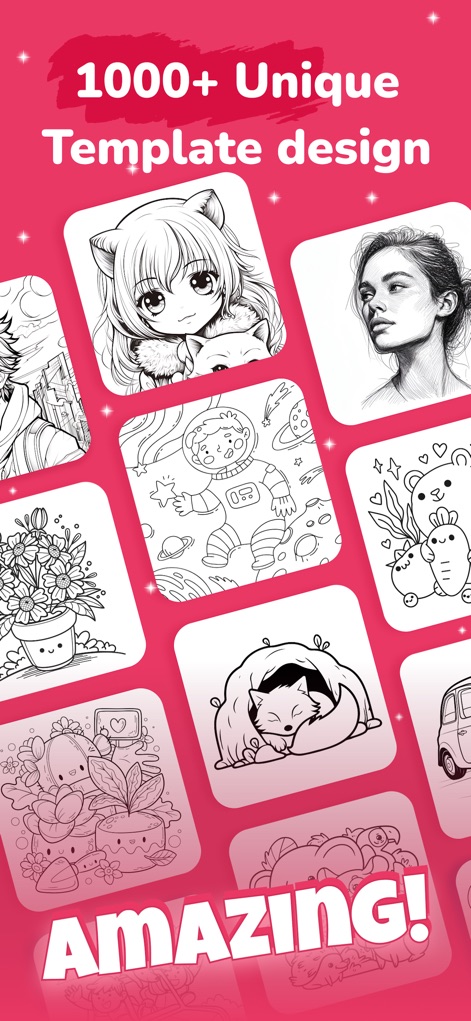
Explore an extensive template library featuring over 1000 unique designs, from intricate anime characters to charming animal illustrations.
Diverse Template Library

Users can effortlessly transform personal photos into traceable outlines, converting complex images into simplified sketches.
Transform Photos Easily
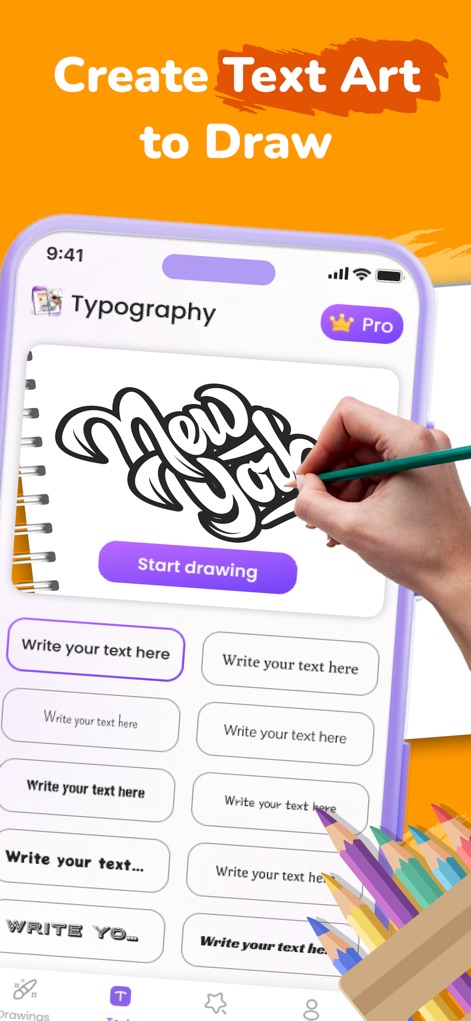
Design personalized text art using the typography feature, allowing users to input custom text and select from various stylized fonts.
Custom Text Creation
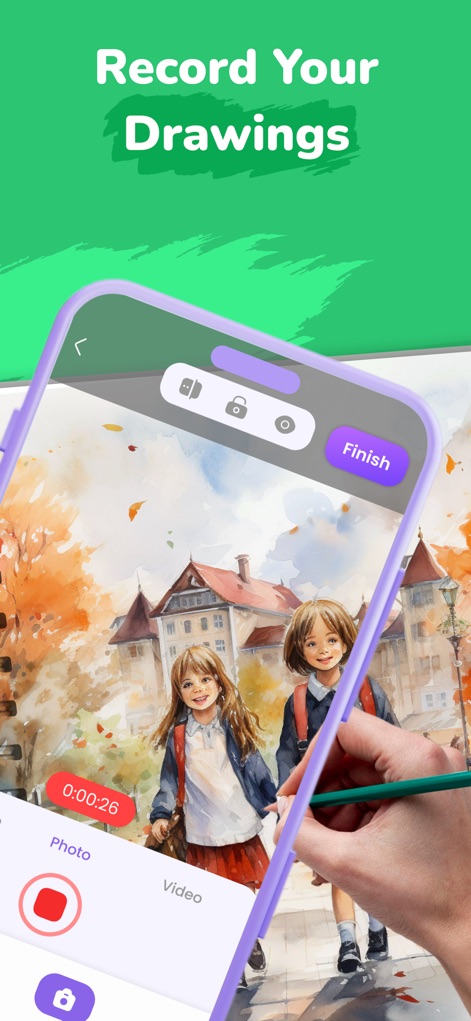
The app enables artists to record their entire creative process, capturing time-lapse videos of their drawing journey to share.
Record Your Progress

This tool simplifies drawing by projecting any image directly onto paper, allowing for seamless tracing with adjustable opacity for precision.
Seamless Image Tracing
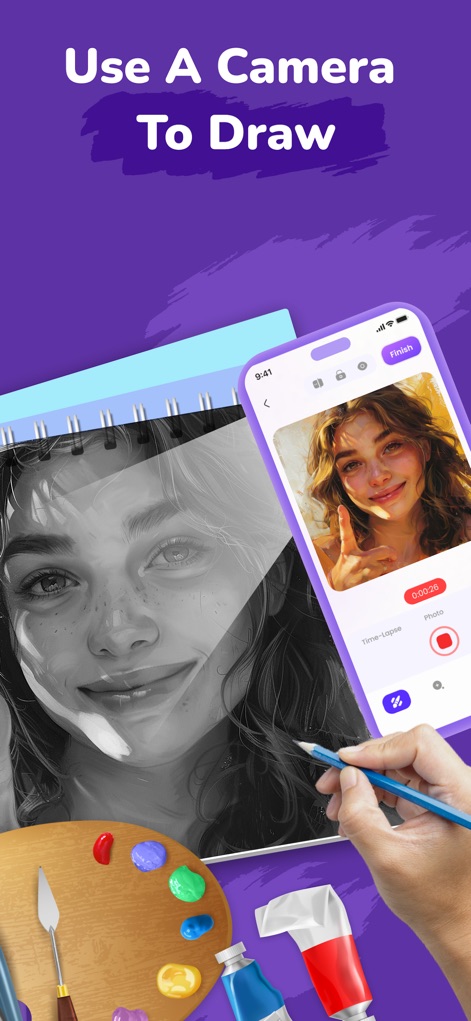
Leverage the device's camera to project chosen images onto any surface, providing a live guide for direct drawing with your pencil.
Live Camera Drawing
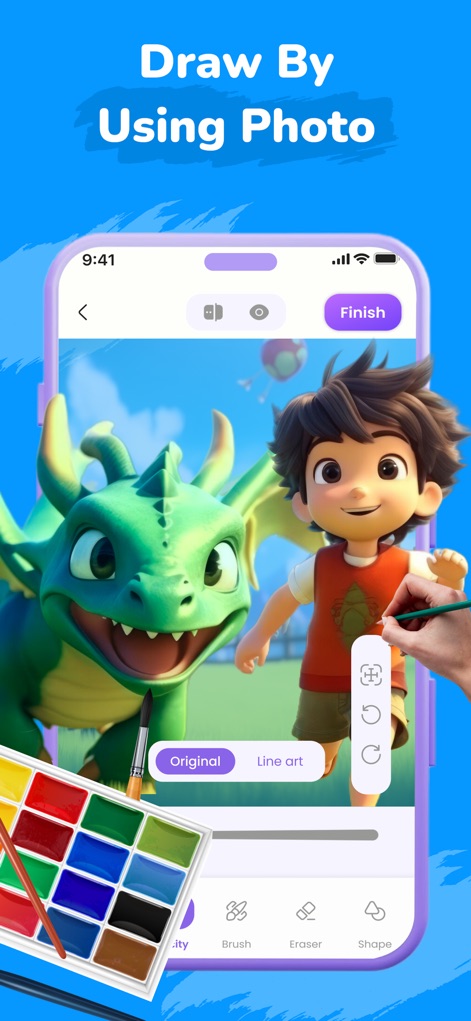
Initiate your artwork by drawing directly from uploaded photos, utilizing in-app tools like Brush and Eraser for refined artistic control.
Photo Art Tools
Description
Download
More Like This
Apps with similar features and user experience

AR Drawing Paint Sketch Trace
DROIDFUN LIMITED

Camera Lucida™: AR Drawing
Big Idea Design LLC

AR Drawing Sketch App: ArtEasy
SMDA GROUP SP Z O O SP KOMANDYTOWA

PicTrace: AR Drawing & Sketch
ANDROID VIETNAM TECHNOLOGY CORPORATION

AR Draw: Sketching & Painting
EIGEN SOFTWARE LIMITED

AR Drawing How to Draw Sketch
Magomed Dzhamalov

Da Vinci Eye: AR Trace & Draw
Da Vinci Eye LLC

AR Drawing - AR Sketch
Ketanbhai Khokhani

HEY CLAY®
HEY CLAY LTD
This page is not an official page of the app or its developer, but an independent editorial publication created for informational and commentary purposes. Unless expressly stated otherwise, neither the app nor its developer is affiliated with, endorsed by, sponsored by, authorized by, or otherwise officially connected with MWM, Apple, Google Play, the app publisher, or the app's developer, and nothing on this page implies that the app was developed using MWM's services. Any trademarks, logos, screenshots, and other content remain the property of their respective owners.