au editor - audio cutter
Download on App Store

This page is not an official page of the app or its developer, but an independent editorial publication created for informational and commentary purposes. Unless expressly stated otherwise, neither the app nor its developer is affiliated with, endorsed by, sponsored by, authorized by, or otherwise officially connected with MWM, Apple, Google Play, the app publisher, or the app's developer, and nothing on this page implies that the app was developed using MWM's services. Any trademarks, logos, screenshots, and other content remain the property of their respective owners.


Logo of au editor - audio cutter
Download on App Store

au editor - audio cutter

Unleash your creativity with AI vocal separation, noise reduction, and studio-grade mixing tools. The ultimate mobile workspace for musicians, podcasters, and content creators.

Key Figures

Downloads

180K+

User Rating

4.7/5

Total Ratings

500

Publisher

龙刚 李

Category

Music

Locales

12

Latest Version

1.13.8

Size

204.2 MB

First Released

Sep 8, 2023
Features

Professional Studio Power, Right in Your Pocket

Transform your iPhone or iPad into a full-scale production suite with AI-driven tools designed for the next generation of music creators and social media influencers.

AI-Powered Magic

Instantly isolate vocals or remove accompaniment with advanced AI, making it the ultimate tool for creating viral remixes and song covers.

Pro Multi-Track Mixing

Layer, arrange, and blend multiple audio tracks with desktop-level precision using an interface optimized for mobile-first production.

The following screenshots and description are sourced directly from the app's official store listing and are the property of the app developer.

App Store

Screenshots
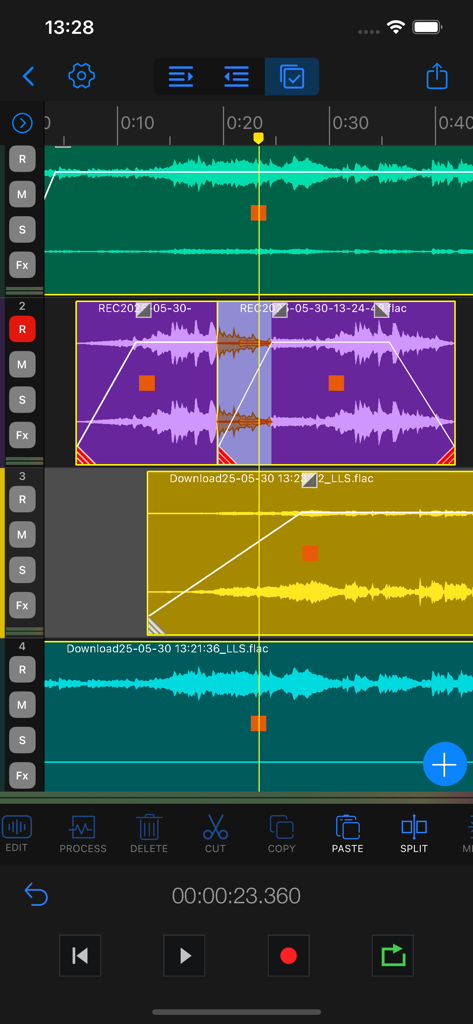
au editor - audio cutter - Au Editor multi track timeline view showing waveform editing and audio tools
Au Editor multi track timeline view showing waveform editing and audio tools

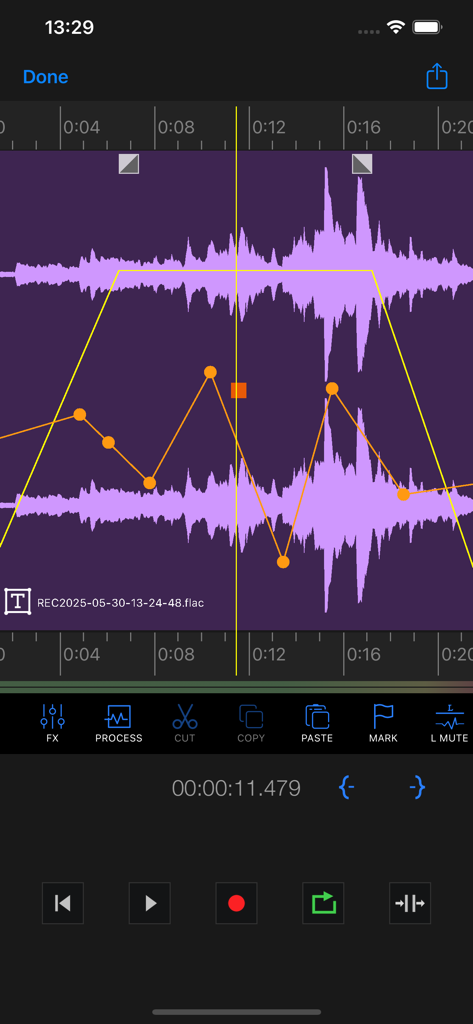
au editor - audio cutter - Interface of Au Editor showing audio waveform with volume envelope adjustments
Interface of Au Editor showing audio waveform with volume envelope adjustments

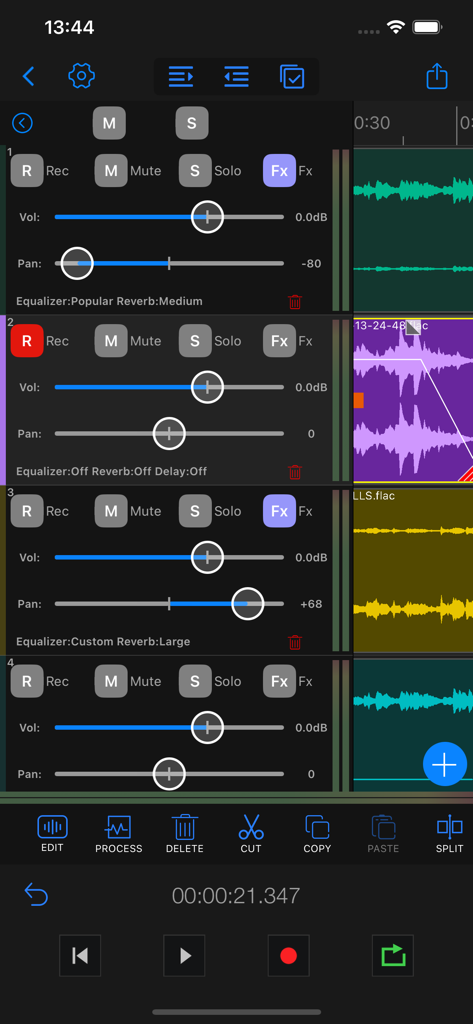
au editor - audio cutter - Screenshot of the Au Editor app multi-track interface showing volume sliders, pan controls, and audio effects for multiple recording tracks.
Screenshot of the Au Editor app multi-track interface showing volume sliders, pan controls, and audio effects for multiple recording tracks.

au editor - audio cutter - Smartphone interface of Au Editor showing multi track waveform editing with volume control and transport tools.
Smartphone interface of Au Editor showing multi track waveform editing with volume control and transport tools.

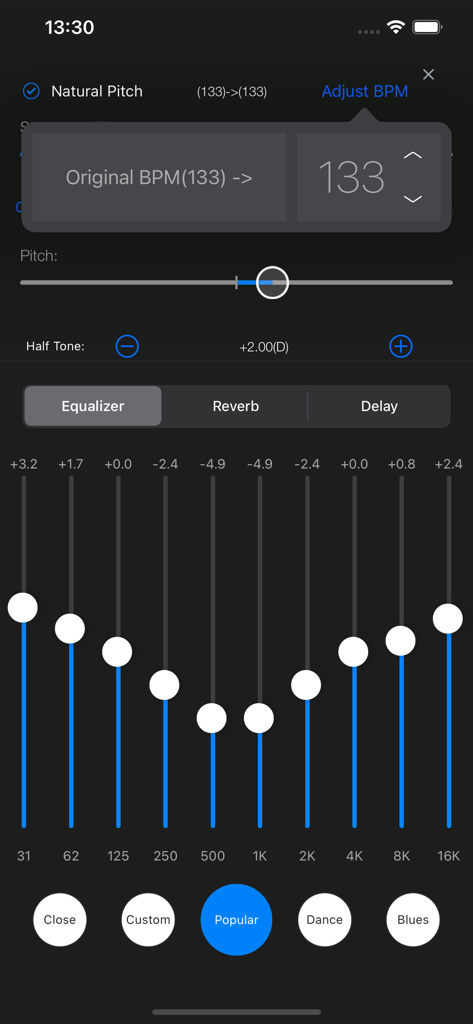
au editor - audio cutter - Au Editor mobile interface showing a 10-band equalizer and pitch adjustment tools for professional audio editing.
Au Editor mobile interface showing a 10-band equalizer and pitch adjustment tools for professional audio editing.

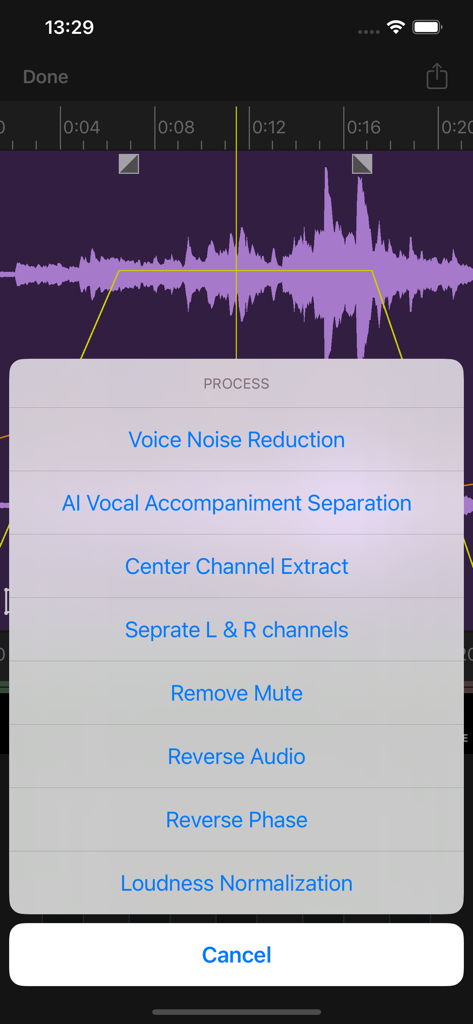
au editor - audio cutter - Au Editor app audio processing menu showing AI vocal separation and noise reduction options
Au Editor app audio processing menu showing AI vocal separation and noise reduction options

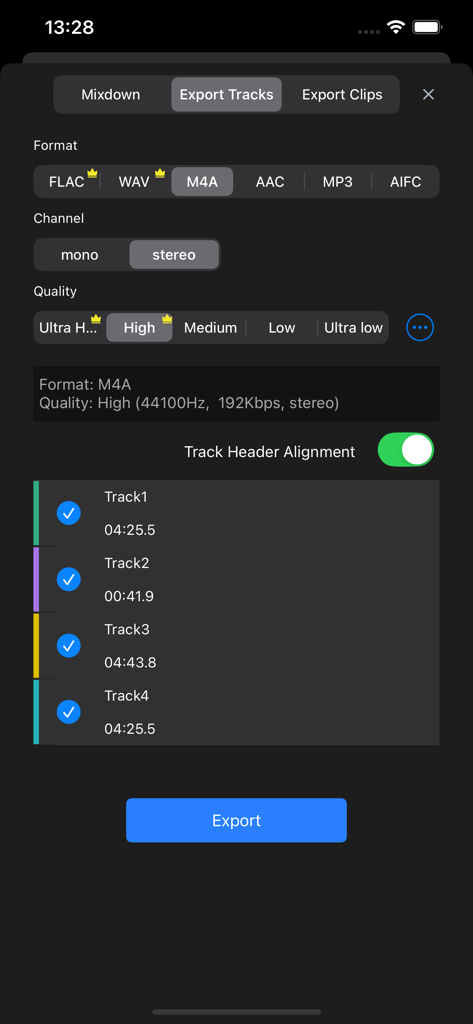
au editor - audio cutter - Interface for exporting audio tracks in Au Editor app showing format, quality, and channel selection options.

Interface for exporting audio tracks in Au Editor app showing format, quality, and channel selection options.

Description

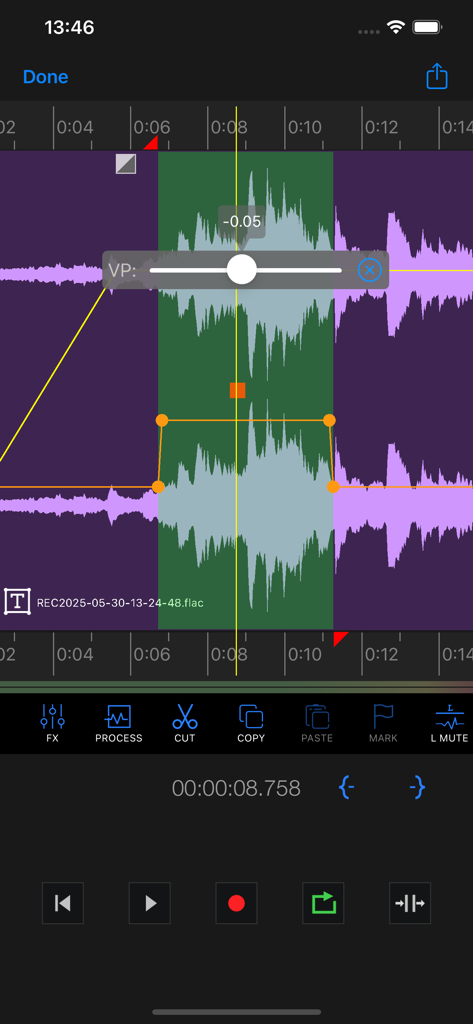
Au Editor is a powerful iOS multi-track audio editing application designed for audio producers, music creators, and recording professionals. Whether you're creating music, editing sound effects, producing podcasts, or in need of precise audio editing tools, Au Editor is your perfect choice. Multi-track Audio Editing: Easily import, arrange, and edit multiple audio tracks using an intuitive interface, blending diverse sound elements seamlessly. Various Audio Import Options: Au Editor supports various audio import methods, whether you need to extract audio from videos, download audio from the internet, or use local audio files, ensuring you can effortlessly access the materials you need. AI Voice and Accompaniment Separation: Leveraging advanced AI technology, Au Editor can automatically separate vocals and accompaniment, allowing you to edit them separately or create remixes. Center Channel Extraction: A classic vocal and accompaniment separation algorithm that provides excellent results for remixing. Accompaniment Recording: Au Editor introduces the accompaniment recording feature, enabling you to record while playing back tracks, creating unique music and soundscapes. Fade In and Out: Add fade-in and fade-out effects to achieve smooth audio transitions and eliminate abrupt starts and ends. Left/Right Channel Separation: Separate the left and right channels of stereo audio, offering more creative options for sound design and mixing. Channel Editing and Balancing: Easily edit and balance channels within Au Editor to ensure each sound element is harmoniously aligned. Noise Reduction: Reduce background noise, enhance recording clarity, and make your audio sound exceptional. Volume Envelopes: Use volume envelope adjustments for precise control over volume curves on tracks, achieving smooth audio mixing and volume adjustments. Sound Effects Editing: Au Editor provides a rich set of sound effects editing tools, including pitch shifting, speed adjustments, reverb, chorus, delay, and equalization, enabling you to enhance and creatively process your audio. Multiple Audio Format Support: Au Editor supports various audio formats, including WAV, AAC, FLAC, M4A, MP3, AIFC, ensuring compatibility with a wide range of audio files. Multiple Audio Quality Export: Choose the appropriate audio quality settings for export, with Au Editor supporting various quality options to meet your project requirements. Built-in Metronome: Au Editor features a built-in metronome, helping you maintain precise control over the rhythm and beats of your music, making it easy to create perfect musical compositions. Versatile Export Options: Au Editor offers a wide range of export options, including batch export of audio clips, exporting tracks, mixing exports, exporting individual audio blocks, and exporting selected ranges. This saves you time and boosts your workflow efficiency. ---------------------------------------------------------------------- Upgrade Advanced Edition Subscription period: ● One Week ● One Month ● One Year - Payment will be charged to your iTunes account at confirmation of purchase. - Subscriptions will automatically renew unless auto-renew is turned off at least 24 hours before the end of current period. - Your account will be charged according to you plan fo renewal within 24 hours prior to the end of the current period. - You can manage or turn off auto-renew in your Apple ID account settings at any time after purchase. - The fee for the selected subscription will be deducted within 24 hours prior to the end of the free trial. If you do not need to purchase, please cancel your subscription at least 24 hours after the trial ends, otherwise your charges may be deducted. Term of Use: http://www.iruomu.com/newstudio/termofuse.html Privacy Policy: http://www.iruomu.com/newstudio/privacy.html

Download

Download on App Store

This page is not an official page of the app or its developer, but an independent editorial publication created for informational and commentary purposes. Unless expressly stated otherwise, neither the app nor its developer is affiliated with, endorsed by, sponsored by, authorized by, or otherwise officially connected with MWM, Apple, Google Play, the app publisher, or the app's developer, and nothing on this page implies that the app was developed using MWM's services. Any trademarks, logos, screenshots, and other content remain the property of their respective owners.








