
This page is not an official page of the app or its developer, but an independent editorial publication created for informational and commentary purposes. Unless expressly stated otherwise, neither the app nor its developer is affiliated with, endorsed by, sponsored by, authorized by, or otherwise officially connected with MWM, Apple, Google Play, the app publisher, or the app's developer, and nothing on this page implies that the app was developed using MWM's services. Any trademarks, logos, screenshots, and other content remain the property of their respective owners.

Audio Editor - AudioLab, Mixer
Elevate your content with professional multitrack editing, AI vocal separation, and cinematic effects. Transform your mobile device into a powerful sound canvas for TikTok, podcasts, and music creation.
Downloads
114K+User Rating
Total Ratings
3K+Publisher
Category
UtilitiesLocales
8Latest Version
2.4Size
44.3 MBFirst Released
Jun 28, 2024Professional Studio in Your Pocket
From AI-powered vocal removal to advanced multitrack mixing, get every tool you need to create viral-ready sound and studio-quality content on the go.
AI Vocal & Instrument Splitter
Instantly isolate vocals or remove instruments with one tap. Perfect for creating custom karaoke tracks, unique remixes, and social media mashups.
AI Noise Cleaning for Video
Make your Reels and TikToks sound like a movie. Automatically remove background noise and apply cinematic effects to make your voice stand out.
Frequently Asked Questions
Everything you need to know about Audio Editor - AudioLab, Mixer
How can Audio Editor - AudioLab, Mixer help separate vocals and instruments?
The Audio Editor - AudioLab, Mixer app uses AI to separate vocals and instruments. Users can create karaoke tracks, remixes, or mashups with this feature.
Does Audio Editor - AudioLab, Mixer support multitrack audio editing?
Yes, Audio Editor - AudioLab, Mixer supports multitrack editing. Users can work with multiple tracks simultaneously, mix them, and fine-tune projects. Premium subscription unlocks unlimited tracks.
What audio effects are available in Audio Editor - AudioLab, Mixer?
Audio Editor - AudioLab, Mixer offers over 20 audio effects, including reverb, equalizer, delay, and compression. Premium subscribers access advanced equalizer, compressor, and stereo widener.
Can I edit audio within video files using Audio Editor - AudioLab, Mixer?
Yes, Audio Editor - AudioLab, Mixer allows users to edit audio within video files. Features include adjusting volume levels, adding effects, and enhancing video sound.
What audio formats can Audio Editor - AudioLab, Mixer convert?
Audio Editor - AudioLab, Mixer supports converting audio between MP3, M4A, AAC, WAV, FLAC, and OGG formats. It also provides options for lossy and lossless quality export.
Does Audio Editor - AudioLab, Mixer offer a free trial?
Yes, Audio Editor - AudioLab, Mixer offers a 3-day free trial. This allows users to explore the app's features before committing to a premium subscription.
How can I remove background noise using Audio Editor - AudioLab, Mixer?
Audio Editor - AudioLab, Mixer's premium subscription includes an AI audio cleaning feature. This automatically removes background noise and interference from recordings and existing tracks.
Can Audio Editor - AudioLab, Mixer compress audio files without losing quality?
Yes, Audio Editor - AudioLab, Mixer can compress audio without quality loss. The app allows users to reduce file size while maintaining clear sound quality.
What customization options are available for recording in Audio Editor - AudioLab, Mixer?
Audio Editor - AudioLab, Mixer (Premium) allows professional recording customization. Users can adjust bitrate, sample rate, and channels (mono/stereo) for ideal sound quality.
Can I generate sounds with Audio Editor - AudioLab, Mixer?
Yes, the Audio Editor - AudioLab, Mixer app allows sound generation. It includes a built-in noise generator and an AI track generator for creative inspiration.
The following screenshots and description are sourced directly from the app's official store listing and are the property of the app developer.
App Store
Screenshots
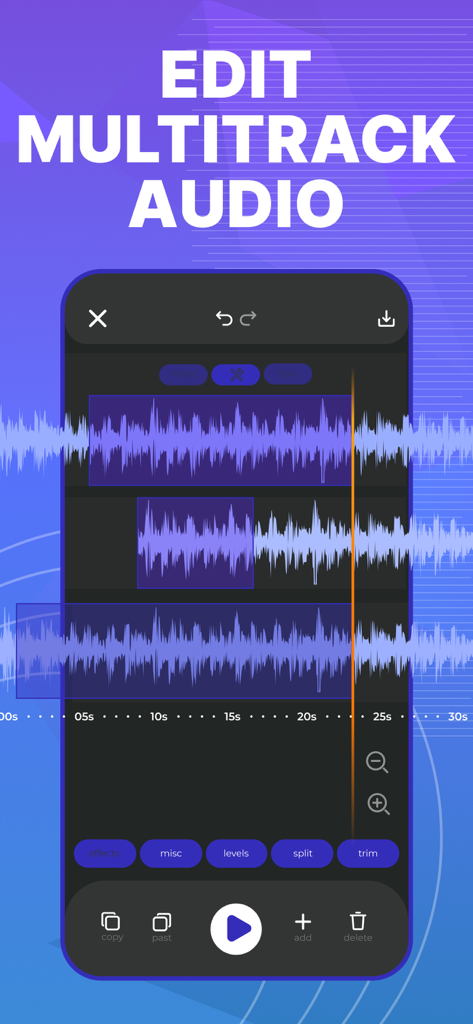
Smartphone screen showing multitrack audio editing with waveforms and mixing tools
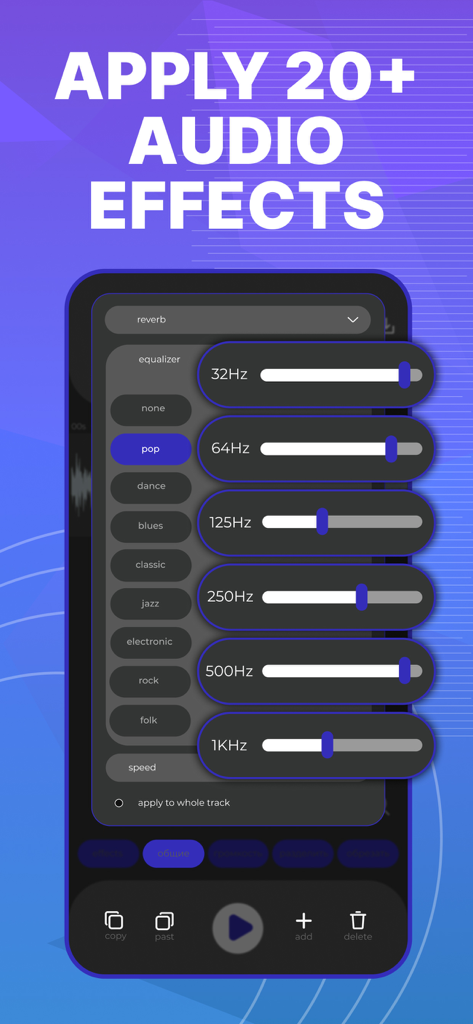
A mobile interface for the AudioLab app showing a multi-band equalizer with adjustable frequency sliders.
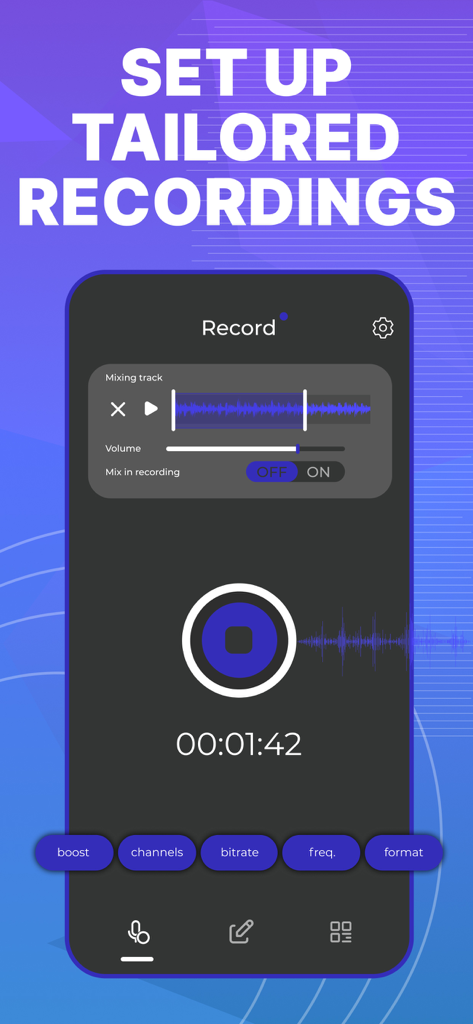
Mobile screen showing professional recording setup with custom bitrate and frequency settings for AudioLab
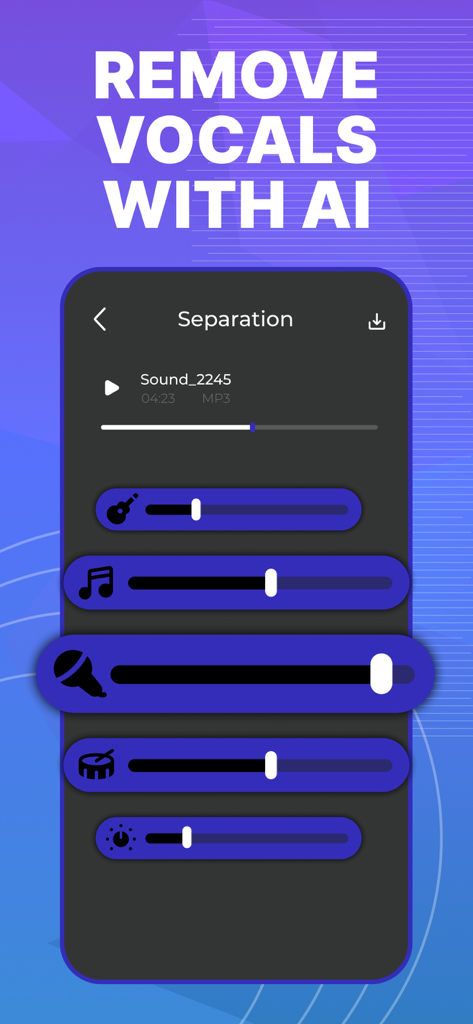
Interface showing AI-powered vocal and instrument separation sliders in the AudioLab app
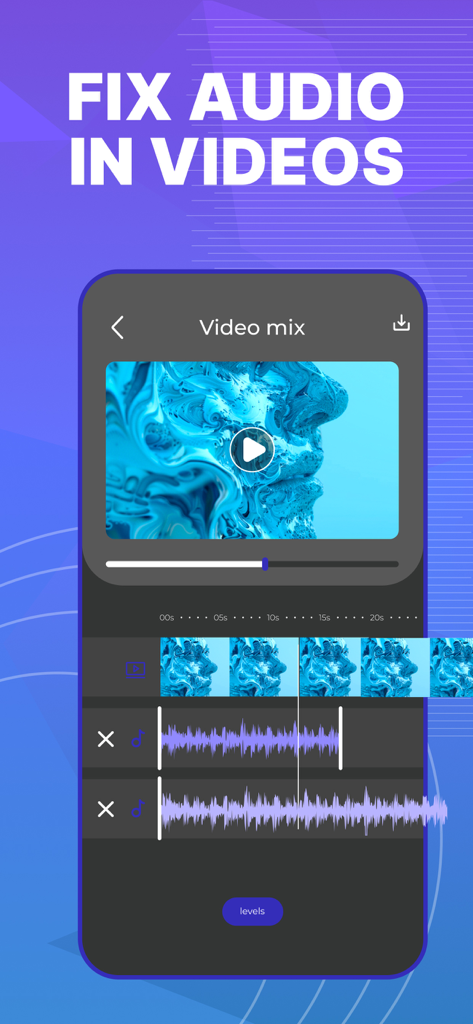
Audio Editor AudioLab interface showing multitrack timeline to fix audio in videos.
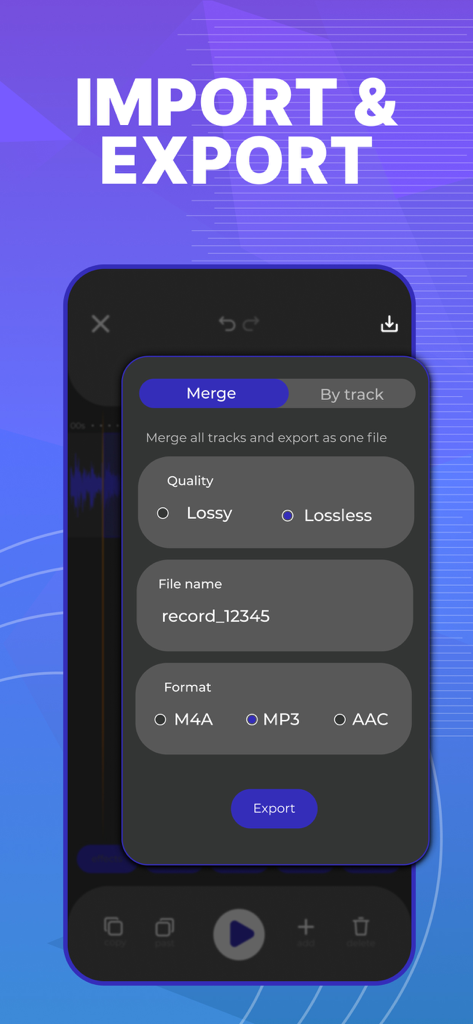
AudioLab app export screen showing options for file name quality and format
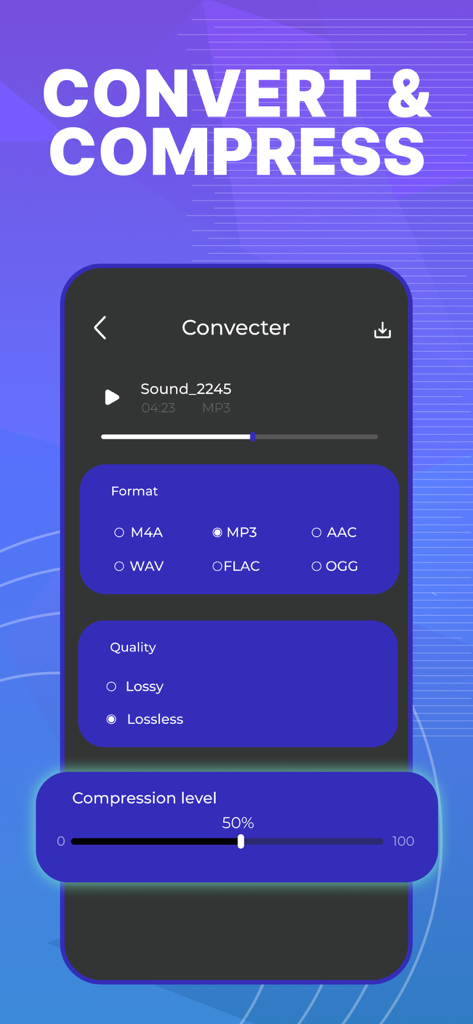
AudioLab mobile app interface for converting and compressing audio files with format and quality settings
Description
Download
More Like This
Apps with similar features and user experience

WavePad音频和音乐编辑器
NCH Software

Audio Editor - Music editor
苏娟 陈

SoundLab - Audio Editor
孛 刘

Microphone Live-Voice Recorder
Arpenik Katikyan

Ferrite Recording Studio
Wooji Juice Ltd

WavePad Music and Audio Editor
NCH Software

au editor - audio cutter
龙刚 李

Audio Editor: Video to Audio
文 夏

Audio Editor:Music Editor
燕倩 费
This page is not an official page of the app or its developer, but an independent editorial publication created for informational and commentary purposes. Unless expressly stated otherwise, neither the app nor its developer is affiliated with, endorsed by, sponsored by, authorized by, or otherwise officially connected with MWM, Apple, Google Play, the app publisher, or the app's developer, and nothing on this page implies that the app was developed using MWM's services. Any trademarks, logos, screenshots, and other content remain the property of their respective owners.