
This page is not an official page of the app or its developer, but an independent editorial publication created for informational and commentary purposes. Unless expressly stated otherwise, neither the app nor its developer is affiliated with, endorsed by, sponsored by, authorized by, or otherwise officially connected with MWM, Apple, Google Play, the app publisher, or the app's developer, and nothing on this page implies that the app was developed using MWM's services. Any trademarks, logos, screenshots, and other content remain the property of their respective owners.

WavePad Music and Audio Editor
Master your tracks with desktop-class precision. Record, edit, and apply professional effects like noise reduction and normalize with seamless cloud integration for creators on the move.
Downloads
2M+User Rating
Total Ratings
4K+Publisher
Category
MusicLocales
1Latest Version
20.38Size
25.3 MBFirst Released
Oct 5, 2010Professional Audio Power in Your Pocket
WavePad brings desktop-grade editing tools to your mobile device, empowering creators and pros to produce studio-quality sound anywhere.
Precision Editing Tools
Quickly cut, trim, and paste audio with surgical precision using a pro-level interface built for speed.
Advanced Audio Effects
Polish your sound with noise reduction, normalization, and echo effects to achieve professional clarity.
Frequently Asked Questions
Everything you need to know about WavePad Music and Audio Editor
What is WavePad Music and Audio Editor?
WavePad Music and Audio Editor is a professional application for editing and recording music, voice, and other audio files. It offers tools for editing, applying effects, and managing audio recordings.
What audio file formats does WavePad support?
WavePad Music and Audio Editor supports various audio file formats, including vox, gsm, wave, and aiff. This allows users to work with diverse audio types.
Can I edit audio files with WavePad Music and Audio Editor?
Yes, WavePad Music and Audio Editor provides extensive editing capabilities. These include fundamental tools like cut, copy, paste, insert, and trim for precise audio manipulation.
Does WavePad Music and Audio Editor include audio effects?
Yes, WavePad Music and Audio Editor includes various audio effects. These range from basic echo, amplify, and normalize to more advanced options like phaser, flanger, and distortion.
Does WavePad Music and Audio Editor offer voice-activated recording?
Yes, WavePad Music and Audio Editor supports voice-activated recording. This feature allows the application to automatically begin recording when it detects sound.
Can WavePad Music and Audio Editor connect to cloud storage?
Yes, WavePad Music and Audio Editor integrates with cloud storage services. Users can conveniently upload and download audio files from their Google Drive and Dropbox accounts.
Does WavePad Music and Audio Editor offer subscriptions?
Yes, WavePad Music and Audio Editor offers optional in-app purchases and subscriptions. Subscriptions are billed monthly and automatically renew unless auto-renewal is turned off.
How do I cancel my WavePad Music and Audio Editor subscription?
You can cancel your WavePad subscription by disabling auto-renewal in your user's Account Settings after purchase. This action must occur at least 24 hours before the current period ends.
Can WavePad Music and Audio Editor perform noise reduction?
Yes, WavePad Music and Audio Editor provides noise reduction capabilities. It includes specific tools like Multi-band Noise Gating and Auto Spectral Subtraction for audio cleanup.
Does WavePad Music and Audio Editor support equalizer adjustments?
Yes, WavePad Music and Audio Editor features an equalizer. It offers visual, graphic, and parametric adjustment options to control frequency and depth settings for audio tracks.
The following screenshots and description are sourced directly from the app's official store listing and are the property of the app developer.
App Store
Screenshots
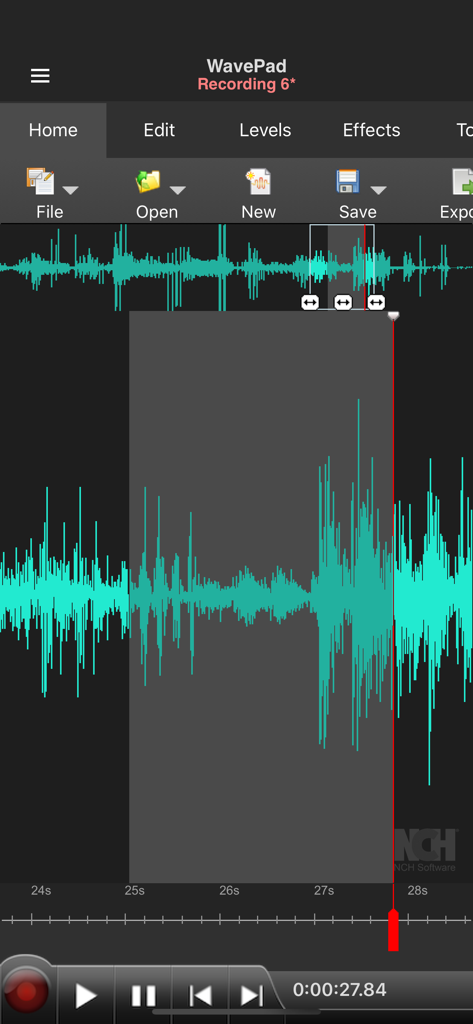
WavePad audio editor interface showing a teal waveform with a segment selected for editing
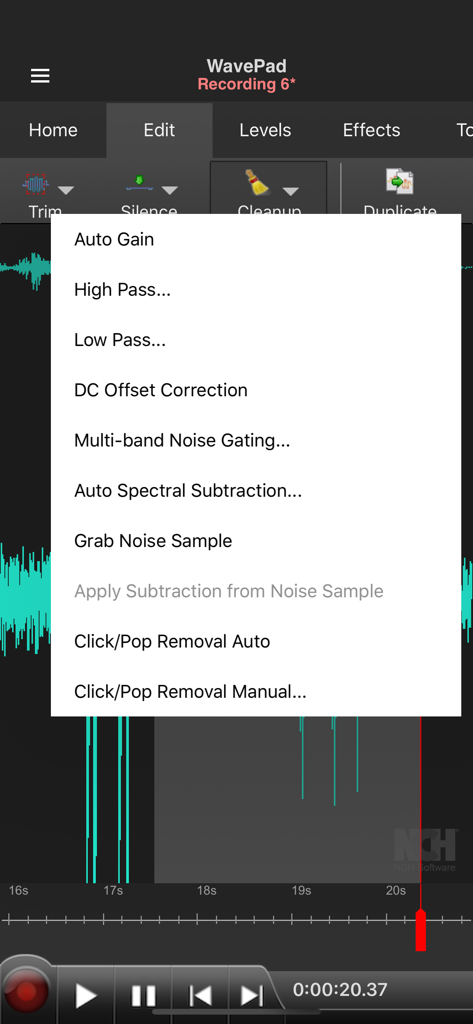
Interface of WavePad audio editor showing professional cleanup tools including noise gating and spectral subtraction
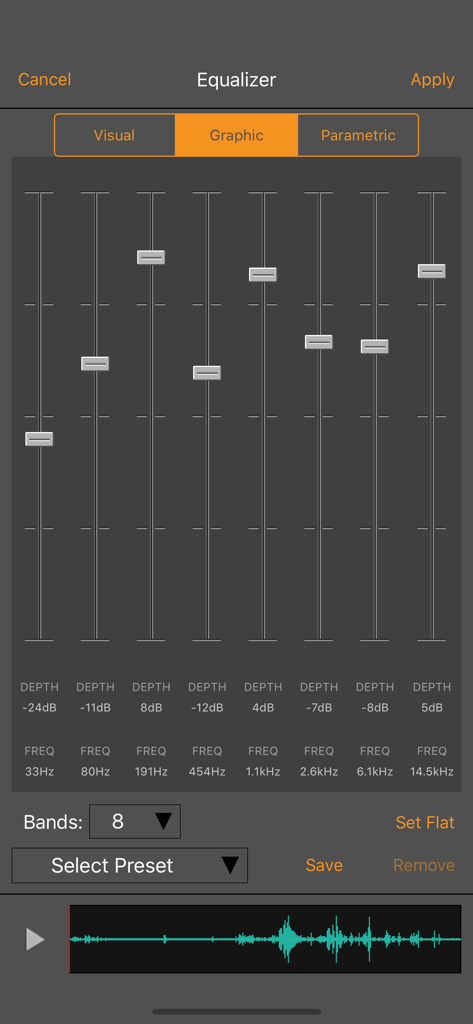
Graphic equalizer interface in WavePad Music and Audio Editor showing eight frequency bands and audio sliders
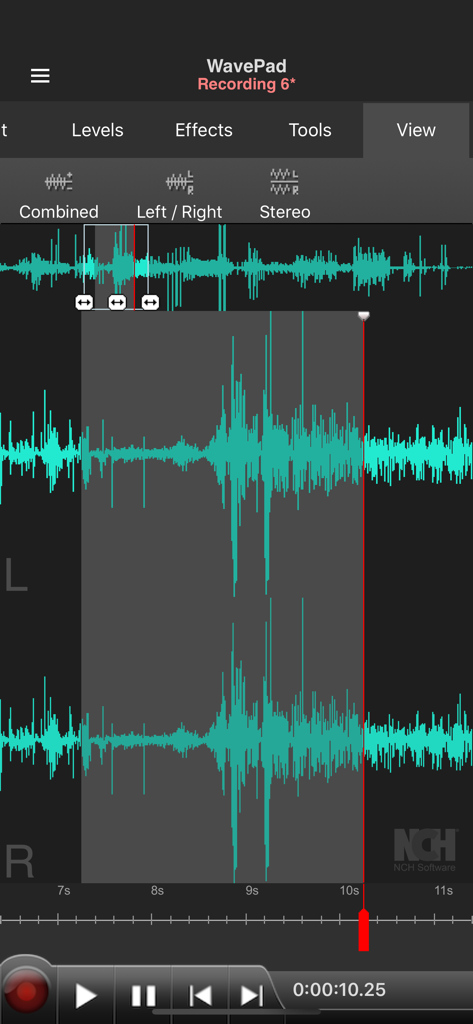
WavePad app interface showing stereo audio waveforms and editing controls
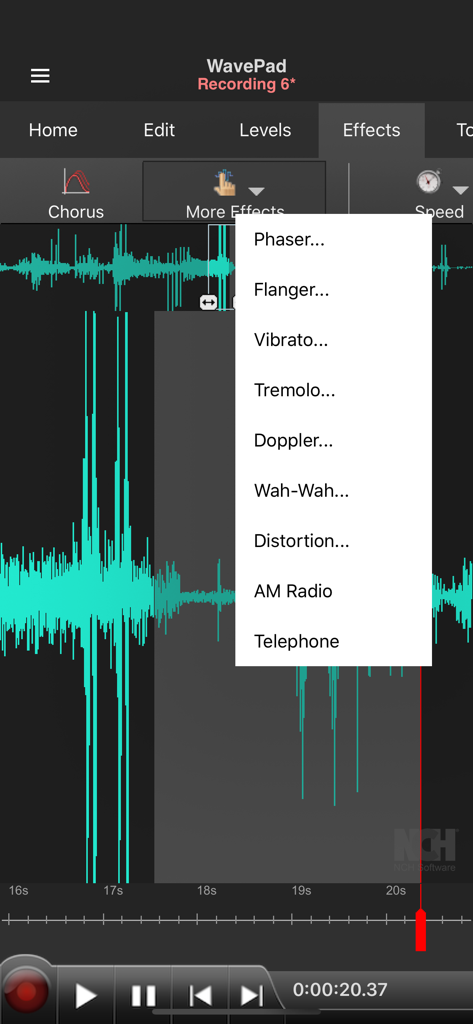
WavePad audio editor interface displaying a turquoise waveform and the more effects dropdown menu
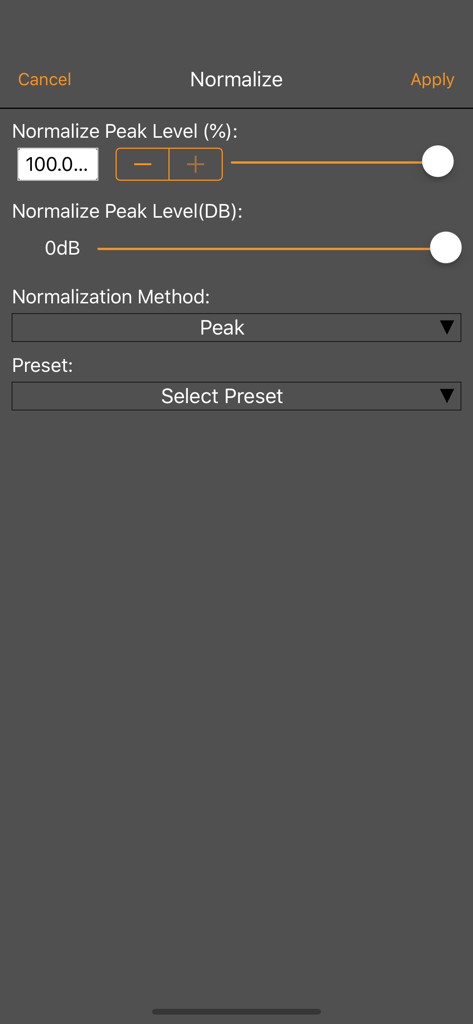
Interface of the WavePad audio editor normalization tool showing peak level adjustments and presets
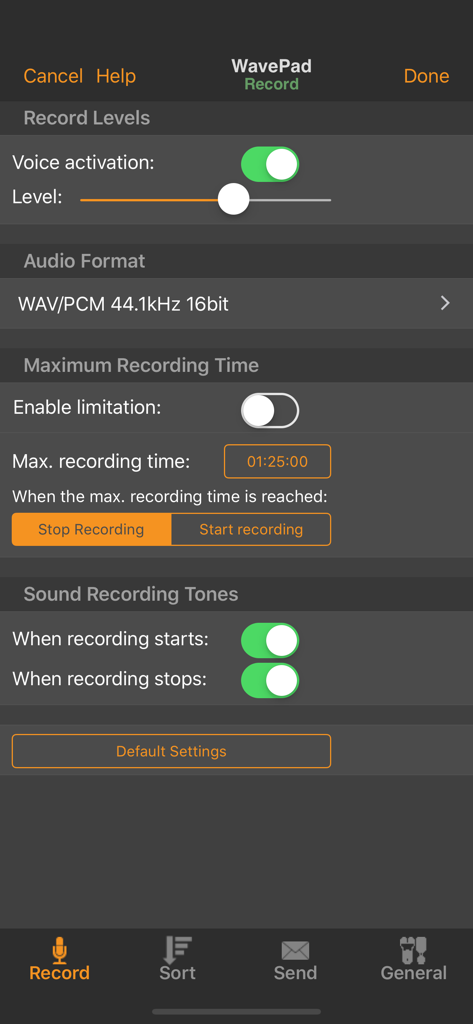
WavePad recording settings screen showing voice activation level, audio format selection, and maximum recording time options.
Description
Download
More Like This
Apps with similar features and user experience

WavePad音频和音乐编辑器
NCH Software

Audio Editor - Music editor
苏娟 陈

SoundLab - Audio Editor
孛 刘

Microphone Live-Voice Recorder
Arpenik Katikyan

Ferrite Recording Studio
Wooji Juice Ltd

Audio Editor - AudioLab, Mixer
Innovation Software Development 360 LLC

au editor - audio cutter
龙刚 李

Audio Editor: Video to Audio
文 夏

Audio Editor:Music Editor
燕倩 费
This page is not an official page of the app or its developer, but an independent editorial publication created for informational and commentary purposes. Unless expressly stated otherwise, neither the app nor its developer is affiliated with, endorsed by, sponsored by, authorized by, or otherwise officially connected with MWM, Apple, Google Play, the app publisher, or the app's developer, and nothing on this page implies that the app was developed using MWM's services. Any trademarks, logos, screenshots, and other content remain the property of their respective owners.