
This page is not an official page of the app or its developer, but an independent editorial publication created for informational and commentary purposes. Unless expressly stated otherwise, neither the app nor its developer is affiliated with, endorsed by, sponsored by, authorized by, or otherwise officially connected with MWM, Apple, Google Play, the app publisher, or the app's developer, and nothing on this page implies that the app was developed using MWM's services. Any trademarks, logos, screenshots, and other content remain the property of their respective owners.

Audio Editor - Music editor
From viral TikTok mashups to crystal-clear podcasts, master your sound with AI vocal separation, noise reduction, and studio-grade effects—all in one lightweight app that saves your storage.
Downloads
8M+User Rating
Total Ratings
129K+Publisher
Category
MusicLocales
17Latest Version
2.0.27Size
57.5 MBFirst Released
Jan 2, 2020Everything You Need to Sound Professional
From viral TikTok voiceovers to high-fidelity music editing, unlock a full suite of pro-grade audio tools optimized for your mobile lifestyle and phone storage.
AI-Powered Vocal Separation
Instantly isolate vocals or remove background music with one tap. The ultimate tool for creating remixes, mashups, and high-impact social media content.
High-Speed Precision Editing
Splice, mix, and loop tracks with intuitive drag-and-drop controls. Get desktop-level results at one-third the storage size of other professional editing apps.
Frequently Asked Questions
Everything you need to know about Audio Editor - Music editor
What is the "Audio Editor - Music editor" app?
The "Audio Editor - Music editor" is a simple and powerful audio editing tool for iPhone and iPad. It enables professional audio clip work, including editing, applying effects, and utilizing various audio characteristics.
What devices does the "Audio Editor - Music editor" app support?
The "Audio Editor - Music editor" app supports both iPhone and iPad devices. It is designed to complete professional audio clips work on these Apple mobile platforms.
Can the "Audio Editor" app record audio?
Yes, the "Audio Editor" app can record audio. It supports recording with wired or wireless earphones, including AirPods and AirPods Pro, and allows accompaniment playback during recording.
Does the "Audio Editor - Music editor" app include special sound effects?
Yes, the "Audio Editor - Music editor" app includes special sound effects like Pitch, Reverb, Distortion, Delay, and a 10-section Equalizer. These effects modify audio characteristics like voice, space, and tone.
How can users import audio into the "Audio Editor" app?
The "Audio Editor" app supports over six ways to import audio, including video extract, WiFi transfer, UTI, Apple Music, files, and clipboard. This ensures versatile audio source integration.
Can "Audio Editor - Music editor" convert audio formats?
Yes, the "Audio Editor - Music editor" app can convert audio formats. It supports free conversion among various formats such as mp3, m4a, m4r, wav, and aiff.
Does the "Audio Editor" app offer noise reduction?
Yes, the "Audio Editor" app offers a noise reduction feature within its Audio Toolbox. This tool helps eliminate unwanted audio noise, enhancing sound clarity.
Can "Audio Editor - Music editor" separate vocals from accompaniment?
Yes, the "Audio Editor - Music editor" app can separate vocals and accompaniment. This feature is available in the Audio Toolbox, allowing users to isolate voice tracks.
How does the auto-renewal feature work for "Audio Editor - Music editor" subscriptions?
The "Audio Editor - Music editor" subscription is auto-renewable monthly or yearly. Payment is charged to your Apple iTunes account, and renewal automatically occurs 24 hours before the subscription expires.
How can users cancel an "Audio Editor - Music editor" subscription?
Users must manually turn off automatic renewal in their Apple ID account settings at least 24 hours before the subscription period expires. No charge occurs after closing the renewal.
Does the "Audio Editor" app support text-to-speech?
Yes, the "Audio Editor" app supports text-to-speech conversion. This feature transforms text into natural human voice, with options for language, country, speaker, volume, rate, and pitch.
Can I apply multiple effects or edits to several audio files at once in Audio Editor?
Yes, the Audio Editor app offers batch processing. This feature allows users to apply multiple commands, such as clipping, rate adjustment, volume, and pitch changes, to several audio files simultaneously.
The following screenshots and description are sourced directly from the app's official store listing and are the property of the app developer.
App Store
Screenshots
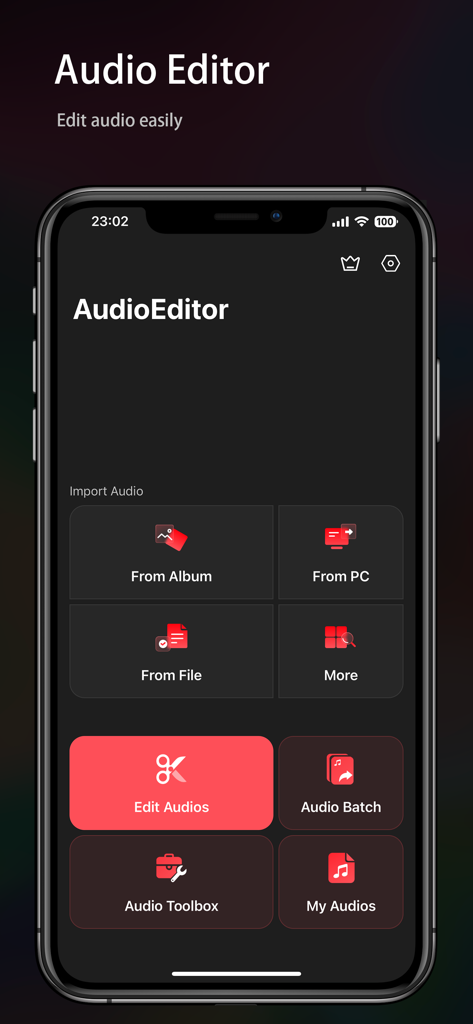
Main menu of Audio Editor app showing audio import and editing tools on a dark interface.
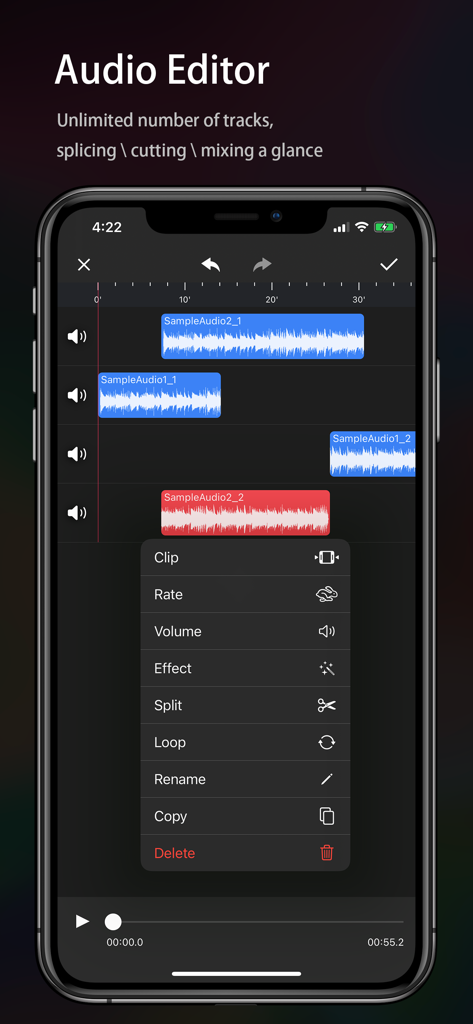
Mobile audio editor interface showing multiple sound tracks and a menu of editing tools like clip and split
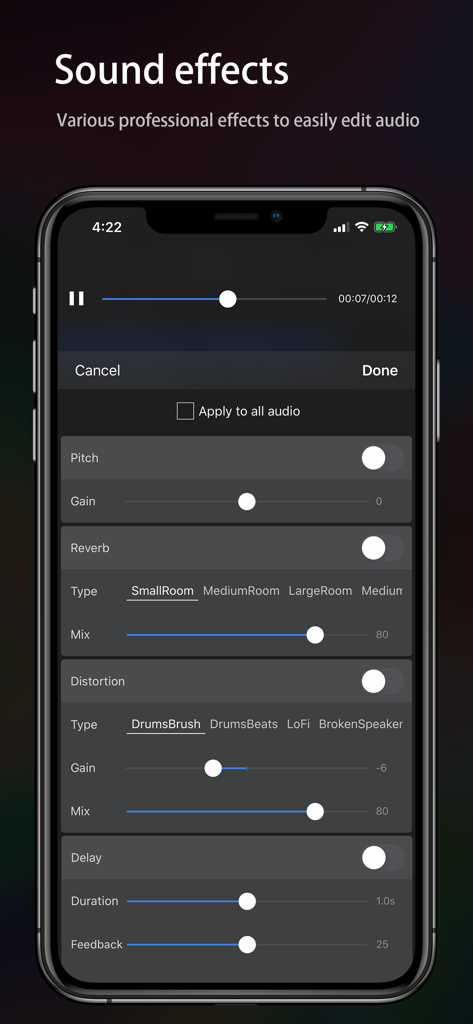
Interface of Audio Editor app featuring various sound effects like reverb and distortion.
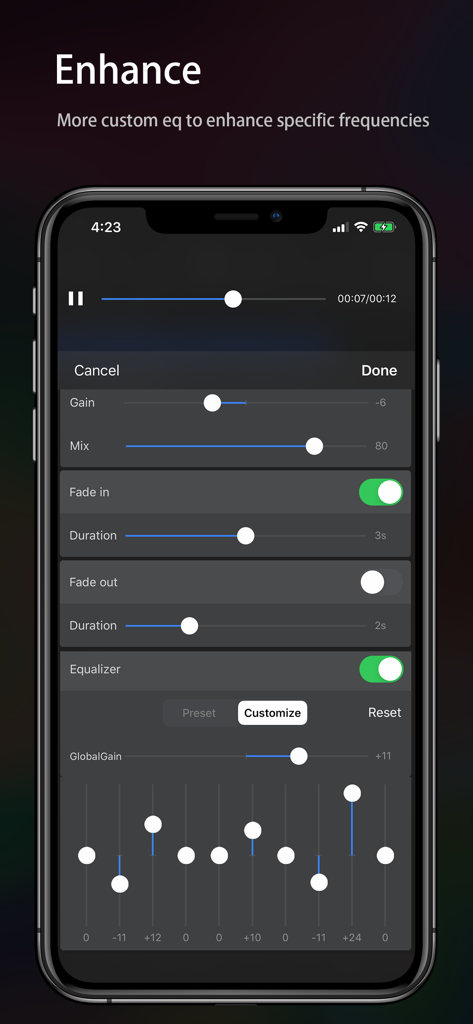
Custom equalizer and audio enhancement settings in the Audio Editor mobile app.
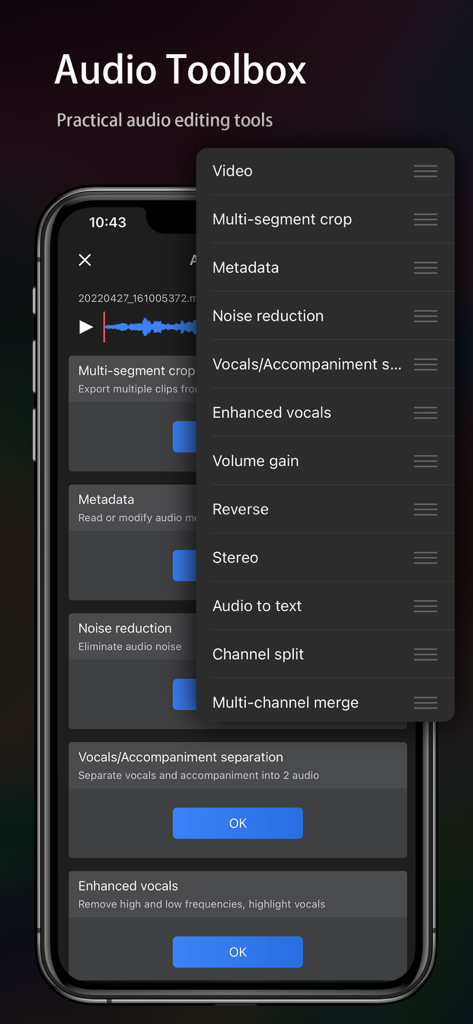
A mobile phone screen showing a list of practical audio editing tools in the Audio Editor app toolbox.
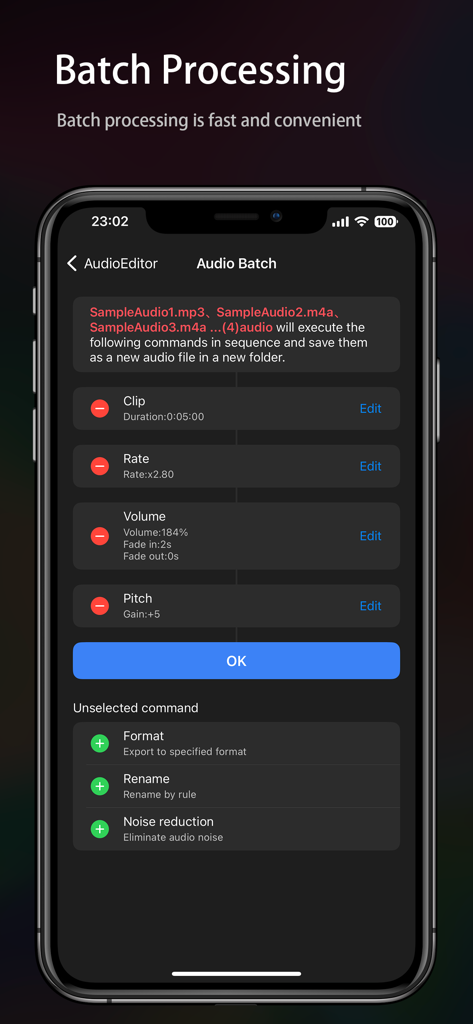
Mobile app interface showing batch processing tools for multiple audio files
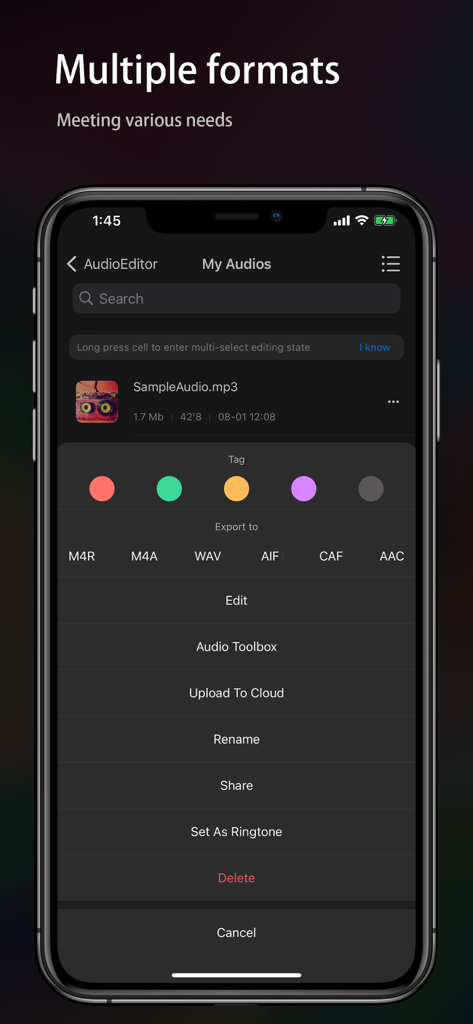
Audio Editor app interface showing multiple export formats and file management options
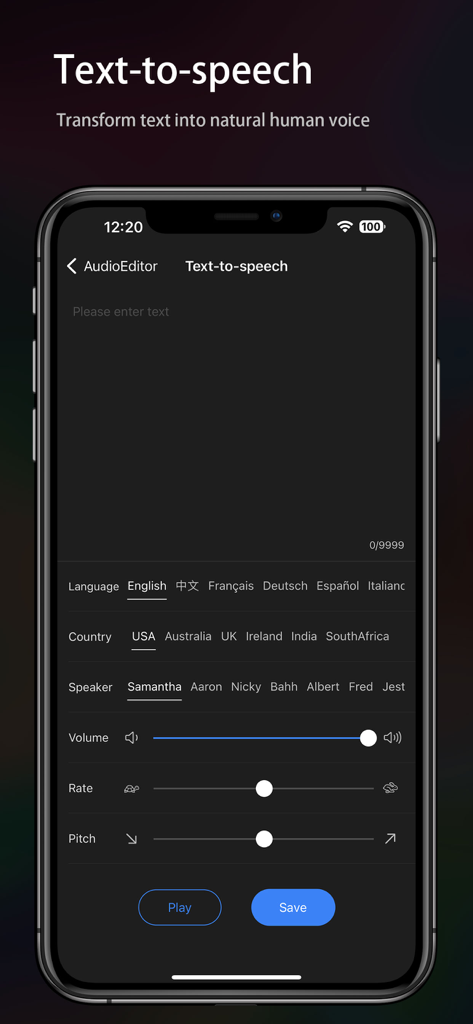
Mobile app interface showing text to speech settings with options for language country speaker and voice adjustment sliders
Description
Download
More Like This
Apps with similar features and user experience

WavePad音频和音乐编辑器
NCH Software

SoundLab - Audio Editor
孛 刘

Microphone Live-Voice Recorder
Arpenik Katikyan

Ferrite Recording Studio
Wooji Juice Ltd

WavePad Music and Audio Editor
NCH Software

Audio Editor - AudioLab, Mixer
Innovation Software Development 360 LLC

au editor - audio cutter
龙刚 李

Audio Editor: Video to Audio
文 夏

Audio Editor:Music Editor
燕倩 费
This page is not an official page of the app or its developer, but an independent editorial publication created for informational and commentary purposes. Unless expressly stated otherwise, neither the app nor its developer is affiliated with, endorsed by, sponsored by, authorized by, or otherwise officially connected with MWM, Apple, Google Play, the app publisher, or the app's developer, and nothing on this page implies that the app was developed using MWM's services. Any trademarks, logos, screenshots, and other content remain the property of their respective owners.