
This page is not an official page of the app or its developer, but an independent editorial publication created for informational and commentary purposes. Unless expressly stated otherwise, neither the app nor its developer is affiliated with, endorsed by, sponsored by, authorized by, or otherwise officially connected with MWM, Apple, Google Play, the app publisher, or the app's developer, and nothing on this page implies that the app was developed using MWM's services. Any trademarks, logos, screenshots, and other content remain the property of their respective owners.

Ferrite Recording Studio
Streamline your workflow with the award-winning mobile studio designed for podcasters, journalists, and voice-over artists. From streamlined recording to advanced multi-track editing with automated silence removal, create broadcast-quality content anywhere your story takes you.
Downloads
625K+User Rating
Total Ratings
100Publisher
Category
MusicLocales
5Latest Version
3.2.2Size
24.9 MBFirst Released
Nov 5, 2015Power Your Production Anywhere
Ferrite bridges the gap between simple recorders and complex desktop software, providing a professional-grade studio optimized for your mobile workflow.
Desktop Power, Touch Simplicity
Effortlessly manage multi-track projects with intuitive gestures. Slice, crop, and crossfade clips with a level of precision and speed that traditional mice can't match.
Pro-Grade Polish, Automatically
Save hours of tedious editing. Use Strip Silence to instantly remove gaps and Automatic Ducking to perfectly balance background music with your voice.
Frequently Asked Questions
Everything you need to know about Ferrite Recording Studio
What is Ferrite Recording Studio?
Ferrite Recording Studio is an award-winning app designed for creating podcasts, radio journalism, lectures, speeches, and voice-overs. It combines easy recording with versatile multi-track editing, offering powerful tools for professional audio production.
Does Ferrite Recording Studio offer multi-track editing?
Yes, Ferrite supports multi-track editing, allowing users to arrange multiple audio clips, adjust volume and panning, and apply fades and crossfades. This enables comprehensive podcast or broadcast package production.
Is there a limit on project duration in Ferrite Recording Studio?
Yes, the free version of Ferrite has limited duration for recording and editing projects. Upgrading to the Pro version unlocks the ability to edit projects up to 24 hours long.
Can I enhance audio quality with effects in Ferrite Recording Studio?
Yes, Ferrite Recording Studio provides advanced features like Noise Reduction, Auto Levelling, EQ, Noise Gate, and Dynamic Range Compression via an In-App Purchase to enhance audio quality for professional results.
How does Ferrite Recording Studio facilitate recording audio?
Ferrite offers streamlined recording with one-tap activation and the ability to handle hours-long sessions. Users can bookmark moments, monitor levels with live meters, and import audio from various sources like iCloud and Dropbox.
How can I organize my audio projects in Ferrite Recording Studio?
Yes, Ferrite allows the creation of smart folders and templates to organize recordings. Users can search by titles, bookmarks, people, and chapters, and filter by file types and custom tags.
Does Ferrite Recording Studio support automation of audio settings?
Yes, Ferrite supports audio automation, allowing users to automate volume, panning, and effects settings over time. This applies to individual tracks and the final mix for dynamic sound control.
Can Ferrite Recording Studio help remove silence from recordings?
Yes, Ferrite Recording Studio includes features such as 'Strip Silence' and 'Tighten Audio'. Strip Silence removes silent sections, and Tighten Audio automatically eliminates awkward pauses and gaps to save editing time.
Can I add chapters and cover art to my podcasts in Ferrite?
Yes, Ferrite allows users to prepare podcasts by adding cover art and creating MP3 chapters. This helps structure the audio content for listeners and adds professional polish.
Does Ferrite Recording Studio have an Undo/Redo function?
Yes, Ferrite Recording Studio features an extensive Undo/Redo history. This allows users to revert changes even after quitting the app and reopening it at a later date.
The following screenshots and description are sourced directly from the app's official store listing and are the property of the app developer.
App Store
Screenshots
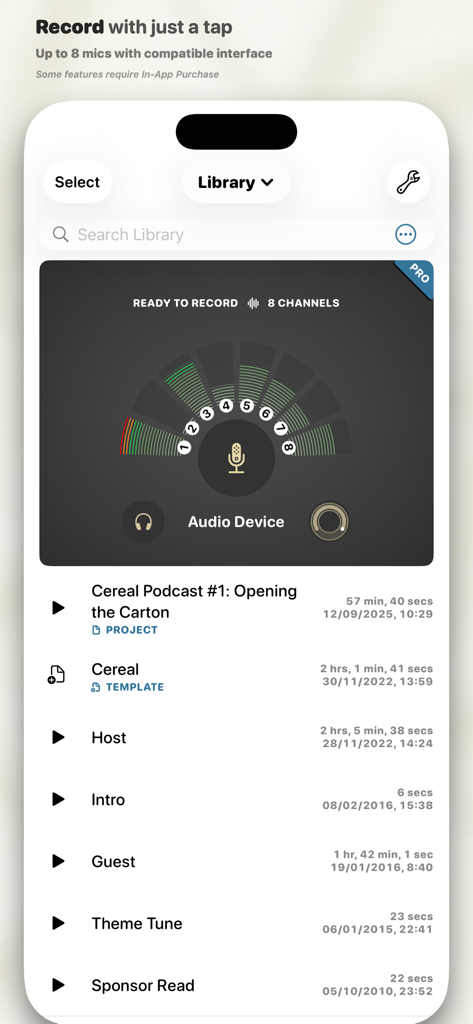
Ferrite Recording Studio app interface showing a list of podcast projects and an 8 channel audio recording meter
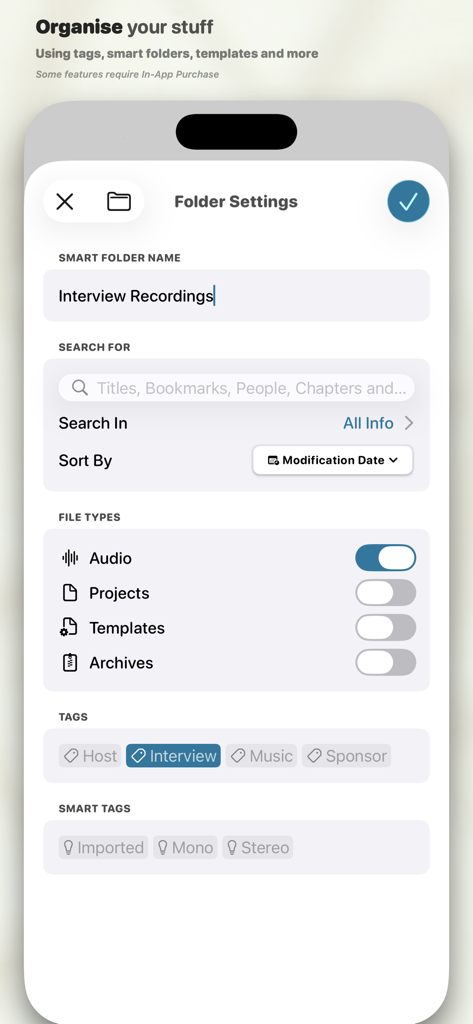
Interface of Ferrite Recording Studio showing smart folder settings with tags for interview recordings.
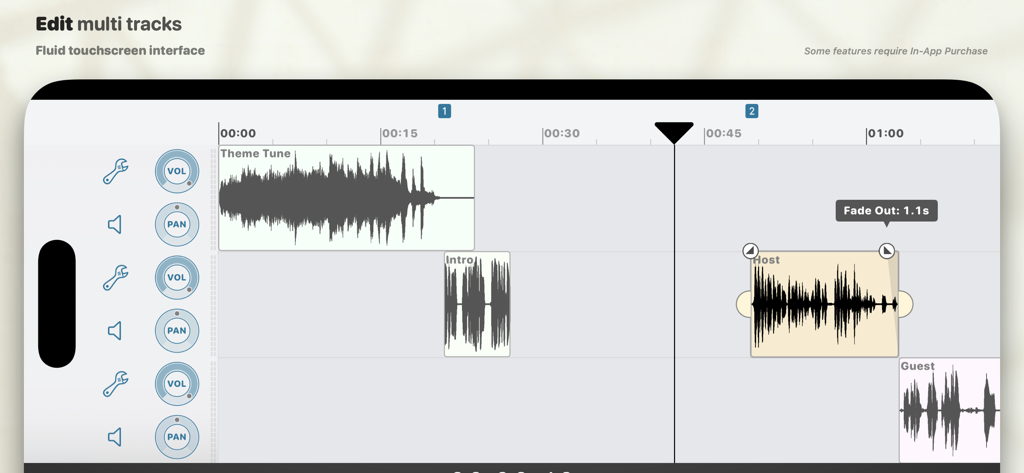
Multi-track audio editing timeline in Ferrite Recording Studio showing waveform clips for theme tune, host, and guest with volume and pan controls
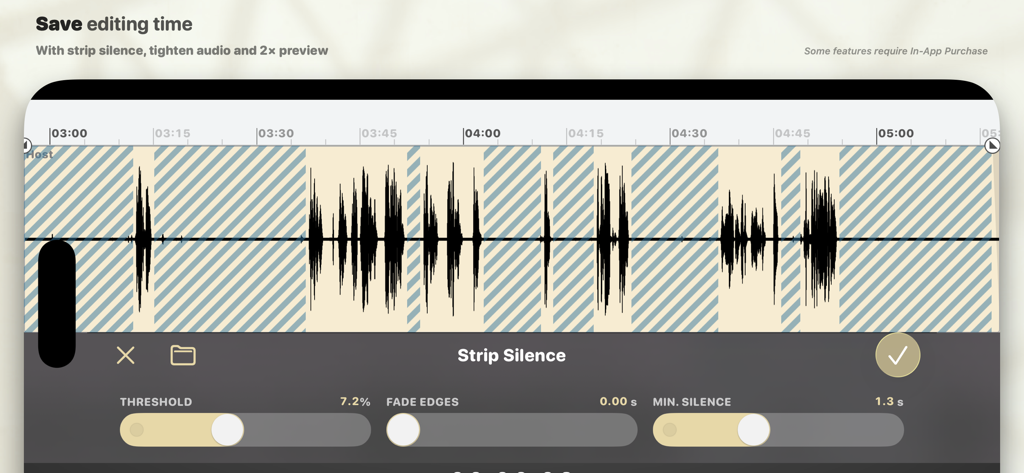
The Strip Silence feature in Ferrite Recording Studio app for automatic removal of silent gaps in audio recordings
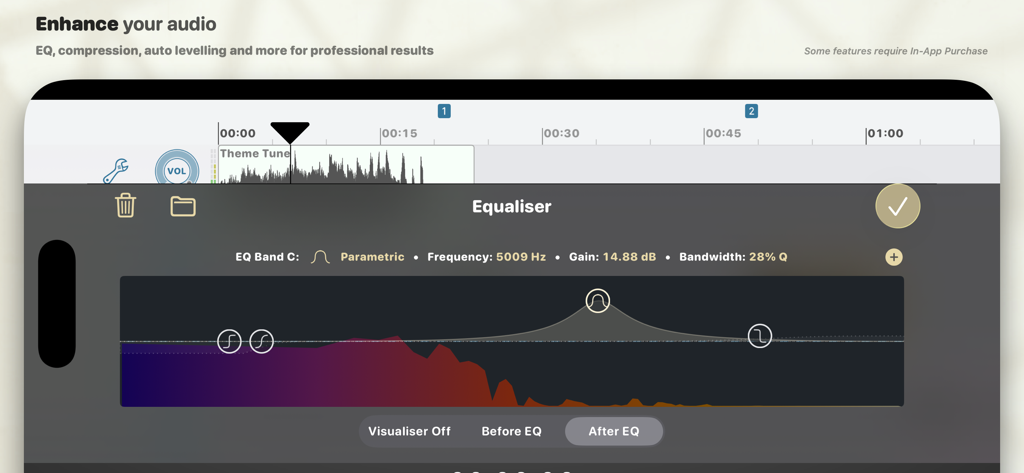
Professional parametric equalizer tool in Ferrite Recording Studio for mobile audio editing
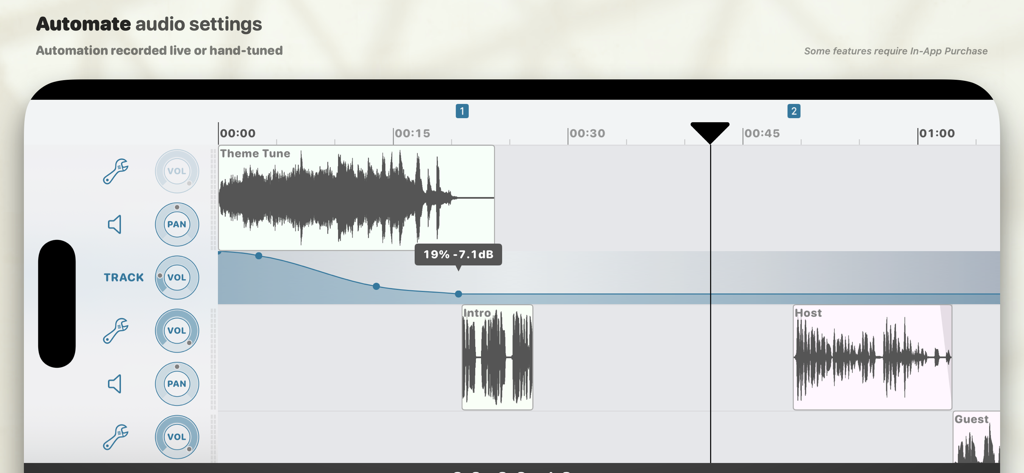
Multi-track audio editing interface showing volume automation curves for professional podcast production
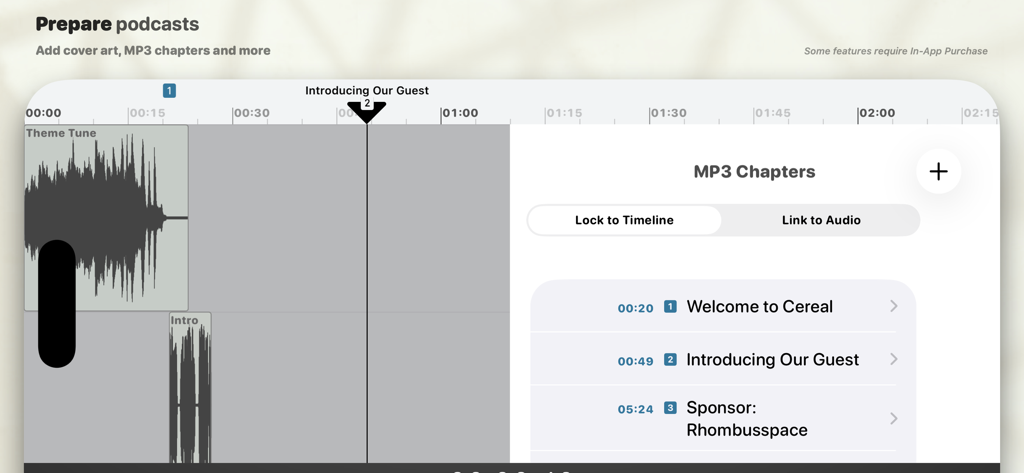
Interface of Ferrite Recording Studio showing the MP3 chapters editing tool with time-stamped titles for a podcast episode
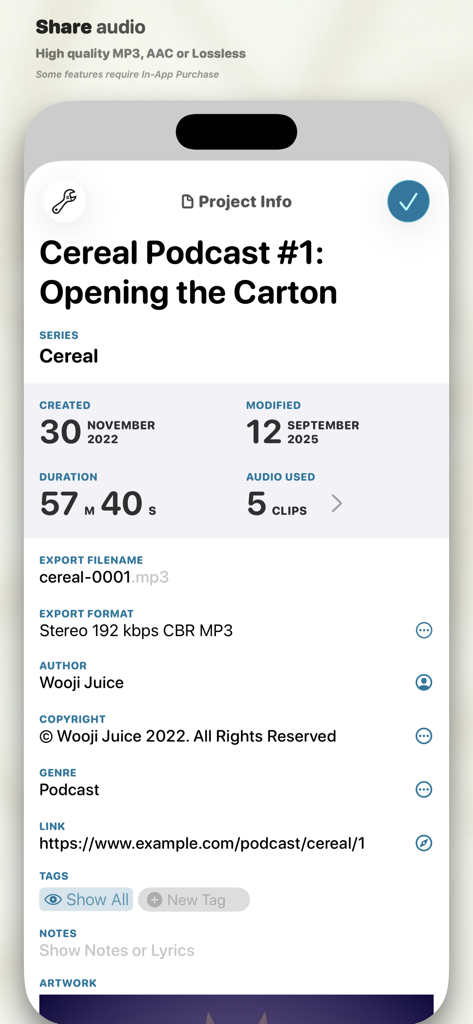
Project information screen in Ferrite Recording Studio showing podcast metadata and export settings
Description
Download
More Like This
Apps with similar features and user experience

WavePad音频和音乐编辑器
NCH Software

Audio Editor - Music editor
苏娟 陈

SoundLab - Audio Editor
孛 刘

Microphone Live-Voice Recorder
Arpenik Katikyan

WavePad Music and Audio Editor
NCH Software

Audio Editor - AudioLab, Mixer
Innovation Software Development 360 LLC

au editor - audio cutter
龙刚 李

Audio Editor: Video to Audio
文 夏

Audio Editor:Music Editor
燕倩 费
This page is not an official page of the app or its developer, but an independent editorial publication created for informational and commentary purposes. Unless expressly stated otherwise, neither the app nor its developer is affiliated with, endorsed by, sponsored by, authorized by, or otherwise officially connected with MWM, Apple, Google Play, the app publisher, or the app's developer, and nothing on this page implies that the app was developed using MWM's services. Any trademarks, logos, screenshots, and other content remain the property of their respective owners.