Audio Trimmer And Audio Joiner
Download on App Store

This page is not an official page of the app or its developer, but an independent editorial publication created for informational and commentary purposes. Unless expressly stated otherwise, neither the app nor its developer is affiliated with, endorsed by, sponsored by, authorized by, or otherwise officially connected with MWM, Apple, Google Play, the app publisher, or the app's developer, and nothing on this page implies that the app was developed using MWM's services. Any trademarks, logos, screenshots, and other content remain the property of their respective owners.


Logo of Audio Trimmer And Audio Joiner
Download on App Store

Audio Trimmer And Audio Joiner

The all-in-one mobile tool for creators and students. Effortlessly trim, join, and convert video to audio with pro-level control and lightning-fast batch processing.

Key Figures

Downloads

0

User Rating

1.0/5

Total Ratings

0

Publisher

Shadat Tonmoy

Category

Utilities

Locales

1

Latest Version

1.0

Size

51.1 MB

First Released

May 8, 2025
Features

Pro-Level Audio Tools in Your Pocket

Designed for speed and precision. Whether you're a content creator, student, or professional, manage all your audio processing needs in seconds without ever leaving your iPhone.

Rapid Batch Processing

Save hours by trimming or converting multiple files at once. The ultimate efficiency tool for long lectures, interviews, and content series.

Instant Video-to-Audio

Extract high-quality soundtracks from your videos in one tap. Turn clips into MP3s for podcasts, social media reels, or custom ringtones.

The following screenshots and description are sourced directly from the app's official store listing and are the property of the app developer.

App Store

Screenshots
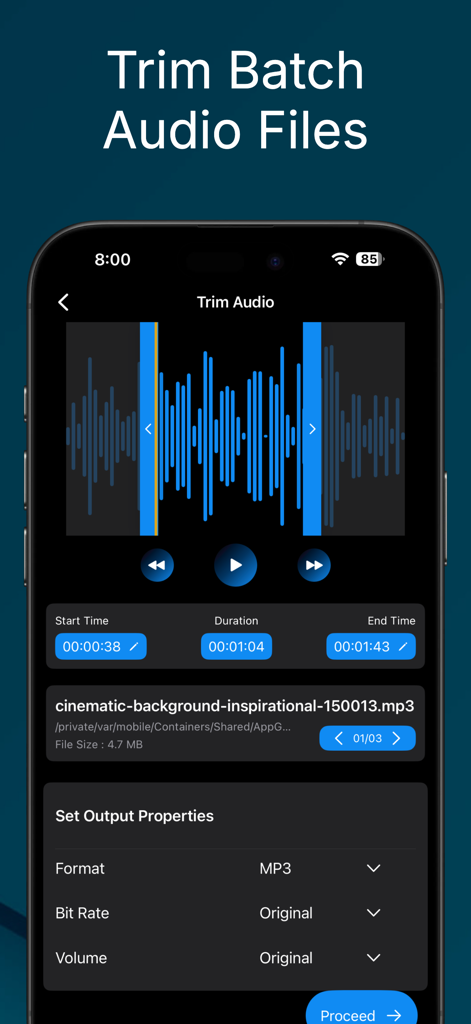
Audio Trimmer And Audio Joiner - Mobile app interface for trimming multiple audio files in batch mode
Mobile app interface for trimming multiple audio files in batch mode

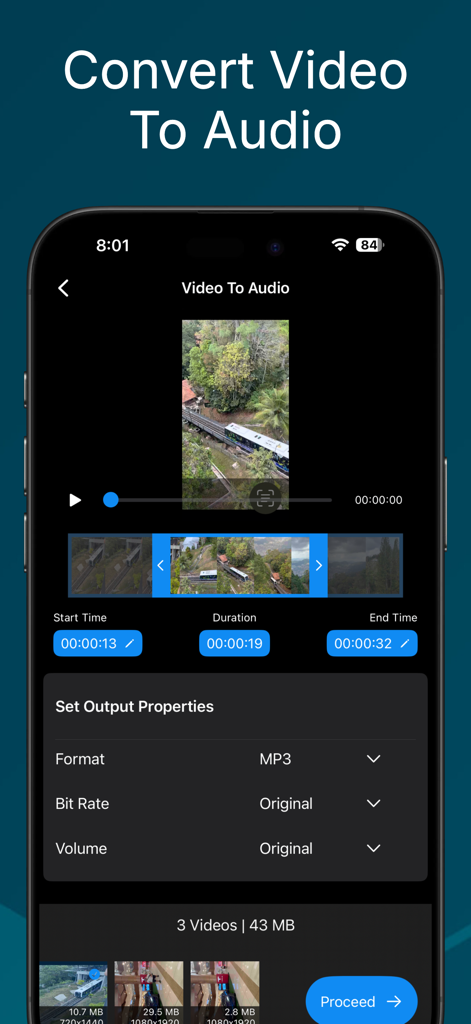
Audio Trimmer And Audio Joiner - Smartphone screen showing the video to audio conversion feature with batch processing and output property settings
Smartphone screen showing the video to audio conversion feature with batch processing and output property settings

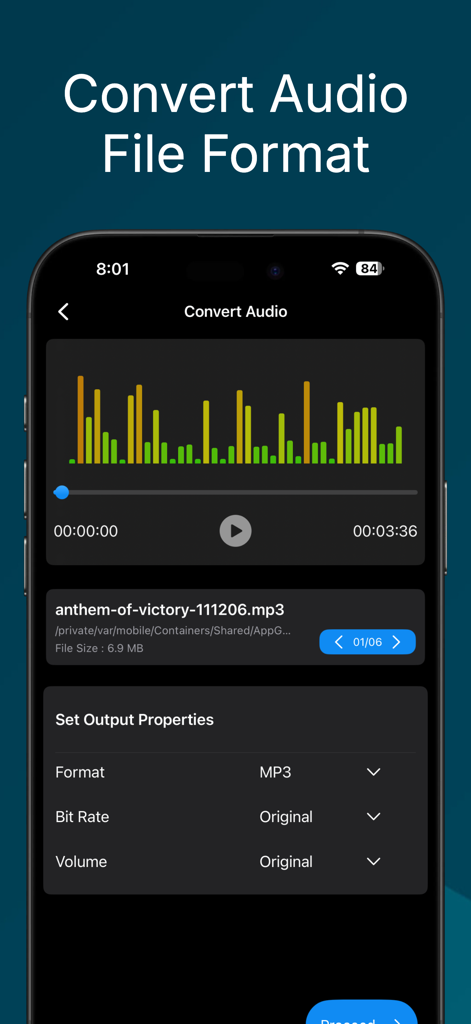
Audio Trimmer And Audio Joiner - App interface for converting audio file formats with output property settings.
App interface for converting audio file formats with output property settings.

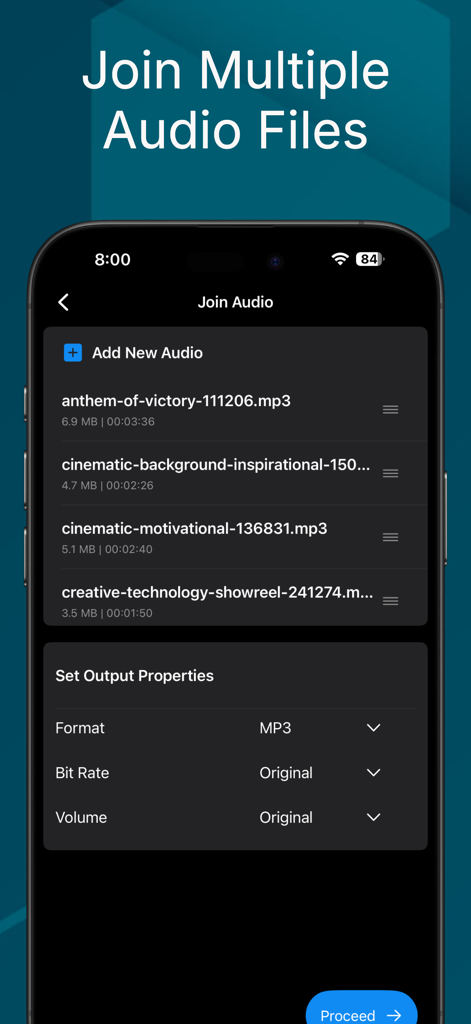
Audio Trimmer And Audio Joiner - Interface for joining multiple audio files with customizable output properties
Interface for joining multiple audio files with customizable output properties

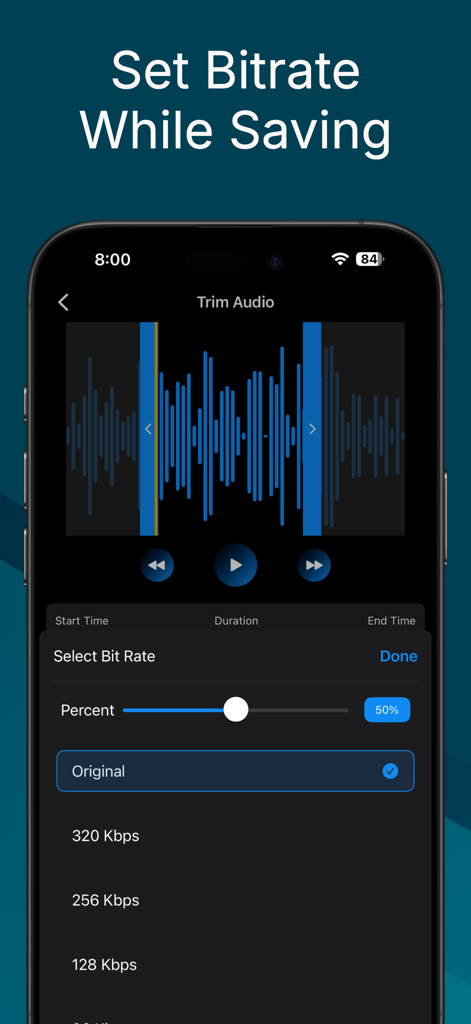
Audio Trimmer And Audio Joiner - A smartphone screen displaying the bitrate selection menu in the Audio Trimmer and Joiner app
A smartphone screen displaying the bitrate selection menu in the Audio Trimmer and Joiner app

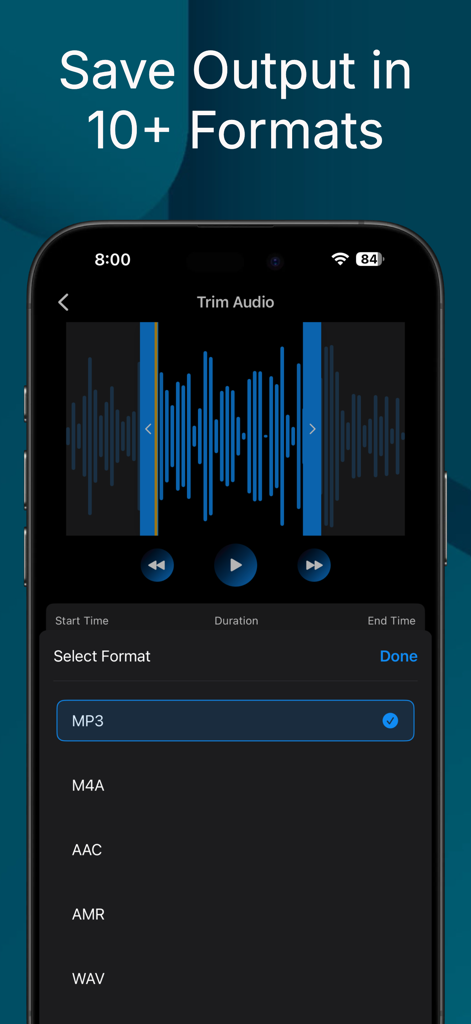
Audio Trimmer And Audio Joiner - Mobile app interface showing audio trimming with a list of output formats like MP3 M4A and WAV
Mobile app interface showing audio trimming with a list of output formats like MP3 M4A and WAV

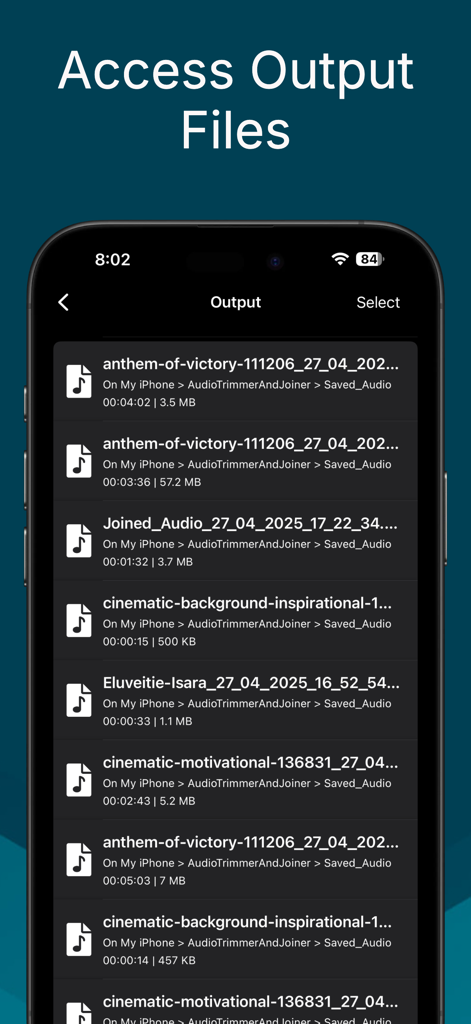
Audio Trimmer And Audio Joiner - A screen displaying a list of processed and saved audio files with their file names, durations, and sizes.

A screen displaying a list of processed and saved audio files with their file names, durations, and sizes.

Description

Audio trimmer and joiner app for iOS with which user can easily trim batch audio files, convert format of audio files, convert video to audio. Audio trimmer and joiner app provides an easy and convenient way to perform common audio editing operation like trim or cut audio files, set the volume of audio, join multiple audio files into single audio file, convert video files to audio file etc. You can perform all these operations within finger tips. Just choose any audio file from your iPhone or iCloud and with the help of this simple audio converter app do the following operation at your ease - Trim Batch Audio Files to make a clip out of a long audio files and save them as popular audio formats like MP3, AAC, WAV etc. - Join multiple audio files into a single audio to create a long audio files from multiple audio clips. - Convert formats of audio to different popular formats like MP3, AAC, WAV, AMR from any formats. - Convert video from your phone or iCloud to audio files and save them with various formats like MP3, AAC, AMR, M4A etc. - Manage and access all the saved audio files with in the app so that you can play, share and delete the saved files directly from the app. The app also supports batch mode while processing audio files. In batch mode you can choose multiple audio files to trim or convert and multiple video files while converting video to audio file. Usually you can choose up to three audio/video files for processing with the free version of the app. But with the premium version you can choose any number of audio/video files for processing. This app is free to download and most of the features of the app is freely accessible with some restrictions. For free user the batch operation is limited to three files and user can save in default frame rate, bit rate and only in MP3 format. But with premium version user can do batch audio trimming, batch video to audio conversion with unlimited number of files. User can also save audio file in various bit rate, frame rate and file format. The app comes with multiple options for premium version which includes subscription and lifetime purchase. There are a couple of subscription option ranging from 1 months to 1 year which allows user to access premium features for the subscription period. Apart from the premium option the app has an initial try out feature which allows user to use the audio trimmer app with a premium like experience for a limited time. User will be restricted from using premium features only after the ends of this limited time. Audio trimmer and joiner app can help you in many ways when you are looking for a proper solution to your audio files to be edited. Hope you will like this app. If you have any query feel free to reach us at stappsbd@gmail.com You can also find us at stcodesapp.com

Download

Download on App Store

This page is not an official page of the app or its developer, but an independent editorial publication created for informational and commentary purposes. Unless expressly stated otherwise, neither the app nor its developer is affiliated with, endorsed by, sponsored by, authorized by, or otherwise officially connected with MWM, Apple, Google Play, the app publisher, or the app's developer, and nothing on this page implies that the app was developed using MWM's services. Any trademarks, logos, screenshots, and other content remain the property of their respective owners.








