
This page is not an official page of the app or its developer, but an independent editorial publication created for informational and commentary purposes. Unless expressly stated otherwise, neither the app nor its developer is affiliated with, endorsed by, sponsored by, authorized by, or otherwise officially connected with MWM, Apple, Google Play, the app publisher, or the app's developer, and nothing on this page implies that the app was developed using MWM's services. Any trademarks, logos, screenshots, and other content remain the property of their respective owners.

AudioLab Audio Editor Recorder
No more excuses for shoddy audio; this app puts a recording studio in your pocket.
Downloads
100k+User Rating
Total Ratings
368Publisher
Category
MusicLocales
17Latest Version
1.5Size
49.3 MBFirst Released
Dec 3, 2024An in-depth look at its core functionalities and their impact on mobile audio production.
Key Features of AudioLab Audio Editor Recorder
Professional-Grade Audio Refinement
It offers a visual waveform editor for precise adjustments, along with pitch shifting, time-stretching, tempo adjustments, and noise reduction tools for polished results.
Intuitive Audio Editing Tools
The app provides tools to cut, trim, splice, and merge audio clips effortlessly, enabling users to apply fades, crossfades, and transitions with precision.
Versatile Export and Sharing
It allows users to export their work in multiple formats, including MP3, WAV, AAC, and M4A, and share directly to social media platforms, email, or cloud storage.
High-Fidelity Audio Recording
This tool features high-quality recording using the device's microphone or an external input, supporting stereo and mono recordings with real-time monitoring.
Advanced Multi-Track Composition
It allows users to work with multiple audio tracks for complex compositions, adjusting track volumes, panning, and effects independently.
Comprehensive Audio Effects Suite
The app provides a suite of professional audio effects such as reverb, echo, distortion, and equalization, with built-in presets and fine-tuning capabilities.
Intuitive User Interface
It features a user-friendly interface with drag-and-drop functionality for quick editing and a customizable workspace for a personalized experience.
Integrated Sound Library & Import
This tool offers access to a royalty-free library of music and sound effects, along with the ability to import files directly from the device or cloud services.
Frequently Asked Questions
Everything you need to know about AudioLab Audio Editor Recorder
What is AudioLab Audio Editor Recorder?
AudioLab Audio Editor Recorder is an intuitive and powerful app designed for audio editing, mixing, and recording. It provides tools for crafting professional-quality soundtracks.
Who can use AudioLab Audio Editor Recorder?
AudioLab Audio Editor Recorder is for podcasters, musicians, content creators, and audio enthusiasts. It helps anyone edit or create audio on their device.
Can I edit audio clips with AudioLab Audio Editor Recorder?
Yes, AudioLab Audio Editor Recorder allows users to cut, trim, splice, merge audio clips, and apply fades, crossfades, and transitions with precision.
Does AudioLab Audio Editor Recorder support multi-track editing?
Yes, AudioLab Audio Editor Recorder supports multi-track editing. Users can work with multiple audio tracks and adjust volumes, panning, and effects independently.
Can AudioLab Audio Editor Recorder record audio?
Yes, AudioLab Audio Editor Recorder records audio in crystal-clear quality. It uses the device's microphone or external input and supports stereo and mono recordings with real-time monitoring.
What export formats does AudioLab Audio Editor Recorder support?
AudioLab Audio Editor Recorder supports exporting work in multiple formats, including MP3, WAV, AAC, and M4A. Users can also share directly to various platforms.
How much does AudioLab Audio Editor Recorder Pro cost?
AudioLab Audio Editor Recorder Pro offers a monthly subscription at $1.99 and a yearly subscription at $9.99. These provide an ad-free premium app experience.
Can AudioLab Audio Editor Recorder convert videos to MP3?
Yes, AudioLab Audio Editor Recorder can convert your favorite videos to MP3 format. This feature allows users to extract audio from video files.
Can AudioLab Audio Editor Recorder cut videos?
Yes, AudioLab Audio Editor Recorder can cut videos accurately and fast. This feature enables precise trimming of video segments directly within the app.
Does AudioLab Audio Editor Recorder have advanced audio tools?
Yes, AudioLab Audio Editor Recorder includes advanced tools like a visual waveform editor, pitch shifting, time-stretching, tempo adjustments, noise reduction, and audio clean-up.
The following screenshots and description are sourced directly from the app's official store listing and are the property of the app developer.
App Store
Screenshots
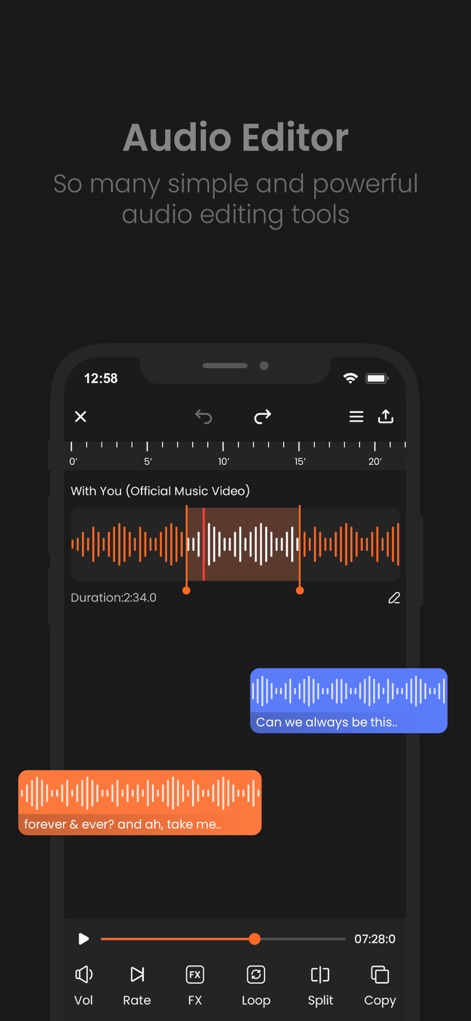
This tool offers a visual waveform editor for precise adjustments and a robust bottom control bar featuring FX and Split options for dynamic audio manipulation.
Precision Audio Editing
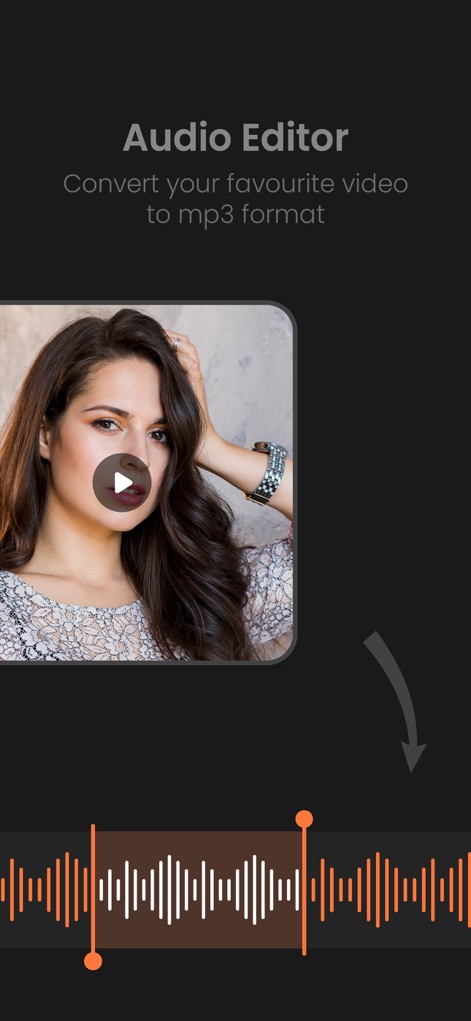
Users can convert video to audio effortlessly, as demonstrated by the prominent video thumbnail and the resulting detailed audio waveform display for further editing.
Convert Video Audio
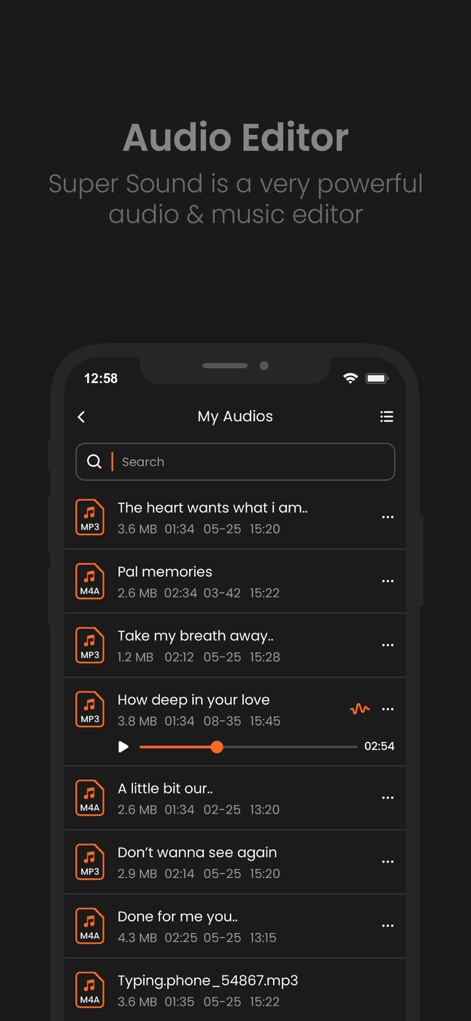
The app provides a clear "My Audios" list, allowing users to efficiently manage their projects, complete with a convenient search bar and display of various audio file formats like MP3 and M4A.
Organize Audio Files
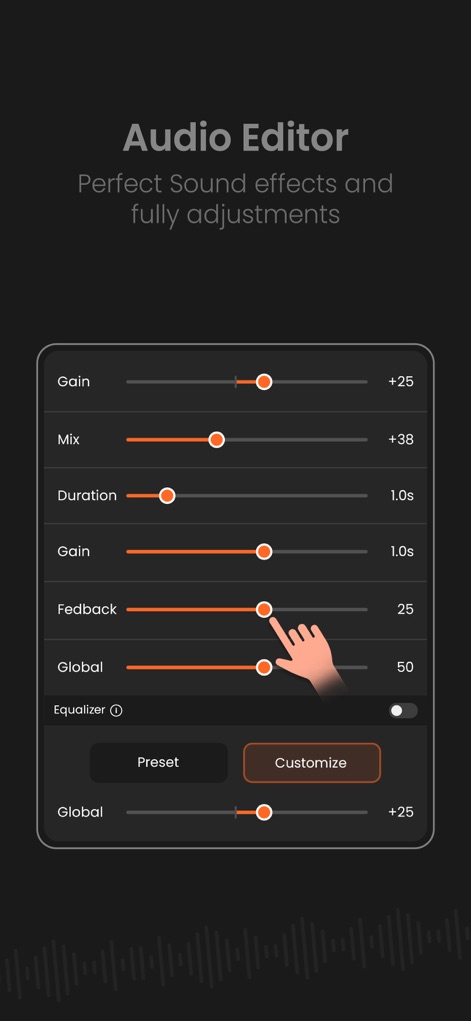
This tool offers advanced audio parameter sliders for precise adjustments to elements like Gain and Mix, alongside comprehensive Equalizer controls, allowing users to toggle between Preset and Customize options.
Fine-Tune Effects
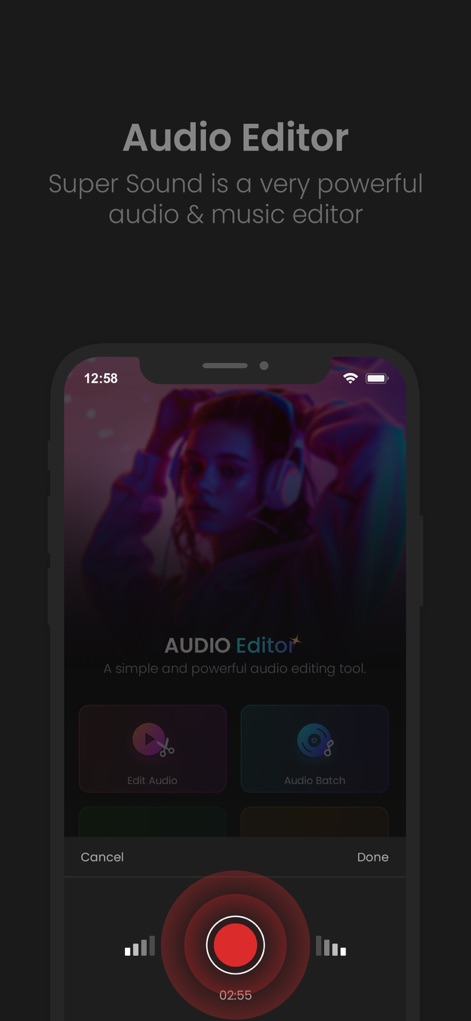
The main interface streamlines workflows with clear "Edit Audio" and "Audio Batch" options, complemented by a large, accessible red record button for instant audio capture.
Start Audio Projects
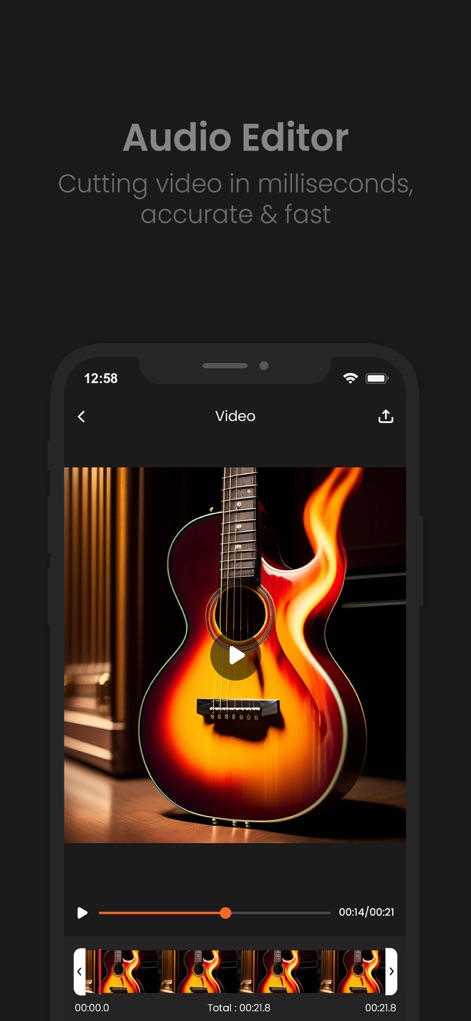
The app facilitates precise video editing with a clear video preview and a detailed video timeline featuring individual frames for accurate cutting and trimming.
Precise Video Cutting
Description
Download
More Like This
Apps with similar features and user experience

WavePad音频和音乐编辑器
NCH Software

Audio Editor - Music editor
苏娟 陈

SoundLab - Audio Editor
孛 刘

Microphone Live-Voice Recorder
Arpenik Katikyan

Ferrite Recording Studio
Wooji Juice Ltd

WavePad Music and Audio Editor
NCH Software

Audio Editor - AudioLab, Mixer
Innovation Software Development 360 LLC

au editor - audio cutter
龙刚 李

Audio Editor: Video to Audio
文 夏
This page is not an official page of the app or its developer, but an independent editorial publication created for informational and commentary purposes. Unless expressly stated otherwise, neither the app nor its developer is affiliated with, endorsed by, sponsored by, authorized by, or otherwise officially connected with MWM, Apple, Google Play, the app publisher, or the app's developer, and nothing on this page implies that the app was developed using MWM's services. Any trademarks, logos, screenshots, and other content remain the property of their respective owners.