
This page is not an official page of the app or its developer, but an independent editorial publication created for informational and commentary purposes. Unless expressly stated otherwise, neither the app nor its developer is affiliated with, endorsed by, sponsored by, authorized by, or otherwise officially connected with MWM, Apple, Google Play, the app publisher, or the app's developer, and nothing on this page implies that the app was developed using MWM's services. Any trademarks, logos, screenshots, and other content remain the property of their respective owners.


Auto Captions: Video Subtitles
Stop wasting time. This app grants you the power to make any video instantly global and accessible, without the manual grind.
Downloads
5M+User Rating
Total Ratings
22.6KPublisher
Category
Photo & VideoLocales
1Latest Version
3.8.3Size
107.4 MBFirst Released
Jun 5, 2013An evaluation of the app's core functionalities designed for digital content creators.
Key Features Analysis: Auto Captions: Video Subtitles
Automatic Caption Generation
The app provides automatic transcription of audio to text, significantly reducing manual effort and making videos instantly accessible.
Multi-Language Support
It allows users to create captions in multiple languages, enabling content creators to reach a global audience and expand their viewership.
No Watermarks
This tool ensures that exported videos are free of watermarks, maintaining a professional and clean appearance for all content.
Customizable Caption Styles
The app offers extensive options to personalize captions with various fonts, colors, backgrounds, and sizes to match brand aesthetics and video tone.
Precise Caption Editing
It allows users to fine-tune caption timing, positioning, and appearance, ensuring perfect synchronization and optimal readability.
Real-time Preview
This tool features a real-time preview function, enabling users to instantly see and adjust edits for a polished final product before export.
Frequently Asked Questions
Everything you need to know about Auto Captions: Video Subtitles
What is Auto Captions: Video Subtitles?
Auto Captions: Video Subtitles is a smart video editing app that automatically generates accurate subtitles for videos. It allows users to customize caption styles, edit text, and supports multiple languages.
Does Auto Captions: Video Subtitles automatically generate captions?
Yes, Auto Captions: Video Subtitles automatically generates captions by transcribing audio to text. This feature saves time and makes video content instantly accessible.
Can I customize the style of captions in Auto Captions: Video Subtitles?
Yes, Auto Captions: Video Subtitles allows extensive customization of caption styles. Users can personalize captions with various fonts, colors, backgrounds, and text sizes.
Does Auto Captions: Video Subtitles support multiple languages?
Yes, Auto Captions: Video Subtitles supports multiple languages for caption creation. This feature enables users to reach a global audience with multilingual subtitles.
Is there a watermark on videos edited with Auto Captions: Video Subtitles?
No, Auto Captions: Video Subtitles allows users to edit and share their videos without watermarks. Content remains clean and professional, free from distractions.
What is the price of Captions Pro in Auto Captions: Video Subtitles?
Captions Pro, the auto-renewing subscription for Auto Captions: Video Subtitles, costs $29.99 per year. This subscription offers unlimited file conversions.
How do I manage my Captions Pro subscription in Auto Captions: Video Subtitles?
Subscriptions for Auto Captions: Video Subtitles can be managed, and auto-renewal turned off, in Account Settings after purchase. Auto-renewal must be off 24-hours before the current period ends.
Does Auto Captions: Video Subtitles offer video editing features beyond captions?
Yes, Auto Captions: Video Subtitles provides additional video editing features. These include adding text, video stickers, splitting, cropping, slow motion, and green screen effects.
The following screenshots and description are sourced directly from the app's official store listing and are the property of the app developer.
App Store
Screenshots
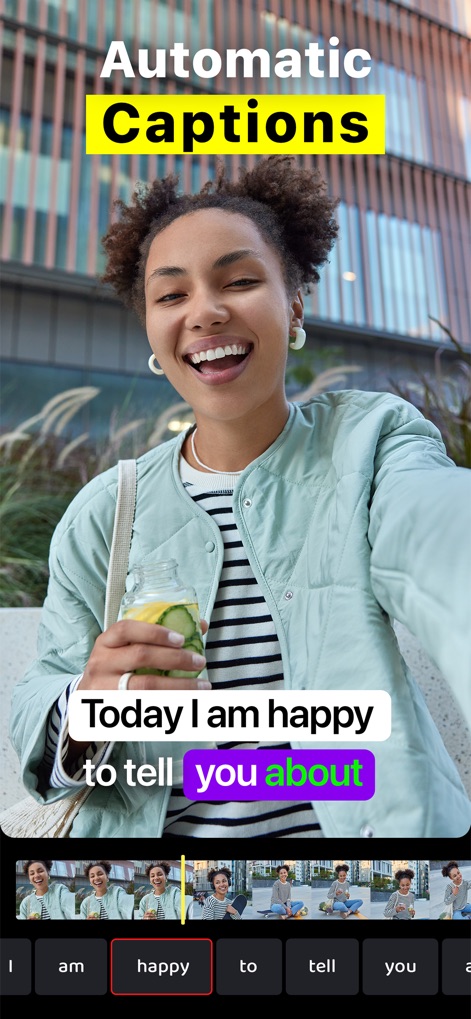
See how the app provides automatic caption generation and an intuitive timeline for precise word-level editing.
Effortless Captioning Workflow

Explore how users can apply custom subtitles to diverse content, with examples of text overlays on various video thumbnails.
Personalized Subtitle Styles
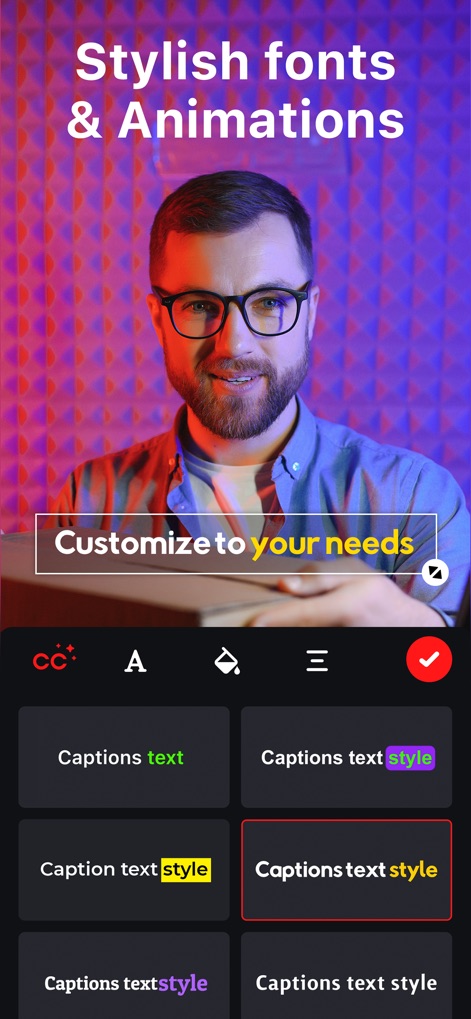
This tool allows for extensive customization of captions with stylish fonts and various animation options.
Stylize Your Text
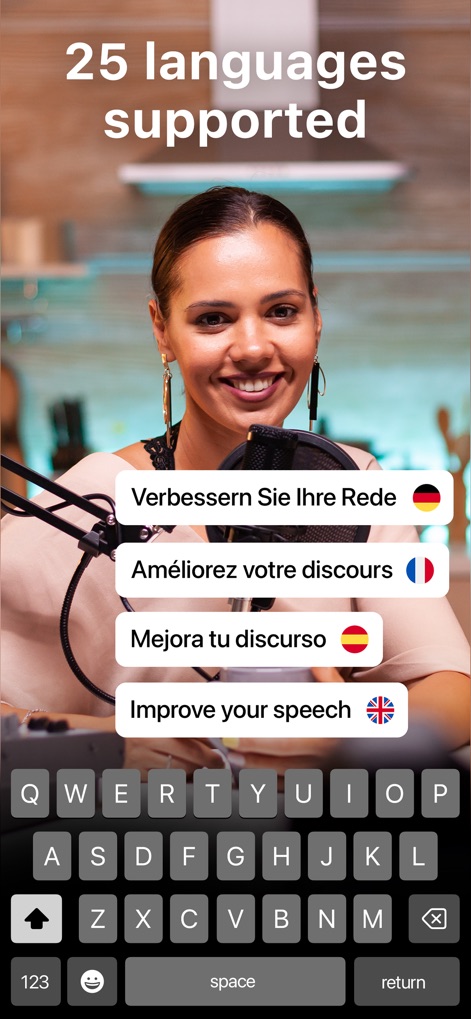
Discover the app's multi-language support, allowing content creators to reach a global audience with diverse language options and keyboard input.
Global Reach Supported
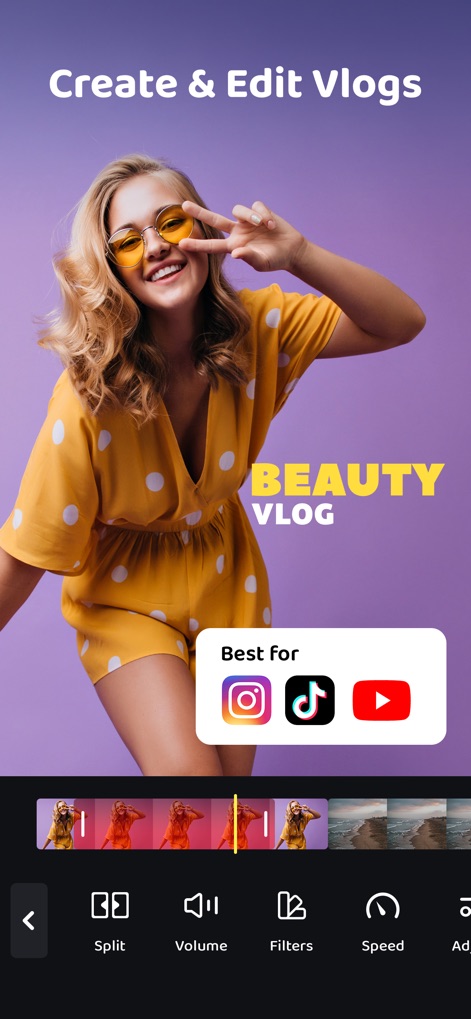
This tool empowers users to create and edit vlogs, offering tailored export options for platforms like Instagram and a dynamic video timeline for precision edits.
Vlog Editing Suite

Observe how the app facilitates dynamic video speed control, including a dedicated slow-motion feature and an adjustable speed slider.
Dynamic Speed Control

Users can easily add custom text overlays to their videos, with options to edit and delete text segments directly on the timeline.
Creative Text Overlays

Enhance video engagement with a variety of video stickers, such as 'SUBSCRIBE' buttons and '1000 LIKES' animated elements, manageable on the timeline.
Engaging Visual Stickers

This tool offers precision video adjustments with features like a visual cropping grid and dedicated 'Fill' or 'Fit' aspect ratio options.
Precision Video Adjustments

Explore advanced visual effects, including green screen functionality and seamless integration of elements like a 'Subscribe' button and diverse video transitions.
Advanced Visual Effects
Description
Download
More Like This
Apps with similar features and user experience

Vrew
VoyagerX, Inc.

Captions for Videos - SubMe AI
Polina Kravchenko

Capzy: AI Caption
unitedreams inc.

Auto Caption Video Subtitles
Take Agency, LLC

AI Captions for Videos: VidCap
Fadel.io OU

Subcap: Captions AI, Subtitles
RATEL BILISIM HIZMETLERI LTD STI

Captions & Filters – GARMASH
Top G Team FZ-LLC

Capti AI. Captions for videos.
Capti AI FZ-LLC
MixCaptions: Video Captions
Mixcord Inc.
This page is not an official page of the app or its developer, but an independent editorial publication created for informational and commentary purposes. Unless expressly stated otherwise, neither the app nor its developer is affiliated with, endorsed by, sponsored by, authorized by, or otherwise officially connected with MWM, Apple, Google Play, the app publisher, or the app's developer, and nothing on this page implies that the app was developed using MWM's services. Any trademarks, logos, screenshots, and other content remain the property of their respective owners.