Auto Memo Recorder
Auto Memo Recorder
Download on App Store

This page is not an official page of the app or its developer, but an independent editorial publication created for informational and commentary purposes. Unless expressly stated otherwise, neither the app nor its developer is affiliated with, endorsed by, sponsored by, authorized by, or otherwise officially connected with MWM, Apple, Google Play, the app publisher, or the app's developer, and nothing on this page implies that the app was developed using MWM's services. Any trademarks, logos, screenshots, and other content remain the property of their respective owners.

Logo of Auto Memo Recorder
Download on App Store

Auto Memo Recorder

Turn your drive time into productive time. Seamlessly record, sync, and transcribe your thoughts with professional-grade tools for CarPlay, Apple Watch, and iPhone.

Key Figures

Downloads

3K+

User Rating

3.9/5

Total Ratings

0

Publisher

David Kellas

Category

Utilities

Locales

1

Latest Version

5.0

Size

7.5 MB

First Released

Mar 4, 2025
Features

Master Your Ideas, Hands-Free

Turn your voice into actionable insights with a seamless ecosystem built for your car, your wrist, and your professional workflow.

Optimized CarPlay Control

Stay safe and productive behind the wheel. Use voice commands to record, append, and review memos with a distraction-free interface designed for the road.

Phone-Free Watch Recording

Capture sudden inspiration during a workout or commute. Record directly on your Apple Watch and let iCloud sync your thoughts across all your devices automatically.

The following screenshots and description are sourced directly from the app's official store listing and are the property of the app developer.

App Store

Screenshots
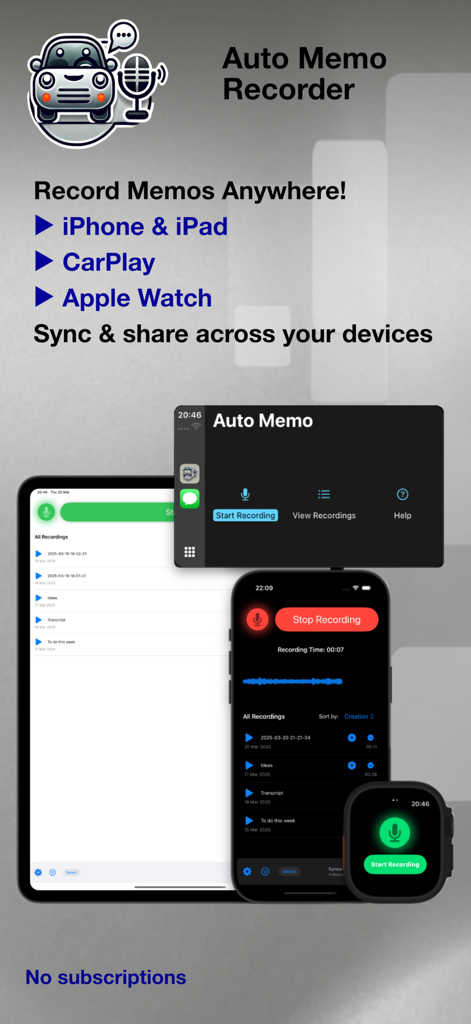
Auto Memo Recorder - Auto Memo Recorder app interface displaying voice memo recording on iPhone iPad CarPlay and Apple Watch
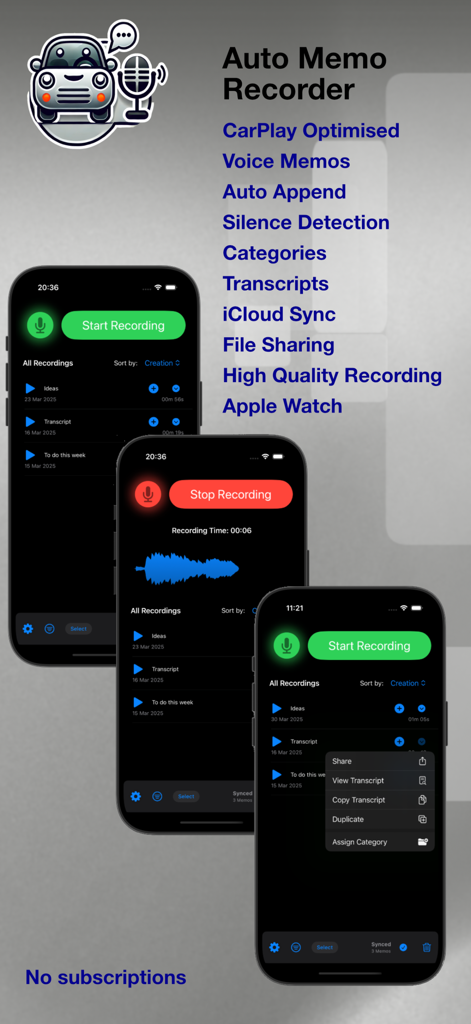
Auto Memo Recorder app interface displaying voice memo recording on iPhone iPad CarPlay and Apple Watch

Auto Memo Recorder - Auto Memo Recorder app screenshots showing the recording interface, waveform display, and list of features like CarPlay optimization and transcripts
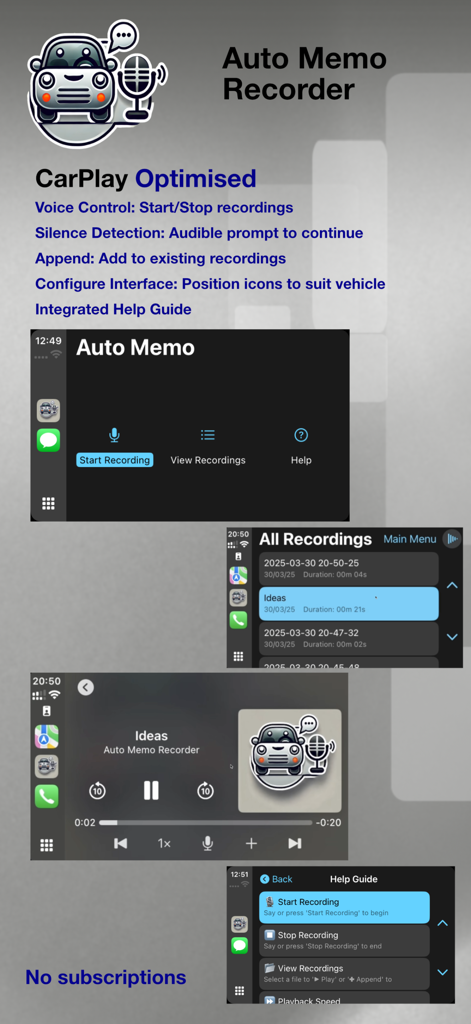
Auto Memo Recorder app screenshots showing the recording interface, waveform display, and list of features like CarPlay optimization and transcripts

Auto Memo Recorder - Interface of Auto Memo Recorder optimized for CarPlay with voice control and recording management.

Interface of Auto Memo Recorder optimized for CarPlay with voice control and recording management.
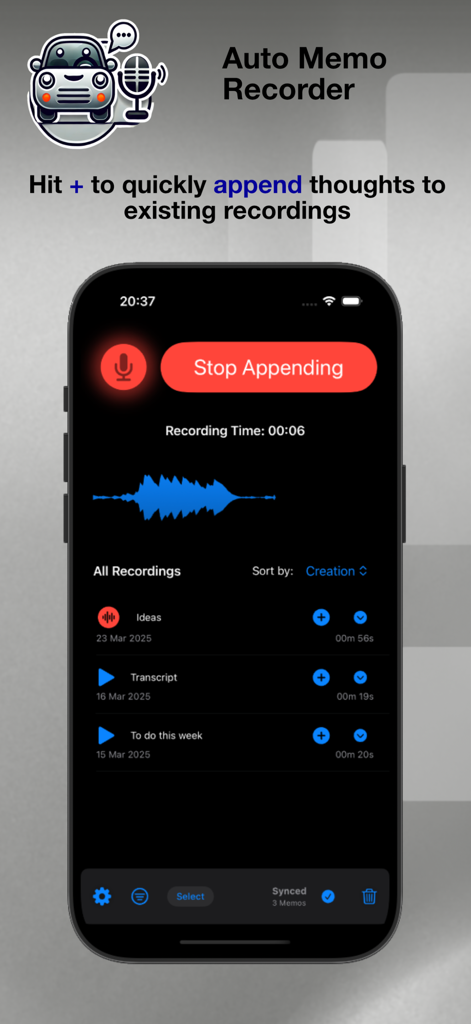
Auto Memo Recorder - Auto Memo Recorder app interface showing the append thoughts to existing recordings feature
Auto Memo Recorder app interface showing the append thoughts to existing recordings feature

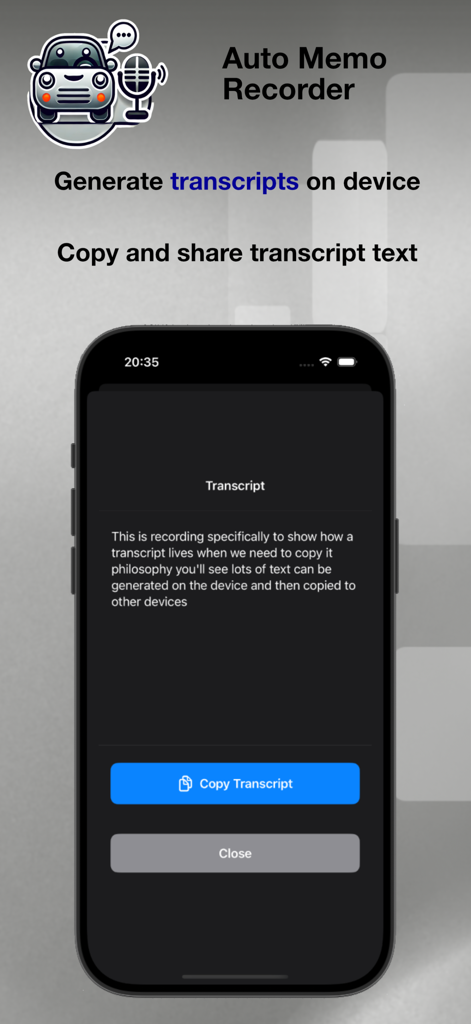
Auto Memo Recorder - iPhone interface displaying an on-device text transcript of a voice memo with a copy button
iPhone interface displaying an on-device text transcript of a voice memo with a copy button

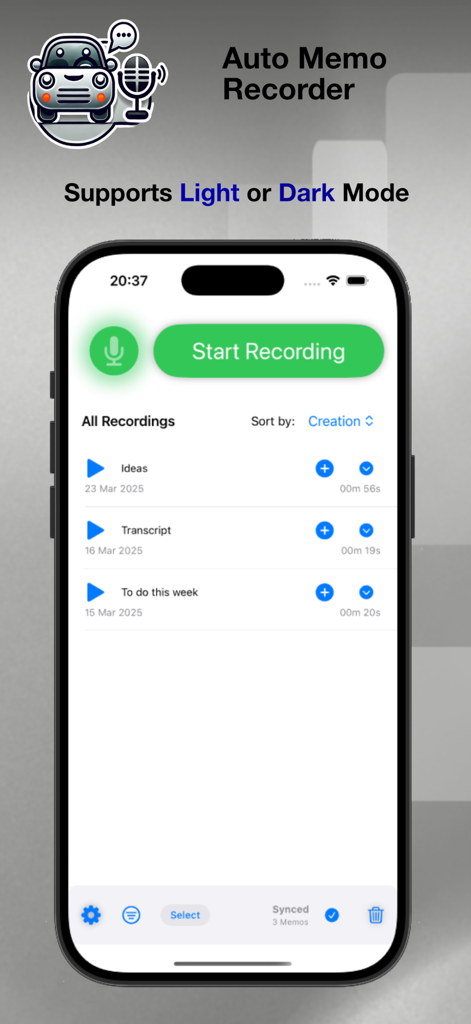
Auto Memo Recorder - Auto Memo Recorder app interface on an iPhone displaying voice recording options in light mode
Auto Memo Recorder app interface on an iPhone displaying voice recording options in light mode

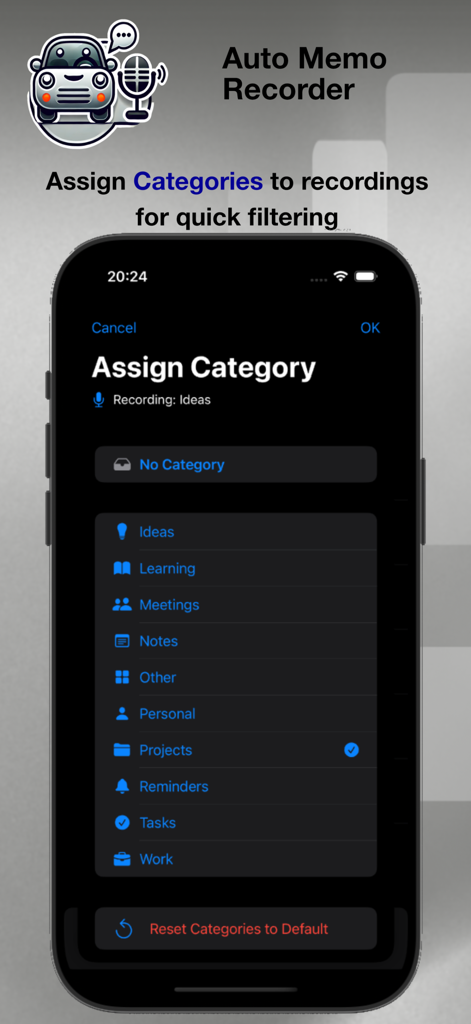
Auto Memo Recorder - Interface for assigning categories like Ideas, Meetings, and Work to recordings in the Auto Memo Recorder app.
Interface for assigning categories like Ideas, Meetings, and Work to recordings in the Auto Memo Recorder app.

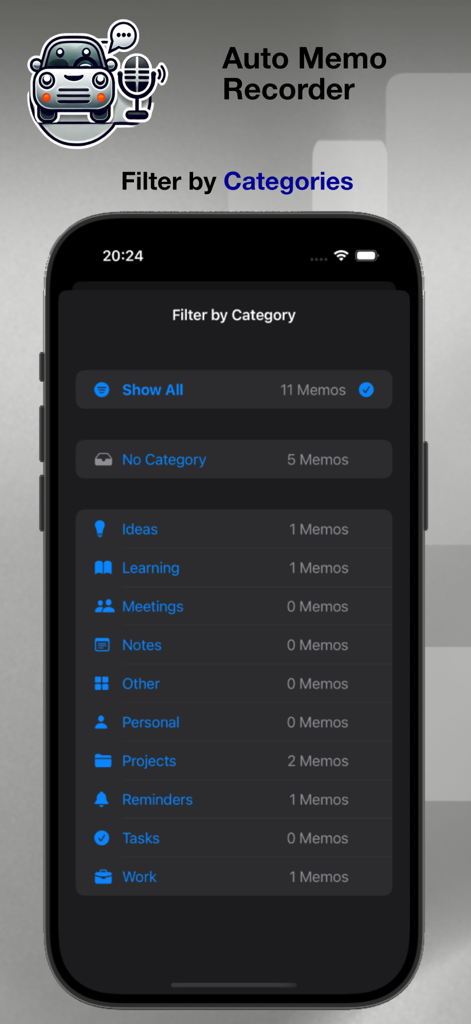
Auto Memo Recorder - Auto Memo Recorder app interface showing the category filter menu for organized voice notes
Auto Memo Recorder app interface showing the category filter menu for organized voice notes

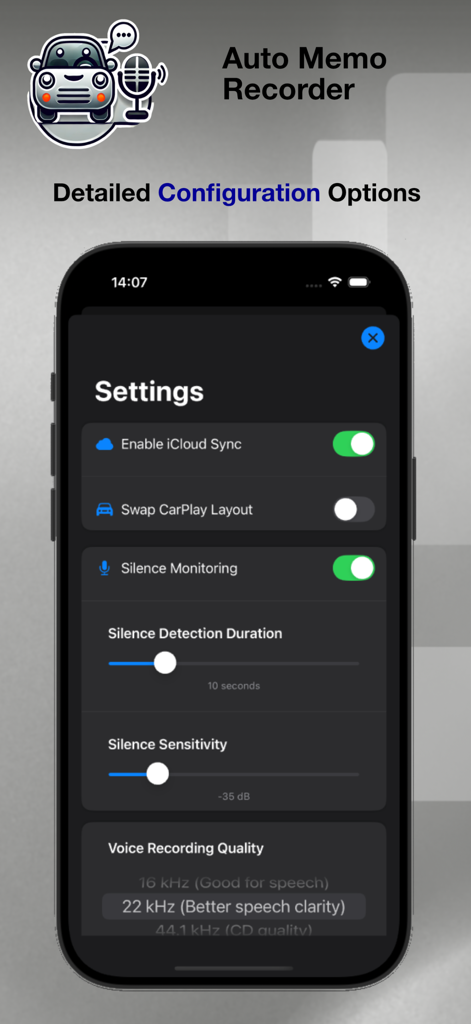
Auto Memo Recorder - Settings screen of the Auto Memo Recorder app showing options for iCloud sync carplay layout and audio quality configuration
Settings screen of the Auto Memo Recorder app showing options for iCloud sync carplay layout and audio quality configuration

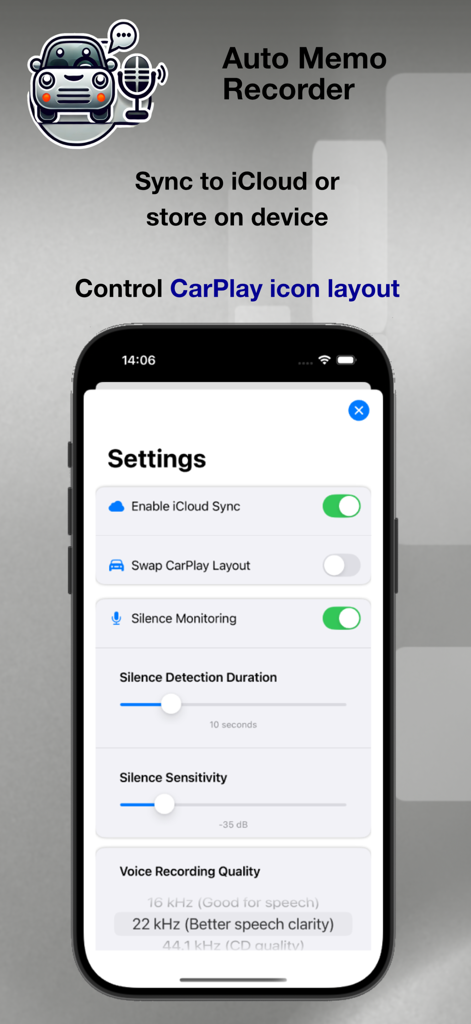
Auto Memo Recorder - Settings screen of the Auto Memo Recorder app showing iCloud sync and CarPlay configuration options.

Settings screen of the Auto Memo Recorder app showing iCloud sync and CarPlay configuration options.

Description

AUTO MEMO RECORDER The Ultimate Hands-Free Voice Recorder - now with enhanced CarPlay playback and full Apple Watch support Auto Memo makes capturing voice memos effortless, whether you're driving, working, or on the go. With one-tap recording, optional iCloud sync, and full CarPlay and Apple Watch integration, your ideas and important moments are always within reach Capture a thought directly on your Apple Watch - no phone needed - continue in CarPlay with enhanced playback visuals, then review and follow up at home on your iPhone, iPad, or desktop Designed to be simple to use, especially on the go! WHAT'S NEW? * Enhanced CarPlay Playback – Enjoy now playing screens with seek, skip, and real-time progress tracking * Standalone Apple Watch Recording – Record directly on your watch, sync to iCloud, and download files on demand * Cloud Sync Improvements – Choose which cloud files to keep on your watch for offline playback * Filter by Category – Quickly find and organise recordings with an intuitive and streamlined menu * Improved Usability – Since version 3.0 ongoing refinements to navigation, toolbar controls, and better recording organisation RECORD * One-tap RECORD, APPEND, and PLAYBACK - all within a clean, distraction-free interface * Hands-free CarPlay mode - START and STOP recordings using voice commands and even APPEND to existing recordings directly from the car
 * Configurable CarPlay mode - Toggle display icon position to best suit your vehicle * Unlimited recording time - Capture without limits (based on device storage capacity) * Configurable silence detection - Adjust both duration and sensitivity to match your needs * Customisable audio quality - From 16kHz (Good Speech) to 48kHz (Studio Quality) PLAY * Seek backwards and forwards during playback. * Adjustable playback speed for quick reviews * Enhanced CarPlay playback controls - Visual progress "Now Playing" tracking with seek/skip support on the road SHARE * Export recordings easily - Share via AirDrop, messages, email, or cloud storage * Support multi select file share - Send and share multiple audio files at once * Transcribe and share your voice memos ORGANISATION * Filter by Category - Sort memos with easy one-tap filtering * Easy to browse - Easy icon based recognition of categories * Manage recordings with ease - Rename, sort, and keep track of important files * Date and time - Stamped filenames for quick reference * Filename Search - Click the magnifying glass and filter files by name CARPLAY OPTIMISATION * Designed for safety - Minimal distraction interface with voice control and feedback * Enhanced "Now Playing" experience - See current playback progress, seek, skip and quick access to major controls * Customisable CarPlay layout - Adjust icon position to suit your vehicle's display * Built-in help guide - Ensuring easy use while on the road APPLE WATCH * Record directory from your Apple Watch - No phone required * Simple clear display - Clear tap-to-record functionality * iCloud Sync supported (Optional) * Playback recordings, stored locally on the watch and choose which files to download from the cloud * Cloud recordings are not automatically downloaded to the device to conserve storage, tap a file to retrieve TRANSCRIPTIONS * Handled on device (iPhone or iPad) * Copy, paste & share text to the destination of your choice * Clear recording needed for the best output STORAGE OPTIONS * iCloud Sync (Optional) - Choose between local storage or cloud backup * Full offline support - Record and store files securely on your device CUSTOMISATION * Light & Dark Mode - Switch themes to match preference * Optimised for performance - Minimal battery impact for long recording sessions NEVER MISS AN IMPORTANT MOMENT & IDEA! Whether it's a quick idea, a to-do list, or notes while driving, on foot, or at home, Auto Memo Recorder ensures you capture everything, hands-free and hassle-free * Download Auto Memo today and take control of your voice memos!

Download

Download on App Store

This page is not an official page of the app or its developer, but an independent editorial publication created for informational and commentary purposes. Unless expressly stated otherwise, neither the app nor its developer is affiliated with, endorsed by, sponsored by, authorized by, or otherwise officially connected with MWM, Apple, Google Play, the app publisher, or the app's developer, and nothing on this page implies that the app was developed using MWM's services. Any trademarks, logos, screenshots, and other content remain the property of their respective owners.








