
This page is not an official page of the app or its developer, but an independent editorial publication created for informational and commentary purposes. Unless expressly stated otherwise, neither the app nor its developer is affiliated with, endorsed by, sponsored by, authorized by, or otherwise officially connected with MWM, Apple, Google Play, the app publisher, or the app's developer, and nothing on this page implies that the app was developed using MWM's services. Any trademarks, logos, screenshots, and other content remain the property of their respective owners.

Bear - Markdown Notes
The award-winning Markdown app for creative professionals who value focus. Capture ideas, build your personal wiki, and write distraction-free across all your Apple devices.
Downloads
4M+User Rating
Total Ratings
31K+Publisher
Category
ProductivityLocales
11Latest Version
2.6.4Size
143.5 MBFirst Released
Nov 2, 2016Elevate Your Digital Craft
Built for the creative minimalist, Bear combines elegant design with powerful markdown tools to help you focus on your best work without the clutter.
Distraction-Free Writing
A beautiful, clean canvas that hides technical markdown syntax, letting you enter a flow state with gorgeous typography and themes.
Fluid Tag-Based Organization
Replace rigid folder structures with flexible nested tags and WikiLinks to build a personal knowledge base that grows with your ideas.
Frequently Asked Questions
Everything you need to know about Bear - Markdown Notes
What is Bear - Markdown Notes?
Bear is a powerfully simple Markdown app for capturing, writing, and organizing life. It allows users to take notes, plan, journal, create lists, sketch ideas, and link notes.
Do I need an account to use the Bear app?
No, Bear does not require a signup or account. Users can open the app and start writing immediately without any initial setup steps.
Can I sketch ideas with an Apple Pencil in Bear?
Yes, Bear supports sketching ideas on iPad with an extendable canvas and Apple Pencil, as well as other styli.
Does the Bear app use Markdown for formatting?
Yes, Bear utilizes flexible Markdown. Users can work in plain text and apply formatting like bold, italics, strikethrough, links, and tables. Markdown hides for a clean reading experience.
How can I organize notes in the Bear app?
Bear allows organization with #tags, #multi-word tags#, and #nested/tags. Users can also pin important tags and add tasks directly into notes for easy management.
Is the Bear - Markdown Notes app private?
Yes, Bear is private at its core. The developers confirm they cannot see users' notes, tags, or any other content, ensuring user privacy.
What are the pricing options for Bear Pro?
Bear Pro costs $2.99 monthly or $29.99 yearly. Prices may vary by location and are charged through your App Store account.
Does Bear Pro offer a free trial?
Yes, Bear Pro includes a 14-day free trial. Any unused portion of the trial is forfeited if a user purchases a subscription.
Can Bear Pro sync notes across multiple devices?
Yes, Bear Pro enables note synchronization between iPhone, iPad, and Mac via iCloud, ensuring notes are accessible across all your devices.
How can I lock individual notes in the Bear app?
Bear Pro allows users to encrypt individual notes with a private password. It also enables locking the entire Bear app with Face or Touch ID for enhanced security.
What export formats are available in Bear Pro?
Bear Pro supports exporting notes to HTML, DocX, PDF, JPG, and ePub formats. The free version exports to plain text, Markdown, TextBundle, Bear note, and rich text.
Can Bear app search for text within images and PDFs?
Yes, Bear Pro allows searching for text inside photos and PDFs within Bear notes. This advanced search feature requires a Bear Pro subscription.
How do I cancel my Bear Pro subscription?
Users manage Bear Pro subscriptions in their App Store Account Settings after purchase. Automatic renewal must be canceled at least 24 hours before the current period ends.
Does Bear app support right-to-left (RTL) languages?
Yes, Bear supports all scripts, including right-to-left (RTL) languages such as Arabic, Hebrew, and Persian, ensuring broad language compatibility.
Can I customize themes and app icons in Bear?
Yes, Bear Pro offers nearly 30 themes for writing spaces in both Light and Dark Mode, and allows users to choose app icons to personalize their experience.
The following screenshots and description are sourced directly from the app's official store listing and are the property of the app developer.
App Store
Screenshots
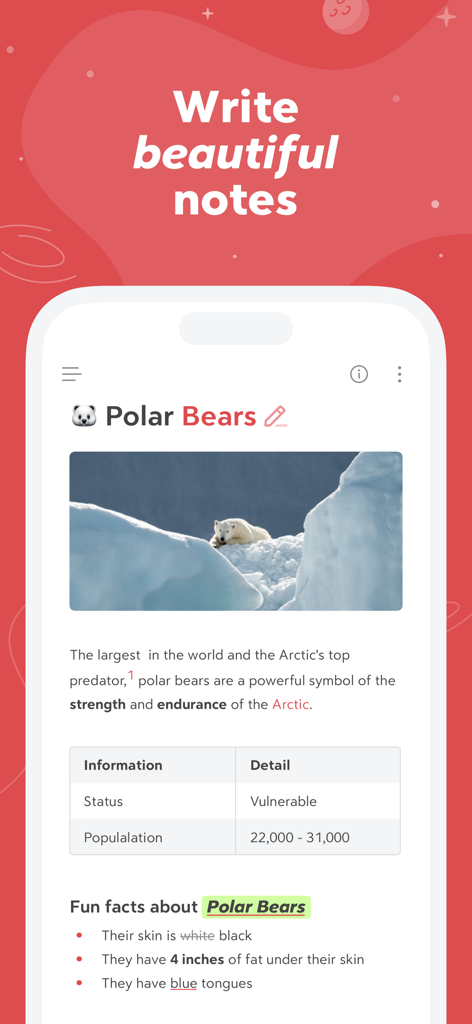
Smartphone screen showing the Bear app with a formatted note about polar bears including an image and table
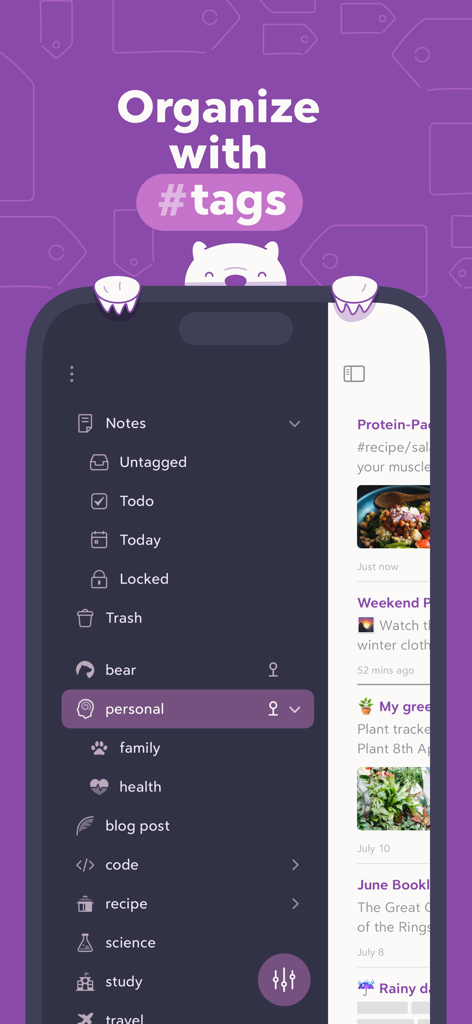
Bear app interface showing note organization using nested hashtags in a dark mode sidebar
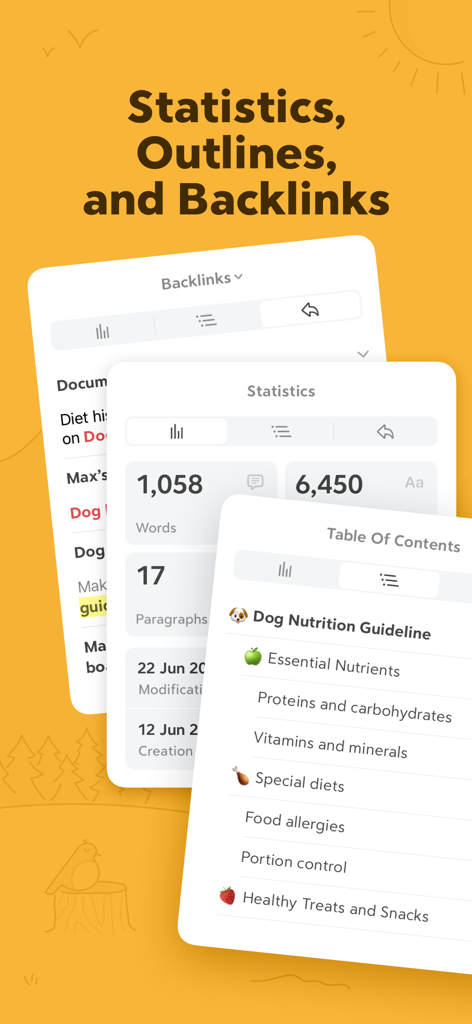
Bear app interface showing word count statistics table of contents and backlink panels
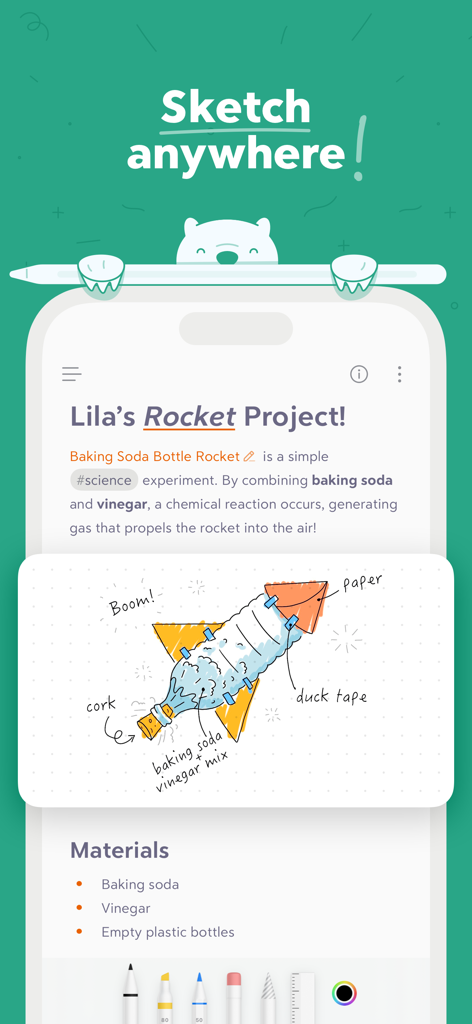
Bear app interface showing a science project note with a hand-drawn rocket illustration
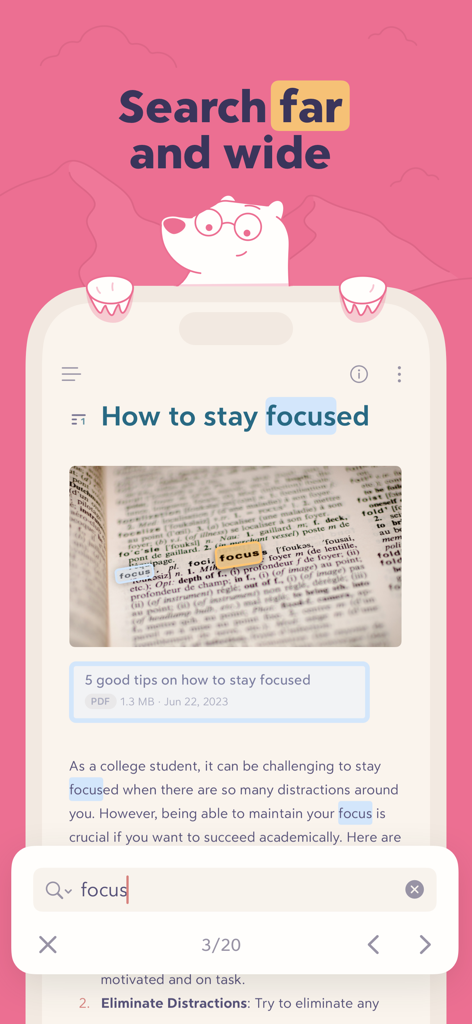
Bear app interface demonstrating search results for the word focus highlighted within text and images
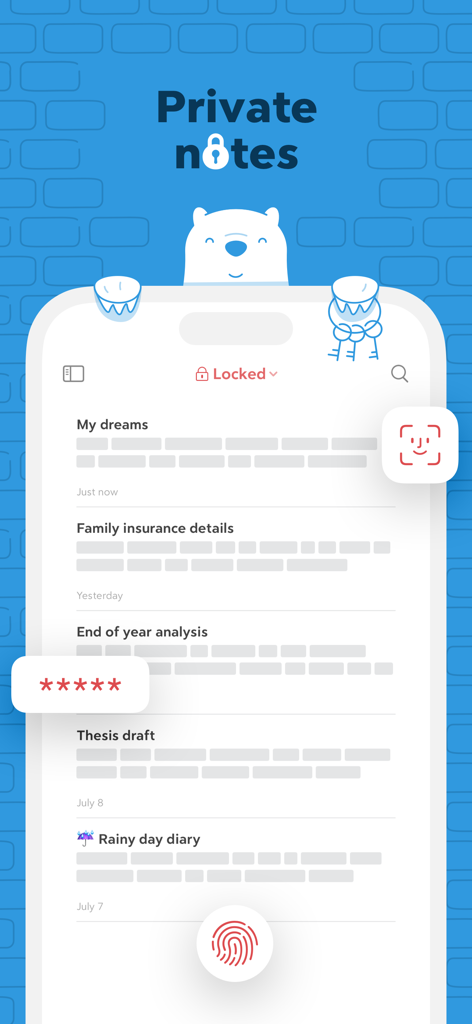
Bear app interface showing private notes protected by Face ID Touch ID and password encryption
Description
Download
More Like This
Apps with similar features and user experience

Notion: Notes, Tasks, AI
Notion Labs, Incorporated

Freenotes®: AI Notes Taking
Hangzhou Free Notes Technology Co., Ltd

Structured - Daily Planner
unorderly GmbH

Google Tasks: Get Things Done
Google LLC

TickTick:To-Do List & Calendar
Appest Limited

Noteful: Notes & PDF Markup
Noteful Technologies Ltd

Todoist: To Do List & Calendar
Doist Inc.

To do list MinimaList & Widget
Inner Grow Limited

monday.com - Work Platform
monday.com Ltd.
This page is not an official page of the app or its developer, but an independent editorial publication created for informational and commentary purposes. Unless expressly stated otherwise, neither the app nor its developer is affiliated with, endorsed by, sponsored by, authorized by, or otherwise officially connected with MWM, Apple, Google Play, the app publisher, or the app's developer, and nothing on this page implies that the app was developed using MWM's services. Any trademarks, logos, screenshots, and other content remain the property of their respective owners.