
This page is not an official page of the app or its developer, but an independent editorial publication created for informational and commentary purposes. Unless expressly stated otherwise, neither the app nor its developer is affiliated with, endorsed by, sponsored by, authorized by, or otherwise officially connected with MWM, Apple, Google Play, the app publisher, or the app's developer, and nothing on this page implies that the app was developed using MWM's services. Any trademarks, logos, screenshots, and other content remain the property of their respective owners.


BIGVU Teleprompter Captions AI
The all-in-one video studio for experts. Speak naturally with an AI-powered teleprompter, maintain perfect eye contact, and add automatic captions to engage your audience instantly.
Downloads
4M+User Rating
Total Ratings
100K+Publisher
Category
Photo & VideoLocales
16Latest Version
2.60.2Size
477.9 MBFirst Released
Jun 18, 2016Command the Camera with Authority
Everything you need to script, record, and edit high-impact videos that build trust and grow your business in minutes, not hours.
Perfect Eye Contact Every Time
Read your script directly from the screen while our AI Eye Contact fix ensures you're always looking your audience in the eye, building instant trust.
Captivate the Silent Scroller
Automatically generate stylish, accurate captions and add your professional brand logo so your message hits home even when the sound is off.
Frequently Asked Questions
Everything you need to know about BIGVU Teleprompter Captions AI
What is BIGVU Teleprompter Captions AI?
BIGVU Teleprompter Captions AI is a video creation app for iPhone and iPad. It functions as a teleprompter, video editor, and content creation tool, enabling users to produce professional videos with captions, branding, and visuals for various platforms.
Does BIGVU Teleprompter Captions AI include an AI eye-contact fix?
Yes, BIGVU Teleprompter Captions AI includes an AI eye-contact fix feature. This allows users to maintain direct eye contact with the camera while reading their script, enhancing video authenticity.
Can BIGVU Teleprompter Captions AI replace green screen backgrounds?
Yes, BIGVU Teleprompter Captions AI can replace green screen backgrounds. Users can substitute a recorded green background with any image or video loop using the app's chroma-key smart algorithm.
What social media platforms does BIGVU Teleprompter Captions AI support for direct posting?
BIGVU Teleprompter Captions AI supports direct posting to YouTube, Facebook, Instagram, and Twitter. Users can also export videos to their phone's camera roll for other platforms.
Is the BIGVU Teleprompter Captions AI app free to use?
Yes, the BIGVU Teleprompter Captions AI app is free to download and use with basic features. Premium features, however, require a subscription for access.
How does the BIGVU Teleprompter Captions AI subscription renew?
The BIGVU Teleprompter Captions AI subscription automatically renews at the end of each term. Your credit card is charged through your iTunes account within 24 hours before the current period ends.
Can I cancel my BIGVU Teleprompter Captions AI subscription's auto-renewal?
Yes, you can turn off auto-renew for your BIGVU Teleprompter Captions AI subscription at any time from your iTunes account settings. This must be done at least 24 hours before the current period ends.
Does BIGVU Teleprompter Captions AI offer beauty filters for videos?
Yes, BIGVU Teleprompter Captions AI offers beauty filters and effects for videos. Options such as "Charm," "Hollywood," and "School Girl" are available to enhance the visual presentation of your recordings.
Can users create AI avatars with BIGVU Teleprompter Captions AI?
Yes, BIGVU Teleprompter Captions AI allows users to create AI avatars. The app features options for "incredible avatar looks" and provides the capability to "create your twin AI avatar."
How does BIGVU Teleprompter Captions AI help create video shorts?
BIGVU Teleprompter Captions AI helps create video shorts by enabling users to convert parts of existing videos into short clips. An AI agent assists in selecting clip durations of 15, 30, or 45 seconds.
What video orientations does BIGVU Teleprompter Captions AI support?
BIGVU Teleprompter Captions AI supports vertical, portrait, and landscape video orientations. It also offers the functionality to crop videos to a square format, optimizing content for various social stories.
Can I add automatic captions to my videos using BIGVU Teleprompter Captions AI?
Yes, BIGVU Teleprompter Captions AI adds automatic captions to videos. Users can also apply themes with elegant subtitles and incorporate their brand logo and colors for a personalized touch.
The following screenshots and description are sourced directly from the app's official store listing and are the property of the app developer.
App Store
Screenshots

A professional woman recording a video using the BIGVU teleprompter app on a smartphone
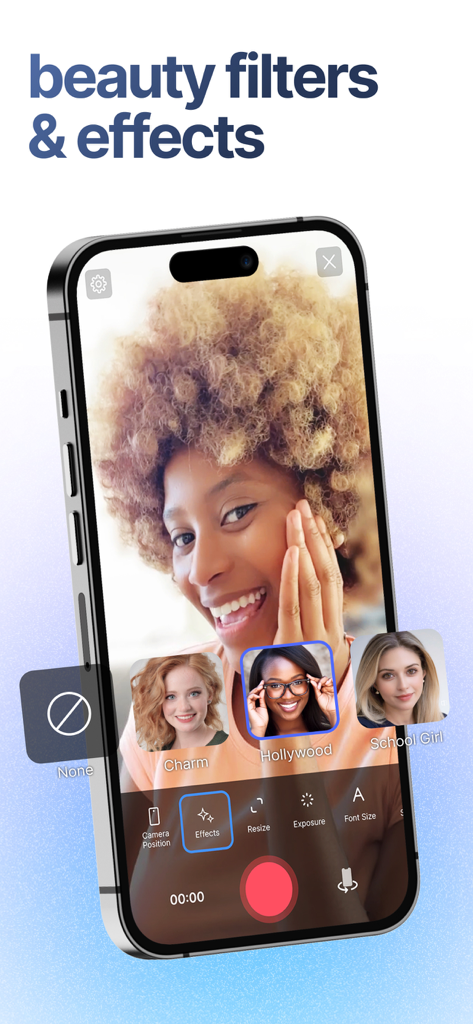
A smartphone showing the BIGVU app interface with beauty filters and effects selected during a video recording session
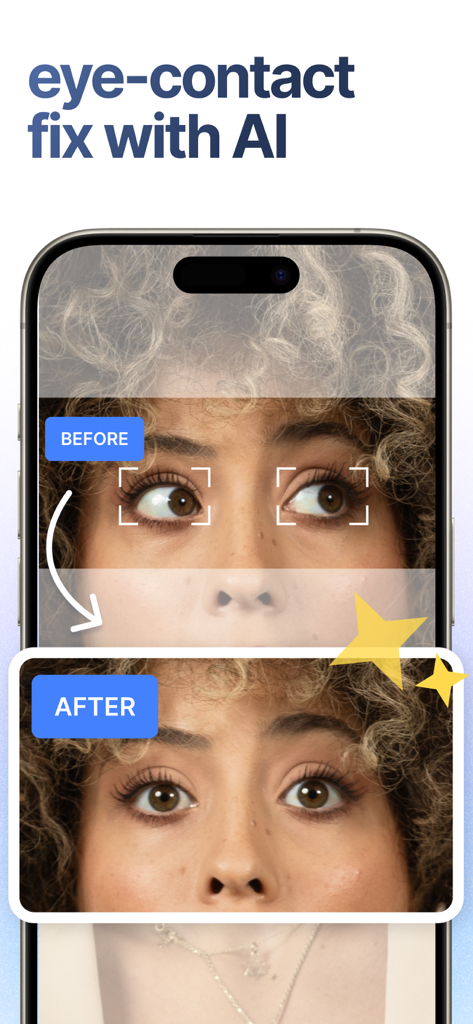
Before and after comparison of AI eye contact fix in BIGVU app
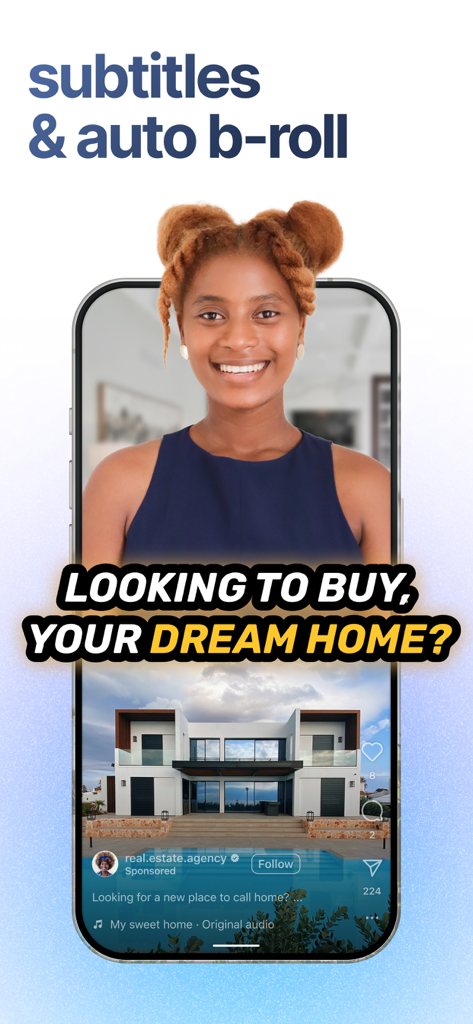
BIGVU app interface showing automated subtitles and B-roll visuals for a real estate marketing video.
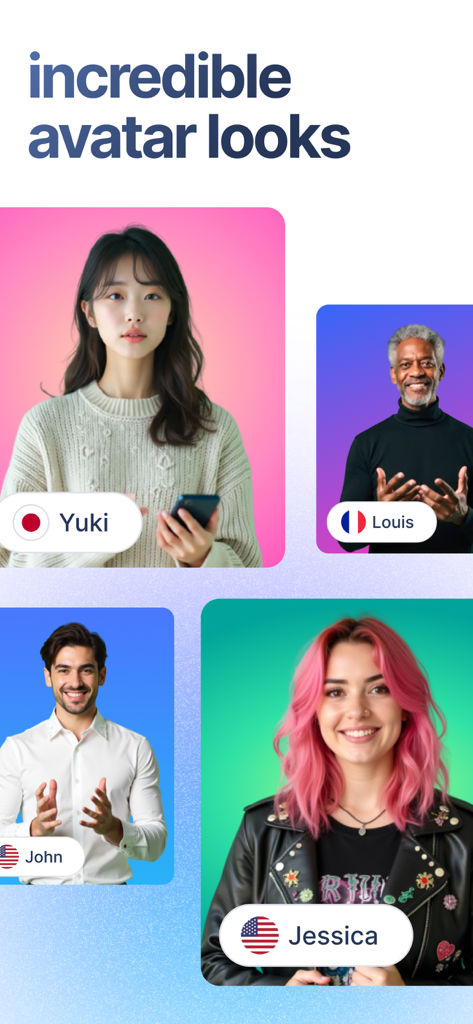
A showcase of diverse professional AI avatars representing different global personas for video creation

Woman using BIGVU app to create a twin AI avatar for video content
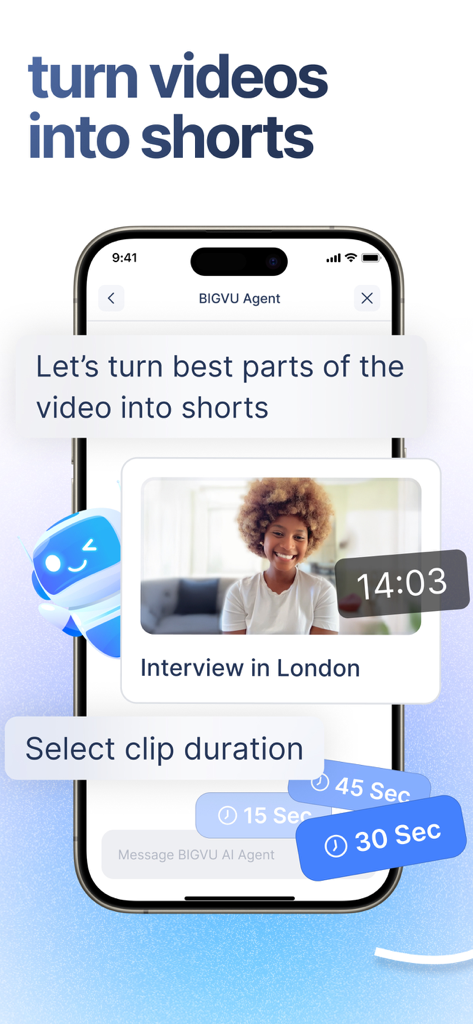
Mobile app interface showing BIGVU AI agent turning a long video into short clips with duration options
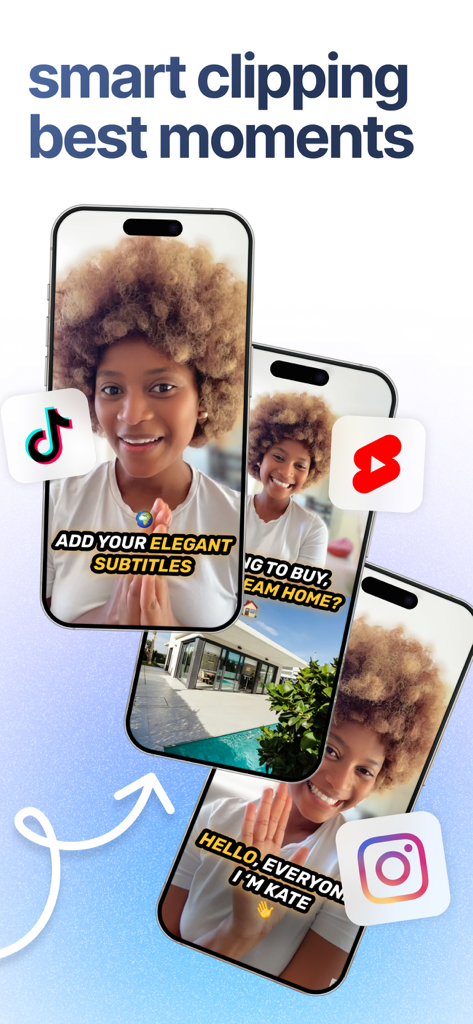
BIGVU app showing smart clipping for social media videos on TikTok Instagram and YouTube Shorts
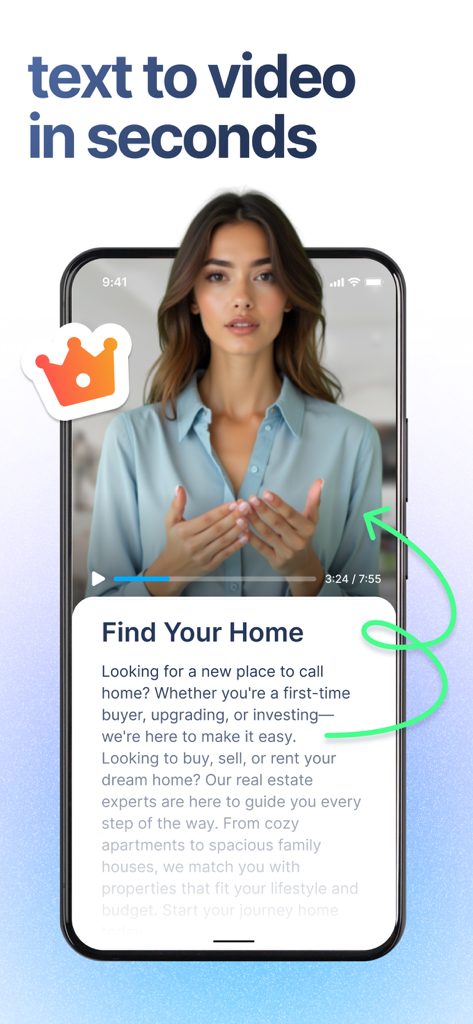
BIGVU app interface showing a real estate video script being converted into a professional video presentation

Mobile interface showing social media channel selection for scheduling video posts on LinkedIn Instagram TikTok and YouTube
Description
Download
More Like This
Apps with similar features and user experience

Teleprompter
Teleprompter Apps Ltd

Teleprompter for Video
Norton Five Ltd

Teleprompter.com
Teleprompter LLC

Vmake: AI Talking Video Editor
Starii Tech Pty Ltd

说得AI提词器相机-全能的脚本创作提词拍摄快速剪辑口播神器
Hangzhou Gaishi Technology Co., Ltd.

Teleprompter-Record Script
晨铭 李

Verba: Captions & Video Editor
Verba Creative Inc.

Teleprompter: Video Recording
志威 王

Teleprompter For Video - Pro
Liudmyla Yeromenko
This page is not an official page of the app or its developer, but an independent editorial publication created for informational and commentary purposes. Unless expressly stated otherwise, neither the app nor its developer is affiliated with, endorsed by, sponsored by, authorized by, or otherwise officially connected with MWM, Apple, Google Play, the app publisher, or the app's developer, and nothing on this page implies that the app was developed using MWM's services. Any trademarks, logos, screenshots, and other content remain the property of their respective owners.