
This page is not an official page of the app or its developer, but an independent editorial publication created for informational and commentary purposes. Unless expressly stated otherwise, neither the app nor its developer is affiliated with, endorsed by, sponsored by, authorized by, or otherwise officially connected with MWM, Apple, Google Play, the app publisher, or the app's developer, and nothing on this page implies that the app was developed using MWM's services. Any trademarks, logos, screenshots, and other content remain the property of their respective owners.


Vmake: AI Talking Video Editor
Turn your ideas into high-converting talking videos in minutes. From AI teleprompters to auto-subtitles, get the professional production value your brand deserves right on your phone.
Downloads
967K+User Rating
Total Ratings
6K+Publisher
Category
Photo & VideoLocales
3Latest Version
3.0.0Size
281.8 MBFirst Released
Mar 21, 2024Everything You Need to Dominate Social Media
Vmake simplifies the complex world of video production, giving solopreneurs and creators the AI-powered tools to create, edit, and post studio-quality content in minutes.
Smart AI Teleprompter
Deliver your message with confidence using a voice-synced teleprompter that ensures you never miss a line while recording on your favorite camera app.
Instant AI Video Agent
Turn any link, photo, or idea into high-converting UGC videos instantly—perfect for small businesses and e-commerce sellers looking to scale.
Frequently Asked Questions
Everything you need to know about Vmake: AI Talking Video Editor
What is Vmake: AI Talking Video Editor?
Vmake is an AI-powered talking video studio that enables users to create studio-quality talking videos on their phones with minimal effort. It simplifies professional video production.
How does Vmake's AI Video Agent work?
Vmake Agent transforms any photo, link, or idea into high-converting User-Generated Content (UGC) videos instantly. It automates video creation for small businesses, reducing time and cost.
Can Vmake remove watermarks from videos?
Yes, Vmake's AI Remover feature effortlessly erases unwanted objects, people, or watermarks from videos, including the trending Sora watermark. It also removes other objects.
Does Vmake create thumbnails for social media platforms?
Yes, Vmake's AI Thumbnail feature instantly creates eye-catching, high-quality video thumbnails using the Nano Banana model, compatible with YouTube, Reels, and TikTok.
Can Vmake improve video quality?
Yes, Vmake's AI Enhancer feature enhances video and image quality. It also upscales low-resolution videos to higher definitions, boosting the overall visual appeal.
Does Vmake include a teleprompter?
Yes, Vmake features a voice-synced AI Teleprompter. It ensures users do not forget lines during recording and floats above any camera app screen.
Can Vmake convert spoken words from videos to text?
Yes, Vmake's Video to Text feature extracts spoken words from videos and converts them into text for easy content repurposing. It supports video link parsing and local video uploads.
What video resolutions does Vmake support for recording?
Vmake supports HD recording in multiple resolutions including 720P, 1080P, 2K, and 4K. This ensures FHD quality and a superior viewing experience.
How does Vmake help boost social media engagement?
Vmake boosts social media engagement with its AI Hook feature. This creates compelling verbal and visual hooks that make every talking video stand out, specifically targeting the first 3 seconds of impact.
Can Vmake automatically remove silent parts from videos?
Yes, Vmake's AI Trim feature detects unclear speech, silence, or repeats in talking videos. It allows users to easily keep their content sharp and compelling.
Are Vmake's auto captions free?
Yes, Vmake provides Auto Captions with Animated Text Style as a free feature. Users can apply various styles to their video captions without cost.
The following screenshots and description are sourced directly from the app's official store listing and are the property of the app developer.
App Store
Screenshots
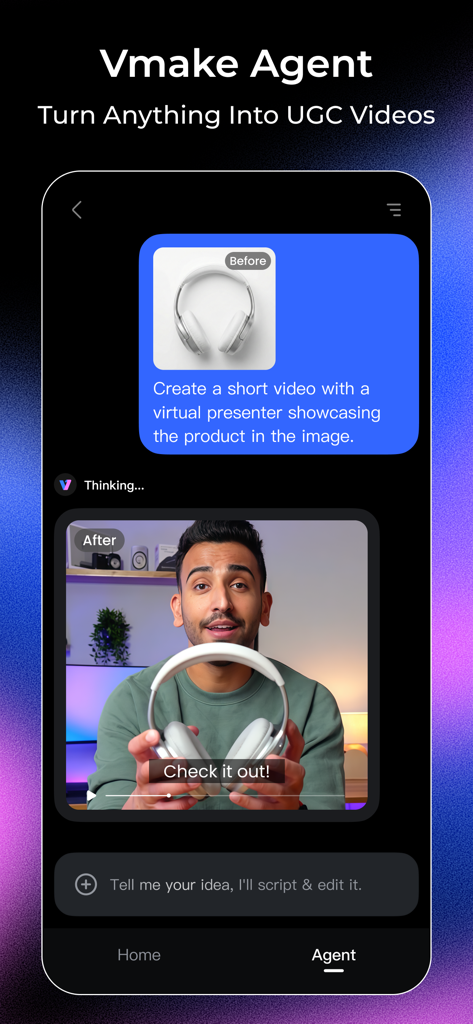
Vmake app interface showing the AI Video Agent feature transforming a product photo of headphones into a professional video with a virtual presenter.
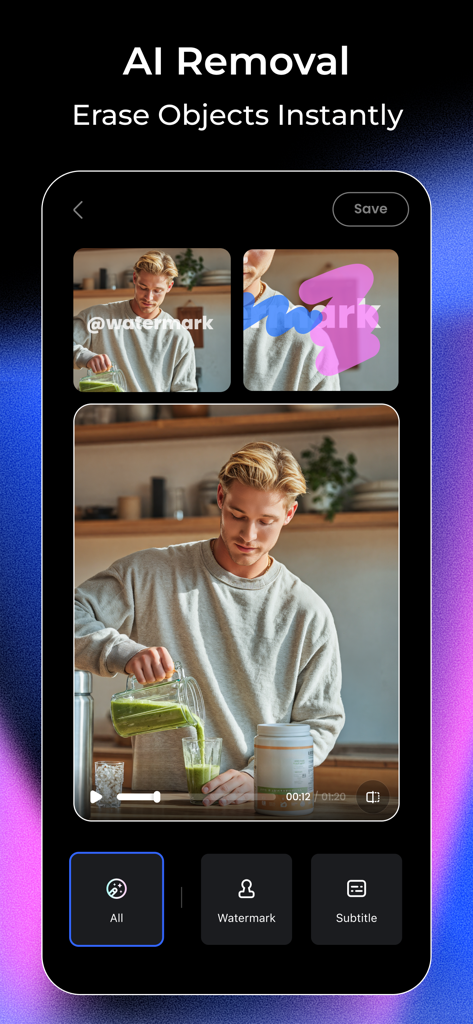
Interface of Vmake app showing the AI removal tool erasing a watermark from a video clip of a man making a smoothie
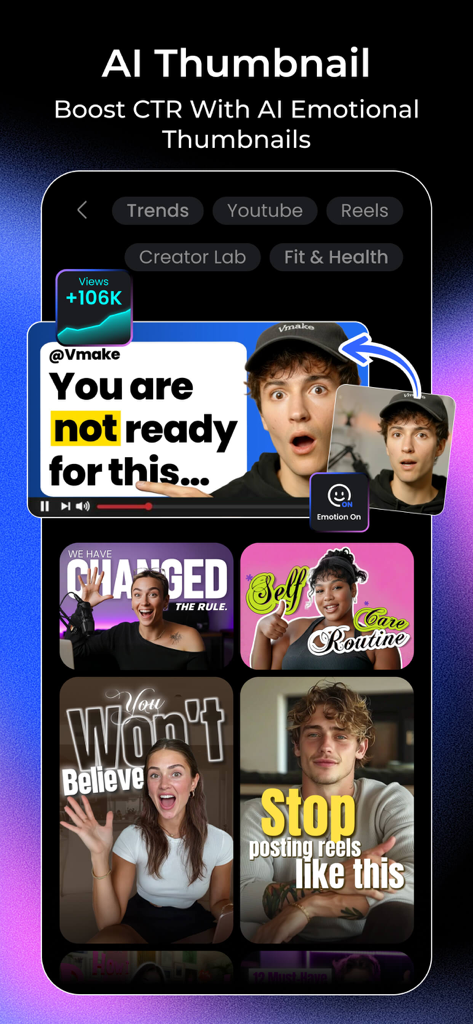
Vmake app screen showing AI generated video thumbnails with emotional expressions to boost engagement
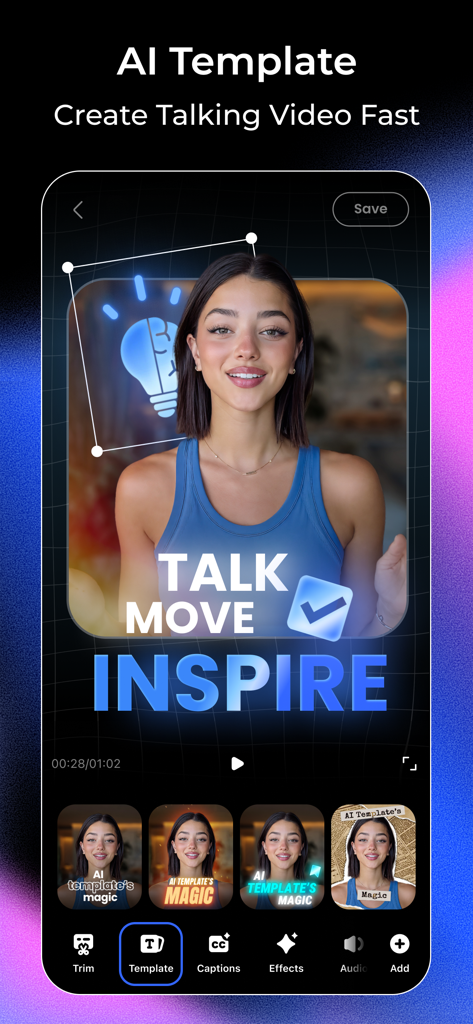
Interface of Vmake AI Talking Video Editor showing various AI templates for quick content creation
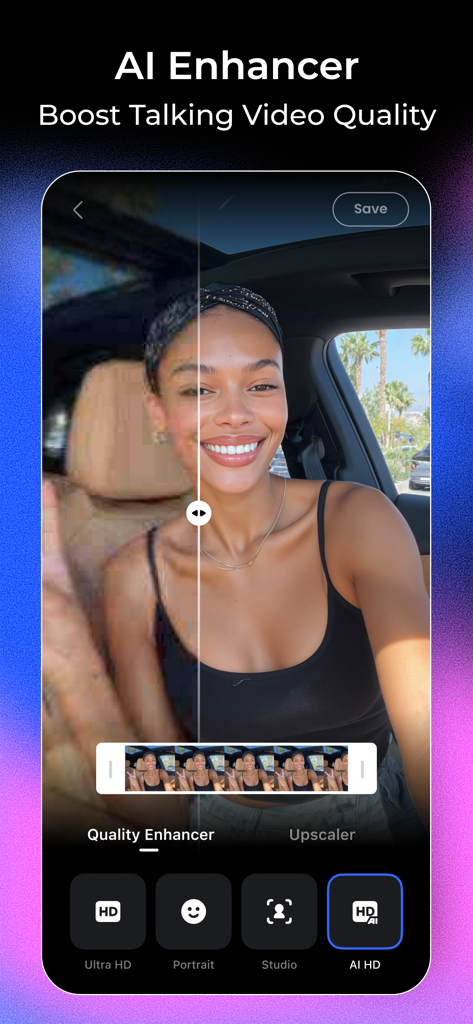
A before and after comparison showing the AI Enhancer feature in the Vmake app improving a video's resolution and clarity.
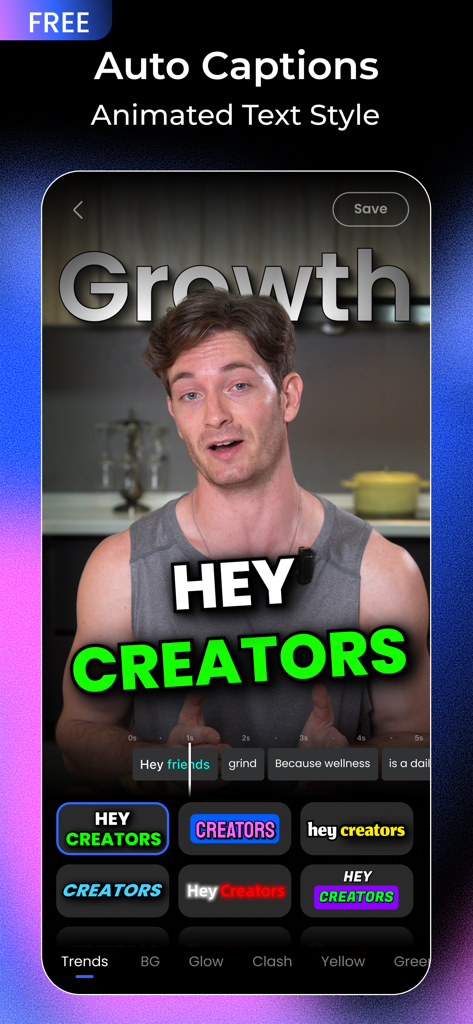
Vmake app interface displaying auto captions and animated text styles on a video.
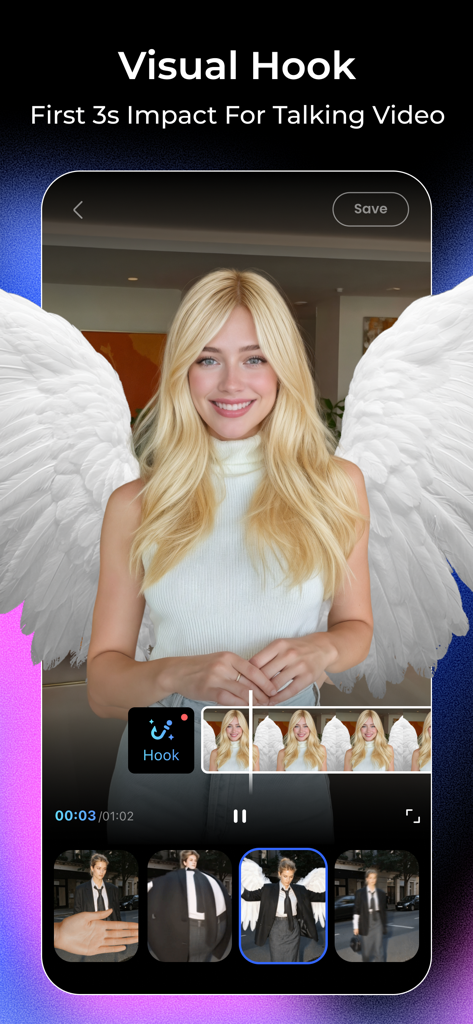
A mobile screen showing the Vmake app Visual Hook feature with a woman wearing AI-generated angel wings for a talking video.
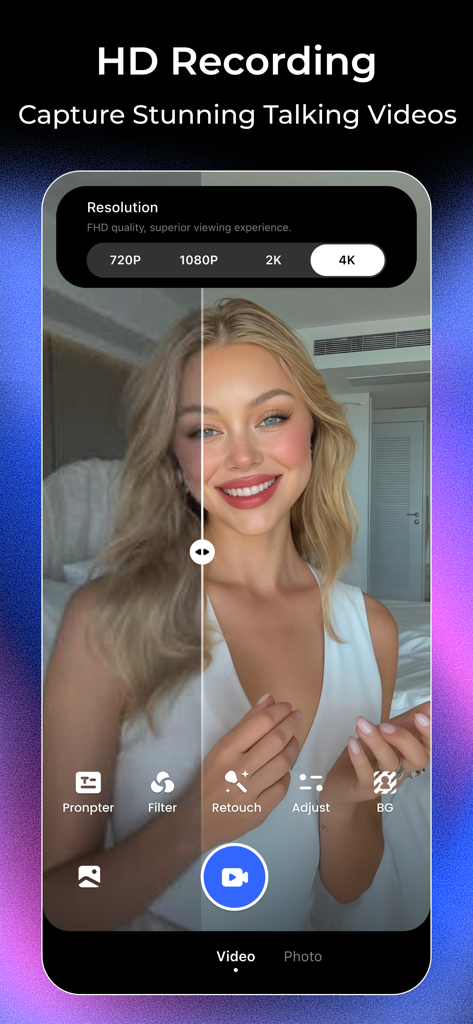
Interface of Vmake app showing HD recording options with a 4K resolution selection and a split-screen video preview of a woman using beauty filters.
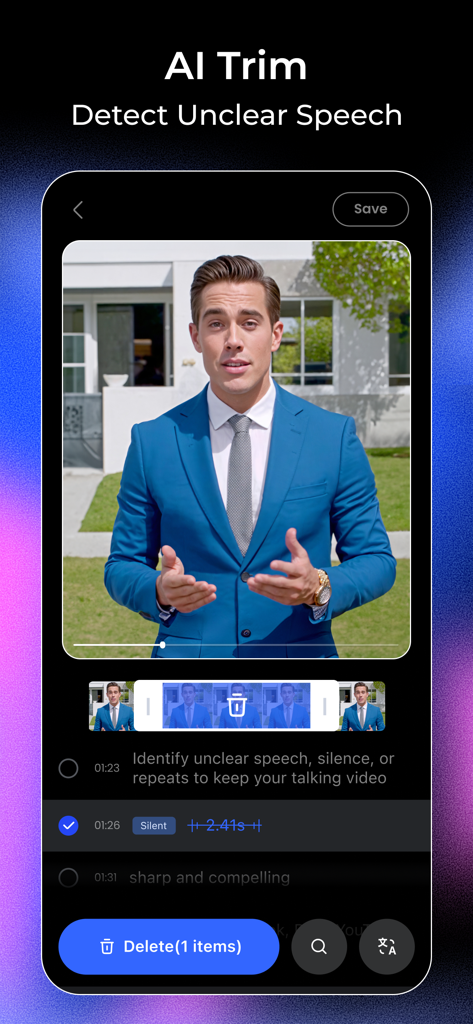
Vmake app interface showing the AI Trim feature detecting and removing silence from a professional talking head video.
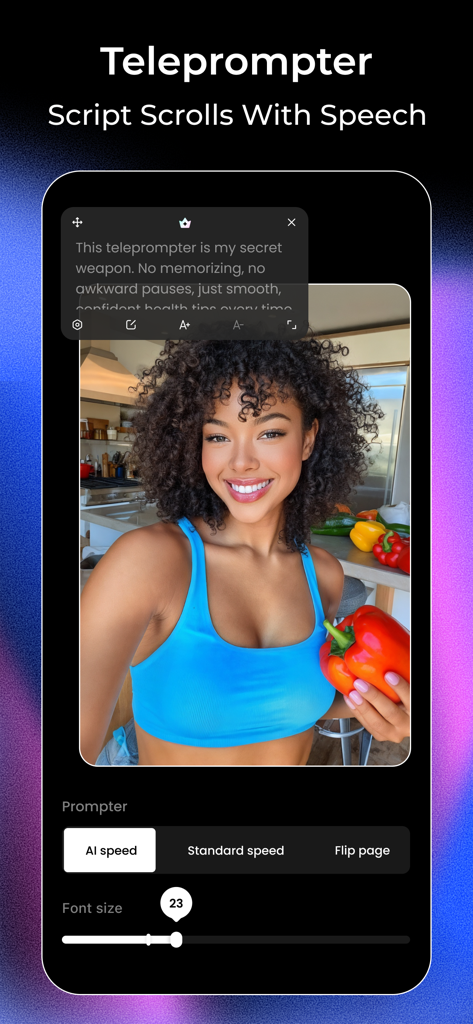
Vmake app interface showing the AI teleprompter feature with a scrolling script over a video recording of a female creator.
Description
Download
More Like This
Apps with similar features and user experience

Teleprompter
Teleprompter Apps Ltd

BIGVU Teleprompter Captions AI
BIGVU INC

Teleprompter for Video
Norton Five Ltd

Teleprompter.com
Teleprompter LLC

说得AI提词器相机-全能的脚本创作提词拍摄快速剪辑口播神器
Hangzhou Gaishi Technology Co., Ltd.

Teleprompter-Record Script
晨铭 李

Verba: Captions & Video Editor
Verba Creative Inc.

Teleprompter: Video Recording
志威 王

Teleprompter For Video - Pro
Liudmyla Yeromenko
This page is not an official page of the app or its developer, but an independent editorial publication created for informational and commentary purposes. Unless expressly stated otherwise, neither the app nor its developer is affiliated with, endorsed by, sponsored by, authorized by, or otherwise officially connected with MWM, Apple, Google Play, the app publisher, or the app's developer, and nothing on this page implies that the app was developed using MWM's services. Any trademarks, logos, screenshots, and other content remain the property of their respective owners.