
This page is not an official page of the app or its developer, but an independent editorial publication created for informational and commentary purposes. Unless expressly stated otherwise, neither the app nor its developer is affiliated with, endorsed by, sponsored by, authorized by, or otherwise officially connected with MWM, Apple, Google Play, the app publisher, or the app's developer, and nothing on this page implies that the app was developed using MWM's services. Any trademarks, logos, screenshots, and other content remain the property of their respective owners.

Teleprompter
Join over 4 million creators and professionals who deliver flawless scripts with perfect eye contact. Whether for TikTok, YouTube, or Zoom meetings, get the tool trusted by industry leaders like Netflix and the BBC.
Downloads
4M+User Rating
Total Ratings
96K+Publisher
Category
ProductivityLocales
10Latest Version
3.57.0Size
59.2 MBFirst Released
Feb 17, 2015Master Your On-Screen Presence
Deliver your message with authority and ease. From viral short-form videos to corporate presentations, Teleprompter provides the professional edge you need to captivate any audience.
Record and Share in Seconds
Capture high-quality video while reading your script and post directly to TikTok, Instagram, or YouTube to keep your content flowing.
Perfect Eye Contact
Keep your eyes on the camera lens while reading, ensuring you look confident and engaged during Zoom calls or professional recordings.
Frequently Asked Questions
Everything you need to know about Teleprompter
What is the Teleprompter app?
The Teleprompter app transforms your device into a free teleprompter. It is used by creators and studios like Netflix, ABC, and BBC, providing essential tools for content creation, production, and presentations.
Is the Teleprompter app free to use?
Yes, the Teleprompter app is free to download and use. It includes core features like unlimited script management, text adjustments, and video recording, with additional Pro features available via optional upgrade.
Can I record videos directly within the Teleprompter app?
Yes, the Teleprompter app allows you to record videos using your device camera while reading from the teleprompter. You can also apply real-time video effects and save recordings directly to Photos.
Does Teleprompter support text mirroring for professional setups?
Yes, the Teleprompter app supports mirroring or reversing text. This feature is available with the Pro upgrade and is designed for use with professional on-camera teleprompter rigs.
What file formats can the Teleprompter app import?
The free version of the Teleprompter app imports up to five documents in Word, PDF, .txt, and .rtf formats. The Pro upgrade allows for unlimited document imports in these formats.
Can I control the Teleprompter app remotely?
Yes, the Teleprompter app offers various remote control options with the Pro upgrade. These include control from a web browser, other iOS devices via Bluetooth, keyboards, foot pedals, gaming controllers, and Apple Watch.
How does Teleprompter handle scripts? Are there length limits?
The Teleprompter app allows users to compose, create, and manage unlimited scripts with no character or length limits. Users can also adjust script settings, add cue points, and re-arrange them.
Is the Teleprompter Pro upgrade a subscription or a one-time purchase?
The Teleprompter Pro upgrade is available as either a one-time in-app purchase for lifetime access or as an optional subscription. Subscriptions can be canceled at any time.
Can I use Teleprompter during video calls like Zoom or Google Meet?
Yes, the Teleprompter app integrates with video conferencing. Users can utilize the Teleprompter while participating in video meetings such as Zoom or Google Meet.
Does Teleprompter sync scripts across multiple devices?
Yes, the Teleprompter app offers optional cloud sync to automatically synchronize your scripts across all your devices. This feature helps manage scripts seamlessly across iPhone, iPad, and Mac.
The following screenshots and description are sourced directly from the app's official store listing and are the property of the app developer.
App Store
Screenshots
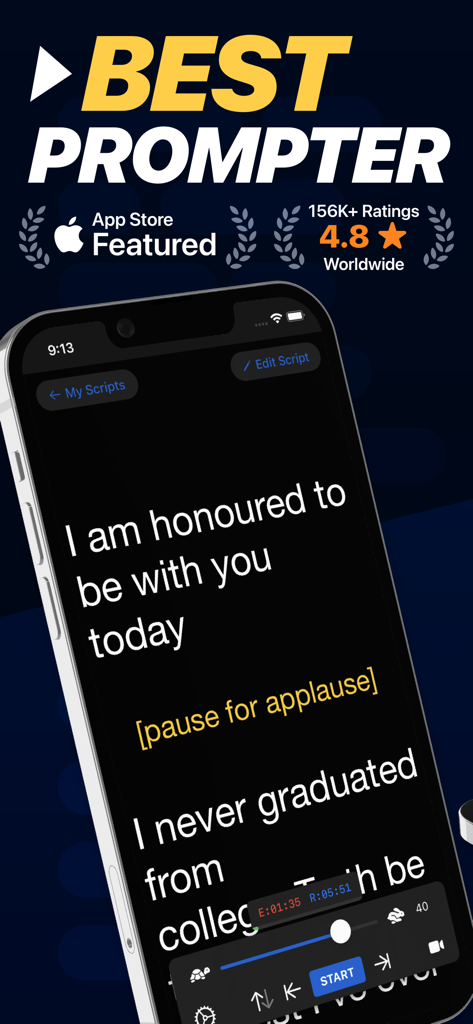
Teleprompter app interface on iPhone displaying a script for public speaking with scrolling and speed controls.
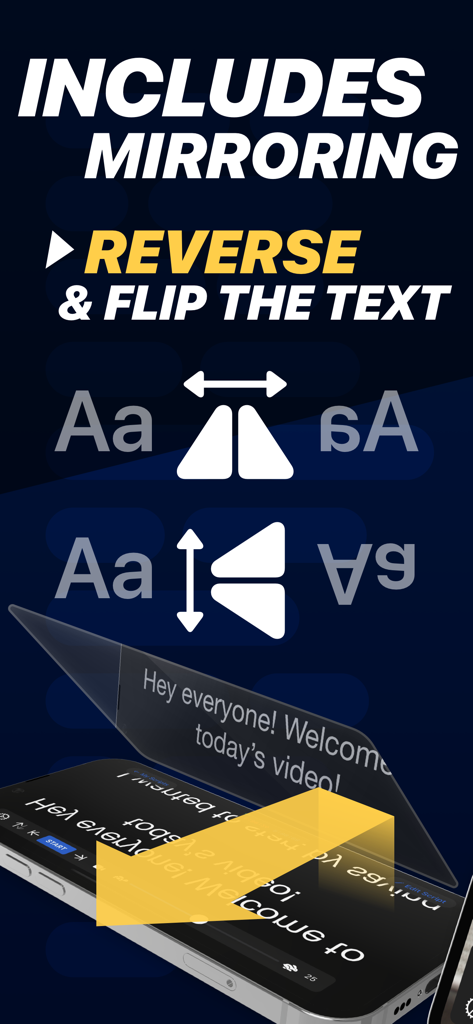
Teleprompter app feature to mirror and reverse text for professional camera rigs
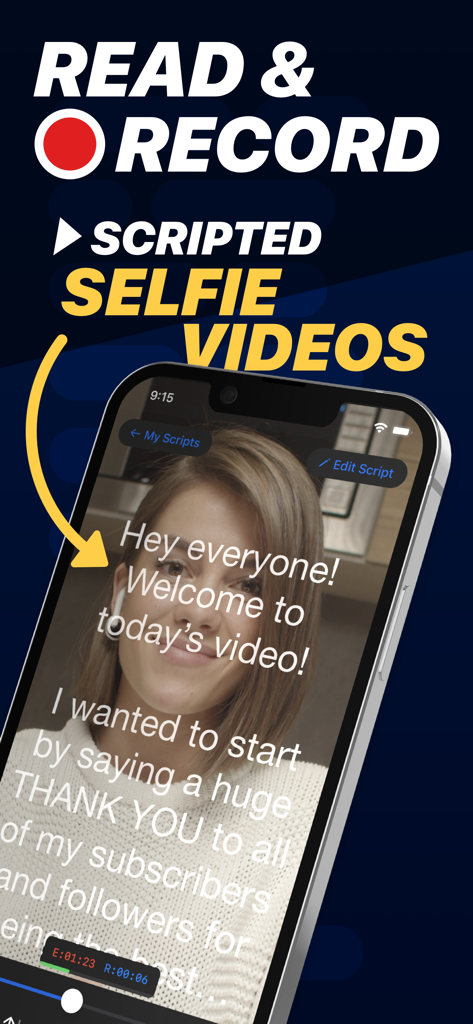
A woman recording a scripted selfie video using the Teleprompter app interface with scrolling text
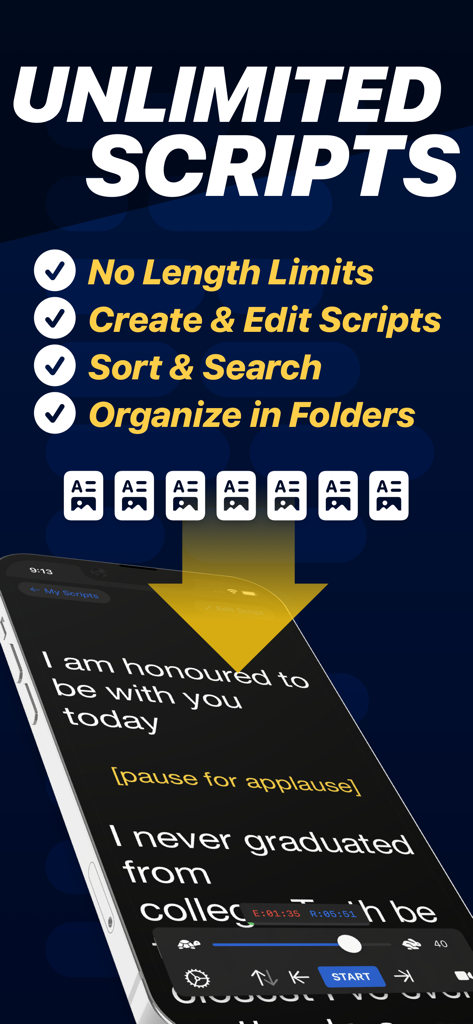
A smartphone showing the Teleprompter app with a scrolling script and features for managing unlimited scripts.
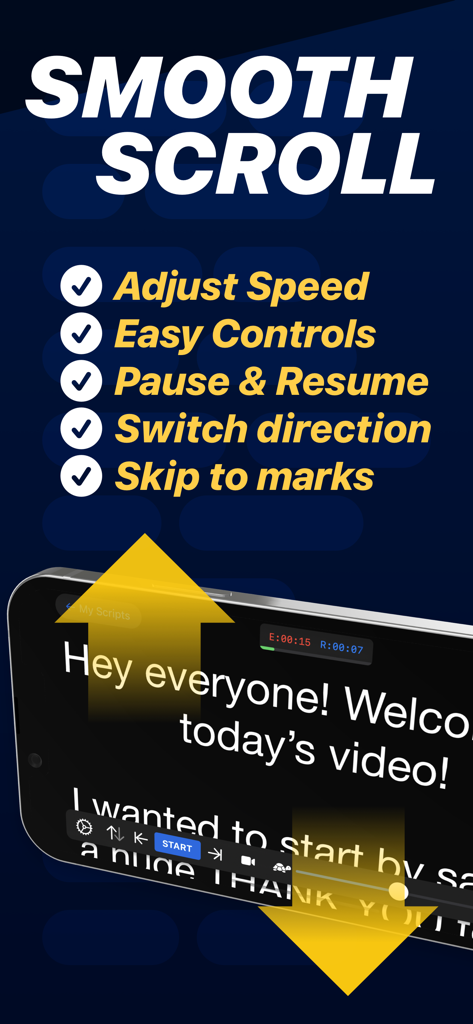
Teleprompter app interface showing smooth scroll features and script controls on an iPhone
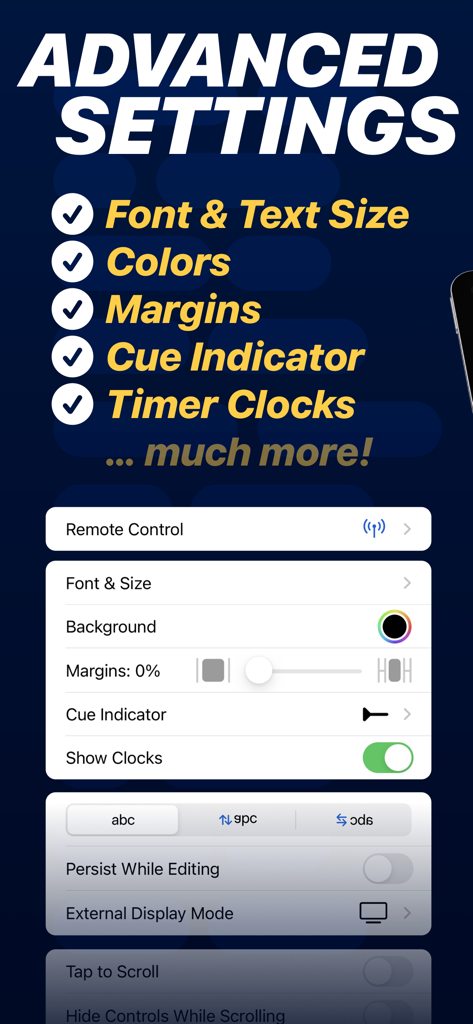
Advanced settings menu in the Teleprompter app showing customization options for fonts, margins, and cue indicators
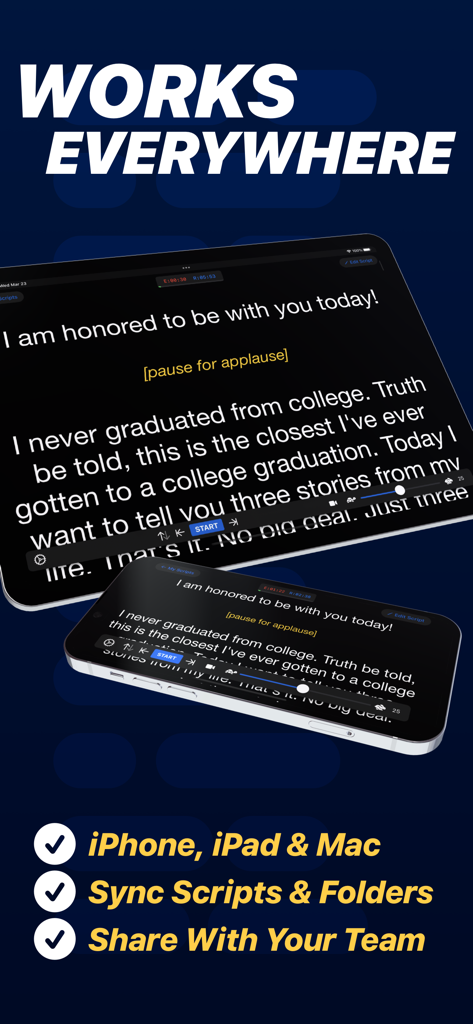
Teleprompter app displaying a script synchronized across an iPhone and an iPad for video content creation
Description
Download
More Like This
Apps with similar features and user experience

BIGVU Teleprompter Captions AI
BIGVU INC

Teleprompter for Video
Norton Five Ltd

Teleprompter.com
Teleprompter LLC

Vmake: AI Talking Video Editor
Starii Tech Pty Ltd

说得AI提词器相机-全能的脚本创作提词拍摄快速剪辑口播神器
Hangzhou Gaishi Technology Co., Ltd.

Teleprompter-Record Script
晨铭 李

Verba: Captions & Video Editor
Verba Creative Inc.

Teleprompter: Video Recording
志威 王

Teleprompter For Video - Pro
Liudmyla Yeromenko
This page is not an official page of the app or its developer, but an independent editorial publication created for informational and commentary purposes. Unless expressly stated otherwise, neither the app nor its developer is affiliated with, endorsed by, sponsored by, authorized by, or otherwise officially connected with MWM, Apple, Google Play, the app publisher, or the app's developer, and nothing on this page implies that the app was developed using MWM's services. Any trademarks, logos, screenshots, and other content remain the property of their respective owners.