
This page is not an official page of the app or its developer, but an independent editorial publication created for informational and commentary purposes. Unless expressly stated otherwise, neither the app nor its developer is affiliated with, endorsed by, sponsored by, authorized by, or otherwise officially connected with MWM, Apple, Google Play, the app publisher, or the app's developer, and nothing on this page implies that the app was developed using MWM's services. Any trademarks, logos, screenshots, and other content remain the property of their respective owners.


BluetoothAssistant
The essential toolkit for engineers and makers. Scan surrounding devices, log raw data packets, and streamline your workflow with batch writing and signal strength detection.
Downloads
255K+User Rating
Total Ratings
9K+Publisher
Category
Developer ToolsLocales
9Latest Version
2.9.0Size
77.4 MBFirst Released
Oct 26, 2020The Power User's Bluetooth Toolkit
Professional-grade features for engineers and makers to scan, connect, and debug hardware prototypes right from your iPhone.
Advanced Data Debugging
Read, write, and log raw data packets to monitor device behavior and troubleshoot firmware in real-time.
Efficient Batch Writing
Save time by automating command sequences and storing frequently used data packets for rapid hardware testing.
Frequently Asked Questions
Everything you need to know about BluetoothAssistant
What is BluetoothAssistant?
BluetoothAssistant discovers, connects, and debugs surrounding Bluetooth devices. It offers features like device scanning, signal strength detection, and data reading and writing.
Does BluetoothAssistant support multi-device connection?
Yes, BluetoothAssistant supports connecting to multiple Bluetooth devices. It scans for surrounding devices and allows users to connect them for debugging and data operations.
Does BluetoothAssistant show Bluetooth signal strength?
Yes, BluetoothAssistant displays the signal strength of nearby Bluetooth devices. It shows the RSSI (Received Signal Strength Indicator) for each discovered device.
Can I read and write data using BluetoothAssistant?
Yes, BluetoothAssistant allows reading and writing data to Bluetooth devices. It provides interfaces supporting both HEX and ASCII data formats for input and output.
Does BluetoothAssistant include batch writing capabilities?
Yes, BluetoothAssistant supports batch writing data. The app provides functionality to select and perform batch write operations for Bluetooth devices.
How does BluetoothAssistant manage user privacy?
BluetoothAssistant handles user privacy in accordance with its privacy policy. Users can access the full policy document through the provided link in the app description.
Can BluetoothAssistant log debugging data?
Yes, BluetoothAssistant records debug information. It provides a detailed Bluetooth log that users can view, export, and clear directly within the application.
Does BluetoothAssistant support dark mode?
Yes, BluetoothAssistant features a dark mode. This functionality enables the app's appearance to automatically align with the system's dark mode settings.
Can BluetoothAssistant display detailed device information?
Yes, BluetoothAssistant allows viewing detailed information for connected devices. This includes name, number of services, RSSI, UUID, and specific characteristic details for easy debugging.
The following screenshots and description are sourced directly from the app's official store listing and are the property of the app developer.
App Store
Screenshots
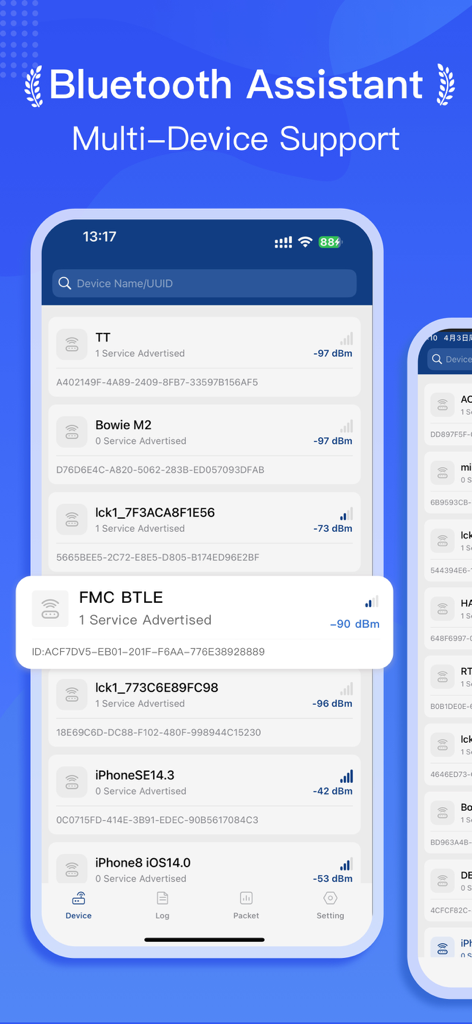
BluetoothAssistant app screen displaying multiple discovered Bluetooth devices with signal strength data.
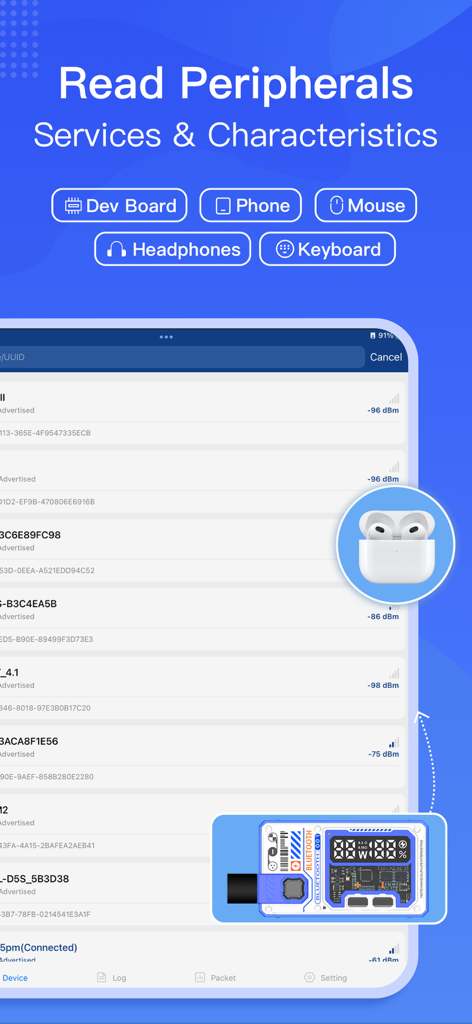
BluetoothAssistant app interface showing a list of nearby devices with signal strength and category icons for developer boards and headphones
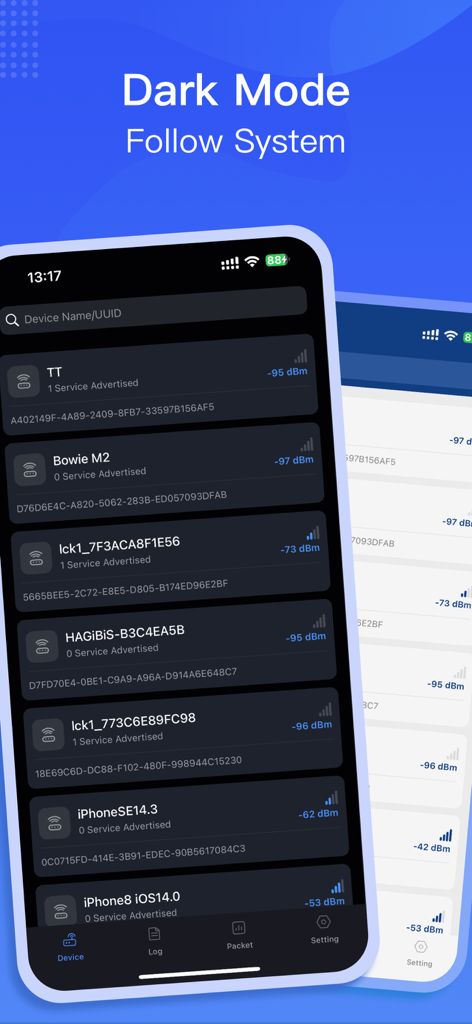
BluetoothAssistant app interface showing a list of scanned Bluetooth devices in dark mode with signal strength indicators
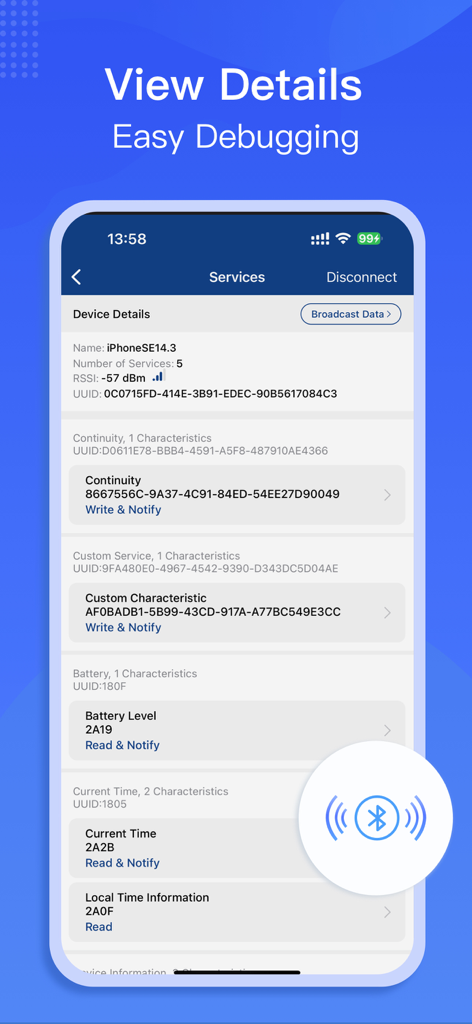
Detailed view of Bluetooth services and characteristics in the BluetoothAssistant app.
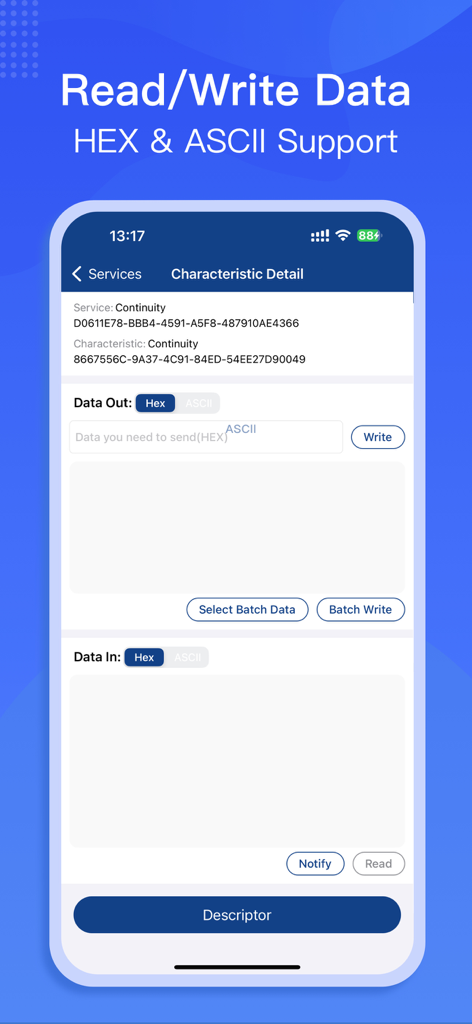
BluetoothAssistant app interface showing BLE characteristic details with HEX and ASCII data support
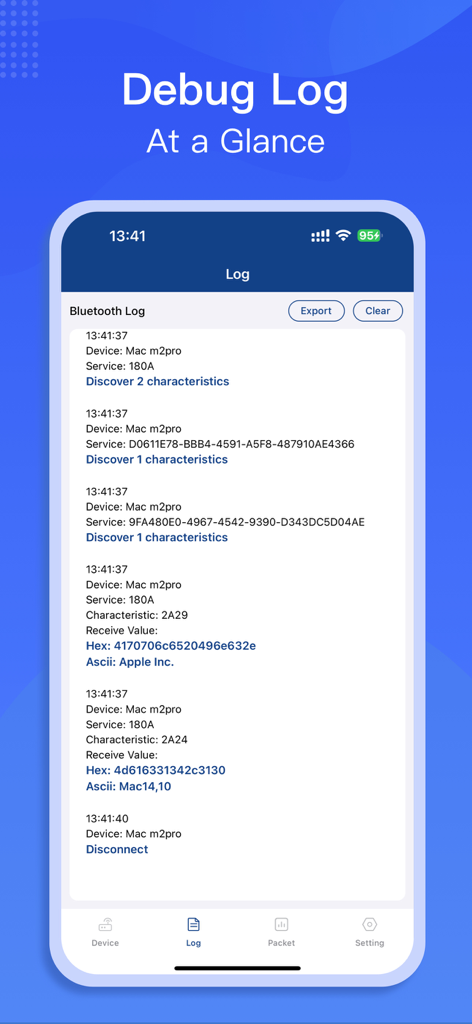
A screenshot of the BluetoothAssistant app debug log displaying technical details of connected Bluetooth devices
Description
Download
More Like This
Apps with similar features and user experience

Proxyman - Capture HTTPS
Proxyman LLC

LightBlue®
Punch Through Design LLC

ProxyPin - Open Source Capture
Minimalist Network Co., Ltd.

StikDebug
Stephen Bove

Onmi: Networking & API Request
Vuong Anh

Shizuku
Ahammam Lahcen

Stream - Network Debug Tool
Stream Lab Inc.

Web Inspector
And a Dinosaur

Surge 5
Surge Networks Inc.
This page is not an official page of the app or its developer, but an independent editorial publication created for informational and commentary purposes. Unless expressly stated otherwise, neither the app nor its developer is affiliated with, endorsed by, sponsored by, authorized by, or otherwise officially connected with MWM, Apple, Google Play, the app publisher, or the app's developer, and nothing on this page implies that the app was developed using MWM's services. Any trademarks, logos, screenshots, and other content remain the property of their respective owners.