
This page is not an official page of the app or its developer, but an independent editorial publication created for informational and commentary purposes. Unless expressly stated otherwise, neither the app nor its developer is affiliated with, endorsed by, sponsored by, authorized by, or otherwise officially connected with MWM, Apple, Google Play, the app publisher, or the app's developer, and nothing on this page implies that the app was developed using MWM's services. Any trademarks, logos, screenshots, and other content remain the property of their respective owners.


Shizuku
Streamline your workflow with professional developer utilities and deep system insights. From JSON formatting to network monitoring, access all your essential tools in one clean, native app.
Downloads
45K+User Rating
Total Ratings
2K+Publisher
Category
UtilitiesLocales
1Latest Version
1.0.1Size
31.8 MBFirst Released
Apr 4, 2025The Ultimate Mobile Workspace for Tech Professionals
Stop juggling browser tabs. Shizuku consolidates essential system diagnostics and professional developer utilities into one streamlined, native iOS experience built for efficiency.
Comprehensive Developer Suite
Handle JSON formatting, Regex testing, and Base64 encoding locally. Secure, offline tools for data transformation on the fly.
Deep System Intelligence
Go beyond basic settings with detailed real-time dashboards for battery health, storage distribution, and network specifications.
Frequently Asked Questions
Everything you need to know about Shizuku
What is Shizuku for iOS?
Shizuku is an essential iOS utility app that provides comprehensive system information and a suite of developer tools for iPhone and iPad, featuring a native interface.
What developer tools are available in Shizuku?
Shizuku includes developer tools such as a JSON formatter, QR code generator, color picker, Base64 encoder/decoder, text diff comparator, Markdown previewer, and JSON to CSV converter.
Can Shizuku display system information?
Yes, Shizuku provides comprehensive system information. It shows device specifications, storage details, battery status, and network information, optimized for iOS devices.
Does Shizuku support JSON formatting and validation?
Yes, Shizuku includes a JSON formatter and validator. This tool allows users to format and validate JSON data directly within the application.
What is the current app version of Shizuku?
The current app version of Shizuku is 1.0.0. This information is accessible through the 'About' section in the app's settings menu.
Does Shizuku offer a QR code generator?
Yes, Shizuku features a QR code generator as one of its developer tools. It enables users to create QR codes from various text inputs or URLs.
The following screenshots and description are sourced directly from the app's official store listing and are the property of the app developer.
App Store
Screenshots
Shizuku app splash screen showing logo and loading indicator
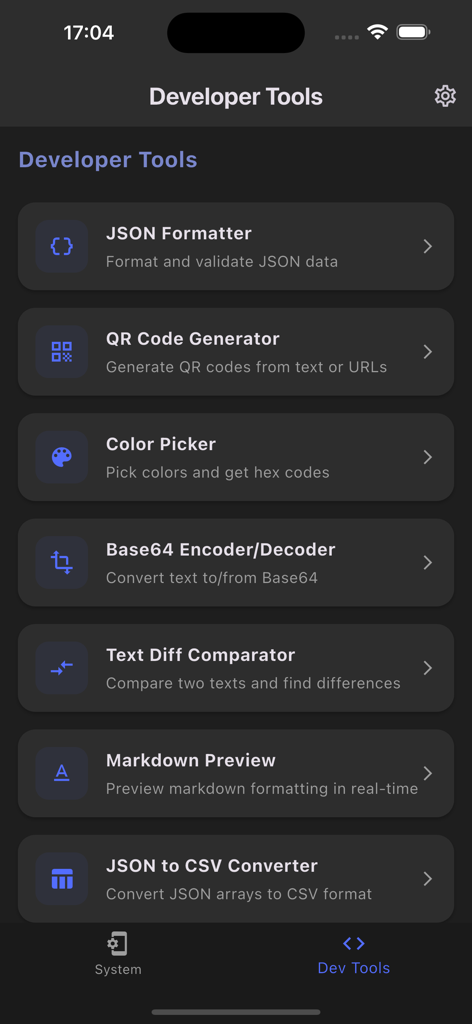
Shizuku app interface displaying a list of developer tools including JSON Formatter QR Code Generator and Color Picker.
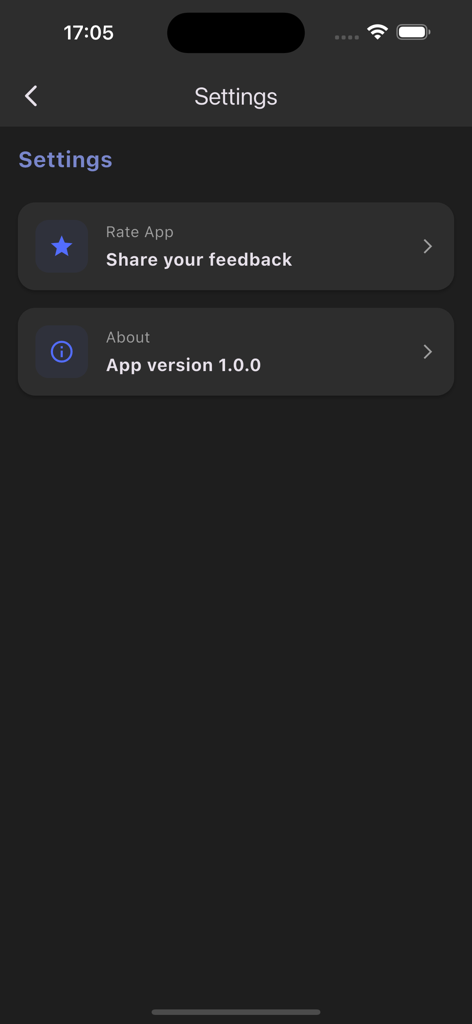
Settings screen for Shizuku iOS utility app showing app feedback and version information.
Description
Download
More Like This
Apps with similar features and user experience
Proxyman - Capture HTTPS
Proxyman LLC

LightBlue®
Punch Through Design LLC

ProxyPin - Open Source Capture
Minimalist Network Co., Ltd.

BluetoothAssistant
Hangzhou OrangeJuice Technology Co., Ltd.

StikDebug
Stephen Bove

Onmi: Networking & API Request
Vuong Anh

Stream - Network Debug Tool
Stream Lab Inc.

Web Inspector
And a Dinosaur

Surge 5
Surge Networks Inc.
This page is not an official page of the app or its developer, but an independent editorial publication created for informational and commentary purposes. Unless expressly stated otherwise, neither the app nor its developer is affiliated with, endorsed by, sponsored by, authorized by, or otherwise officially connected with MWM, Apple, Google Play, the app publisher, or the app's developer, and nothing on this page implies that the app was developed using MWM's services. Any trademarks, logos, screenshots, and other content remain the property of their respective owners.