
This page is not an official page of the app or its developer, but an independent editorial publication created for informational and commentary purposes. Unless expressly stated otherwise, neither the app nor its developer is affiliated with, endorsed by, sponsored by, authorized by, or otherwise officially connected with MWM, Apple, Google Play, the app publisher, or the app's developer, and nothing on this page implies that the app was developed using MWM's services. Any trademarks, logos, screenshots, and other content remain the property of their respective owners.

Blur Photo Editor
Achieve DSLR-quality bokeh for your social feed or instantly censor sensitive info with AI-powered face and object blurring—all in one powerful app.
Downloads
4M+User Rating
Total Ratings
43K+Publisher
Category
Photo & VideoLocales
33Latest Version
5.8.7Size
244.3 MBFirst Released
Nov 13, 2015Master Your Privacy & Style
The ultimate toolkit for aesthetic creators and privacy-conscious users to edit, blur, and protect photos with professional precision.
Cinematic DSLR Effects
Transform ordinary shots into professional portraits using high-end bokeh, motion, and lens blur tools.
Smart Privacy Shield
Keep sensitive data safe by instantly censoring faces, license plates, and private info with AI-powered pixelation.
Frequently Asked Questions
Everything you need to know about Blur Photo Editor
What is Blur Photo Editor?
Blur Photo Editor is an iOS app that blurs backgrounds, pixelates faces, hides objects, and applies various blur effects and filters to photos. It is designed for precise photo editing on iPhone and iPad.
Can I blur specific parts of an image with Blur Photo Editor?
Yes, Blur Photo Editor allows precise blurring of specific areas like backgrounds, faces, license plates, or credit card numbers. It includes features such as touch blur and AI-powered tools for targeted edits.
Does Blur Photo Editor offer AI features?
Yes, Blur Photo Editor offers AI-powered features. These include AI-powered face censoring and one-tap background blurring, which simplify and enhance the photo editing process for users.
How do I blur a picture using the Blur Photo Editor app?
To blur a picture, open Blur Photo Editor, tap the (+) button to select a photo, tap Blur, swipe your finger across the photo, choose an effect, adjust intensity, and then save the photo.
What types of blur effects are available in Blur Photo Editor?
Blur Photo Editor provides diverse effects including Gaussian, bokeh, motion, mosaic, water, glass, distortion, and paint blurs. It also features lens blur options like circle and linear, and shape blurs.
Can I add text and filters to my photos with Blur Photo Editor?
Yes, Blur Photo Editor allows users to apply various photo filters, such as B&W, sepia, and vintage. It also enables adding custom text to photos with different fonts, colors, and styles.
Is Blur Photo Editor a free app?
No, Blur Photo Editor is free to download, but it requires an auto-renewing subscription to unlock and access the app's full functionality and all its advanced features.
What subscription options does Blur Photo Editor offer?
Blur Photo Editor offers weekly and yearly auto-renewable subscription options. These subscriptions include a free trial period, which automatically converts to a paid plan if not cancelled at least 24 hours prior.
Can I unblur a part of an image in Blur Photo Editor?
Yes, Blur Photo Editor includes an unblurring feature. This tool allows users to precisely restore or unblur specific parts of an image that may have been accidentally blurred during editing.
Does Blur Photo Editor support photo collage creation?
Yes, Blur Photo Editor features a photo collage maker. It provides multiple layouts, allowing users to combine various images into a single collage directly within the application.
The following screenshots and description are sourced directly from the app's official store listing and are the property of the app developer.
App Store
Screenshots
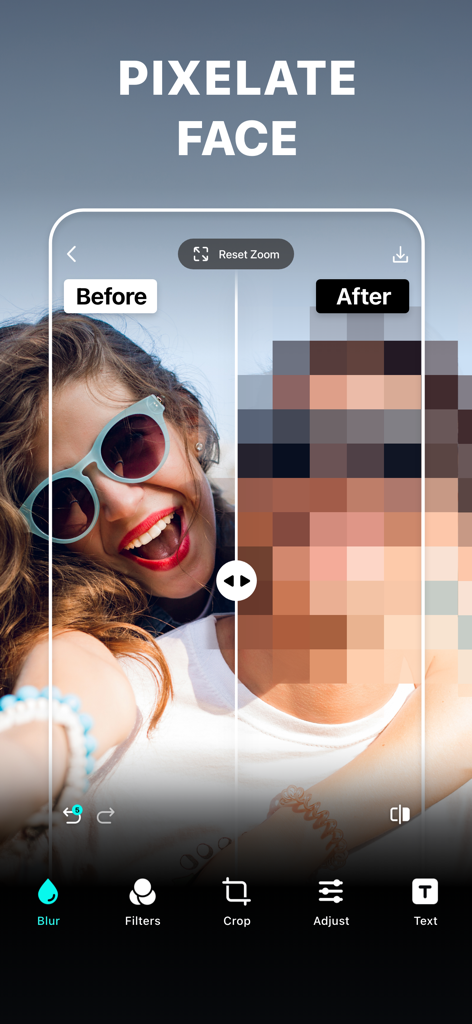
Before and after comparison showing a pixelated face for privacy in the Blur Photo Editor app
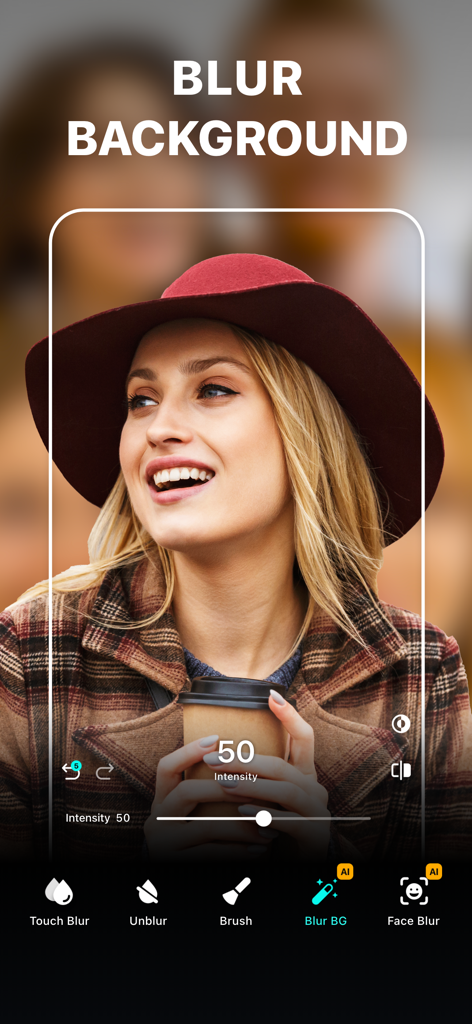
Interface of the Blur Photo Editor app showing the background blur tool applied to a portrait of a woman wearing a hat
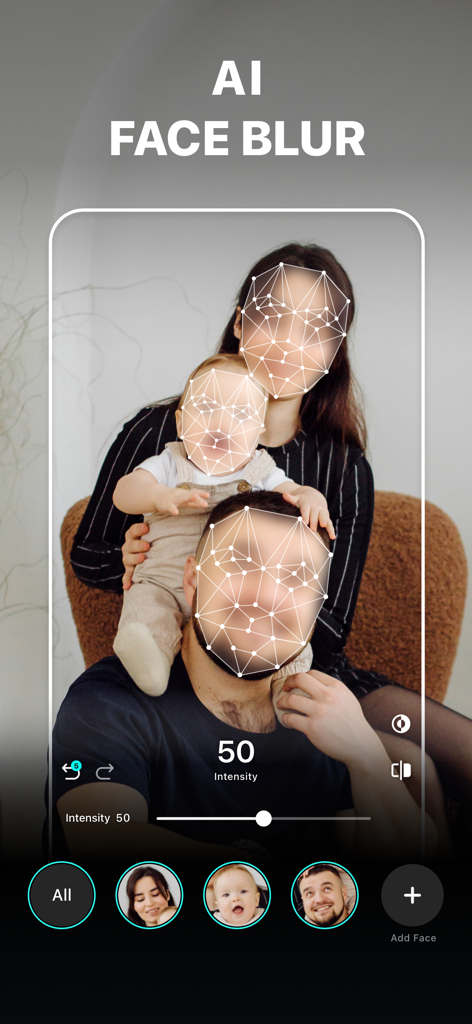
Interface of the Blur Photo Editor app showing the AI Face Blur feature censoring a family portrait for privacy.
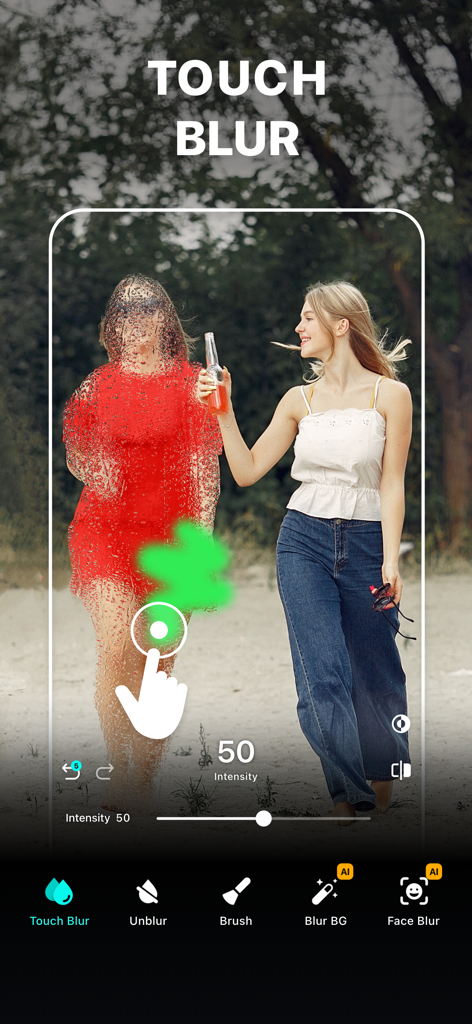
A person using the touch blur tool in the Blur Photo Editor app to manually censor a figure in a photograph.
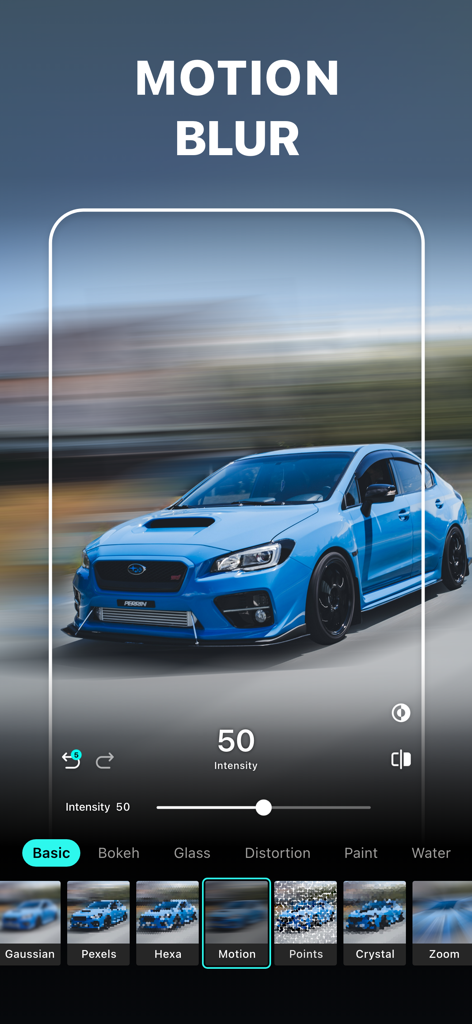
A blue sports car with a motion blur effect applied in the Blur Photo Editor app interface
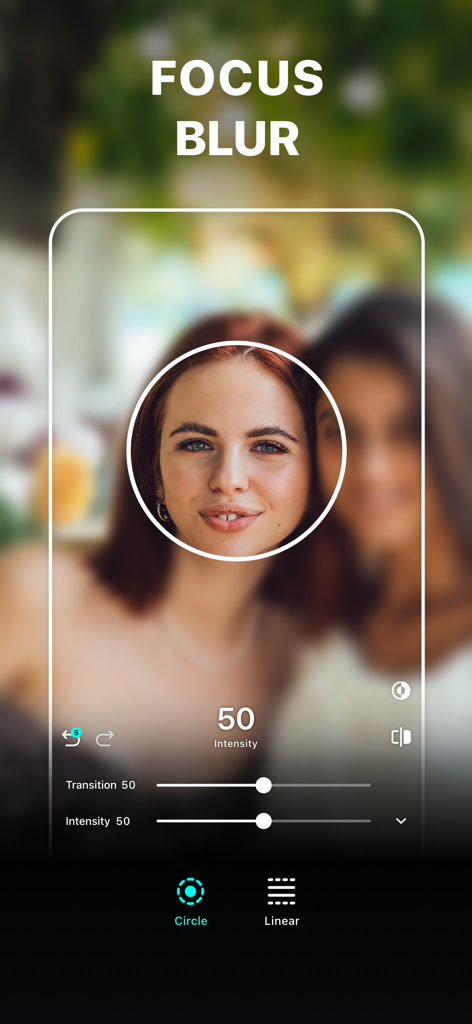
Focus blur tool with a circular focus area on a woman's portrait
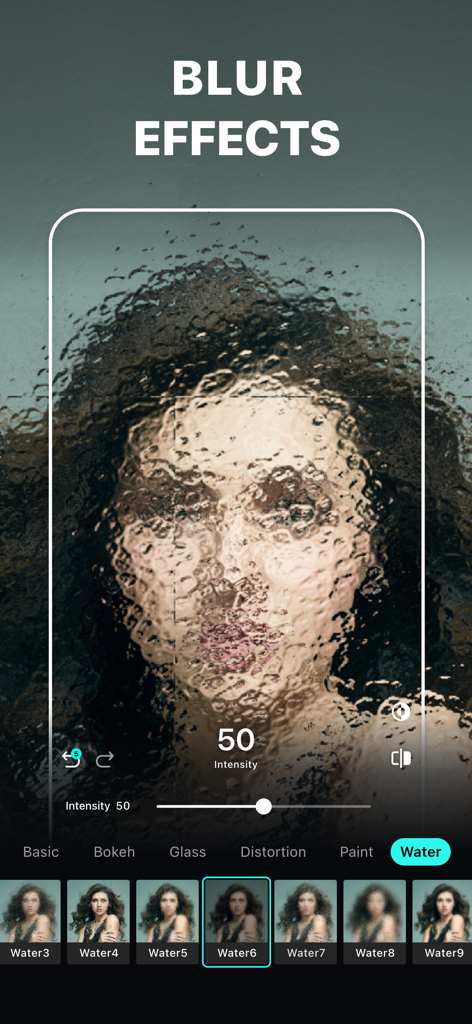
Blur Photo Editor app interface showing an artistic water blur effect applied to a portrait photo
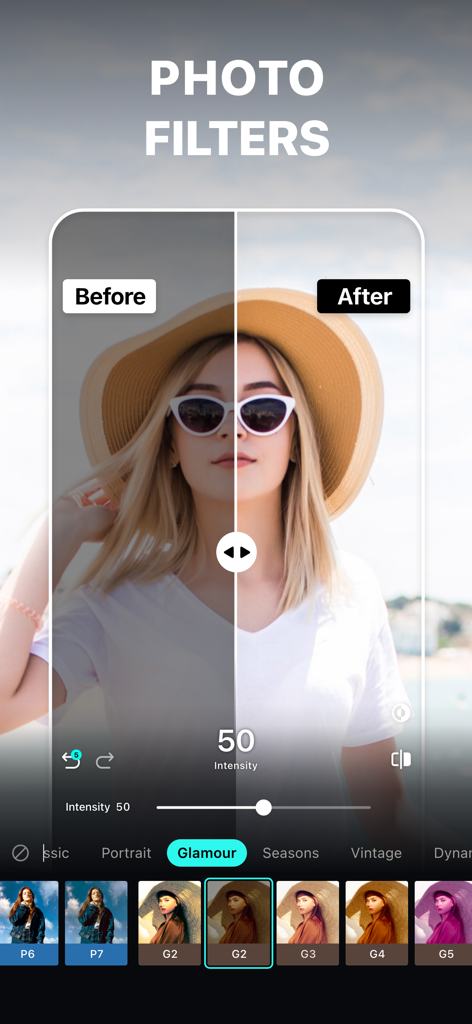
Before and after comparison of a photo filter in the Blur Photo Editor app showing a woman wearing a hat
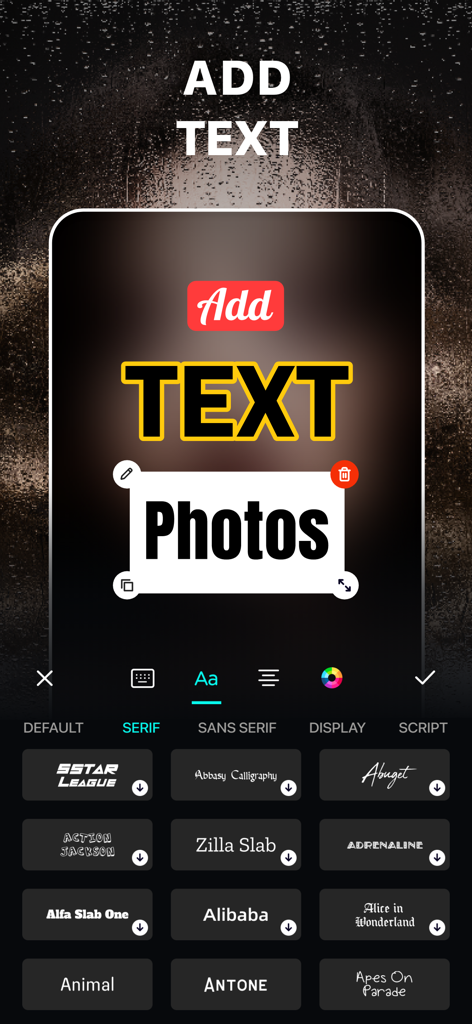
Interface of the Blur Photo Editor app showing how to add and customize text on photos with various font options
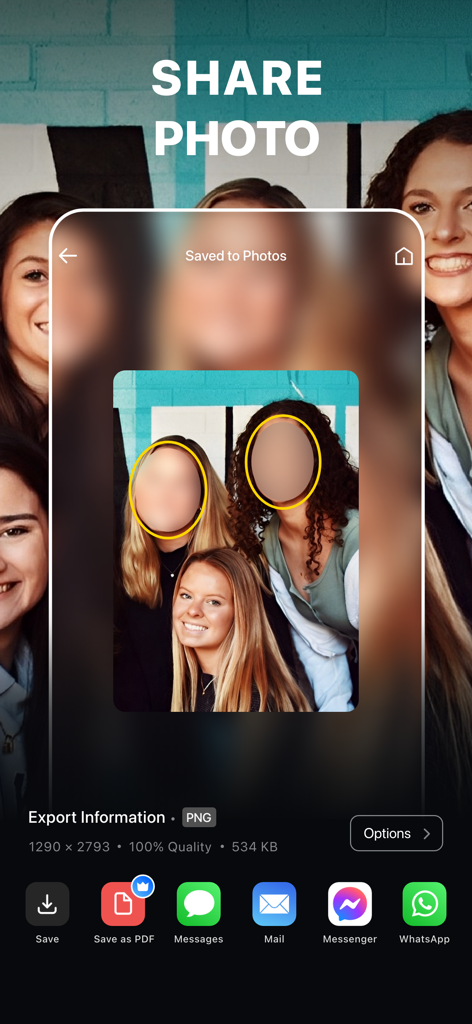
Mobile app interface showing the share screen with options to export a photo with censored faces to various platforms
Description
Download
More Like This
Apps with similar features and user experience
Blur Background Photo Effect
Shiho Sadamizu

Blur Photo Effect Background
Honk Honk Punch Pty Ltd

Blur Photo - Background & Face
Alenrom sp. z o.o.
Blur Photo Editor: blur effect
Ryoichi Fukugawa

Motion Blur Photo Editor
Daria Khalitova

Blurr: Motion Blur Effect Pro
Viacheslav Khakhulin
Blurry Photo Aрр
AI Photo Editor Lab SRL
Blur Photo Background
SUNWOONG JANG

Blur Photo - Effect Editor
Appenvision Ltd
This page is not an official page of the app or its developer, but an independent editorial publication created for informational and commentary purposes. Unless expressly stated otherwise, neither the app nor its developer is affiliated with, endorsed by, sponsored by, authorized by, or otherwise officially connected with MWM, Apple, Google Play, the app publisher, or the app's developer, and nothing on this page implies that the app was developed using MWM's services. Any trademarks, logos, screenshots, and other content remain the property of their respective owners.