
This page is not an official page of the app or its developer, but an independent editorial publication created for informational and commentary purposes. Unless expressly stated otherwise, neither the app nor its developer is affiliated with, endorsed by, sponsored by, authorized by, or otherwise officially connected with MWM, Apple, Google Play, the app publisher, or the app's developer, and nothing on this page implies that the app was developed using MWM's services. Any trademarks, logos, screenshots, and other content remain the property of their respective owners.

Blurry Photo Aрр
Transform any photo into a studio-quality masterpiece. From dreamy bokeh to high-energy motion blur, get the curated DSLR look for your social feed in seconds.
Downloads
360K+User Rating
Total Ratings
1K+Publisher
Category
Photo & VideoLocales
13Latest Version
2.1.8Size
60.2 MBFirst Released
Sep 3, 2023Professional Results, Effortless Edits
Transform your mobile photos into stunning social-ready masterpieces with professional-grade tools designed for the modern creator.
Pro-Level Depth & Bokeh
Achieve the cinematic DSLR look with Gaussian and tilt-shift effects that make your subject stand out in every shot.
Dynamic Motion Effects
Stay on-trend with high-energy motion blur that adds an artistic edge to your urban and action photography.
Frequently Asked Questions
Everything you need to know about Blurry Photo Aрр
What is Blurry Photo App?
Blurry Photo App is a mobile application designed for users to create blurry photos. It caters to both beginners and professionals, providing tools to achieve desired effects.
What blur effects are available in Blurry Photo App?
Blurry Photo App includes Gaussian blur, motion blur, and tilt-shift blur effects. Users can adjust the intensity. Screenshots also display 'Box' and 'Pixelate' blur options.
Does Blurry Photo App include editing tools?
Yes, Blurry Photo App provides various editing tools. These include brightness, contrast, and saturation to customize photos further after applying blur effects.
Is Blurry Photo App easy to use for beginners?
Yes, Blurry Photo App features a simple and intuitive interface. It is designed for ease of use, enabling even non-photography experts to create high-quality photos.
What are the subscription options for Blurry Photo App?
Blurry Photo App offers premium feature access via weekly and yearly subscriptions. Payments are charged to your iTunes Account as soon as you confirm your purchase.
How can I manage my Blurry Photo App subscription?
Users can manage Blurry Photo App subscriptions and disable auto-renewal from their iTunes Account Settings after making a purchase. This allows control over subscription status.
How does auto-renewal work for Blurry Photo App subscriptions?
Your Blurry Photo App subscription renews automatically. To prevent renewal, you must turn off auto-renew at least 24 hours before the current period ends.
Is a free trial available for Blurry Photo App?
Blurry Photo App states any unused portion of a free trial period, if offered, is forfeited when purchasing a subscription. This implies a trial may be available.
The following screenshots and description are sourced directly from the app's official store listing and are the property of the app developer.
App Store
Screenshots
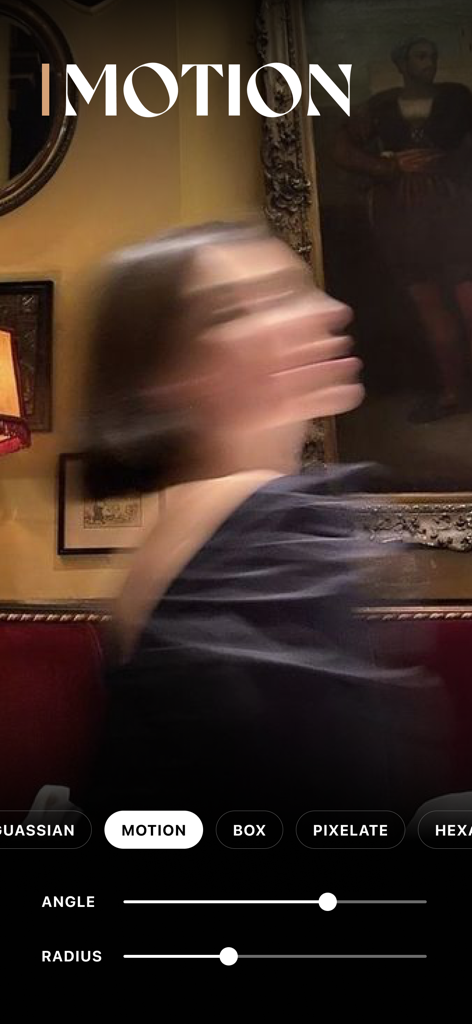
A portrait with a motion blur aesthetic being edited in the Blurry Photo App interface.
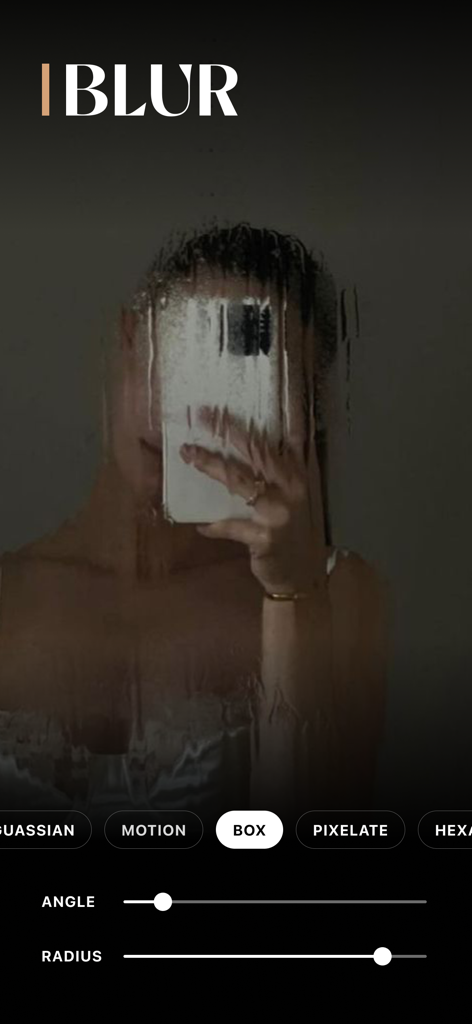
User interface of the Blurry Photo App showing a box blur effect applied to a mirror selfie with angle and radius sliders
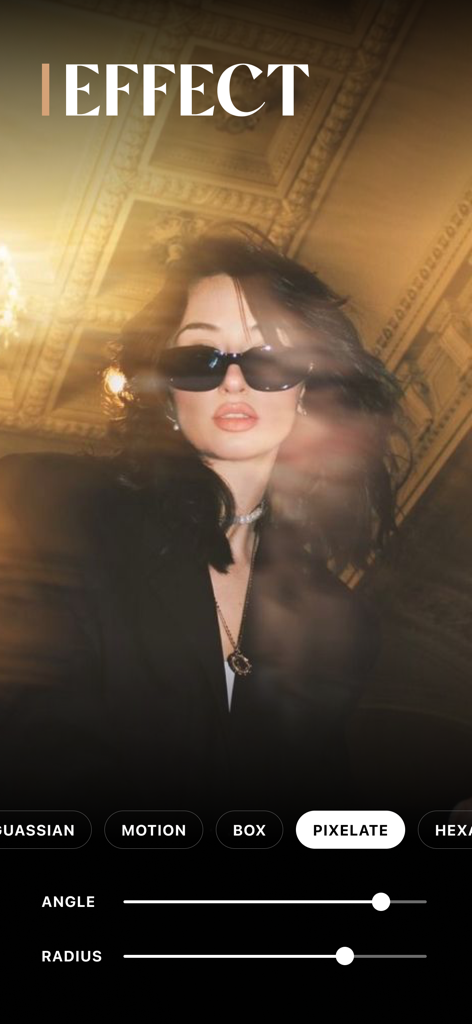
Editing a portrait with the pixelate blur effect in the Blurry Photo App interface
Description
Download
More Like This
Apps with similar features and user experience

Blur Background Photo Effect
Shiho Sadamizu

Blur Photo Effect Background
Honk Honk Punch Pty Ltd
Blur Photo Editor
Sohel Ibna Saad

Blur Photo - Background & Face
Alenrom sp. z o.o.

Blur Photo Editor: blur effect
Ryoichi Fukugawa

Motion Blur Photo Editor
Daria Khalitova

Blurr: Motion Blur Effect Pro
Viacheslav Khakhulin
Blur Photo Background
SUNWOONG JANG

Blur Photo - Effect Editor
Appenvision Ltd
This page is not an official page of the app or its developer, but an independent editorial publication created for informational and commentary purposes. Unless expressly stated otherwise, neither the app nor its developer is affiliated with, endorsed by, sponsored by, authorized by, or otherwise officially connected with MWM, Apple, Google Play, the app publisher, or the app's developer, and nothing on this page implies that the app was developed using MWM's services. Any trademarks, logos, screenshots, and other content remain the property of their respective owners.