
This page is not an official page of the app or its developer, but an independent editorial publication created for informational and commentary purposes. Unless expressly stated otherwise, neither the app nor its developer is affiliated with, endorsed by, sponsored by, authorized by, or otherwise officially connected with MWM, Apple, Google Play, the app publisher, or the app's developer, and nothing on this page implies that the app was developed using MWM's services. Any trademarks, logos, screenshots, and other content remain the property of their respective owners.


BookFusion
Seamlessly organize, read, and sync your eBooks, PDFs, and comics across all devices. Take control of your collection with deep Calibre integration and professional-grade highlight management.
Downloads
241K+User Rating
Total Ratings
1K+Publisher
Category
BooksLocales
4Latest Version
1.41.3Size
149.1 MBFirst Released
Sep 6, 2016Your Personal Digital Library, Perfected
The powerful, cross-platform eBook manager designed for digital bibliophiles who demand more from their reading experience.
Desktop-Class Organization
The ultimate Calibre ally. Sync your entire library, including custom metadata, series, and tags, to your iPhone and iPad effortlessly.
Fuel Your Second Brain
Treat your highlights as data. Capture deep annotations and export them in Markdown or PDF to tools like Notion, Obsidian, and Roam.
Frequently Asked Questions
Everything you need to know about BookFusion
What is BookFusion?
BookFusion is a cross-platform eBook reader and manager that offers cloud sync. It allows users to read, organize, and manage over 2 million eBooks across all their devices, supporting formats like EPUB, PDF, and CBZ/CBR.
Can BookFusion sync my reading progress across devices?
Yes, BookFusion offers seamless syncing. It syncs reading progress, highlights, annotations, eBooks, and bookmarks across all devices. Users can pick up exactly where they left off on any device.
What eBook formats does BookFusion support?
BookFusion supports EPUB, PDF, and CBZ/CBR eBooks directly. Additional formats like AZW, DOCX, HTML, TXT, and others are supported via the Web App, allowing upload before using the iOS App.
Does BookFusion have a dark mode?
Yes, BookFusion provides both Light and Dark Mode options. Users can choose their preferred visual theme for reading and navigating the app interface.
How does BookFusion help organize eBooks?
BookFusion organizes eBooks using virtual bookshelves or series. Users quickly find eBooks with category, tags, or author filters. It functions as a comprehensive eBook Organizer and Manager.
Can I highlight and annotate text in BookFusion?
Yes, BookFusion enables highlighting with preferred colors and adding tags. Highlights sort by date/progress and export in CSV, Markdown, HTML, and PDF formats.
Does BookFusion offer text-to-speech functionality?
Yes, BookFusion includes Text-to-Speech (TTS). It uses Apple's native natural-sounding feature. Users customize reading speed, voice, and accessibility settings for audio playback.
Is BookFusion compatible with Calibre?
Yes, BookFusion integrates with Calibre. It syncs metadata, custom columns, series, tags, and updated PDF & EPUB files, providing access to the entire Calibre library on devices.
Can I send eBooks from BookFusion to my Kindle device?
Yes, BookFusion offers a "Send to Kindle" feature. Users can organize and quickly send their next read to their Kindle device with one click.
Does BookFusion support vertical writing for languages like Japanese?
Yes, BookFusion provides Vertical Writing Support. It allows users to read Chinese, Vietnamese, Korean, and Japanese eBooks with ease.
Can I use BookFusion to read PDFs with images and graphs?
Yes, BookFusion supports Image/Area Highlights & Annotations for PDFs. Users can easily annotate or highlight images, tables, graphs, or any text elements within their PDF documents.
How many eBooks are available through BookFusion?
BookFusion allows managing and reading over 2 million eBooks. Additionally, users can choose from over 70,000 eBooks directly within the BookFusion app's store.
Does BookFusion allow multitasking on iPadOS and macOS?
Yes, BookFusion supports Multi-Window on iPadOS & macOS. Users can open multiple books side by side, use Split View, or read and view highlights simultaneously for efficient multitasking.
Where can I find the Terms of Service and Privacy Policy for BookFusion?
The BookFusion Terms of Service are at https://www.bookfusion.com/terms. The Privacy Policy is at https://www.bookfusion.com/privacy. These documents detail user agreements and data handling practices.
The following screenshots and description are sourced directly from the app's official store listing and are the property of the app developer.
App Store
Screenshots
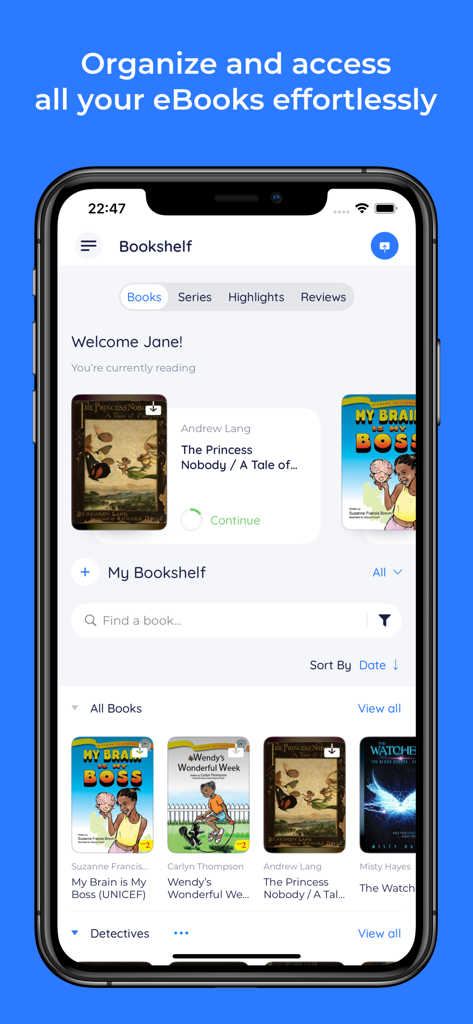
BookFusion app interface showing a digital bookshelf with organized eBook covers and reading progress on an iPhone screen.
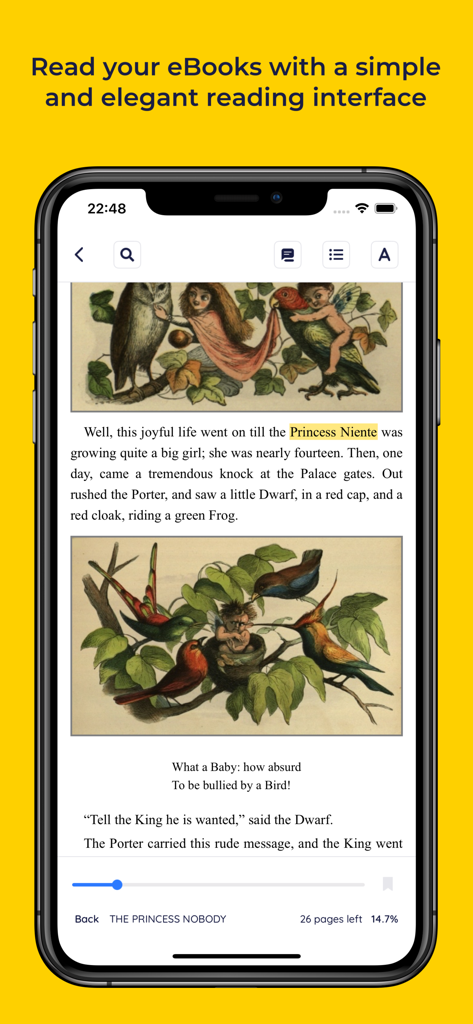
BookFusion app showing an illustrated eBook with a clean reading interface and highlighting tools on a smartphone
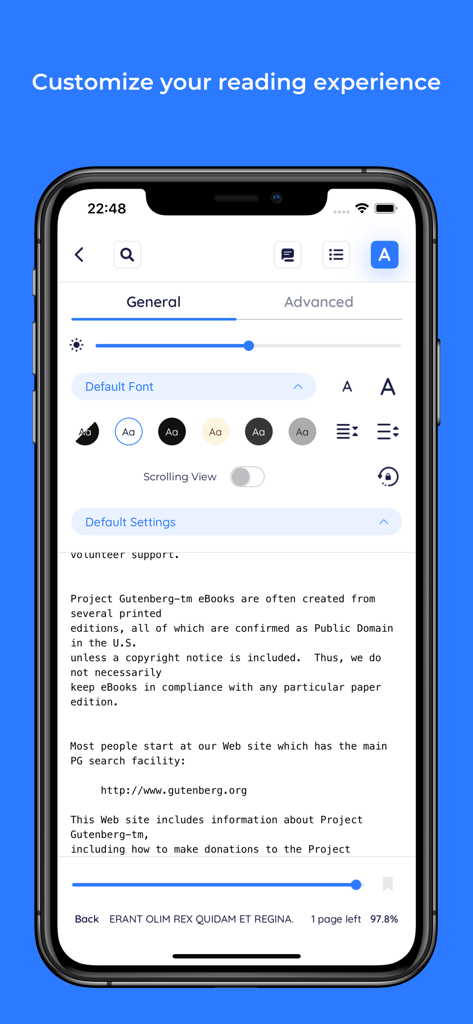
BookFusion reading interface showing customization settings for fonts and themes
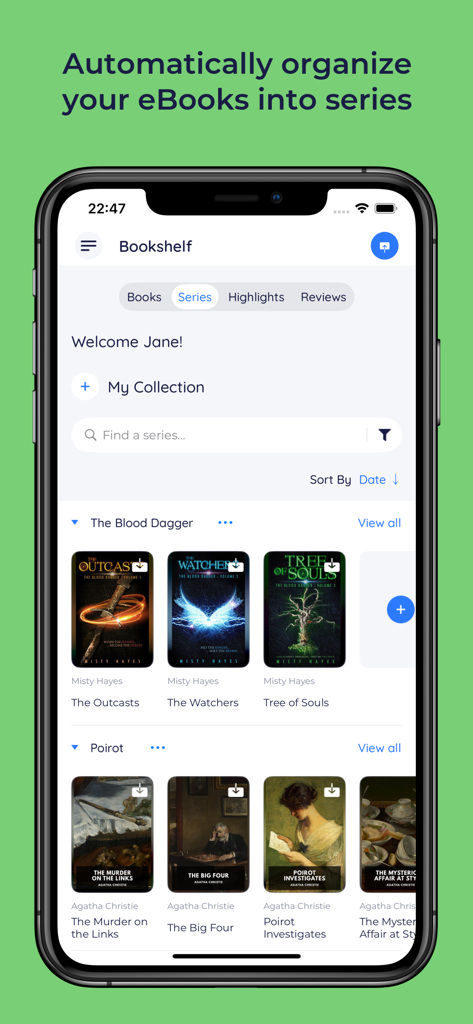
BookFusion app interface showing eBooks automatically organized into series folders like The Blood Dagger and Poirot
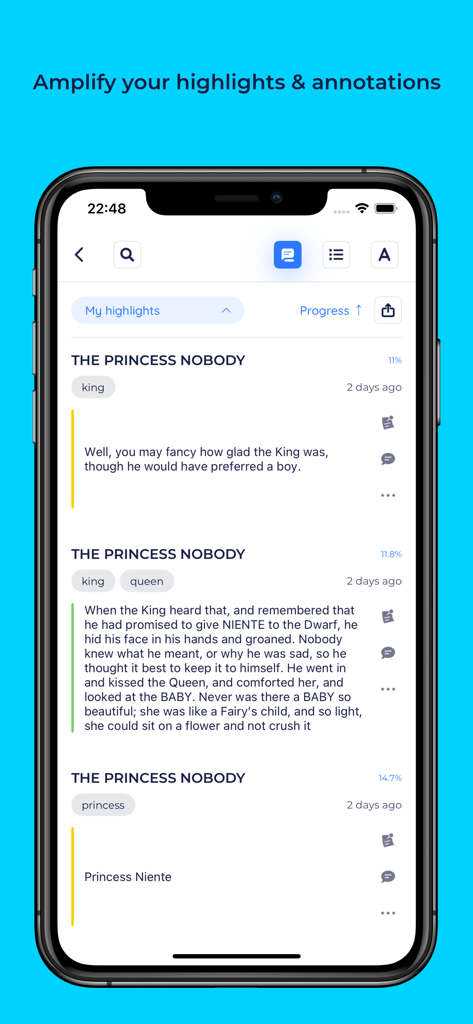
Screenshot of the BookFusion app displaying organized book highlights and annotations.
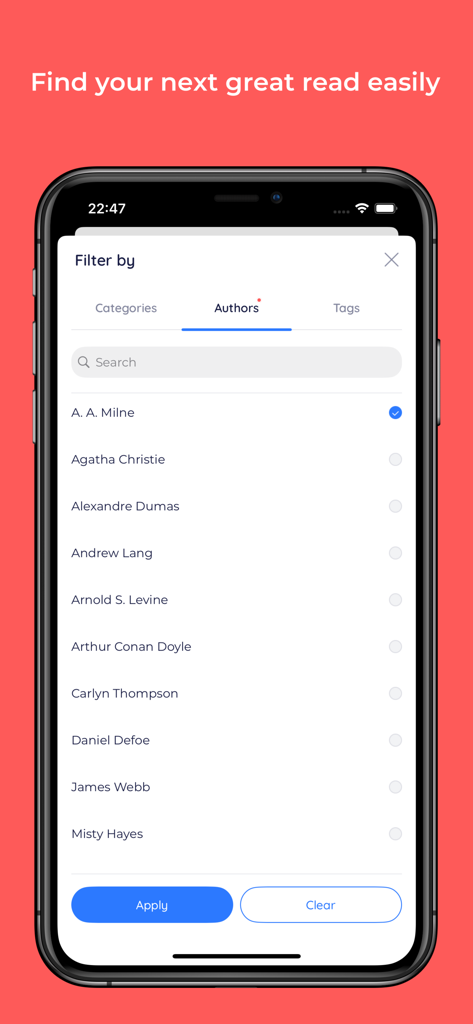
BookFusion app interface showing a list of authors for filtering an ebook collection
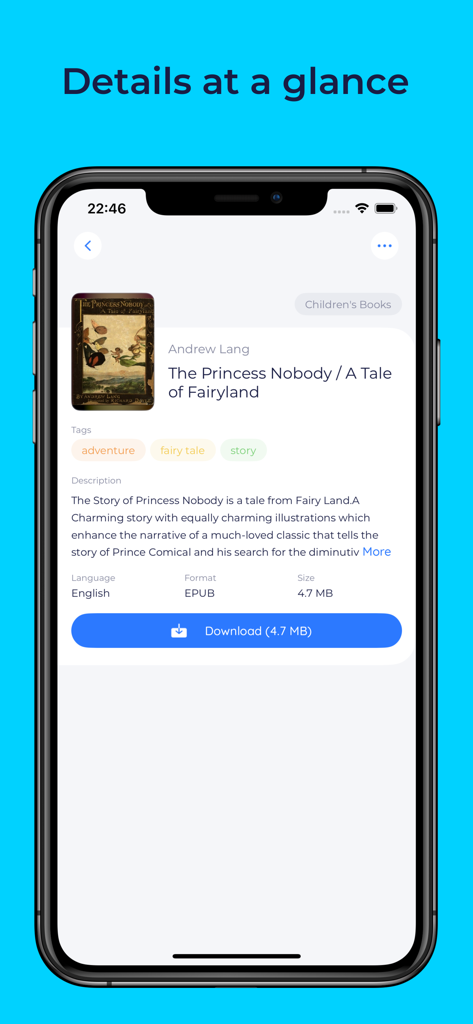
BookFusion app interface showing ebook details like tags description and download button
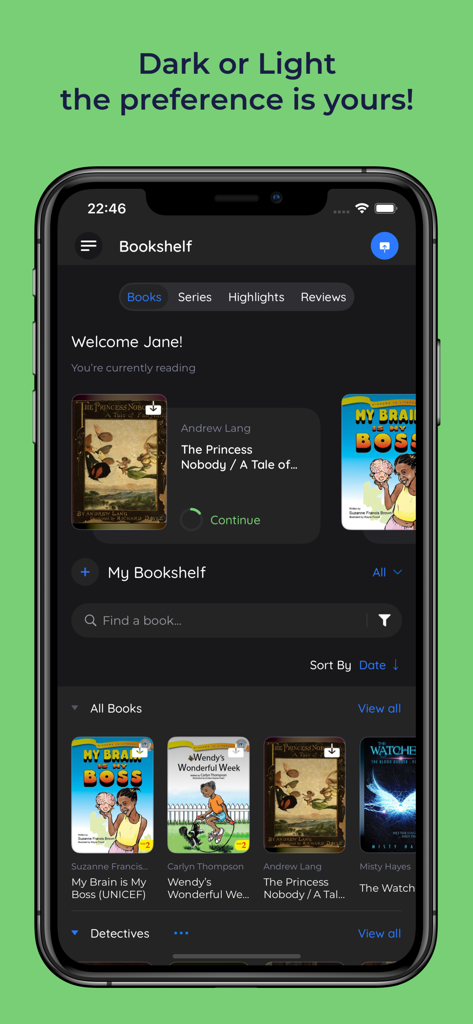
A smartphone displaying the BookFusion digital library app in dark mode featuring several eBook covers.
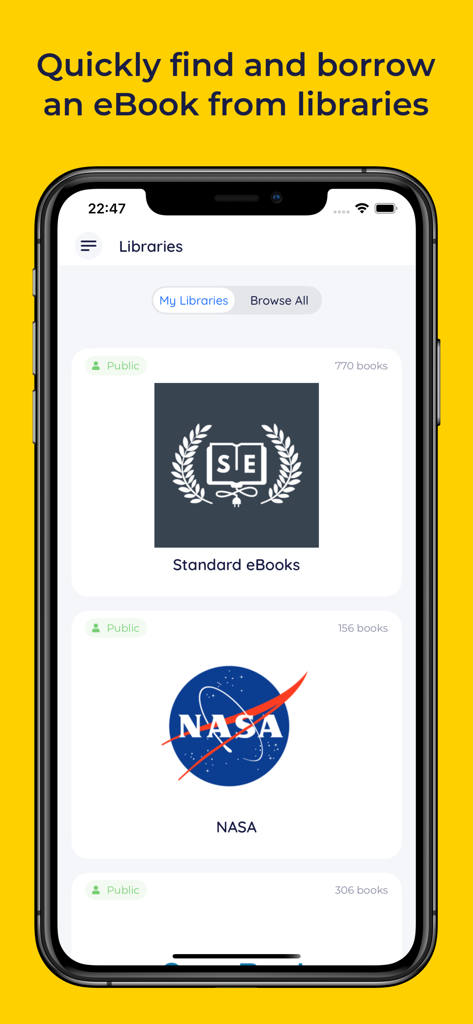
BookFusion app interface showing a list of public eBook libraries including NASA and Standard eBooks on an iPhone
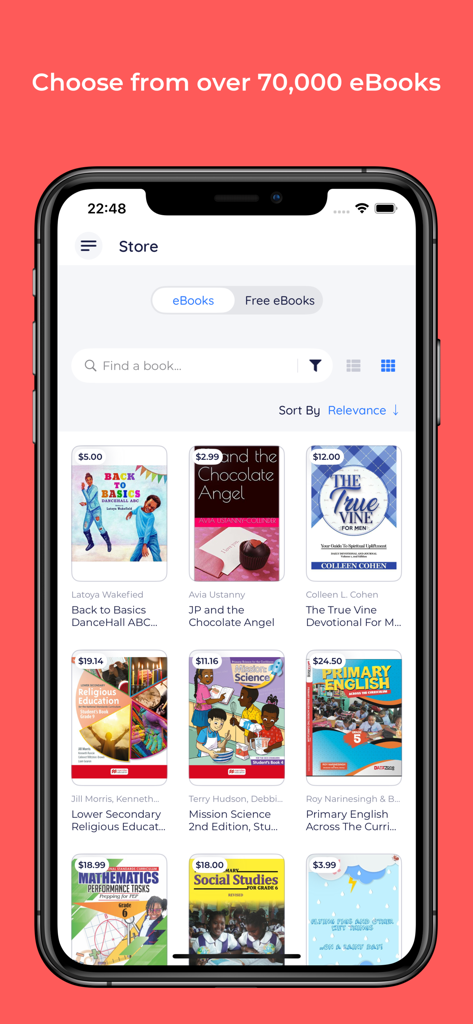
Interface of the BookFusion app store on an iPhone featuring a collection of available eBooks.
Description
Download
More Like This
Apps with similar features and user experience

eBoox - fb2 ePub book reader
REDIT, OOO

PureLibro: ebook reader
添欢 谢

Summit Reader
三英 郑

Readingo
哲魁 左

YACReader - Comic Reader
Luis Ángel San Martín

KRed Reader
Kingjet Network Co., Ltd.

Epub Reader -read epub,chm,txt
俊杰 阮

Yomu EBook Reader
Beat Raess

KyBook 3 Ebook Reader
Konstantin Bukreev
This page is not an official page of the app or its developer, but an independent editorial publication created for informational and commentary purposes. Unless expressly stated otherwise, neither the app nor its developer is affiliated with, endorsed by, sponsored by, authorized by, or otherwise officially connected with MWM, Apple, Google Play, the app publisher, or the app's developer, and nothing on this page implies that the app was developed using MWM's services. Any trademarks, logos, screenshots, and other content remain the property of their respective owners.