
This page is not an official page of the app or its developer, but an independent editorial publication created for informational and commentary purposes. Unless expressly stated otherwise, neither the app nor its developer is affiliated with, endorsed by, sponsored by, authorized by, or otherwise officially connected with MWM, Apple, Google Play, the app publisher, or the app's developer, and nothing on this page implies that the app was developed using MWM's services. Any trademarks, logos, screenshots, and other content remain the property of their respective owners.


Boxer - Workspace ONE
Email just got an upgrade. This app doesn't just manage your inbox; it hands users control over their workday, making every tap count.
Downloads
2.5M+User Rating
Total Ratings
30.2KPublisher
Category
BusinessLocales
19Latest Version
26.03Size
231.9 MBFirst Released
Mar 31, 2016An analysis of the core functionalities enhancing secure mobile productivity for corporate users.
Key Features of Workspace ONE Boxer
Enterprise-Grade Security
The app ensures corporate data protection through robust authentication mechanisms like Touch ID and PIN support, meeting critical enterprise security and compliance requirements for IT administrators and professionals.
Unified Productivity Suite
This tool unifies email, calendar, and contacts into a single, intuitive application, enhancing user productivity and streamlining daily communication and scheduling for corporate professionals.
One-Tap Conference Dialing
It allows users to instantly dial into conference calls with a single tap, eliminating the need for manual access code entry and saving significant time for professionals with frequent meetings.
Configurable Inbox Workflows
The app provides an intelligent, configurable inbox with features like custom swipe gestures and quick-reply templates, enabling users to personalize their email management and work more efficiently.
Advanced Calendar Management
This tool features comprehensive calendar management capabilities, allowing users to easily create and manage events, view attachments, and send meeting invites directly within the application.
Seamless Availability Sharing
It allows users to quickly share their calendar availability, simplifying the coordination of meetings and improving collaboration among colleagues.
Frequently Asked Questions
Everything you need to know about Boxer - Workspace ONE
What is Workspace ONE Boxer?
Workspace ONE Boxer is an email, calendar, and contacts application designed for faster and smarter work. It includes features like custom swipe gestures and quick-reply templates to enhance productivity.
What email management features does Boxer offer?
Boxer provides advanced email management features including bulk actions, configurable quick replies, and custom swipe gestures. It also allows for quick sharing of calendar availability directly from the email interface.
Does Workspace ONE Boxer include calendar management?
Yes, Workspace ONE Boxer integrates full-featured calendar management. Users can easily create and manage events, view attachments, send meeting invites, and check availability within the app.
Can I manage contacts with Workspace ONE Boxer?
Yes, Boxer enables quick access to directory contacts. Users can find colleagues efficiently on the go, integrating email, calendar, and contacts into a single application.
Is Workspace ONE Boxer secure?
Yes, Workspace ONE Boxer prioritizes data security. It supports security-conscious organizations and includes features like Touch ID and PIN support for secure, instant access to user data.
How does Boxer simplify conference calls?
Boxer simplifies conference calls with its 'Single Tap Dial' feature. This allows users to instantly join conference calls without manually entering access codes or meeting numbers.
Does Boxer support dark mode?
Yes, Boxer supports a dark mode interface. This feature allows users to switch to a darker theme for their inbox and other app screens.
Can Boxer show email importance?
Yes, Boxer can indicate the importance of emails. The application provides visual cues to highlight high-importance messages within the inbox.
Can I configure delegated access to accounts in Boxer?
Yes, Boxer allows users to configure delegated and shared accounts. This feature enables access to mailboxes and calendars with permissions like editing emails and managing calendar events.
The following screenshots and description are sourced directly from the app's official store listing and are the property of the app developer.
App Store
Screenshots
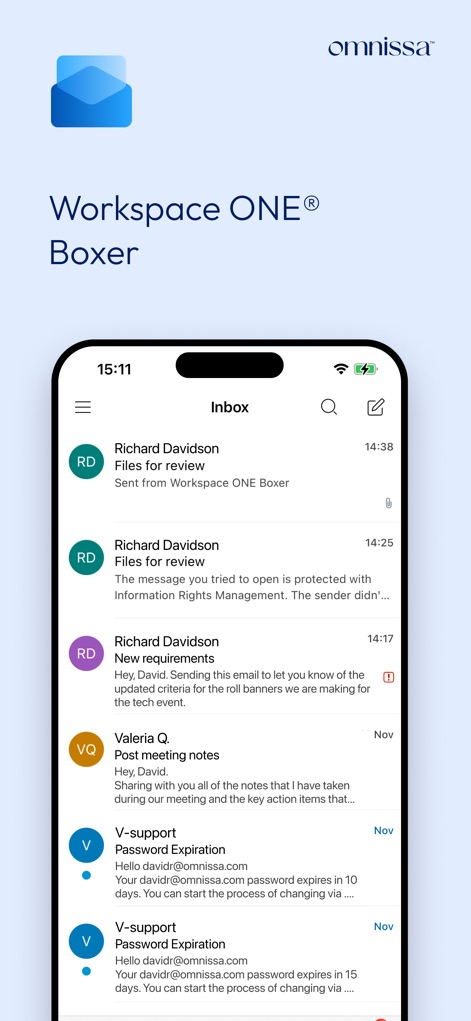
The app presents a clean inbox interface displaying multiple emails and provides quick access to email details.
Efficient Inbox Management
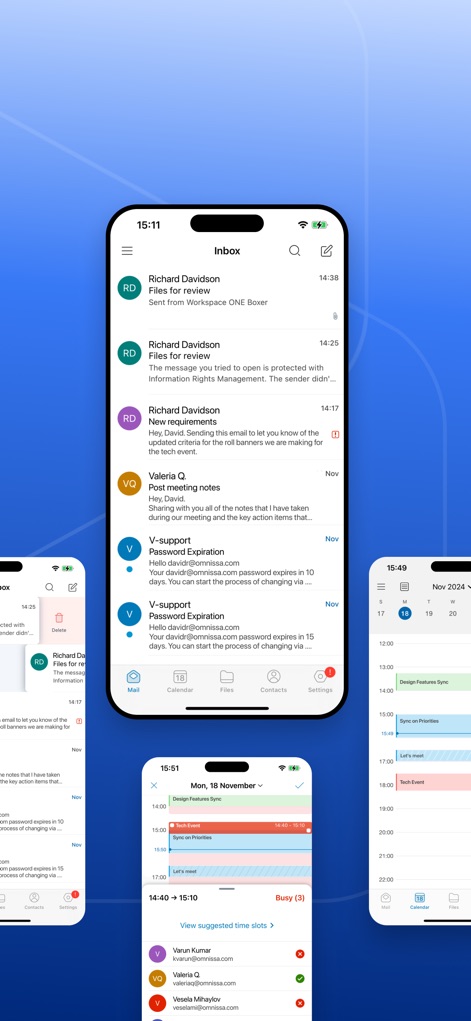
This tool integrates email, calendar, and contacts into a single interface, offering seamless navigation between features and a comprehensive view of daily schedules.
Unified Workspace View

Users can efficiently manage emails with customizable swipe gestures, revealing options like 'Delete' and additional 'Actions'.
Intuitive Email Gestures
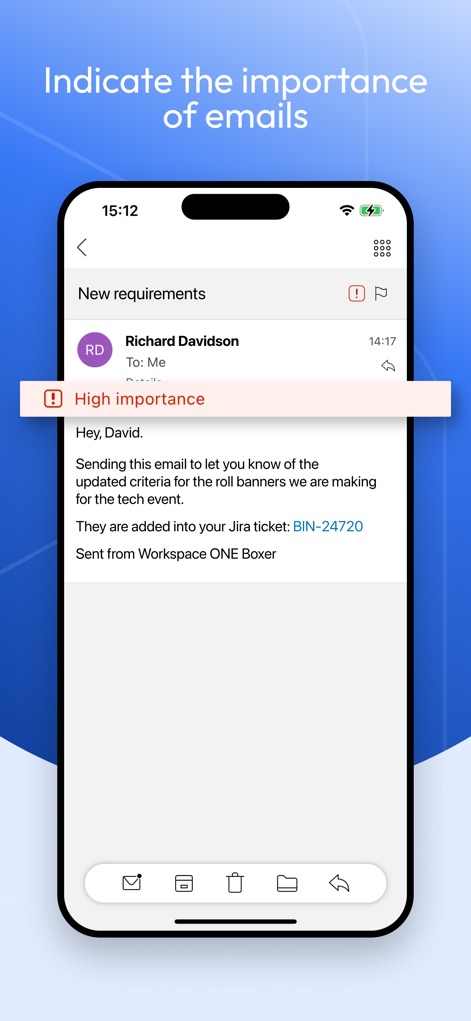
The app allows users to easily identify and flag important emails, clearly showing a 'High importance' tag and a distinct warning icon.
Prioritize Key Communications
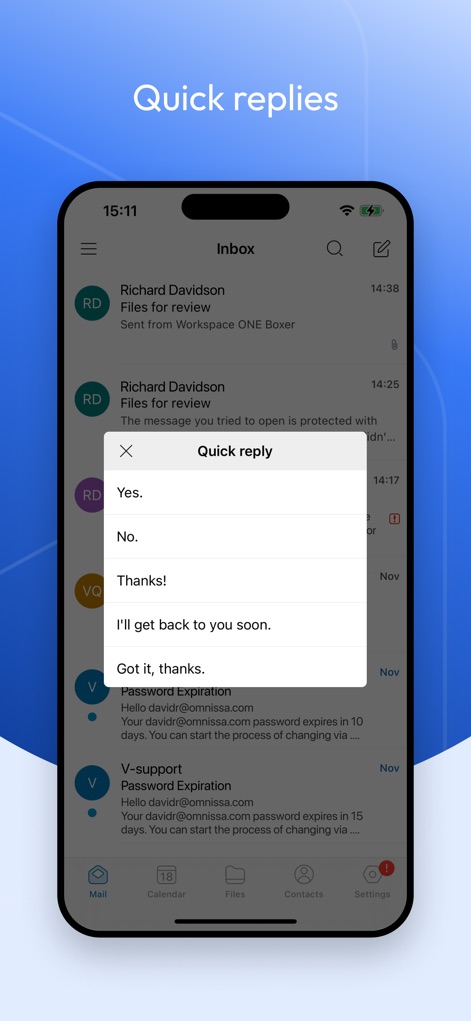
This tool streamlines communication with a 'Quick reply' feature, providing predefined response options such as 'Yes' or 'Thanks!' for faster interaction.
Instant Reply Options
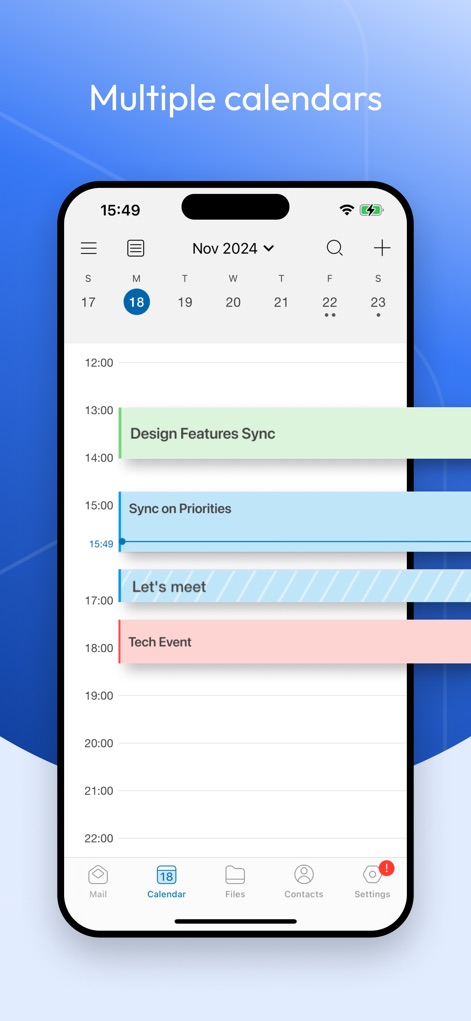
The app provides a detailed calendar view, allowing users to navigate through dates and see multiple colored events organized by time.
Comprehensive Calendar View

Users can efficiently plan meetings with features like 'Suggested time slots' and a clear display of attendee availability.
Streamlined Meeting Planning
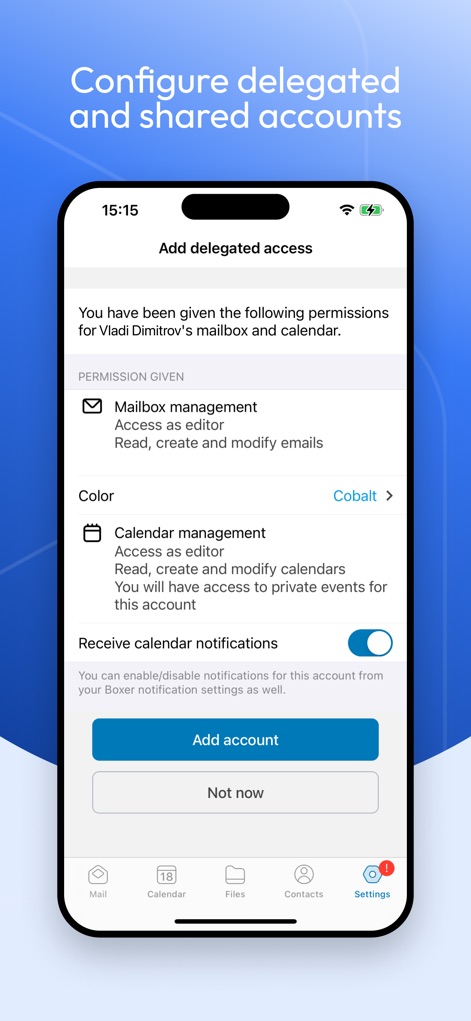
The app enables secure delegation settings, allowing configuration of 'Mailbox management' and 'Calendar management' permissions.
Secure Delegated Access
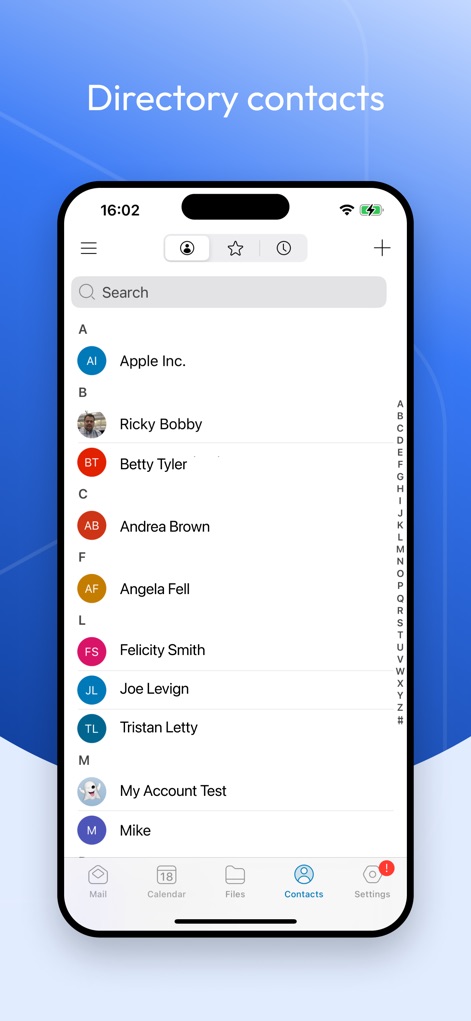
This tool offers a fully integrated contact directory, featuring an alphabetical list of contacts and a convenient search bar for quick access.
Integrated Contact Directory
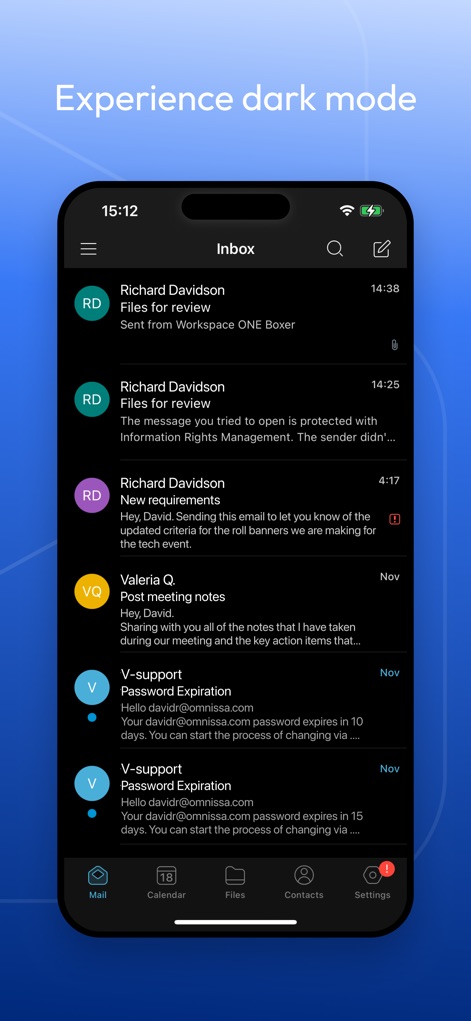
The app supports a modern dark mode interface, presenting a dark theme inbox and dark background elements for improved viewing comfort.
Modern Dark Mode
Description
Download
More Like This
Apps with similar features and user experience

Microsoft Outlook
Microsoft Corporation

Mail: Email, Cloud, Calendar
V Kontakte OOO

Yandex Mail: Email & Cloud
DIRECT CURSUS COMPUTER SYSTEMS TRADING LLC

Gmail - Email by Google
Google LLC

Yahoo Mail
Yahoo Inc.

Proton Mail - Encrypted Email
Proton AG

Email - Edison Mail
Edison Software Inc.

Zoho Mail - Email and Calendar
Zoho Corporation

GMX - Mail & Cloud
1&1 Mail & Media GmbH
This page is not an official page of the app or its developer, but an independent editorial publication created for informational and commentary purposes. Unless expressly stated otherwise, neither the app nor its developer is affiliated with, endorsed by, sponsored by, authorized by, or otherwise officially connected with MWM, Apple, Google Play, the app publisher, or the app's developer, and nothing on this page implies that the app was developed using MWM's services. Any trademarks, logos, screenshots, and other content remain the property of their respective owners.