
This page is not an official page of the app or its developer, but an independent editorial publication created for informational and commentary purposes. Unless expressly stated otherwise, neither the app nor its developer is affiliated with, endorsed by, sponsored by, authorized by, or otherwise officially connected with MWM, Apple, Google Play, the app publisher, or the app's developer, and nothing on this page implies that the app was developed using MWM's services. Any trademarks, logos, screenshots, and other content remain the property of their respective owners.

Calendars: Schedule Planner
Fragmented planning is obsolete. This app delivers command over every aspect of your day, seamlessly across Apple hardware.
Downloads
12.5M+User Rating
Total Ratings
556.0KPublisher
Category
ProductivityLocales
10Latest Version
5.37.25Size
373.3 MBFirst Released
Mar 5, 2013Key Features Analysis: Calendars: Schedule Planner
An evaluation of core functionalities designed for the busy Apple ecosystem user.
Seamless Apple Ecosystem & Cross-Service Synchronization
This tool features seamless synchronization across all Apple devices, including Mac, iPhone, iPad, and Apple Watch, ensuring users always have their schedule updated. It also supports integration with popular services like Google Calendar and iCloud, providing a unified view of all commitments.
Comprehensive Calendar, Task, and Habit Management
The app provides an all-in-one solution for managing daily schedules, tasks, and personal habits. It allows users to view and organize their events, to-do lists, and recurring routines from a single, integrated interface.
Intelligent Natural Language Input
It allows users to quickly add new events or tasks by simply typing natural phrases, significantly boosting efficiency and reducing data entry time for busy individuals.
Direct Video Conferencing Integration
The app enables users to join video calls directly from their calendar events, supporting platforms such as Zoom, Google Meet, and GoToMeeting, streamlining professional and personal online meetings.
Advanced Habit Tracking and Routine Building
This tool features dedicated functionalities for building and tracking routines, helping users maintain consistency with their personal and professional habits and achieve long-term goals.
Flexible Calendar Views and Agenda Planning
The app offers diverse viewing options including daily, weekly, and monthly layouts, alongside a built-in agenda planner, empowering users to focus on critical tasks and manage their time effectively.
Frequently Asked Questions
Everything you need to know about Calendars: Schedule Planner
Is Calendars: Schedule Planner compatible with Mac devices?
Yes, Calendars by Readdle works seamlessly across iPhone, iPad, Mac, and Apple Watch. It provides an integrated experience for all your Apple devices.
What are the core functionalities of Calendars by Readdle?
Calendars by Readdle offers an all-in-one solution for calendars, task management, daily planning, and habit tracking. Key features include event creation, reminders, agenda planning, and syncing with external services.
Does Calendars by Readdle sync with Google Calendar and iCloud?
Yes, Calendars by Readdle syncs across devices with popular services. It supports synchronization with Google Calendar and iCloud, ensuring your schedule is always up-to-date.
Can I manage my tasks and to-do lists using Calendars: Schedule Planner?
Yes, Calendars by Readdle allows users to organize their to-do lists and manage tasks with ease. It includes a built-in agenda planner for focused task management.
Does Calendars by Readdle support video conference integration?
Yes, Calendars by Readdle integrates directly with video conferencing tools. Users can join Zoom, Google Meet, or GoToMeeting calls directly from their calendar events.
Can I customize events with color coding in Calendars by Readdle?
Yes, Calendars by Readdle enables customization of the planner calendar with color coding. Users can set custom colors for events to personalize their schedule.
Does Calendars by Readdle support natural language input for creating events?
Yes, Calendars by Readdle supports quickly adding events or to-do items using natural language input. This streamlines the process of scheduling and task creation.
Does Calendars by Readdle offer habit tracking functionality?
Yes, Calendars by Readdle includes features for building routines and tracking habits. This helps users stay consistent and achieve personal growth goals.
Where can I find the Privacy Policy for Calendars: Schedule Planner?
The Privacy Policy for Calendars by Readdle is available online. You can access it directly at https://readdle.com/calendars/legal/privacy.
Does Calendars by Readdle provide home screen widgets?
Yes, Calendars by Readdle offers customizable widgets. These widgets allow users to view their calendar information directly from their device's home screen.
The following screenshots and description are sourced directly from the app's official store listing and are the property of the app developer.
App Store
Screenshots

Complete Productivity Suite
The app serves as a central hub, integrating core functions like a "To-do List" and "Habit Tracker," providing a versatile solution across all Apple devices.
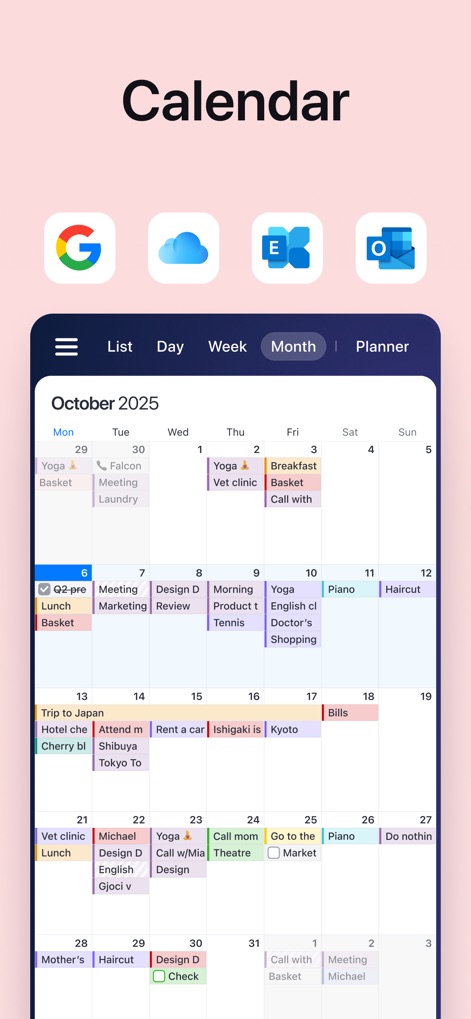
Multi-Platform Calendar
This tool offers detailed "Month" views for event planning and ensures effortless synchronization with major platforms such as "Google Calendar" and "iCloud."
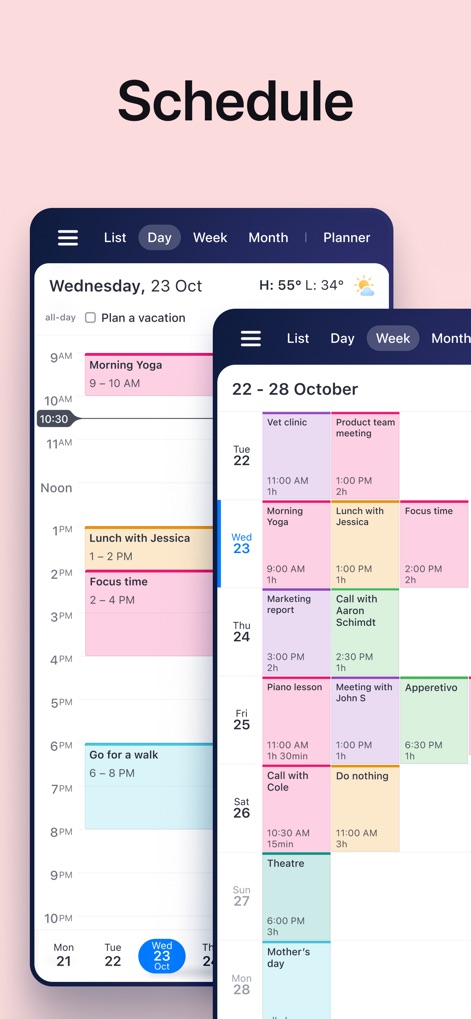
Dynamic Schedule Views
The app provides flexible display options, allowing users to switch between a detailed "Day" view and a convenient "List" overview for effective time management.
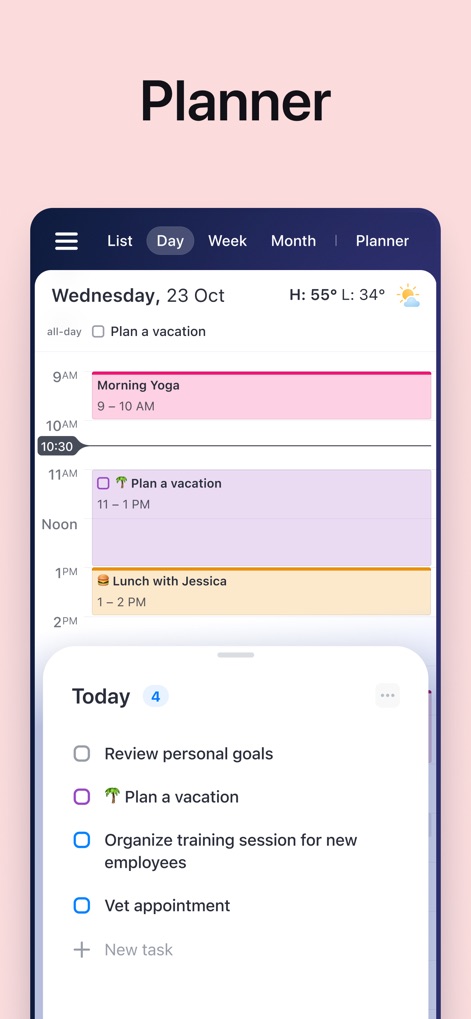
Strategic Daily Planner
The app streamlines daily organization with a clear "Day" view that incorporates specific time blocks and an actionable "Today" task list for focused productivity.
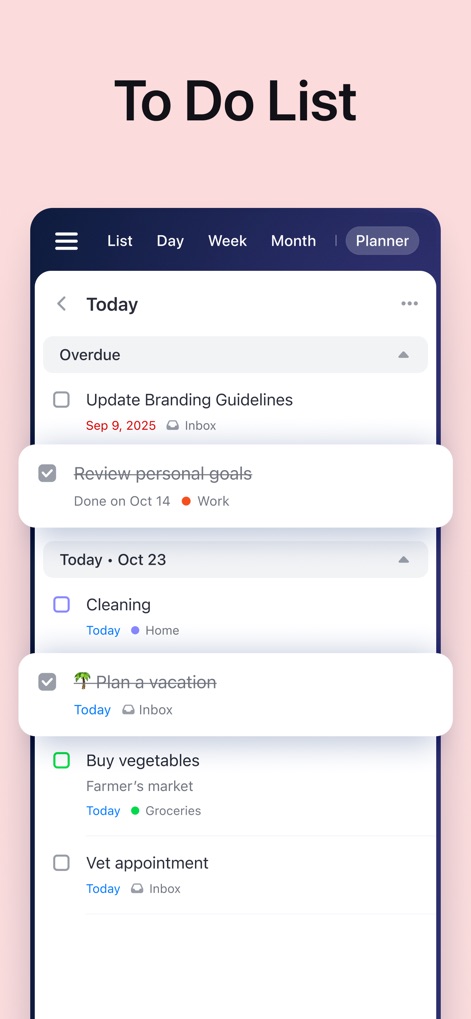
Comprehensive Task Manager
The app provides robust task management, allowing users to categorize entries into sections like "Today" and track the status of both "Overdue" and completed items.
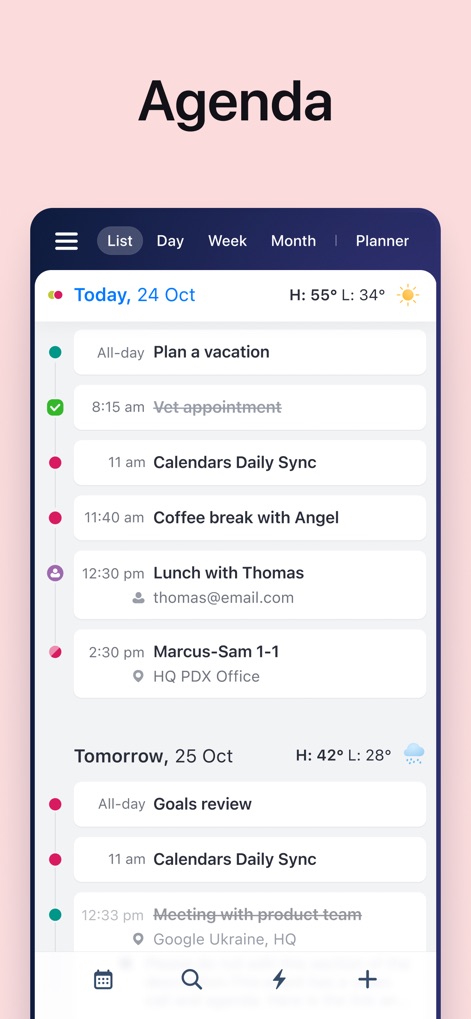
Organized Agenda Overview
Users gain clarity with a sequential "Agenda" view, detailing all engagements from "Today, 24 Oct" through "Tomorrow, 25 Oct," ensuring nothing is missed.
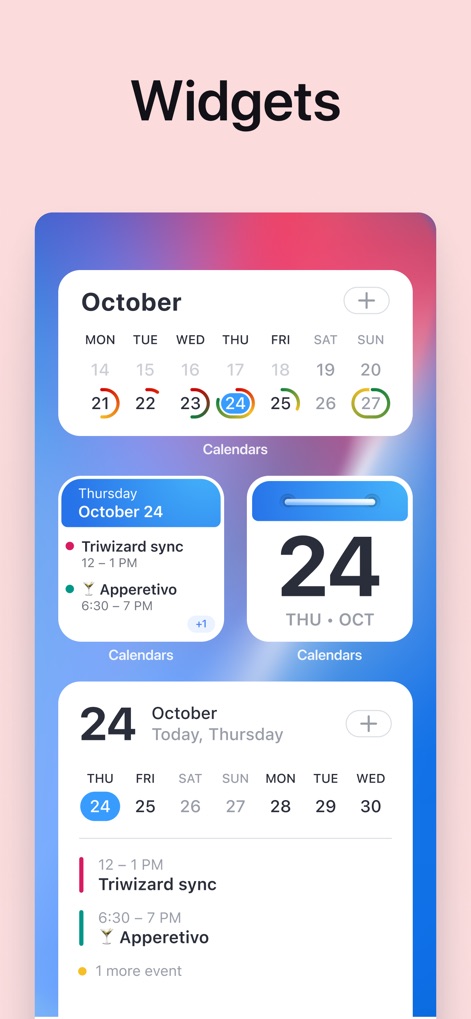
Dynamic Widgets Integration
Elevate productivity with diverse "Widgets," offering quick glances at the "monthly calendar" overview and detailed "daily schedule views" right from the home screen.
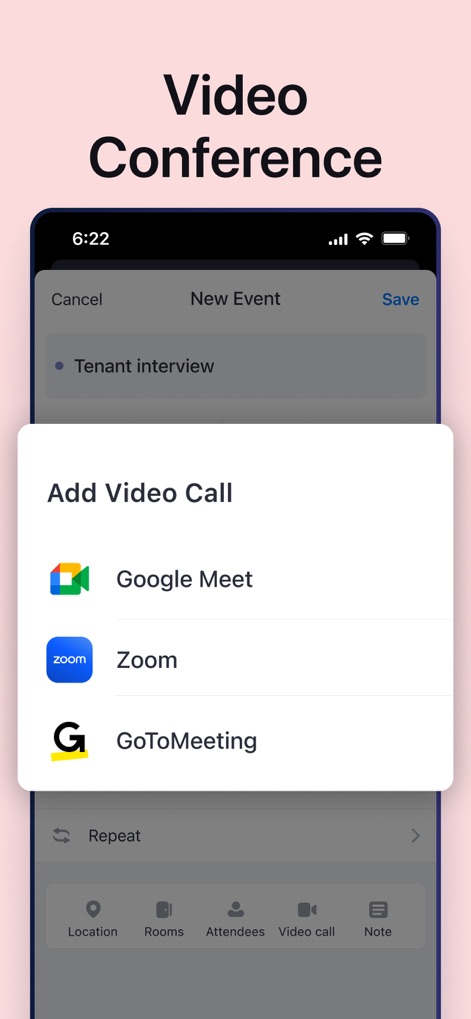
Direct Video Conferencing
The app streamlines professional communications by offering direct integration with popular platforms such as "Zoom" and "Google Meet" for effortless video call scheduling.
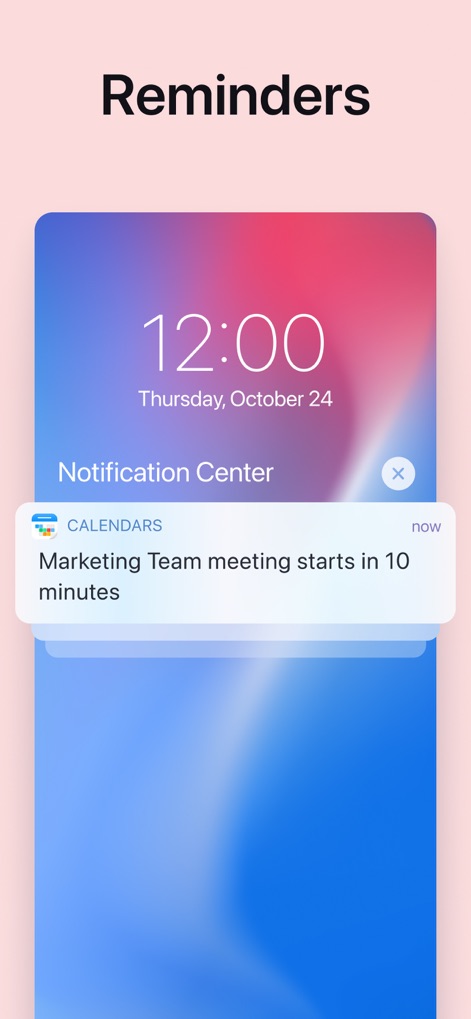
Proactive Event Reminders
The app keeps users informed with timely "Notification Center" alerts, clearly displaying crucial details such as the "Marketing Team meeting starts in 10 minutes."
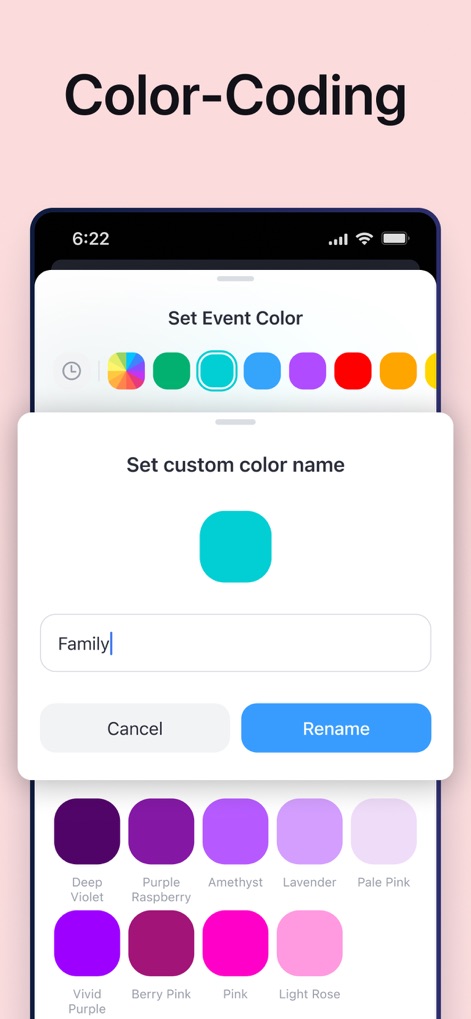
Visual Organization Power
Users can personalize their schedule with powerful "Color-Coding" features, including the ability to set "custom color names" like "Family" for enhanced visual differentiation of events.
Description
Download
More Like This
Apps with similar features and user experience

Notion: Notes, Tasks, AI
Notion Labs, Incorporated

Freenotes®: AI Notes Taking
Hangzhou Free Notes Technology Co., Ltd

Structured - Daily Planner
unorderly GmbH

Google Tasks: Get Things Done
Google LLC

TickTick:To-Do List & Calendar
Appest Limited

Noteful: Notes & PDF Markup
Noteful Technologies Ltd

Todoist: To Do List & Calendar
Doist Inc.

To do list MinimaList & Widget
Inner Grow Limited

monday.com - Work Platform
monday.com Ltd.
This page is not an official page of the app or its developer, but an independent editorial publication created for informational and commentary purposes. Unless expressly stated otherwise, neither the app nor its developer is affiliated with, endorsed by, sponsored by, authorized by, or otherwise officially connected with MWM, Apple, Google Play, the app publisher, or the app's developer, and nothing on this page implies that the app was developed using MWM's services. Any trademarks, logos, screenshots, and other content remain the property of their respective owners.