
This page is not an official page of the app or its developer, but an independent editorial publication created for informational and commentary purposes. Unless expressly stated otherwise, neither the app nor its developer is affiliated with, endorsed by, sponsored by, authorized by, or otherwise officially connected with MWM, Apple, Google Play, the app publisher, or the app's developer, and nothing on this page implies that the app was developed using MWM's services. Any trademarks, logos, screenshots, and other content remain the property of their respective owners.

Cam Scanner - Doc Scan
Transform your iPhone into a high-resolution scanner. Effortlessly digitize books, sign contracts, and sync with iCloud—all while keeping your sensitive documents 100% private and offline.
Downloads
78K+User Rating
Total Ratings
2K+Publisher
Category
ProductivityLocales
1Latest Version
1.5Size
28.8 MBFirst Released
Aug 5, 2022Your Entire Office, Reimagined for Mobile
Transform your iPhone into a high-end productivity hub. From lecture notes to business contracts, scan, sign, and organize your world with professional-grade precision.
Smart Scan & Auto-Enhance
Stop worrying about lighting or backgrounds. Our AI-driven engine automatically detects edges and enhances text for crisp, professional PDFs every time.
Instant eSign & Easy Sharing
Close deals faster by signing documents directly on your screen. Share instantly via iCloud, email, or WhatsApp to keep your workflow moving without a printer.
Frequently Asked Questions
Everything you need to know about Cam Scanner - Doc Scan
What is Cam Scanner - Doc Scan?
Cam Scanner - Doc Scan is a powerful mobile application that transforms your phone into a portable scanner. It allows users to scan, save, archive, and manage various documents as high-resolution JPEG or PDF files.
Does Cam Scanner - Doc Scan offer automatic edge detection and enhancement?
Yes, Cam Scanner - Doc Scan provides automatic edge detection for perfect scans. It also includes smart auto enhancing and cropping features to ensure clear and sharp image quality for all scanned documents.
Can I manage and organize documents within the Cam Scanner - Doc Scan app?
Yes, Cam Scanner - Doc Scan allows users to effectively manage documents. It enables the creation of folders to organize scanned files, displaying various document types such as PDFs, Excel, and Word files.
What types of documents can Cam Scanner - Doc Scan digitize?
Cam Scanner - Doc Scan can digitize a wide range of paper documents using your phone camera. This includes receipts, notes, invoices, whiteboard discussions, business cards, certificates, and other important papers.
Does Cam Scanner - Doc Scan allow users to add signatures to documents?
Yes, Cam Scanner - Doc Scan supports adding signatures to documents. Users can create and apply their own digital signatures directly within the app, facilitating document eSignature functionalities.
Can I share documents from Cam Scanner - Doc Scan to social media or other platforms?
Yes, Cam Scanner - Doc Scan supports sharing documents through various platforms. Users can easily share files via email, WhatsApp, WeChat, or social networks like Twitter, Instagram, and Facebook.
How much does the Monthly Pro Access for Cam Scanner - Doc Scan cost?
The Monthly Pro Access for Cam Scanner - Doc Scan costs $1.99. This subscription provides an ads-free version of the app for a month, and users can cancel it at any time.
Does Cam Scanner - Doc Scan function without an internet connection?
Yes, Cam Scanner - Doc Scan works completely offline. It does not require an internet connection or online servers for its primary functions, ensuring privacy and continuous access to scanning capabilities.
Can Cam Scanner - Doc Scan combine multiple images into one PDF?
Yes, Cam Scanner - Doc Scan has the capability to convert multiple images into a single PDF file. Users can select various images from their photo gallery or directly from the camera.
Does Cam Scanner - Doc Scan provide editing features for scanned documents?
Yes, Cam Scanner - Doc Scan offers comprehensive editing tools. Users can apply color filters, adjust settings, add overlays, enhance color effects, highlight text, and insert new text into scanned documents.
The following screenshots and description are sourced directly from the app's official store listing and are the property of the app developer.
App Store
Screenshots
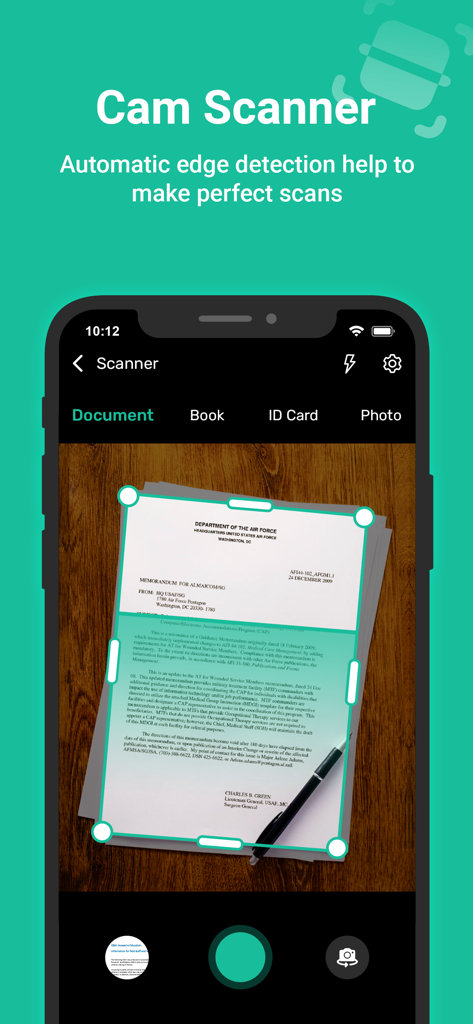
iPhone screen displaying the Cam Scanner app using automatic edge detection to capture a paper document on a wooden surface
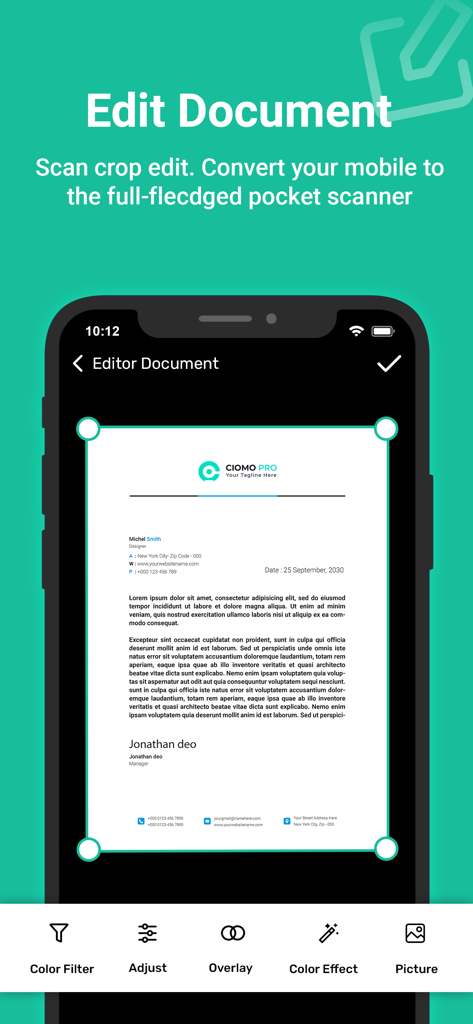
Mobile app screen for editing and cropping scanned documents with professional tools
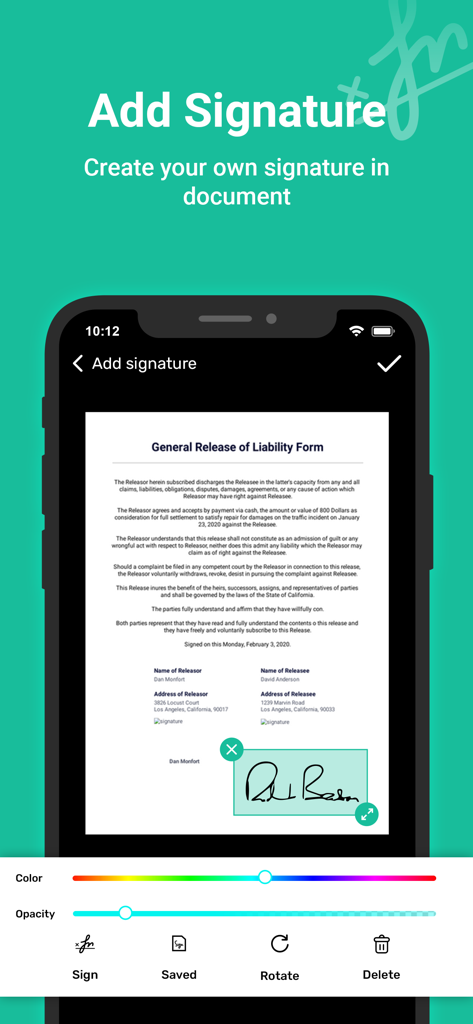
A smartphone screen displaying the digital signature tool in the Cam Scanner app being used on a liability form
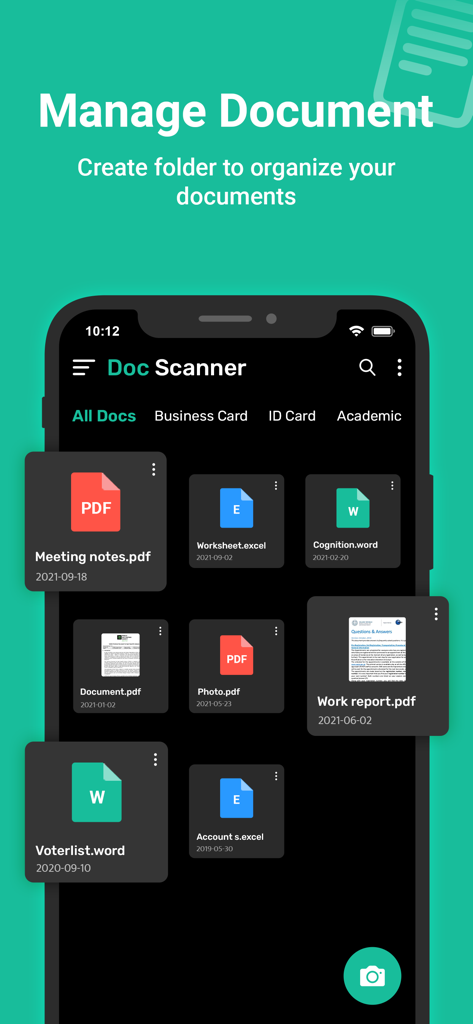
Mobile app interface for managing and organizing scanned documents and files
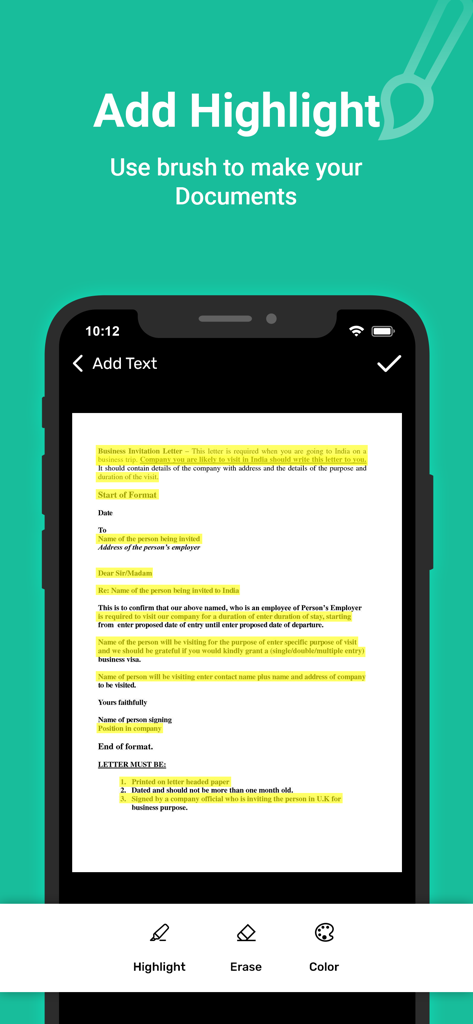
iPhone screen showing the Cam Scanner app interface for highlighting text on a scanned business letter document.
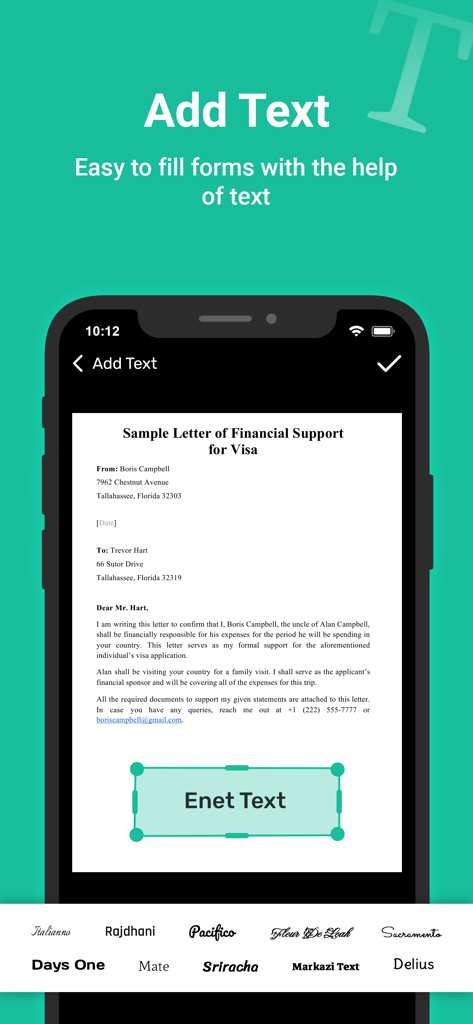
Screenshot of Cam Scanner app showing the add text feature to fill out a visa financial support form with multiple font options
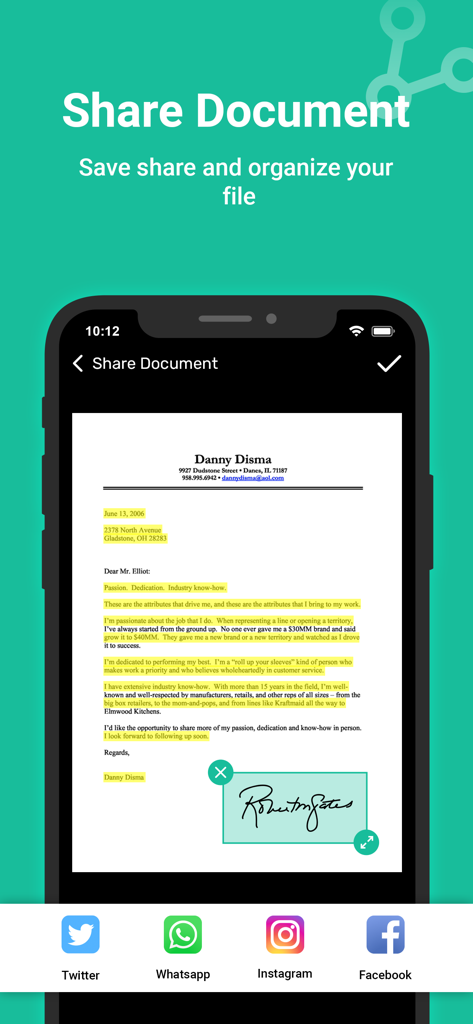
Mobile app screen showing a signed document with sharing options for social media apps like Twitter and WhatsApp
Description
Download
More Like This
Apps with similar features and user experience

PDF PRO Scan Image & Documents
Balzo srl

The PDF Scanner, PDF editor HQ
NEXT K.U.M. LTD

CamScanner - PDF Scanner App
INTSIG Information Co., Ltd

Adobe Scan: PDF & OCR Scanner
Adobe Inc.

WPS Office: PDF, Docs, Sheets
KINGSOFT OFFICE SOFTWARE CORPORATION LIMITED

iLovePDF - PDF Editor & Scan
ILOVEPDF S.L.

Scanner App: Genius Scan
The Grizzly Labs

Microsoft Lens: PDF Scanner
Microsoft Corporation

Clear Scan: Doc Scanner App
INDY MOBILE APP COMPANY LIMITED
This page is not an official page of the app or its developer, but an independent editorial publication created for informational and commentary purposes. Unless expressly stated otherwise, neither the app nor its developer is affiliated with, endorsed by, sponsored by, authorized by, or otherwise officially connected with MWM, Apple, Google Play, the app publisher, or the app's developer, and nothing on this page implies that the app was developed using MWM's services. Any trademarks, logos, screenshots, and other content remain the property of their respective owners.