
This page is not an official page of the app or its developer, but an independent editorial publication created for informational and commentary purposes. Unless expressly stated otherwise, neither the app nor its developer is affiliated with, endorsed by, sponsored by, authorized by, or otherwise officially connected with MWM, Apple, Google Play, the app publisher, or the app's developer, and nothing on this page implies that the app was developed using MWM's services. Any trademarks, logos, screenshots, and other content remain the property of their respective owners.

CieSign
Transform your Italian Electronic Identity Card (CIE) into a legally binding digital signature. Skip the consulate and manage official administration or private contracts directly from your iPhone.
Downloads
214K+User Rating
Total Ratings
400Publisher
Category
UtilitiesLocales
1Latest Version
1.0.12Size
35.7 MBFirst Released
Nov 28, 2020Legal Signatures, Miles Away from Italy
CieSign bridges the gap for Italian citizens in the US, allowing you to sign contracts and government documents instantly using your CIE card and iPhone.
Remote Legal Validity
Apply an Advanced Electronic Signature (FEA) that is legally binding for Italian Public Administration and private entities without leaving the US.
Seamless NFC Integration
Forget expensive hardware tokens. Use your iPhone's NFC reader to sign documents with a simple tap of your Electronic Identity Card.
Frequently Asked Questions
Everything you need to know about CieSign
What is CieSign?
CieSign is an app developed by the Italian State Mint and Polygraphic Institute. It enables users to apply an advanced electronic signature (FEA) to documents using their Electronic Identity Card (CIE).
Who developed the CieSign app?
The CieSign app is developed by the Poligrafico e Zecca dello Stato Italiano (Italian State Mint and Polygraphic Institute).
Does CieSign use the Italian Electronic Identity Card (CIE) for signatures?
Yes, CieSign uses the Carta d’Identità Elettronica (CIE) to apply an advanced electronic signature (FEA) to documents. The CIE fulfills the minimum legal requirements for FEA.
How does CieSign ensure the legality of electronic signatures?
CieSign uses the CIE as an advanced electronic signature, as allowed by Article 61 of DPCM February 22, 2013, for public administration. It meets FEA requirements and can be used for private electronic signatures within legal limits.
What types of documents can CieSign sign?
CieSign signs electronic documents. Examples include PDF, DOCX, and XLSX files, confirming its versatility for various document formats. The app supports different signature types like graphic or P7M.
Can I add a graphic signature using CieSign?
Yes, CieSign allows users to insert a graphic signature. When signing a document, one of the available options is "PDF CON FIRMA GRAFICA".
How do I start using CieSign and register my CIE?
Upon first launch, register your CIE by entering its PIN and bringing the card close to your device. CieSign then provides a guided procedure to sign your electronic documents.
What is the process for signing a document with CieSign?
To sign with CieSign: select the document and signature type, enter the last 4 PIN digits (or use biometrics), place your CIE near the device, and then share the signed document via mail or messaging apps.
Where do I find the PIN for my Electronic Identity Card (CIE) for CieSign?
The CIE PIN is delivered in two parts: the Municipality provides the first part when you request the CIE, and the second part is sent along with the physical card.
Can CieSign verify the validity of a signature on documents?
Yes, CieSign can verify signatures on documents. It displays detailed information such as the signer's name, fiscal code, and the validity status of the certificate.
The following screenshots and description are sourced directly from the app's official store listing and are the property of the app developer.
App Store
Screenshots
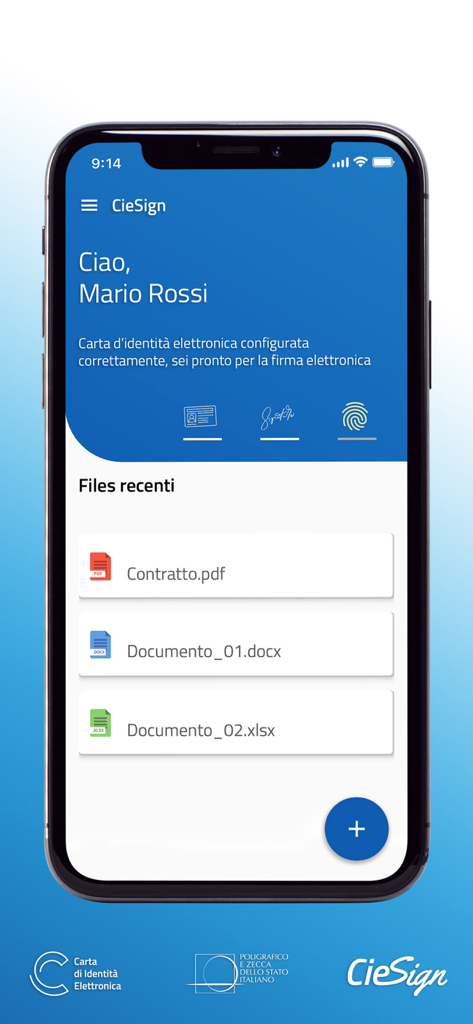
CieSign mobile app dashboard displaying recent files and electronic signature status for an Italian Identity Card user
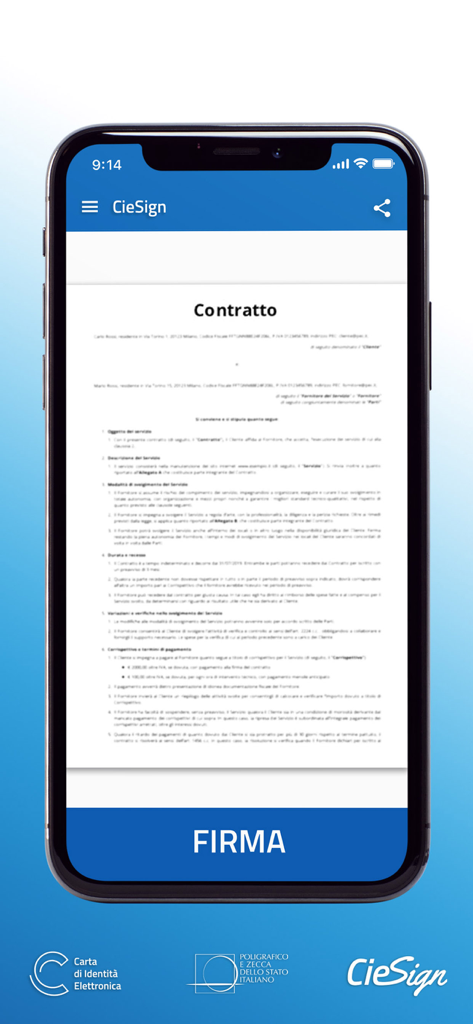
iPhone screen displaying an Italian contract document in the CieSign app with a large FIRMA button for electronic signature.
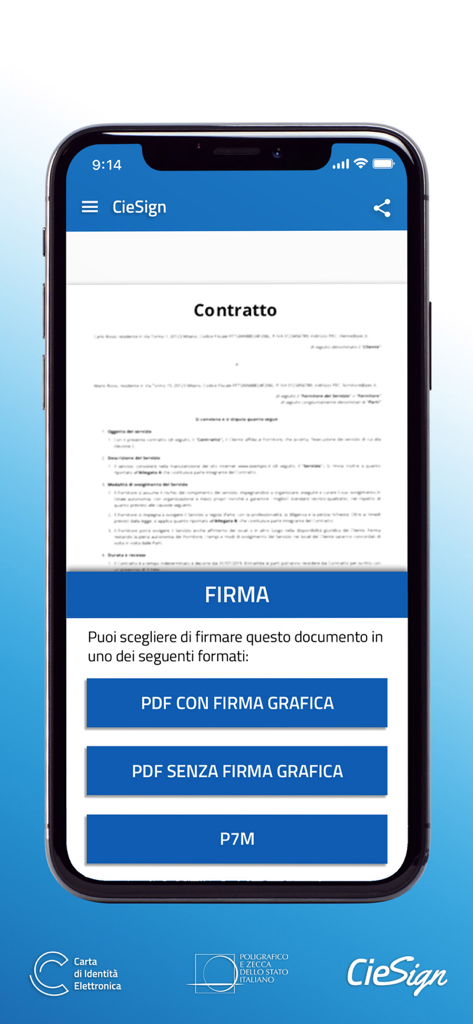
CieSign app screen displaying options to sign a contract in PDF or P7M format
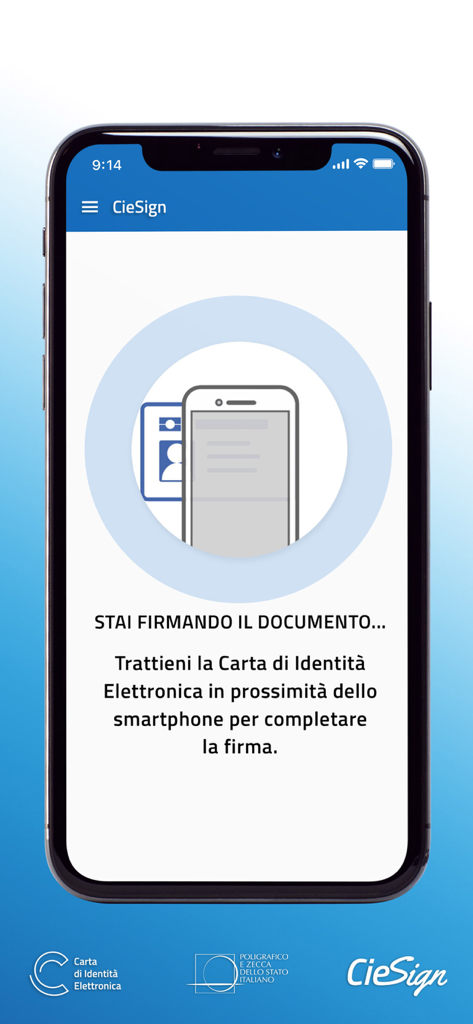
CieSign mobile interface showing instructions to hold an Italian Electronic Identity Card near the smartphone for NFC document signing
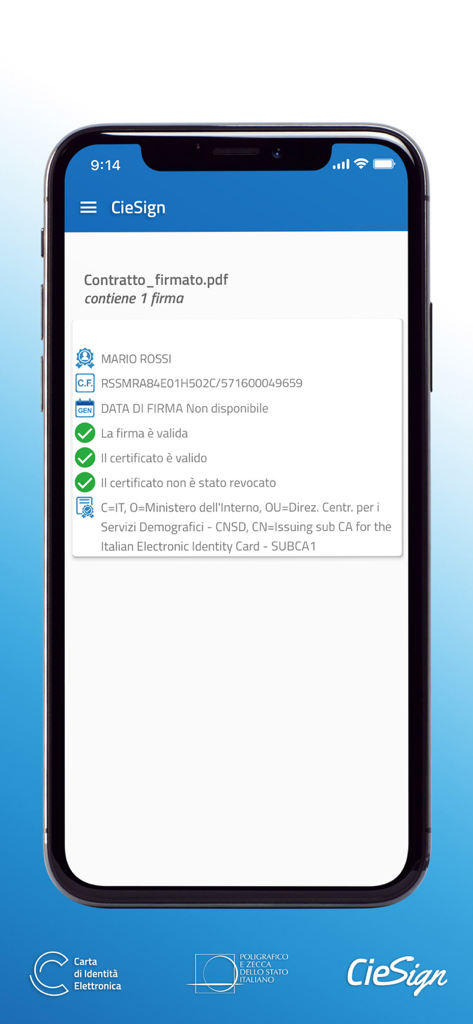
CieSign app interface showing a verified electronic signature for a PDF document with valid certificates.
Description
Download
More Like This
Top-ranked apps in the same category

Google LLC

Google Chrome
Google LLC

中国移动(手机营业厅)
China Mobile Online Services Co., Ltd.

Google Authenticator
Google LLC

CNH do Brasil
Servicos e Informacoes do Brasil

Cleanup: Phone Storage Cleaner
DEEP FLOW SOFTWARE SERVICES - FZCO

gov.br
Servicos e Informacoes do Brasil

中国电信-全国统一官方服务平台
CHINA TELECOM Corporation Ltd.

Microsoft Edge: AI Browser
Microsoft Corporation
This page is not an official page of the app or its developer, but an independent editorial publication created for informational and commentary purposes. Unless expressly stated otherwise, neither the app nor its developer is affiliated with, endorsed by, sponsored by, authorized by, or otherwise officially connected with MWM, Apple, Google Play, the app publisher, or the app's developer, and nothing on this page implies that the app was developed using MWM's services. Any trademarks, logos, screenshots, and other content remain the property of their respective owners.