Circle Parental Controls App

Circle Parental Controls App


Download on App StoreDownload on Google Play
Logo of Circle Parental Controls App

Circle Parental Controls App: Take the Stress Out of Your Family's Screen Time

From filtering content to "Pausing the Internet" for dinner, manage every device at home and away. Set healthy boundaries and reward your kids with a simple, all-in-one app designed for modern parents.

Download on App Store

Publisher

Circle Media Incorporated

Category

Lifestyle

Downloads

525K+

User Rating

4.2/5

Total Ratings

14K+

Locales

3

Your Digital Command Center

Discover the interface used by 525K+ users.
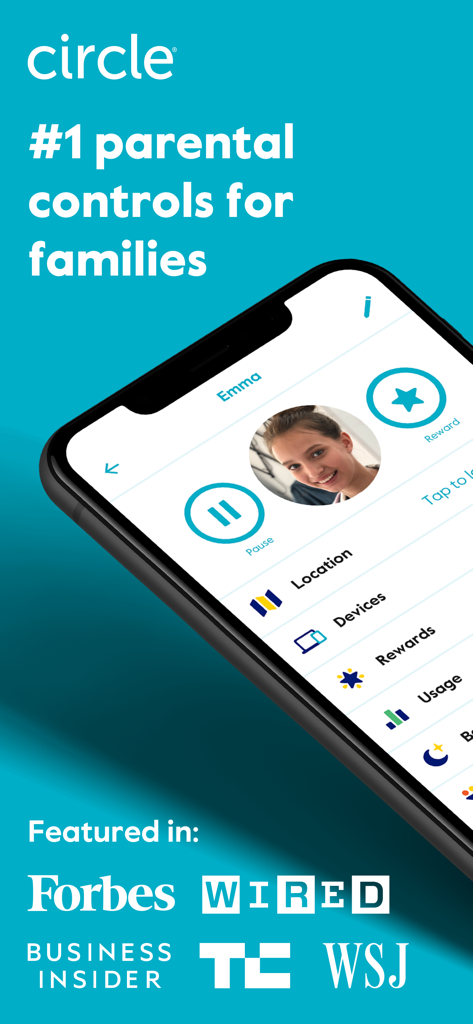
Circle Parental Controls app interface showing child profile management and features like pause and rewards along with major media endorsements

Circle Parental Controls app interface showing child profile management and features like pause and rewards along with major media endorsements

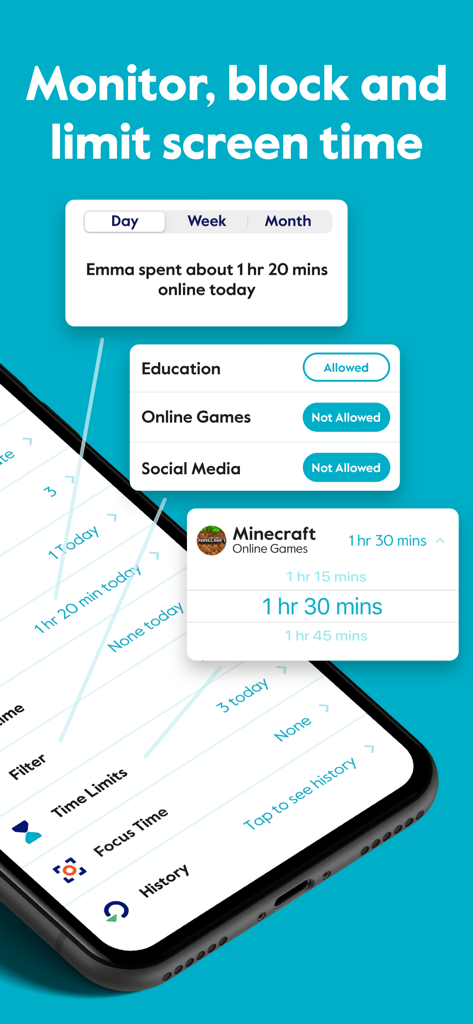
Circle Parental Controls App interface showing daily screen time limits and content filtering settings for kids

Circle Parental Controls App interface showing daily screen time limits and content filtering settings for kids

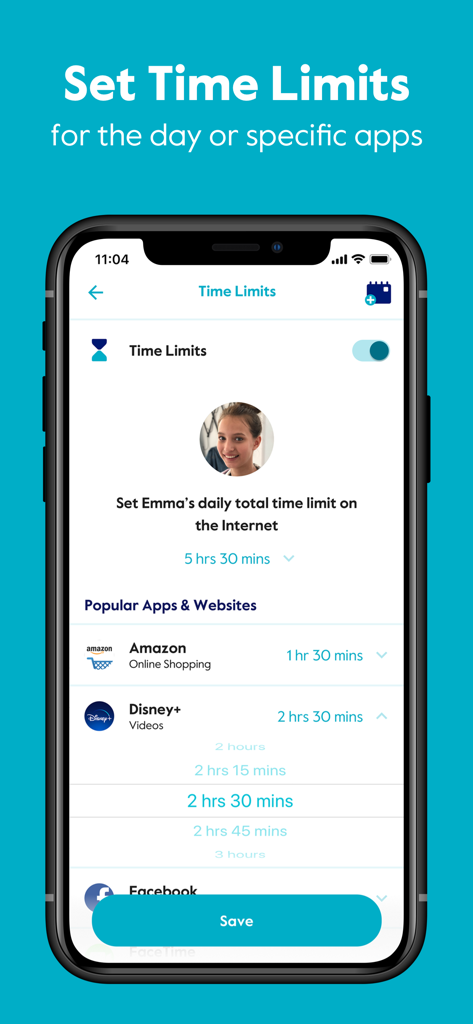
Interface of the Circle Parental Controls App showing settings to set daily time limits for specific apps like Amazon and Disney Plus.

Interface of the Circle Parental Controls App showing settings to set daily time limits for specific apps like Amazon and Disney Plus.

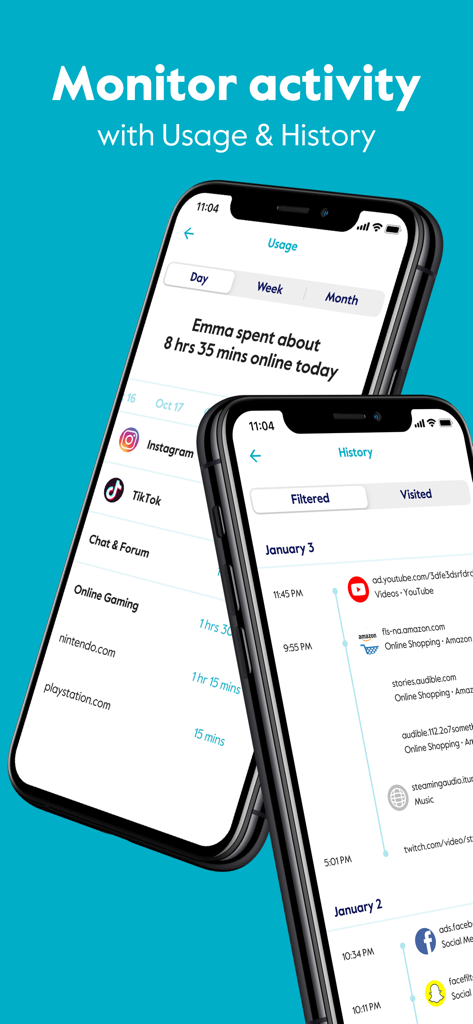
Interface of Circle Parental Controls App showing usage and browsing history tracking features on two smartphones.

Interface of Circle Parental Controls App showing usage and browsing history tracking features on two smartphones.

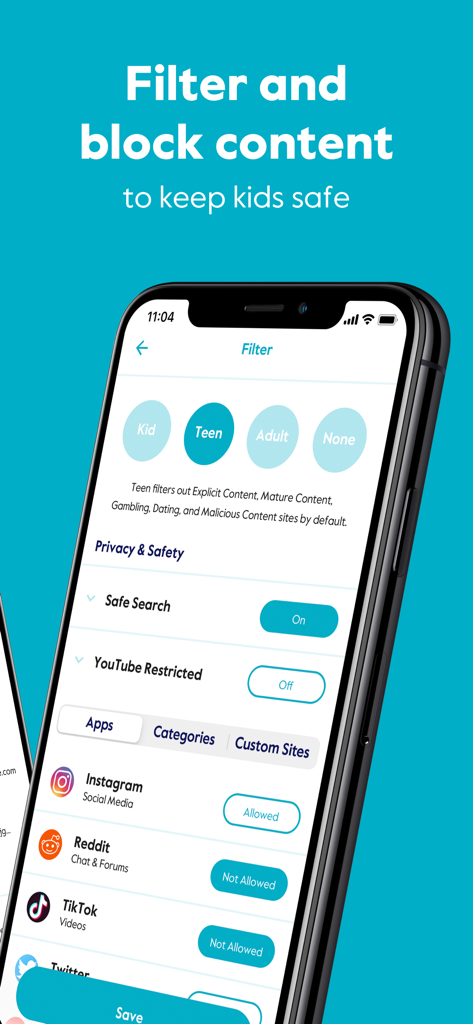
Circle app interface showing age-based content filters and app blocking options for social media like Instagram and TikTok.

Circle app interface showing age-based content filters and app blocking options for social media like Instagram and TikTok.

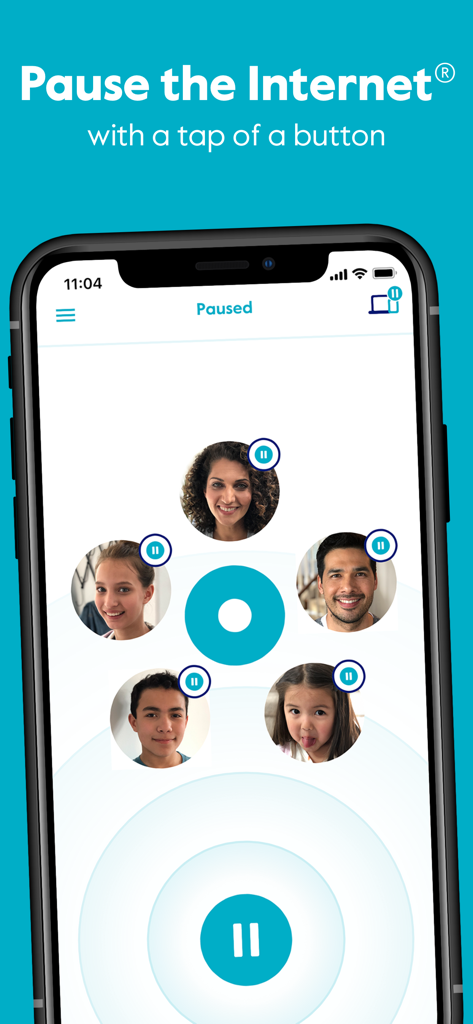
Circle Parental Controls App interface showing the Pause the Internet feature with family member profile icons.

Circle Parental Controls App interface showing the Pause the Internet feature with family member profile icons.

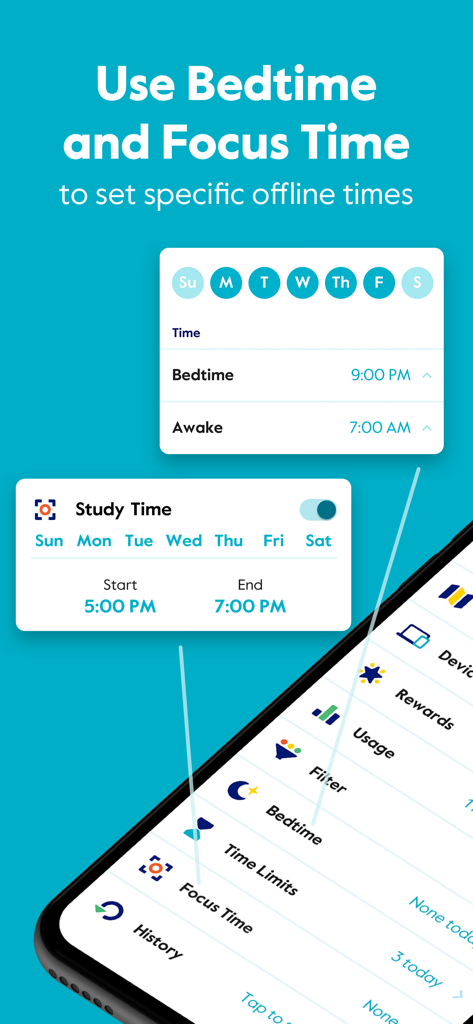
Interface of the Circle app showing how to schedule Bedtime and Focus Time to set specific offline periods for children.

Interface of the Circle app showing how to schedule Bedtime and Focus Time to set specific offline periods for children.

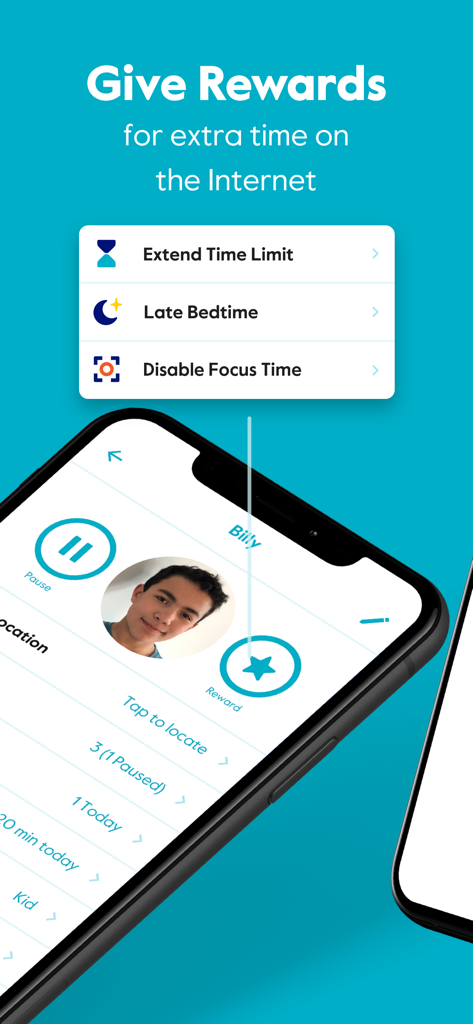
Smartphone screen showing the Rewards feature in the Circle app with options to extend time limits and set a late bedtime.

Smartphone screen showing the Rewards feature in the Circle app with options to extend time limits and set a late bedtime.

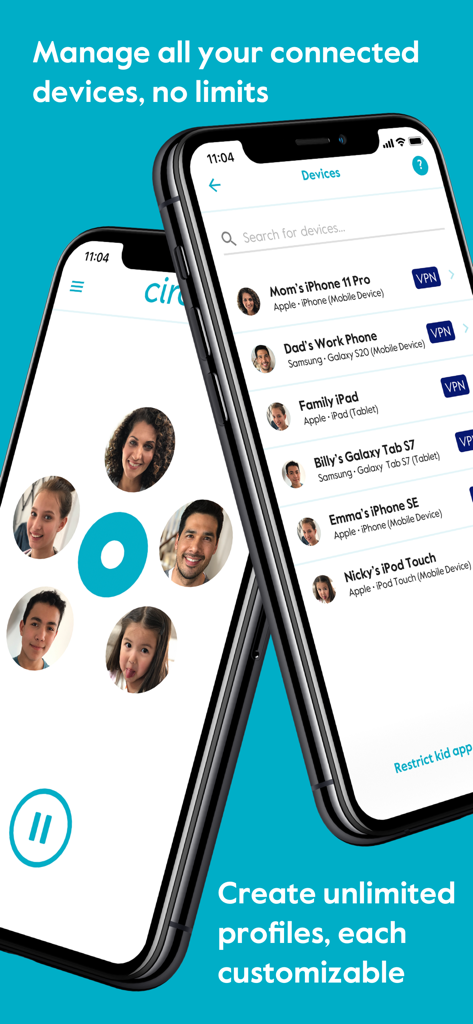
Smartphone screens showing device management and family profiles in the Circle Parental Controls App

Smartphone screens showing device management and family profiles in the Circle Parental Controls App

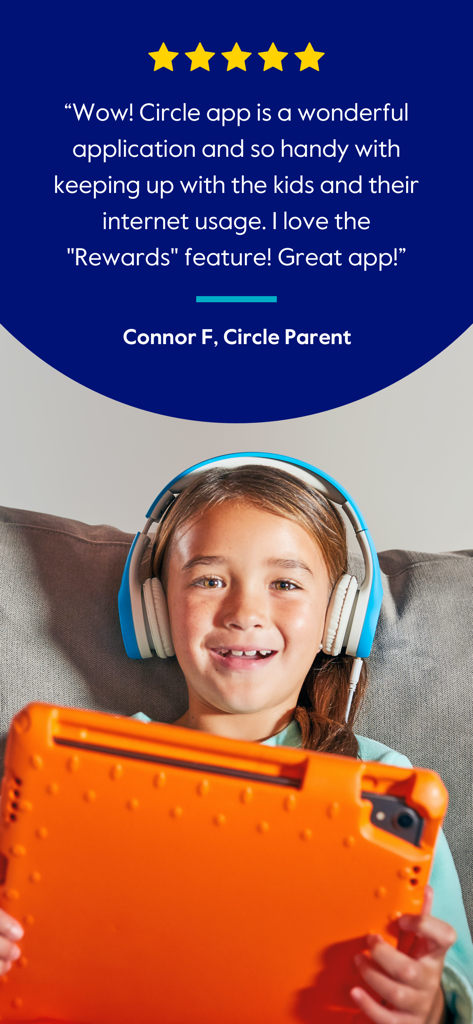
Five star customer review for Circle Parental Controls App featuring a smiling child with a tablet and headphones

Five star customer review for Circle Parental Controls App featuring a smiling child with a tablet and headphones

Master Your Family’s Digital Wellness

The tools that make this app stand out, trusted by 525K+ users.

Automated Screen Time Limits

Set daily limits for apps and sites so you don't have to be the 'bad guy' when it’s time to log off.

🛡️

Smart Content Filtering

Protect your kids from inappropriate content with age-based filters that work across every device, even on cellular data.

Bedtimes & Instant Rewards

Promote better sleep with automatic disconnects and motivate kids by gifting extra online time for positive behavior.

Review Analysis

Insights from user reviews.

Sentiment Score

11%
Negative

Summary

This app receives overwhelmingly negative feedback, primarily due to severe performance issues such as extreme slowness, glitchiness, and unresponsiveness, making it almost unusable. Many users report that parental control features, including time limits and content blocking, are often ineffective as children easily bypass them or the settings fail to apply consistently. Furthermore, common complaints include frustrating device identification and management, difficulties with subscription cancellation, and non-existent customer support, leading to a general sentiment of wasted money and time for its users.

Common Themes

Screen Time Limits(4)
Website Blocking(3)
App Concept(2)
Time Rewards Feature(2)
Basic App Operation(2)

About the app

Everything you need to know about Circle Parental Controls App.

Description

Block and limit screen time. Keep kids safe and focused with the most comprehensive and easy to use parental control app for devices in home and on the go. Circle Parental Controls App gives parents screen time control whether kids are playing their favorite online game, connecting with friends or doing schoolwork. Circle goes beyond setting Screen Time Limits and Filters with additional parental control features like Pause, History, Rewards and Bedtime. Parents can customize screen time and WiFi control based on their kids’ ages and their own family preferences, and even limit or block social media. SCREEN TIME PARENTAL CONTROL APP • Filter: Choose appropriate (or block inappropriate) content by age with web filters. Even block social media. • Time Limits: Set daily screen time limits for popular apps and sites. • Pause the Internet®: Make the Internet stop for every family member (or just one). MONITOR AND KEEP TRACK OF ONLINE TIME • History: Check out sites kids visited (or tried to visit) throughout the day. Or go back as far as you’d like for screen monitoring and phone monitoring. • Usage: Get a complete picture of your family’s Internet use, across all devices • Location: Keep track of your kids through their mobile devices. Monitor kids’ phones to keep them safe. BALANCE TIME ONLINE AND OFFLINE • Bedtime: Ensure your kids get the sleep they need. Set a bedtime for connected devices. • Rewards: Celebrate good behavior by giving a little extra online time just for the day. • Focus Time: Schedule distraction-free Internet time for school, homework or offline time. Start managing your family’s online screen time today with a free trial to access all the parental control app features like WiFi blocker, app blocker and other premium parental control app and screen time control features. Circle’s WiFi manager, Internet and website blocker, and mobile device management make for the most robust screen time parental control app available. Kids can use the Circle parental control app to keep track of their own screen time online with a personalized dashboard. THE ULTIMATE PARENTAL CONTROL APP Over 90% of Circle parental control app users say it helps keep their kids safe online and makes it easier to manage screen time in their family. ———— Circle Home Plus — sold separately Need an in-home device to manage online screen time on smart TVs, video game consoles, and computers? Manage all Wi-Fi connected devices in your home with the Circle Home Plus parental control device - universal parental control at home and away! Learn more: meetcircle.com The Circle Parental Controls App is not for use with Circle with Disney or Circle on Netgear routers. ———— Need Help? If you have any parental control app questions, need help with the Circle parental control app, or want to provide feedback, please contact our Support Team: help@meetcircle.com support.meetcircle.com ———— Subscription Pricing & Terms A Circle subscription is required and gives your family access to every Circle parental control feature. Circle Subscription comes with a FREE trial period (for new premium members only). The Circle subscription is an automatic renewing subscription. Your subscription will be charged to your iTunes account at confirmation of purchase and will automatically renew unless auto-renewal is disabled at least 24 hours before the end of the current period. Subscriptions are billed at the start of each period and cannot be refunded. Subscribers can manage subscriptions and disable auto-renewal by visiting their iTunes Account Settings after purchase. Privacy policy: https://meetcircle.com/privacy/ Terms of use: https://meetcircle.com/license/

Latest Version

2.34.0

Size

143.2 MB

First Released

Apr 10, 2019

Ready to end the screen time battles?

Join over 500,000 families using Circle to create healthy digital habits. Start your free trial today and bring peace of mind back to your home.

Download on App StoreDownload on Google Play

App information, icons, screenshots, and descriptions displayed on this page are sourced from the Apple App Store and are the property of their respective developers. Download estimates and rankings are based on MWM's proprietary models and may not reflect actual figures. This page is provided for informational and analytical purposes only.

Believe this page infringes your intellectual property? File a dispute