
This page is not an official page of the app or its developer, but an independent editorial publication created for informational and commentary purposes. Unless expressly stated otherwise, neither the app nor its developer is affiliated with, endorsed by, sponsored by, authorized by, or otherwise officially connected with MWM, Apple, Google Play, the app publisher, or the app's developer, and nothing on this page implies that the app was developed using MWM's services. Any trademarks, logos, screenshots, and other content remain the property of their respective owners.

Nintendo Switch Parental Cont…
End the screen time battles. The app delivers digital dominion over your child's Switch experience, ensuring their play aligns with your household rules.
Downloads
12.5M+User Rating
Total Ratings
634.0KPublisher
Category
LifestyleLocales
12Latest Version
2.4.0Size
79.4 MBFirst Released
Mar 2, 2017Nintendo Switch Parental Controls: A Comprehensive Evaluation
An in-depth analysis for parents and guardians managing digital well-being.
Age-Based Content Restrictions
It allows users to implement age-based restrictions on games and features, ensuring children only access content appropriate for their age. This is fundamental for child safety.
Customizable Play-Time Limits
It allows users to establish daily play-time limits, with customizable settings for each day of the week, and the option to automatically suspend gameplay when the limit is reached. This promotes responsible screen time.
Detailed Play Activity Monitoring
This tool features comprehensive monitoring of a child's play activity, including details on games played and duration, along with monthly activity overviews. It offers valuable insights into gaming habits.
GameChat Management Controls
The app provides controls over GameChat settings, enabling parents to approve specific friends for chat and manage video chat usage. This feature is crucial for safeguarding children during online social interactions.
Frequently Asked Questions
Everything you need to know about Nintendo Switch Parental Cont…
What is the Nintendo Switch Parental Controls app?
The Nintendo Switch Parental Controls app allows parents to monitor and manage their child's use of Nintendo Switch and Nintendo Switch 2 systems. It offers play-time limits and activity tracking.
How can I set a daily play-time limit using Nintendo Switch Parental Controls?
Yes, the Nintendo Switch Parental Controls app allows you to set a daily play-time limit for your child. You can customize limits for each day and suspend gameplay when the time limit is reached.
Can the Nintendo Switch Parental Controls app manage GameChat settings?
Yes, the Nintendo Switch Parental Controls app manages GameChat settings. Parents approve which friends their child can chat with and control video chat usage. This feature requires a Nintendo Switch 2 system.
Does the Nintendo Switch Parental Controls app show my child's play activity?
Yes, the Nintendo Switch Parental Controls app shows your child's play activity. You can view which games they play, how long they play, and receive a monthly overview of gameplay activity.
Can I restrict games by age using the Nintendo Switch Parental Controls app?
Yes, the Nintendo Switch Parental Controls app enables age-based restrictions on games and features. Parents can customize these restrictions based on their child's age.
What are the requirements to use the Nintendo Switch Parental Controls app?
To use the Nintendo Switch Parental Controls app, you need a Nintendo Switch 2 or Nintendo Switch system and a Nintendo Account for the parent or guardian (aged 18 or above).
Can I set purchasing restrictions using the Nintendo Switch Parental Controls app?
No, purchasing restrictions for Nintendo eShop are not set within the Nintendo Switch Parental Controls app. These restrictions are configured in the Nintendo Account settings online.
Is the Nintendo Switch Parental Controls app free to use?
Yes, the Nintendo Switch Parental Controls app is a free application. It helps parents monitor and manage their child's Nintendo Switch or Nintendo Switch 2 system usage.
The following screenshots and description are sourced directly from the app's official store listing and are the property of the app developer.
App Store
Screenshots
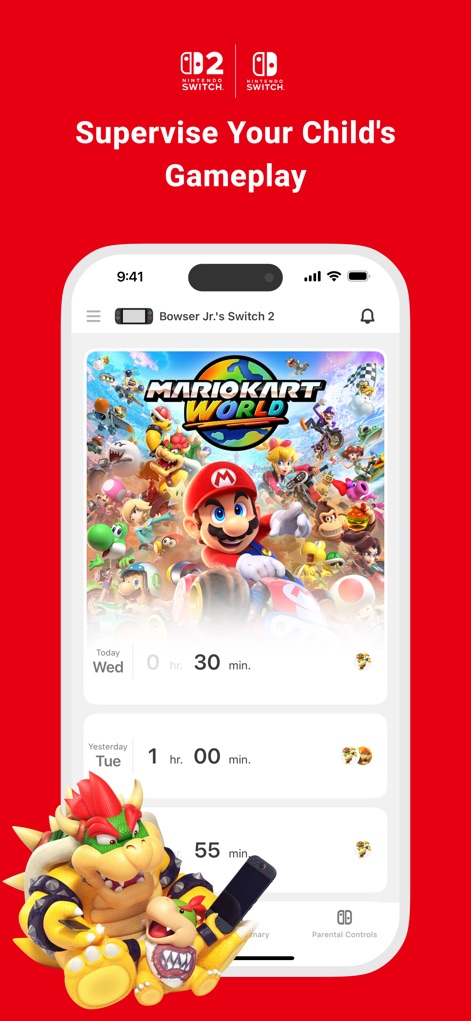
Track Playtime Habits
This tool provides a clear overview of daily playtime, displaying specific game titles like "Mario Kart World" and total session durations for "Today" and "Yesterday".
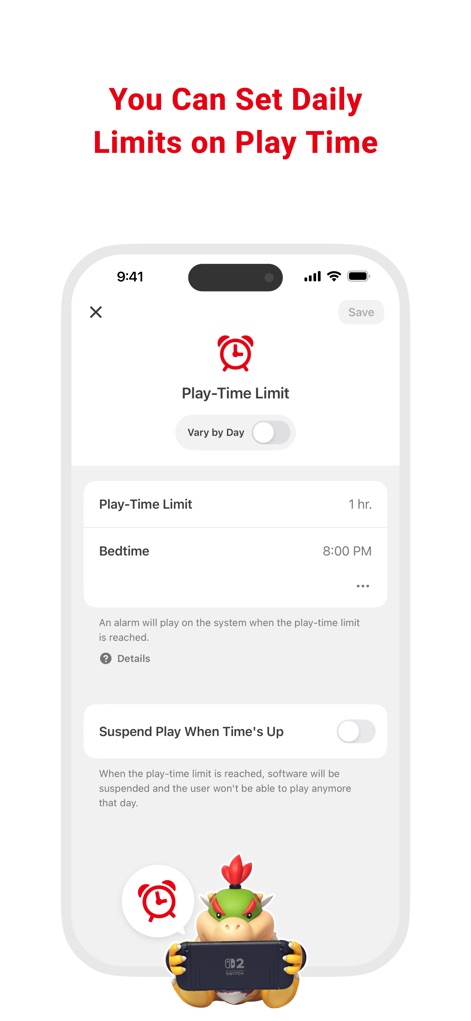
Flexible Play Limits
Users can easily set a "Play-Time Limit" for their child's daily gaming sessions and configure a specific "Bedtime" to ensure healthy digital habits.
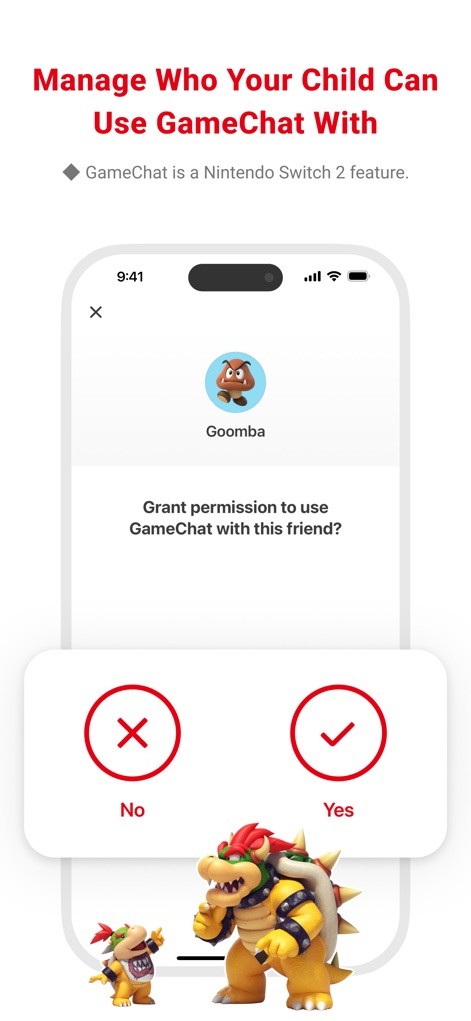
Manage GameChat Connections
The app allows parents to precisely manage who their child can communicate with, presenting a clear prompt to "Grant permission" for specific in-game "friends" like 'Goomba'.
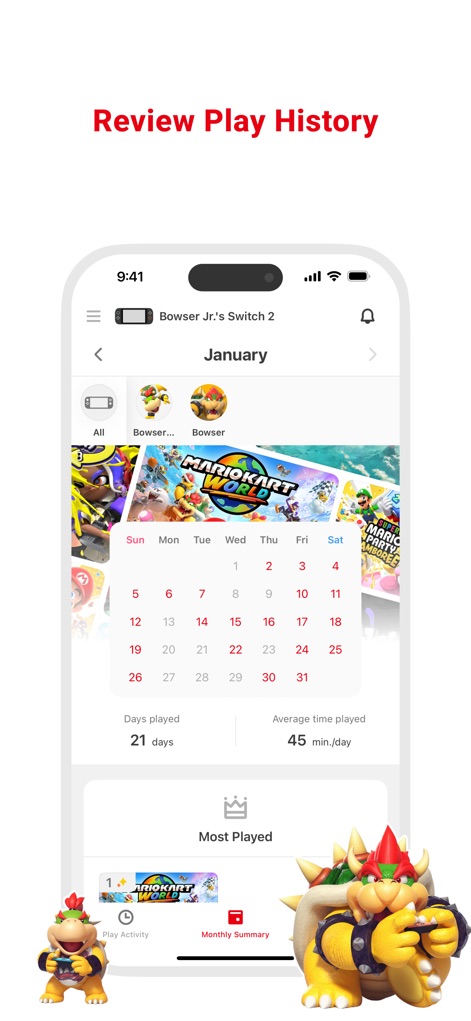
Monthly Activity Insights
This feature offers a comprehensive "Monthly Summary" of gameplay activity, showcasing the total "Days played" and identifying the "Most Played" titles for a clear overview.
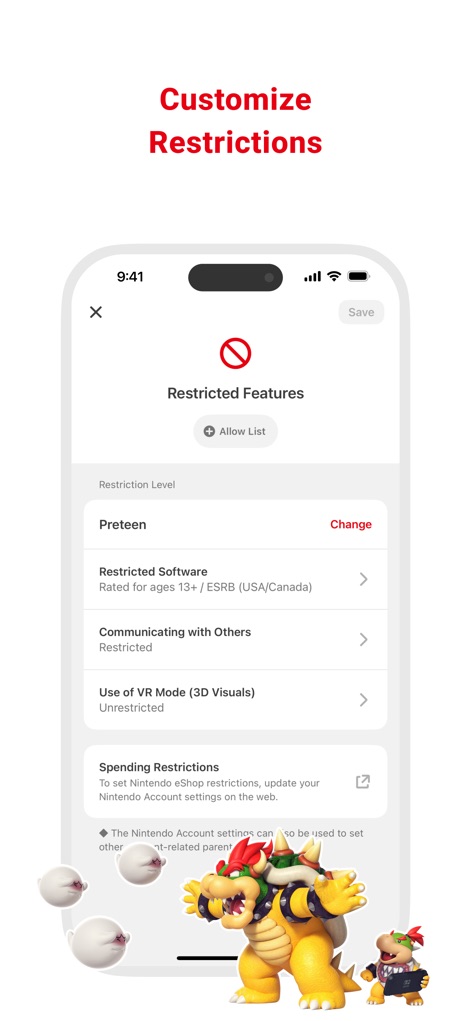
Tailored Content Control
Users can customize specific content restrictions based on age, adjusting the "Restriction Level" for categories like "Restricted Software" and managing "Communicating with Others".
Description
Download
More Like This
Apps with similar features and user experience

Findos - Find My Device
Pollux Bilisim Teknolojileri Sanayi ve Ticaret Limited Sirketi

Boost Family Guard
Smith Micro Software, Inc.

Google Family Link
Google LLC

Findmykids: GPS Phone Tracker
LETEM LTD

Parental Control App Kids360
ANKO SOLUTIONS LLC

JusTalk Kids - Safe Messenger
Ningbo Jus Internet Technology Co., Ltd.

FlashGet Kids:parental control
HONGKONG FLASHGET NETWORK TECHNOLOGY CO., LIMITED

Parental Control App: AirDroid
SAND STUDIO CORPORATION LIMITED

Parental Control App - Kidsee
Alenrom sp. z o.o.
This page is not an official page of the app or its developer, but an independent editorial publication created for informational and commentary purposes. Unless expressly stated otherwise, neither the app nor its developer is affiliated with, endorsed by, sponsored by, authorized by, or otherwise officially connected with MWM, Apple, Google Play, the app publisher, or the app's developer, and nothing on this page implies that the app was developed using MWM's services. Any trademarks, logos, screenshots, and other content remain the property of their respective owners.