
This page is not an official page of the app or its developer, but an independent editorial publication created for informational and commentary purposes. Unless expressly stated otherwise, neither the app nor its developer is affiliated with, endorsed by, sponsored by, authorized by, or otherwise officially connected with MWM, Apple, Google Play, the app publisher, or the app's developer, and nothing on this page implies that the app was developed using MWM's services. Any trademarks, logos, screenshots, and other content remain the property of their respective owners.


Parental Control App - Kidsee
The all-in-one digital assistant for the modern parent. Track real-time location, block apps, and turn chores into earned screen time through one intuitive dashboard.
Downloads
208K+User Rating
Total Ratings
4K+Publisher
Category
LifestyleLocales
39Latest Version
15.3Size
156.6 MBFirst Released
Nov 16, 2024Smart Boundaries for a Balanced Childhood
Kidsee empowers you to guide your child's digital journey with tools designed for safety, productivity, and healthy habits, turning screen time management from a struggle into a partnership.
Reward-Based Responsibility
Transform chores and homework into rewards. Let your children earn extra screen time by completing tasks, teaching them the value of hard work over mindless scrolling.
Real-Time Peace of Mind
Give them the freedom to explore while you stay informed. Track your child's live location and route history to ensure they are safe on their way to school or a friend's house.
Frequently Asked Questions
Everything you need to know about Parental Control App - Kidsee
What is the Kidsee app?
Kidsee is an innovative parental control app designed to keep children safe. It helps manage mobile device usage by tracking screen time, blocking apps, monitoring location, and encouraging responsible digital habits.
Can I track my child's location with Kidsee?
Yes, Kidsee offers real-time location tracking. Parents can monitor their child's current location and view their route history directly within the app to ensure their safety.
Does Kidsee allow parents to set screen time limits?
Yes, Kidsee allows parents to set daily screen time limits for their children on various apps and games. This feature helps balance fun and responsibilities by defining usage boundaries.
How does Kidsee help with app usage management?
Kidsee allows parents to block unwanted apps to help children focus. It also provides detailed usage statistics, showing which apps children use, when, and for how long.
Can the Kidsee app monitor multiple children's devices?
Yes, Kidsee supports monitoring multiple devices simultaneously. Parents create individual profiles for each child and manage all devices from one parent phone with personalized limits.
Does Kidsee offer motivational features for children?
Yes, Kidsee includes 'Motivational Tasks.' Children earn extra screen time for completing tasks like homework or cleaning, which encourages responsible behavior and good habits.
How does the subscription work for Kidsee?
Kidsee offers subscriptions with payment charged to your Apple ID upon purchase confirmation. Subscriptions automatically renew unless auto-renewal is turned off 24 hours before the period ends.
Can I cancel my Kidsee subscription?
Yes, you can cancel your Kidsee subscription at any time. Manage subscriptions and turn off auto-renewal after purchase in your Apple ID account settings.
Does Kidsee provide a free trial period?
Yes, Kidsee may offer a 3-day free trial. After this period, the subscription automatically renews at the regular rate unless canceled before the trial ends.
What kind of activity reports does Kidsee generate on app usage?
Kidsee generates detailed app usage statistics. These reports show which apps a child uses, at what time, and for how long, providing insight into their digital habits.
Can Kidsee block adult content and websites?
Yes, Kidsee allows parents to filter content by blocking adult websites. This feature helps create a safer digital environment and ensures children's online protection.
How can I contact Kidsee support?
You can contact Kidsee support via email for technical issues, questions, or suggestions. The dedicated support email address is support@kidsee.app.
Does Kidsee allow scheduling app blockings?
Yes, Kidsee offers the ability to schedule app blockings. Parents can define specific time periods during the day or week when certain apps are restricted.
Can parents block in-app purchases using Kidsee?
Yes, Kidsee provides the option to block in-app purchases. This feature helps parents control spending and prevent unauthorized transactions by their children.
Does Kidsee notify parents about screen time limits?
Yes, Kidsee sends push notifications. Parents receive alerts when their child reaches usage time limits, helping them stay informed about their child's activity.
The following screenshots and description are sourced directly from the app's official store listing and are the property of the app developer.
App Store
Screenshots
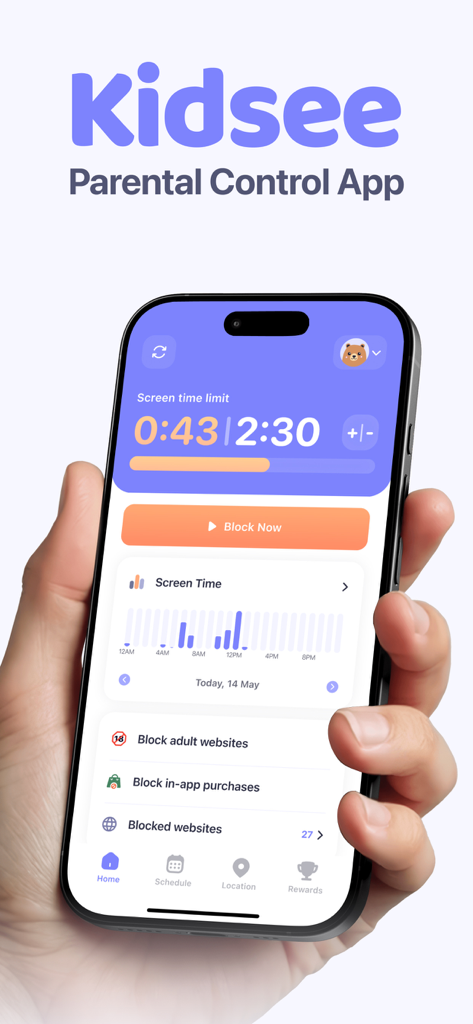
iPhone screen displaying the Kidsee parental control app dashboard with screen time limits and app blocking features
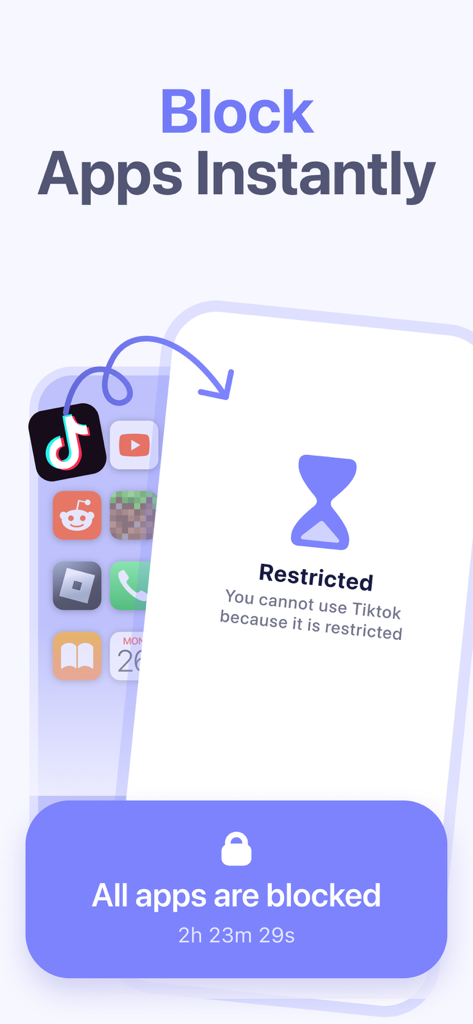
A smartphone screen showing the Kidsee app feature to block applications like TikTok
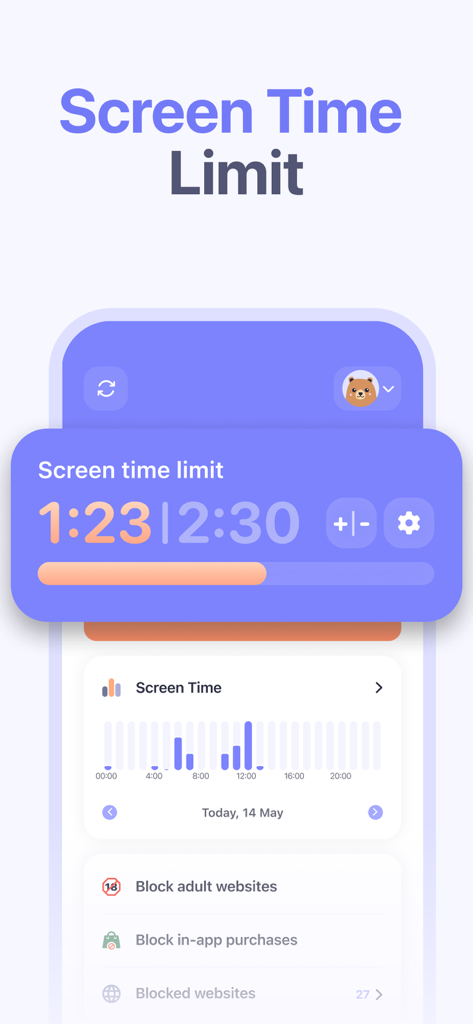
Kidsee app dashboard displaying screen time limits, daily usage statistics graph, and website blocking controls.
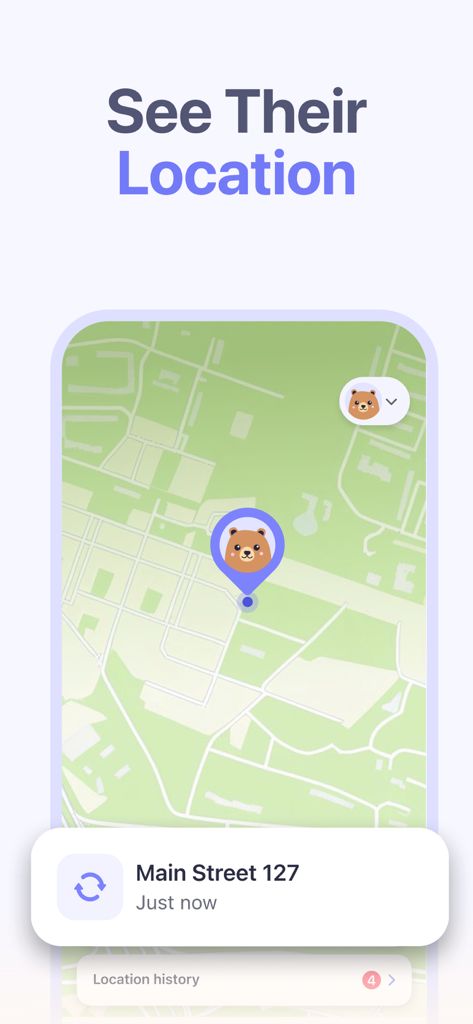
Kidsee parental control app showing real-time child location tracking on a map interface
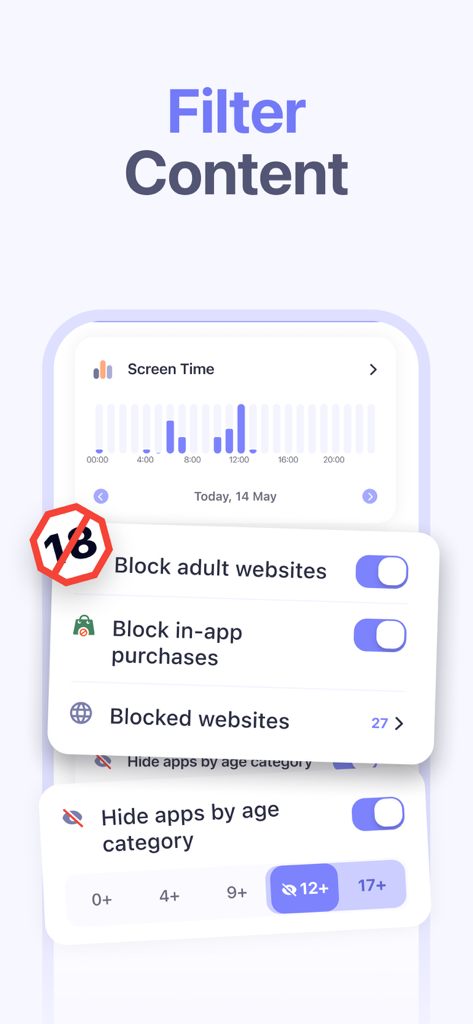
Interface of the Kidsee app showing settings to block adult websites and hide apps by age category
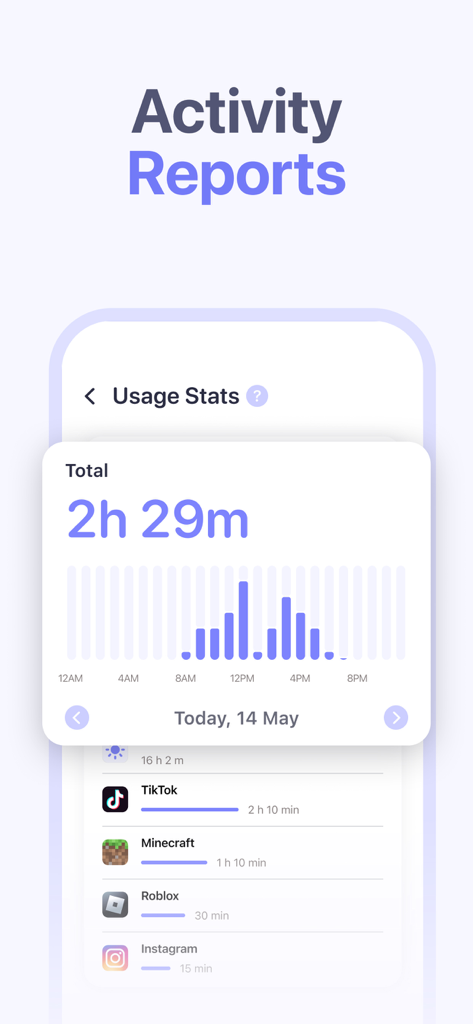
Dashboard of Kidsee app displaying daily screen time usage and activity reports for apps like TikTok and Roblox.
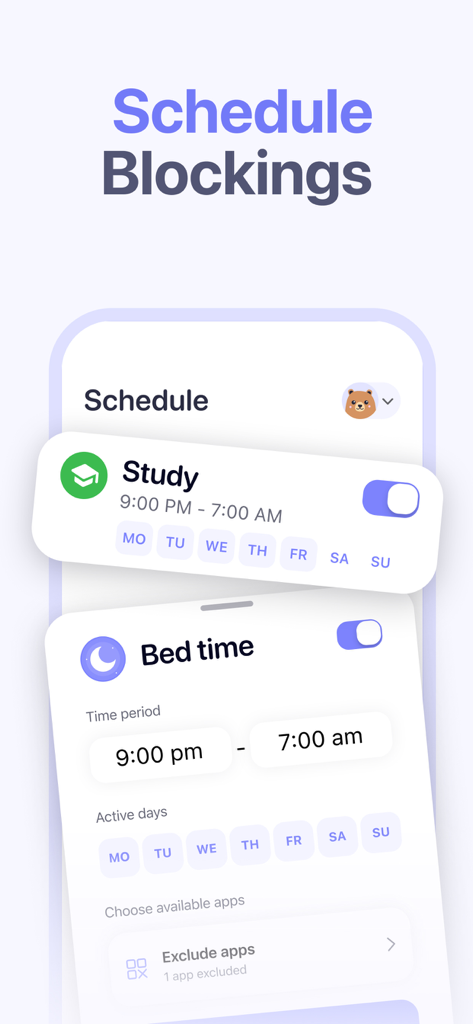
Interface of the Kidsee app showing the schedule blockings feature for study time and bed time
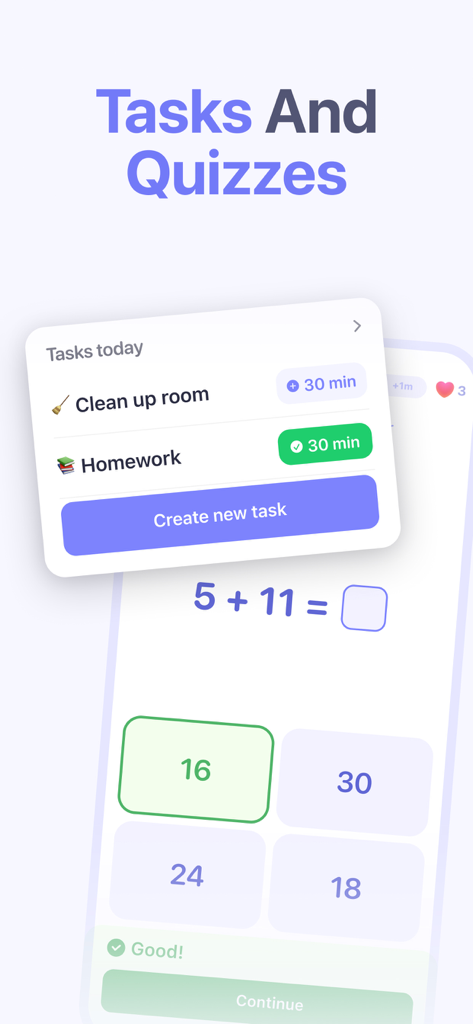
Kidsee app interface showing daily tasks and a math quiz for kids to earn screen time rewards
Description
Download
More Like This
Apps with similar features and user experience

Findos - Find My Device
Pollux Bilisim Teknolojileri Sanayi ve Ticaret Limited Sirketi

Boost Family Guard
Smith Micro Software, Inc.

Google Family Link
Google LLC

Findmykids: GPS Phone Tracker
LETEM LTD

Nintendo Switch Parental Cont…
Nintendo Co., Ltd.

Parental Control App Kids360
ANKO SOLUTIONS LLC

JusTalk Kids - Safe Messenger
Ningbo Jus Internet Technology Co., Ltd.

FlashGet Kids:parental control
HONGKONG FLASHGET NETWORK TECHNOLOGY CO., LIMITED

Parental Control App: AirDroid
SAND STUDIO CORPORATION LIMITED
This page is not an official page of the app or its developer, but an independent editorial publication created for informational and commentary purposes. Unless expressly stated otherwise, neither the app nor its developer is affiliated with, endorsed by, sponsored by, authorized by, or otherwise officially connected with MWM, Apple, Google Play, the app publisher, or the app's developer, and nothing on this page implies that the app was developed using MWM's services. Any trademarks, logos, screenshots, and other content remain the property of their respective owners.