
This page is not an official page of the app or its developer, but an independent editorial publication created for informational and commentary purposes. Unless expressly stated otherwise, neither the app nor its developer is affiliated with, endorsed by, sponsored by, authorized by, or otherwise officially connected with MWM, Apple, Google Play, the app publisher, or the app's developer, and nothing on this page implies that the app was developed using MWM's services. Any trademarks, logos, screenshots, and other content remain the property of their respective owners.

Google Family Link
Unrestricted screen time is a direct path to digital chaos; the app equips parents with decisive control over usage, content, and location.
Downloads
25M+User Rating
Total Ratings
1.7MPublisher
Category
UtilitiesLocales
56Latest Version
2.78.37981Size
190.2 MBFirst Released
Apr 13, 2017Google Family Link: A Parental Control Analysis
Key features enabling comprehensive digital well-being and safety management for children.
Content Filtering & Permissions
This tool features robust parental controls for Google services, enabling parents to block inappropriate websites, require approval for new app installations, and manage app and website permissions.
Screen Time Management
The app provides comprehensive tools to set daily screen time limits, as well as specific schedules for school time and downtime, promoting healthy digital habits for children.
Real-time Device Location Tracking
It allows users to locate their children's devices on a map, providing peace of mind by knowing their physical whereabouts when they are on the go.
App Usage Control
It allows users to manage their child's app usage by setting individual time limits for specific applications, granting unlimited access for educational apps, and blocking undesirable apps.
Critical Notifications & Device Alerts
This tool features critical notifications, including alerts when a child arrives at or leaves specific locations, and provides information such as device battery life and the ability to ring the device.
Account Security & Privacy Management
The app provides access to manage a child's Google account settings, allowing parents to assist with password resets, modify personal information, and oversee data privacy.
Frequently Asked Questions
Everything you need to know about Google Family Link
What is Google Family Link?
Google Family Link is a parental controls app designed to help families manage their children's online experience. It allows parents to set screen time limits, manage apps, filter content, track device location, and secure their child's Google account.
Can parents set screen time limits with Google Family Link?
Yes, parents can set daily screen time limits using Google Family Link. The app also allows for specific school time and downtime schedules for their children's devices.
How does Google Family Link manage a child's apps?
Google Family Link enables parents to set individual time limits for apps, designate unlimited time for educational apps, and block specific applications on their child's device.
Does Google Family Link allow parents to manage online content filters?
Yes, Google Family Link provides tools to set parental controls on Google services such as Chrome, Play, YouTube, and Search. It can block inappropriate sites and require approval for new apps.
Can I track my child's device location with Google Family Link?
Yes, Google Family Link allows parents to locate their children on a map, provided the child's device is powered on, recently active, and connected to the internet.
How can Google Family Link help secure my child's Google account?
Google Family Link provides parents with access to manage their child’s account settings. Parents can change or reset their child’s password, edit personal information, or delete the account if necessary.
Does Google Family Link require approval for all app purchases?
No, purchase approvals apply only when a child makes a purchase through Google Play’s billing system. It does not apply to app updates, previously approved apps, or purchases made via alternate billing systems.
What kind of notifications does Google Family Link provide?
Google Family Link delivers critical notifications, including alerts when a child arrives at or leaves a specific location. Parents can also ring devices and view the device's remaining battery life.
Is Google Family Link compatible with all devices?
No, Google Family Link's tools vary depending on the child's device. A list of compatible devices is available on the Google Families website.
Does Google Family Link guarantee internet safety for children?
No, Google Family Link does not guarantee internet safety. It provides tools for parents to manage their child's online experience and make decisions, but it cannot determine all content on the internet.
The following screenshots and description are sourced directly from the app's official store listing and are the property of the app developer.
App Store
Screenshots
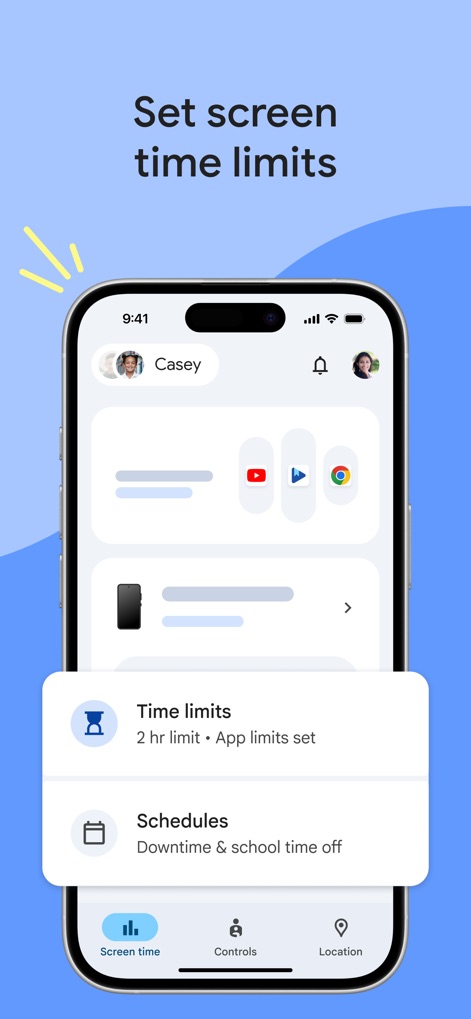
Screen Time Controls
Users can easily set daily screen time limits and customize device schedules, offering clear boundaries for digital engagement.
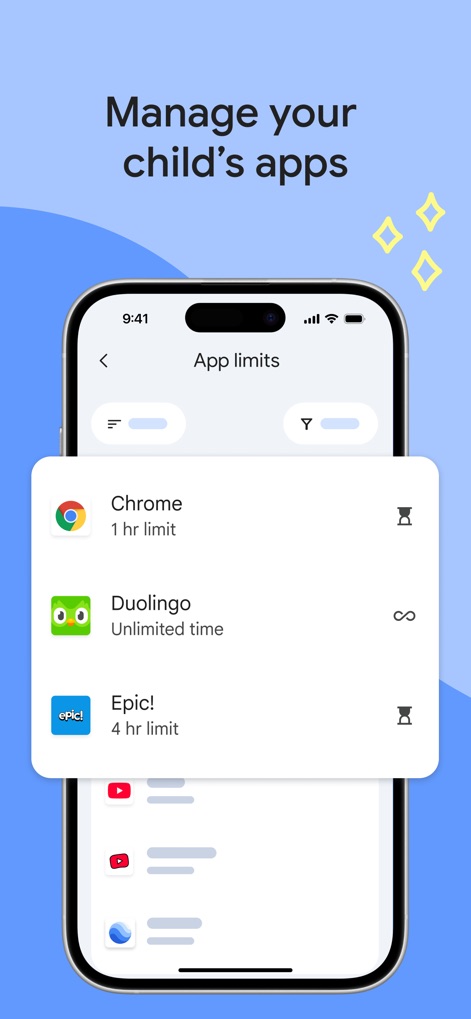
App Usage Management
The app allows parents to establish individual app time limits and designate apps like Duolingo for unlimited use, providing flexible management.
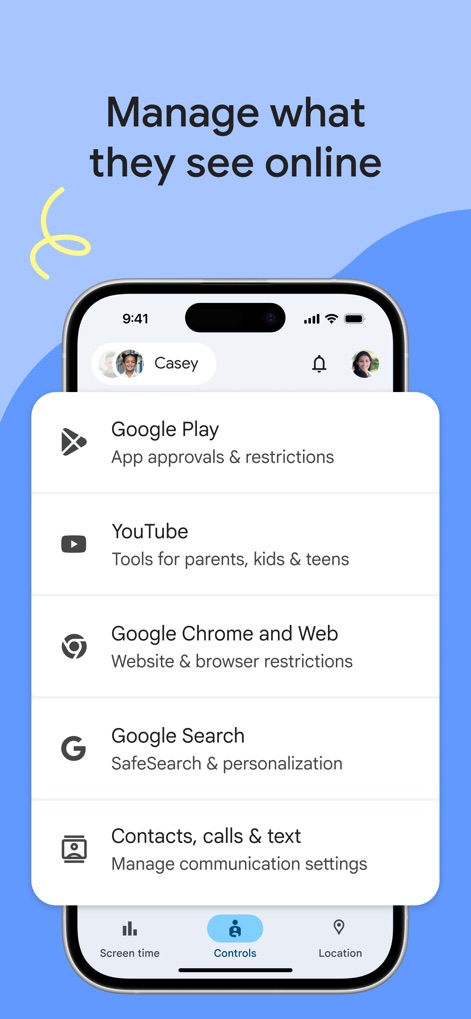
Content Filtering
This tool centralizes content filter management for services like YouTube and Google Play, ensuring appropriate online experiences.
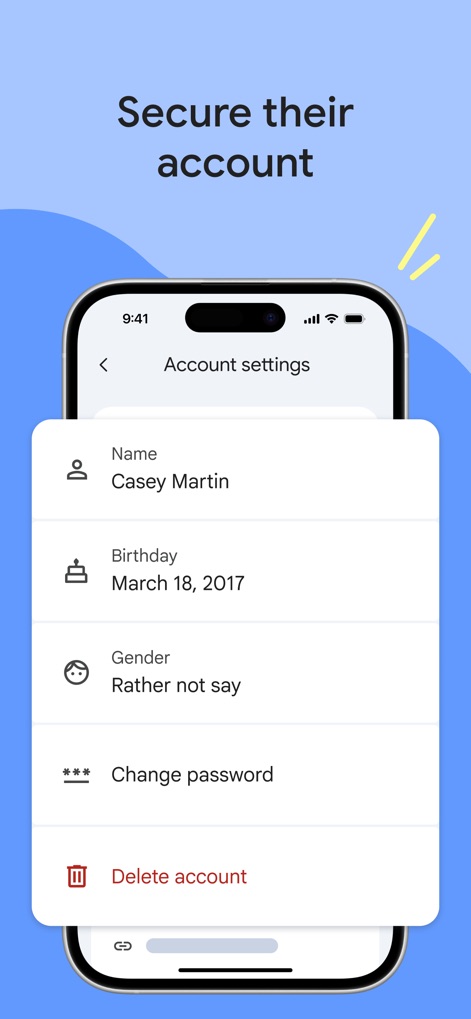
Account Security
Parents can securely manage their child's account details, including personal information like name and birthday, and access password reset options.
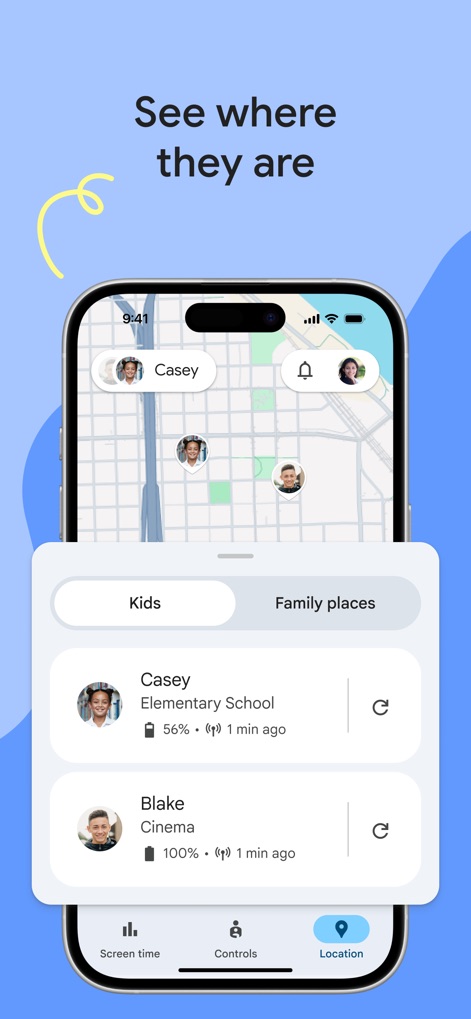
Location Tracking
The tool offers real-time location tracking, displaying children's positions on a map and providing current location updates for individuals like Casey and Blake.
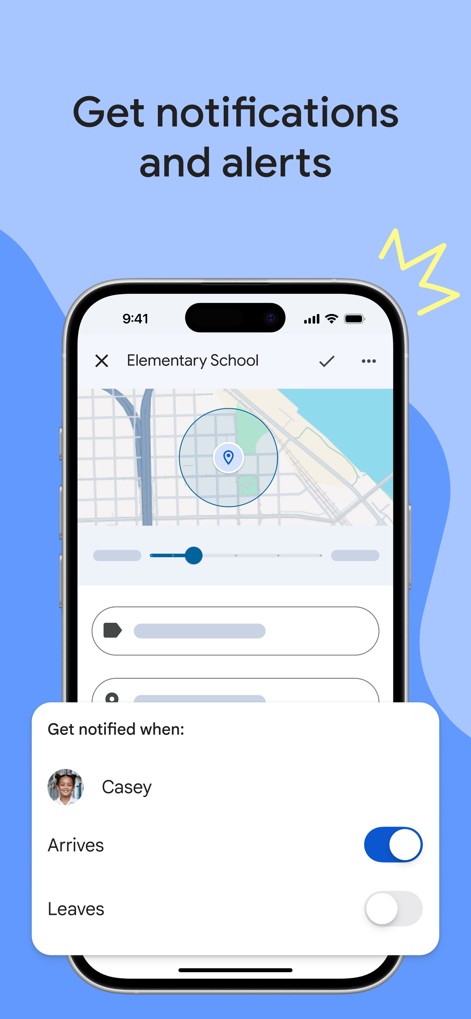
Geofence Alerts
Users can set up custom geofence alerts, receiving notifications when a child 'Arrives' at or 'Leaves' a designated location on the map.
Description
Download
More Like This
Apps with similar features and user experience

Findos - Find My Device
Pollux Bilisim Teknolojileri Sanayi ve Ticaret Limited Sirketi

Boost Family Guard
Smith Micro Software, Inc.

Findmykids: GPS Phone Tracker
LETEM LTD

Nintendo Switch Parental Cont…
Nintendo Co., Ltd.

Parental Control App Kids360
ANKO SOLUTIONS LLC

JusTalk Kids - Safe Messenger
Ningbo Jus Internet Technology Co., Ltd.

FlashGet Kids:parental control
HONGKONG FLASHGET NETWORK TECHNOLOGY CO., LIMITED

Parental Control App: AirDroid
SAND STUDIO CORPORATION LIMITED

Parental Control App - Kidsee
Alenrom sp. z o.o.
This page is not an official page of the app or its developer, but an independent editorial publication created for informational and commentary purposes. Unless expressly stated otherwise, neither the app nor its developer is affiliated with, endorsed by, sponsored by, authorized by, or otherwise officially connected with MWM, Apple, Google Play, the app publisher, or the app's developer, and nothing on this page implies that the app was developed using MWM's services. Any trademarks, logos, screenshots, and other content remain the property of their respective owners.